

Desert Online General Trading LLC
Dubai, United Arab Emirates
Desert Online General Trading LLC
Dubai, United Arab Emirates


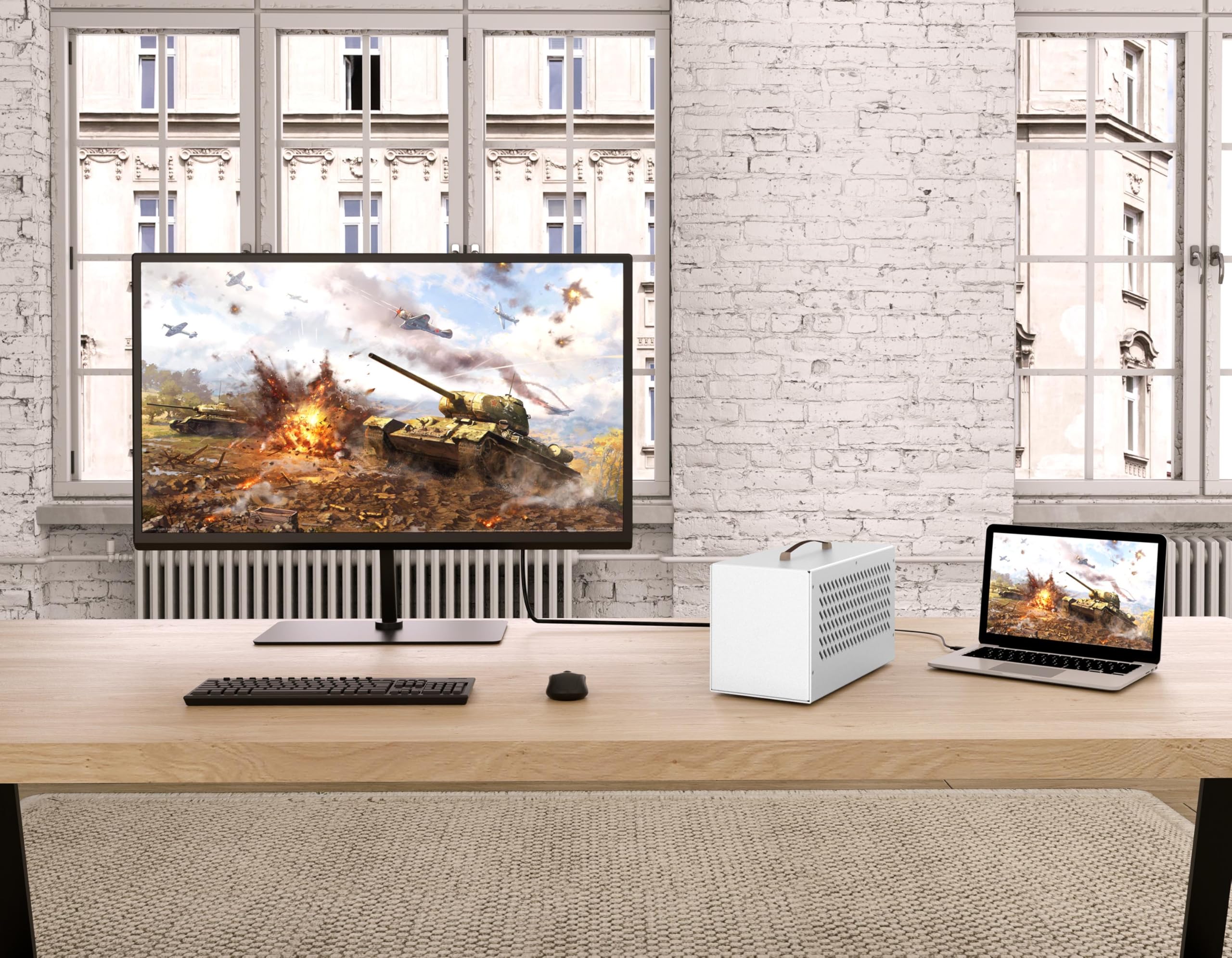



🚀 Elevate your laptop’s power game with the ultimate compact eGPU dock!
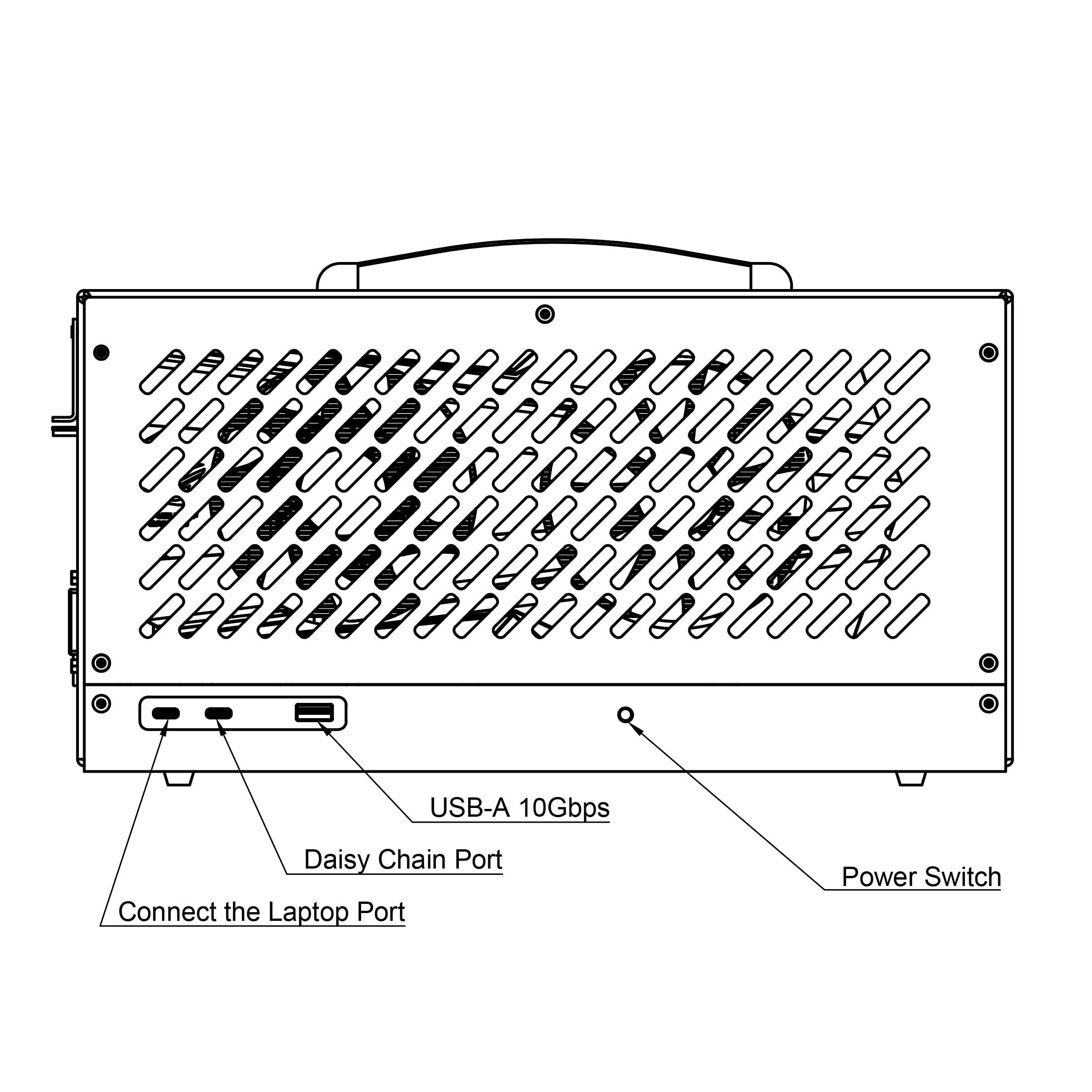
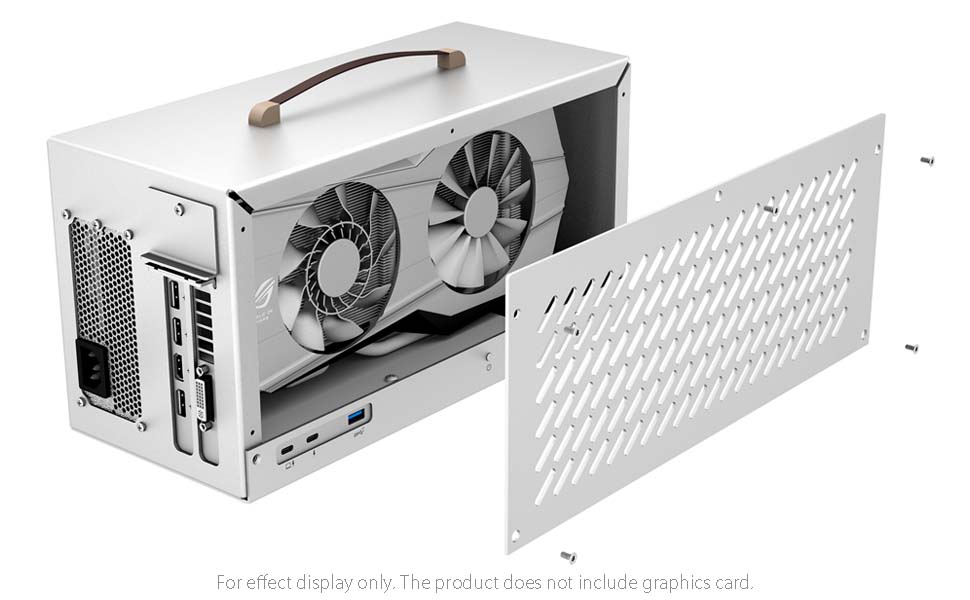
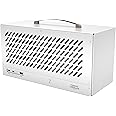
This compact eGPU enclosure leverages certified Thunderbolt 3/4 USB4 technology to deliver blazing 40Gbps speeds, powered by a robust 600W PSU that supports up to 85W laptop charging. Its full aluminum chassis ensures durability and heat management, while versatile ports enable daisy-chaining and multi-device connectivity. Compatible with Windows and MacOS (AMD GPUs only on Mac), it supports a wide range of NVIDIA and AMD PCIe graphics cards, making it the perfect upgrade for professionals seeking desktop-class GPU power on the go.




D**H
Working with Legion Go and Asus Prime 5070
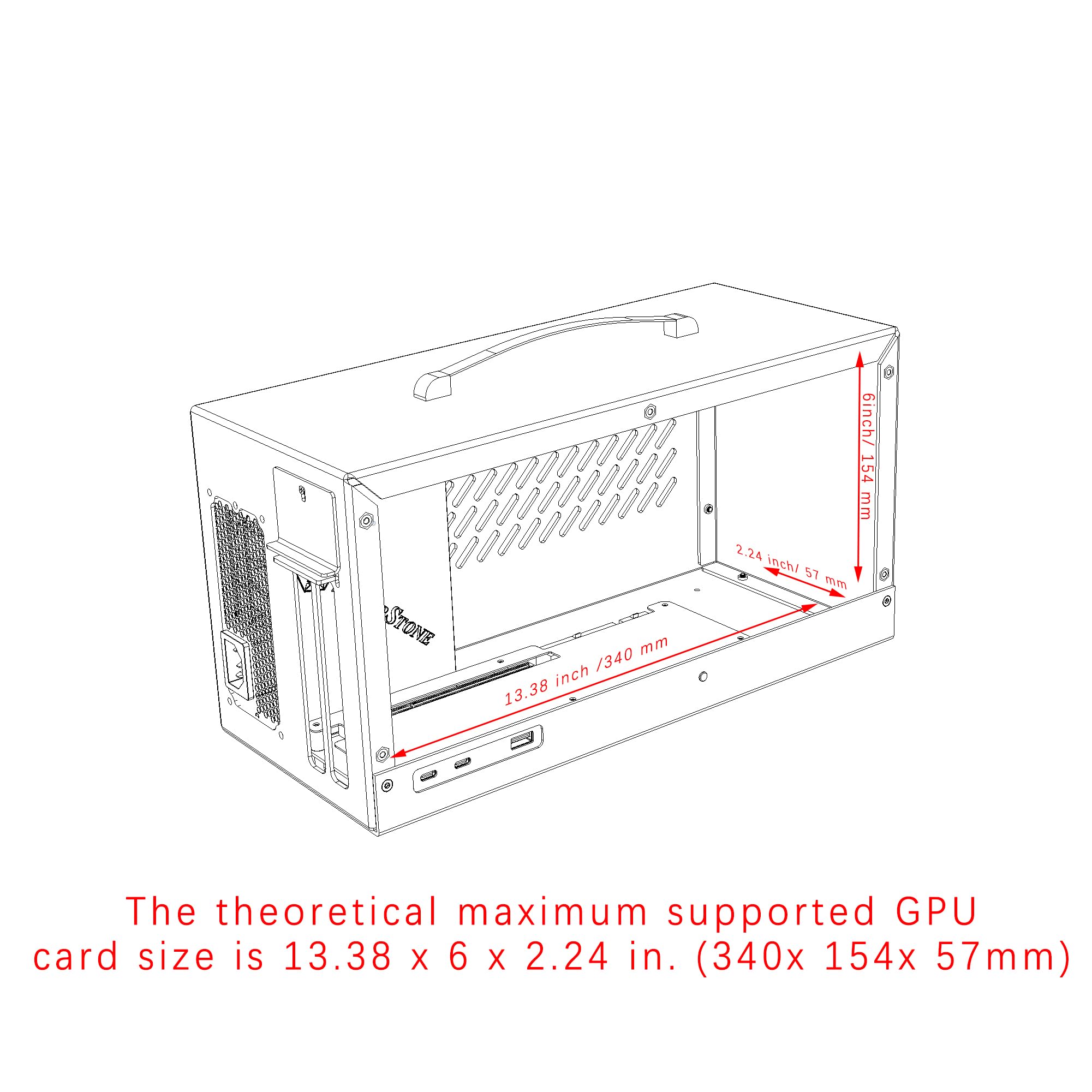
I got my eGPU for the used price which was an amazing deal to me. I was looking at a handful of different ones and at the price I found the Trebleet for I went ahead and ordered it because of the built in power supply and the overall look.I don't know if I would call it compact... but my GPU fit well with a little extra space. Installation wasn't too difficult but I did have to take most of the enclosure apart to get the card to fit. Also, I used an Asus Prime RTX 5070. I plan on putting it in a build and didn't do my research. There's a lot of info out there saying that the 50 series cats won't work in these Thunderbolt 3 or 4 eGPUs because PCIe 5.Well, I got mine to work pretty flawlessly but it wasn't without some headache. I'm using it with a Legion Go and I would get random reboots during my gaming sessions. I thought the cord was an issue, bought a different one that seemed to work better but still reboots. I tried the cable that came with the Trebleet again and it worked fine the second time.What ultimately fixed my issue was changing the Nvidia power management mode to Prefer maximum performance and I haven't had a reboot since.There you have it, works for me with a 5070, YMMV.
N**S
Does NOT work Out of the Box with 5070 or higher cards!
I paired this with my Nitro V 15 laptop that I picked up on sale at Walmart and its working well after some troubleshooting. It works great with my RTX 5070ti and ran over 19,200 in timespy total (vs 21,100 in my similar desktop) so there really is minimal performance loss.The included cable was causing nvidia crashes after like 30 minutes of heavy load testing so I figured I would order a better one before checking the PSU and other things.Do yourself a favor and order a better one, I used the "Anker USB C Cable(3.3FT, 240W), USB 4 Data Cable, 40Gbps, 8K HD Display, Thunderbolt 4/3 Compatible" and its purring like a kitten.I have to take off a star for the crappy cable but otherwise I am happy with the enclosure and it delivers enough power for my Nvidia RTX 5070ti pulling a max of 305watts per the app during a furmark burn in test.Card installation was simple enough and (for my card) did NOT require full disassembly, just some skinny fingers, patience and removal of the side panel.They included all required bits and drivers to access the internals BUT the screws were over torqued and super difficult to remove (other than the side panel), if you have to open it all the way up to install you'll want some kinda grip enhancement for the driver, pliers, silicone grips etc...Temps were fine and the fans are loud when under full load so if you want a silent workstation you might need to look into adding some cooling solution to the box.If you're going bigger than that I probably would buy a bigger/better PSU because this one daisy chains the supply rail and I know that the 5080 and 5090 and above have been prone to fires using this setup.=====*ADDING THIS TO MY REVIEW AFTER A MONTH OF TROUBLESHOOTING*my RTX 5070ti said not to use daisy chained PCIE power cables and this power supply ONLY has those so I had to buy another PSU. If you are buying this because it comes with a PSU AND you have a 5070+ gpu you might want to look at other options where you supply your own psu because this one does NOT have the 300w 2x12 connection required and this caused SO many crashes (I thought were related to the cable but they were not)Once I added a new Thermaltake 750 with the 300W rail connection SFX form factor power suppy, every issue and crash I had vanished instantly following a reboot. Note you may need to reboot when you connect and disconnect your laptop but that is NOT the enclosures fault.======It does charge my laptop but its tagged as a slow charger, idk if this will present issues later for I gamed on it for 2 hours and the battery is still at 99% so I assume its fine.The design is just as shown in the pictures and it looks good on my desk and the build quality other than the screws being too tight is pretty good. I have included a shot with my GBA SP and a Diet Coke can for scale, its about 1.6 soda cans tall and about as long as a loaf of bread.The value for the money on this is pretty good as other enclosures are more expensive or less feature rich.All in all 3 out of 5 stars because of PSU not having 300w 2x12 for RTX 50 series cards and over torqued screws.They should advertise that, hope my review helps you!
B**D
Great product, great value.
Works great. I was nervous because there weren't many reviews and I hadn't heard of this company before, and it was a too good a deal compared to other products, but it turned out to be a great enclosure. It's pretty intuitive to use, and my system detected it right away, as soon as I plugged it into the correct Thunderbolt port.I started out with an old GTX750ti card and it worked right away, so I tried the larger, more powerful GeForce 3060 and it also worked and performed as expected.It works for running a screen but I'm more interested in running LLMs on my laptop using Ollama. The GPU showed up under WSL2 with no trouble at all and ran nvtop, glmark2, and Ollama perfectly.Very sturdy and well made.
/**\
It’s a dud. Spend a little more on a better enclosure.
Absolutely worthless. Plugged in my gpu and kept receiving errors. Purchased a different enclosure and had no issues. This one is a dud.On top of that I had to “modify” the enclosure just so my gpu would fit. Then the gpu wouldn’t ever work. Absolute trash.
O**.
Enclosure limitation
Update review: switched out the graphics card with a stronger one as the first one wasn't cutting it. Top most dp port after 30 minutes of trying to adjust, is literally hidden by about 1/8 of an inch. So one port I can not use unless I start cutting and voiding warranties. Because of this reason I’ve dropped the review to 3 starsOld review:Working so far. I was skeptical at first reading on of the bad reviews. Instructions were terrible, but basically you have to take the entire top off to put the gpu in. But for the price, compared to others, it’s working so far.
J**K
Very slick, works great!
Turned out great for running an Nvidia 3050 OC card externally to a laptop.Note that the graphics card can show up as a Microsoft generic graphics card on the first connection, which just means your computer doesn’t have the necessary drivers. Install the correct driver and you should be good to go.Otherwise, looks great on the desk, and working nicely so far.
Trustpilot
1 month ago
2 months ago
![Cable Matters [Intel Certified] 40Gbps Thunderbolt 4 Cable 3.3ft with 8K Video and 240W Charging - 1m, Compatible with USB4, Thunderbolt 3 Cable and USB-C](https://images-na.ssl-images-amazon.com/images/I/719imuYep9L._AC_UL116_SR116,116_.jpg)