Desert Online General Trading LLC
Dubai, United Arab Emirates
Desert Online General Trading LLC
Dubai, United Arab Emirates


🔧 Upgrade your iPad Mini’s touch game—because your device deserves a second chance!
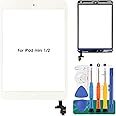
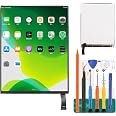
This replacement touch screen digitizer kit for iPad Mini 1 and 2 models includes an IC chip, home button, camera holder, adhesive strips, and professional tools. It supports precise touch functionality but excludes the LCD screen and fingerprint unlock on the home button. Ideal for professional repairs, it ensures your iPad Mini regains responsive touch control with a complete, compatible solution.


C**E
Watch videos first
Great replacement, price and even comes with tools. Install was easy
A**G
Lifesaving Product
I have an extremely clumsy 4-year-old. She had broken screen after screen even with a heavy-duty case on her iPad. I purchased this screen around Christmas time and was amazed at how easy it was to install after watching a simple YouTube video and *poof* her iPad was working PERFECTLY again. Fast forward to this month where, of course, she dropped her iPad again and the touchscreen wasn’t even working due to the damage. It was so great that I could hop on Amazon and go to my “Order Again” to find this lifesaving gem. It arrived the next day and took even less time to install this time around. We’re heading out on a LONG car ride and I’m positive this product saved my sanity and will cure my kiddos boredom. I highly, highly recommend ordering this product from this company. I definitely will be ordering again the next time my clumsy girl breaks her screen!
J**E
Functioned perfectly, adhesive misaligned.
The digitizer functioned perfectly. The adhesive was misaligned in a few spots (overlapping some of the edge of the digitizer) making for a not-so-great seal between the digitizer and case. Did not realize until it was too late! Tried to reposition with tools but no dice. Great quality otherwise!
M**.
I did it! It works! Watch Youtube videos!
Bought this due to its rating on Amazon. My daughter dropped her iPad mini and shattered the glass and slightly dented the corner. The local fix-it place wanted $100 to fix it so I thought I'd try it on my own. It took me quite a while due to the amount of adhesive on our iPad, but by following the instructions on Youtube (search for the video by Tech MD, it was the most thorough) I did it! If you're handy and good at following video instructions, give it a try. Thanks!
B**E
Screen not fully working
So I'm no tech savvy person as a fair warning.I needed to replace our screen that had been cracked for a few years. It started small buy grew larger over time (duh, of course it did).The screen aerived as expected. It didn't come with directions but in this day you can Google anything. I searched youtube for a how-to video to replace a screen on ipad mini. It was so simple to follow and I felt like a boss after I fixed it.My only problem is that the bottom of my screen isnt working correctly. I'm not sure if it is the screen that was sent to me or a malfunction on my end. But everything worked out until I closed it all up. I even took it back apart and tried again.I believe the screen is pushed in or something is going on to where the iPad thinks it's being touched on the bottom of the screen. But like I said, I'm not tech savvy.
J**D
Only functions for 2 weeks before malfunctioning
Horrible quality. Worked for 2 weeks now it has constant phantom taps. Can’t return now either.
Y**L
iPad Mini 1 A1432 para iPad Mini 2
BUEN PRODUCTOFACIL INSTALACION
S**S
Everything you need!
Kit was amazing and was a quick easy installation, had everything you will need to change out the screen and get your IPAD back up an working
Trustpilot
1 week ago
1 month ago