Desert Online General Trading LLC
Dubai, United Arab Emirates
Desert Online General Trading LLC
Dubai, United Arab Emirates




⚡ Power your pro-level build with speed and style!
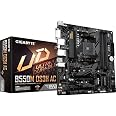
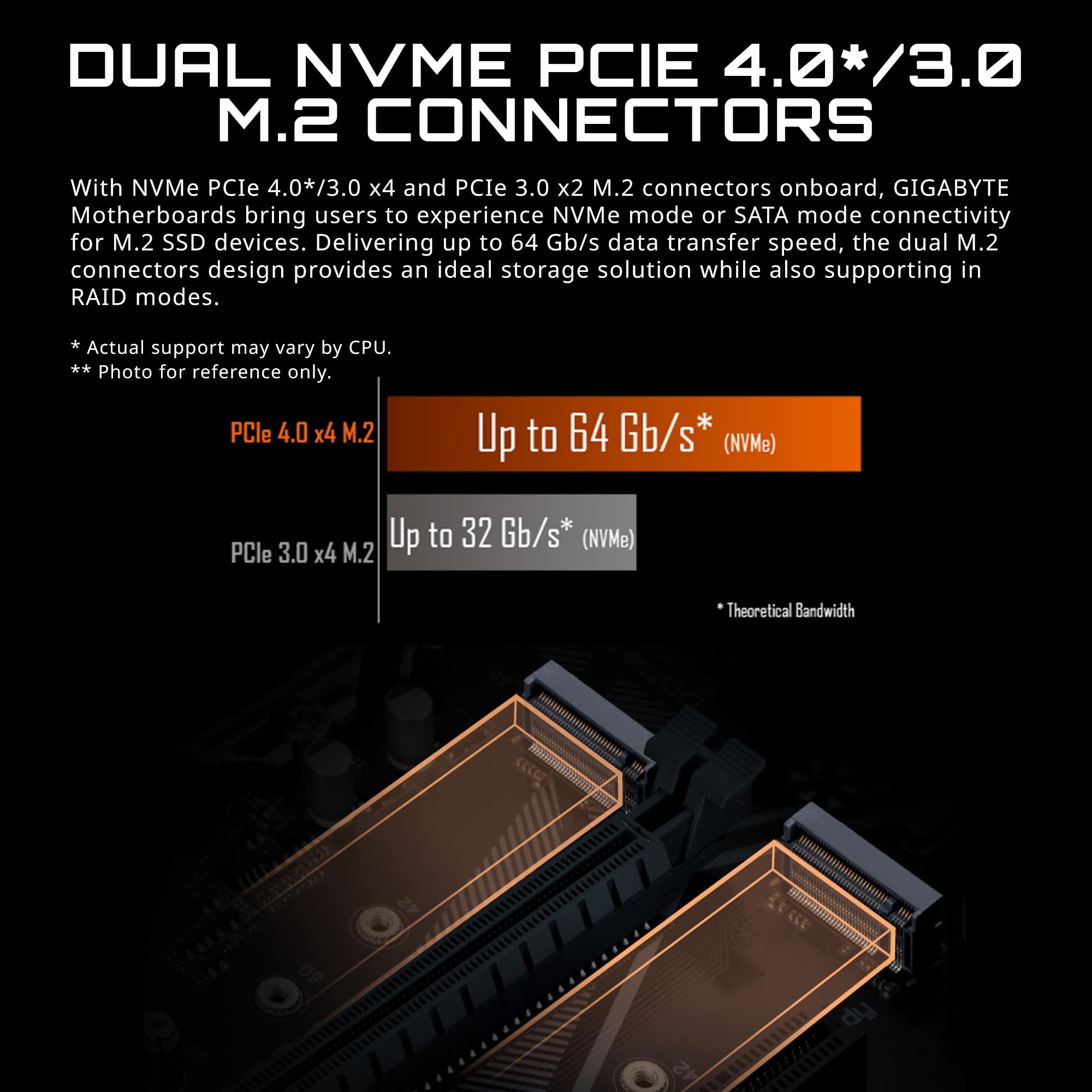
The GIGABYTE B550M DS3H AC motherboard is a Micro ATX powerhouse designed for AMD Ryzen 5000 and 3rd Gen processors. Featuring dual ultra-fast NVMe PCIe 4.0/3.0 M.2 slots, a robust 5+3 phase digital VRM, and onboard Intel Dual Band 802.11ac WiFi with Bluetooth 4.2, it delivers cutting-edge performance and seamless connectivity. Enhanced with RGB Fusion 2.0 and advanced thermal controls, it’s built for professionals and enthusiasts who demand speed, stability, and style.


| Processor | ryzen_3 |
| RAM | DDR4 |
| Memory Speed | 4733 MHz |
| Wireless Type | 802.11ac |
| Number of USB 2.0 Ports | 2 |
| Brand | GIGABYTE |
| Series | B550M DS3H AC |
| Item model number | B550M DS3H AC |
| Item Weight | 2.09 pounds |
| Product Dimensions | 13.18 x 10.62 x 3.14 inches |
| Item Dimensions LxWxH | 13.18 x 10.62 x 3.14 inches |
| Batteries | 1 Lithium Ion batteries required. |
| Manufacturer | GIGABYTE |
| ASIN | B08R5736B3 |
| Date First Available | December 17, 2020 |
R**R
Great board, great features.
Been using this motherboard since my last one failed.It works great, supports my M.2 SSD at full speed, has ample USB ports, and the wifi is excellent when I need to use my Ethernet cable for my Raspberry Pi.
E**X
Great value- good support on website
For a B550 board with wifi, this was a good deal-included every one needs for a build-including 2 m.2 slots-went easily in and out as I had to remove it once when I need to test something. Has Q-Bios so it can be flashed with only a power supply and your own flash drive (after you put bios on stick) which was very helpful as I was using unique components and was unsure about Windows 11 recognizing TPM. Worked great.
S**T
Great board.
This item just works. I build my own computers and these bundles, main board, processor and memory are truly plug and play. The manuals could be significantly improved, but wow what a difference in performance.
J**P
Decent motherboard
A fantastic motherboard good for gaming setups. The only con is that it doesn’t have a WiFi card, or the one it has is largely inefficient. Other than that, it has all the necessary ports that a motherboard should have, and I would recommend this one for budget PC builds in the mid-range. One issue I ran into is the USB ports(particularly at the front) turning off and on at random intervals which I have yet to find the cause for
S**E
Didn't have to update the firmware to make it work with the AMD APU
Worked great in my MX Linux build -G.SKILL Trident Z RGB Series DDR4 RAM 32GBAMD Ryzen™ 5 5600G 6-Core 12-Thread Desktop Processor with Radeon™ GraphicsEVGA SuperNOVA 120-GP-0850-X1, 850 G+, 80 Plus Gold 850W power supply.
S**N
Arrived DoA
Gigabyte used to be among the best. The ran a basic power test on every single board while it was still on the line, just before packing, so you never got a DoA board from them. Now, roughly 1 in 50 Gigabyte boards is DoA. This was the only board on the market that met my specs otherwise I would have never considered.Stay away from ASUS, too—they'll make you pay to ship your board for warranty, pay to ship a new one back, and penalize you for the cost of the process so you end up paying half the price of your board to get a new one when they're the ones that messed up. For now, ASRock is the only manufacturer that doesn't leave you out to dry or with frequent DoAs.When I got this board, I had intended on doing the build right away. That did not happen; life intervened. By the time I realized there was a problem, I was already outside the return period, and just past the absurdly short warranty period.The board LEDs do no light up. Using a power tester in between the PSU and the 24-pin ATX power connector showed the PSU is supplying power with ideal specs, but the main board wasn't drawing power at all, and would not respond to power on.Another way to test, if you don't have the fancy equipment I do, is to connect your power to the main board, then with a cheap multimeter, test the PWR_LED pin on the front panel header to its ground pin (or any other ground pin) and you should get around 3 Volts. Mine was 0 V.
D**N
Great value MB
Picked this up during Prime days for $66. Has all the functions you want. It doesn't have WIFI, but I don't' use that in this setup, and you can add a plug-in card for like $20 if you want it. The nearest board that has WIFI built in is $99, so save the money if you don't need it
W**Y
Add ECC memory to am4 system
Upgraded motherboard for ability to use ECC memory. Installed 2 32gb ECC memory sticks with no problems. Fantastic for home made nas server.
Trustpilot
1 month ago
1 week ago