🔗 Connect Your Health, Command Your Data
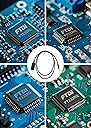
The Washinglee USB Data Cable is a 3-foot, intelligent USB A to serial cable designed for seamless data transfer from Bayer glucose meters—including Contour series, Breeze 2, and Didget—to computers and compatible devices. Supporting Windows, Mac OS, Linux, and Android platforms, it enables users to upload and manage blood sugar data via Bayer's Glucofacts software or other diabetes management apps. Featuring hot-plug and plug-and-play capabilities, this cable requires a proprietary driver installation (not Bayer’s) and comes with 1-year warranty and dedicated technical support, making it an essential tool for proactive diabetes monitoring.
| ASIN | B07HRKK15G |
| Best Sellers Rank | #517,331 in Health & Household ( See Top 100 in Health & Household ) #411 in Blood Glucose Monitors |
| Brand | Washinglee |
| Cable Type | USB |
| Color | Black |
| Compatible Devices | Laptop, PC |
| Compatible Phone Models | No Compatible Phone Models |
| Connector Gender | Male-to-Male |
| Connector Type | Usb |
| Customer Package Type | Sealed anti-static bag |
| Date First Available | January 1, 2019 |
| Indoor/Outdoor Usage | Indoor |
| Is Discontinued By Manufacturer | No |
| Item Weight | 1.06 ounces |
| Item model number | Washinglee USB Data Cable |
| Manufacturer | Washinglee |
| Maximum Voltage | 5 Volts |
| Model Name | Washinglee USB Data Cable |
| Number of Items | 1 |
| Number of Pins | 4 |
| Outer Material | Rubber or Plastic |
| Package Dimensions | 7.28 x 5.47 x 0.67 inches |
| Recommended Uses For Product | Data transfer from compatible Bayer glucose meters to a computer |
| Shape | Round |
| Special Feature | Data Transfer |
| Specification Met | Diabetes |
| UPC | 713440299841 713440299872 |
| Unit Count | 1 Count |
C**Y
Possible solution "Does Not Work"
This adapter installed automatically on a Window's 7 machine. The Latest Windows 10 pro machine was a bit problematic, however. BEFORE connecting the adapter, or installing or trying to update the drivers mentioned in WashingLee's excellent email instructions you will receive, go to Control Panel, device manager. In 'device manager', find all the USB ROOT HUBS, and, for each one, under 'power management' UNTICK ALL "allow computer to turn off this device' and apply. Must do separately for EACH usb root hub. In my case, the ONLY driver that would install was the very latest (as of today) FTDI 2xx series, 2.12.36.3 dated July 5 2021. Then everything worked as expected.
A**N
Works perfectly with the Contour Next EZ
Carefully follow the instructions that come with the cable. You must use the drivers supplied with the cable. I did and had zero problems connecting and using the free Glucofacts Deluxe software offered by Bayer. The free software from Bayer is worth about what you pay for it. Very clunky but thanks to this data cable it does capture the readings from your meter. Image supplied
G**A
A++++ Contour Next EZ meter connection cable
Excellent product. Works perfectly. Excellent communication from sellar and delivered promptly. Perfect transaction.
D**.
Did not work
Waste of money. Did not work. Lost it so can’t even return it.
L**E
A must to best use my meter
Improved my ability to track blood sugar.
J**.
Does not work
Spent 3 days installing, uninstalling and installing again software and drivers and nothing. If it’s not the original Bayer cable don’t spend the money
M**S
Sirvió bien para el Bayer Contour Plus. Necesitas solicitar al fabricante los drivers de instalación para algunos casos.
Trustpilot
2 days ago
1 day ago