Desertcart purchases this item on your behalf and handles shipping, customs, and support to Japan.
🚀 Elevate your home network — because buffering is so last decade!
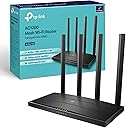
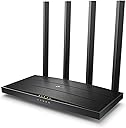
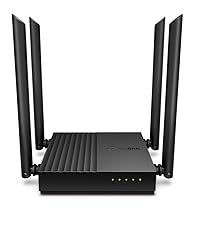
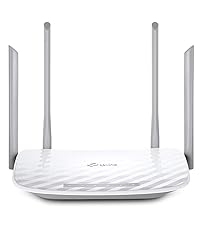
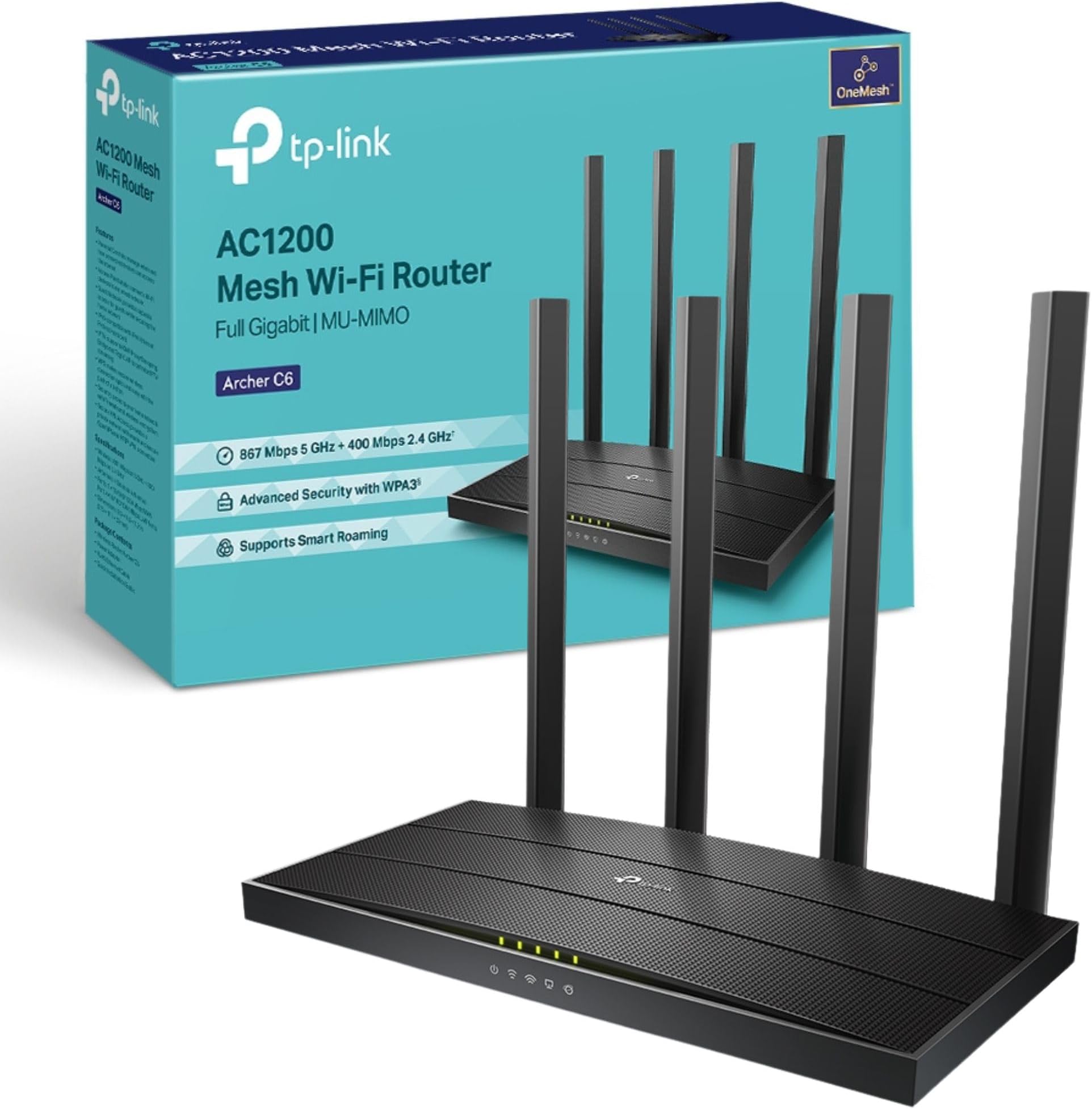
The TP-Link Archer C6 is a high-performance AC1200 dual-band WiFi router featuring MU-MIMO technology and four beamforming antennas for enhanced speed and coverage. It supports EasyMesh for seamless whole-home WiFi, VPN server capabilities for secure remote access, and offers easy setup via the TP-Link Tether app. With gigabit Ethernet ports and WPA3 security, it’s designed to deliver fast, reliable, and secure internet for gaming, streaming, and smart home connectivity.


| ASIN | B07L5YRYF4 |
| Antenna Location | Home |
| Antenna Type | Fixed |
| Best Sellers Rank | 1,024 in Computers & Accessories ( See Top 100 in Computers & Accessories ) 2 in Routers |
| Box Contents | Power Adapter, Quick Installation Guide, RJ45 Ethernet Cable, Wireless Router Archer C6 |
| Brand | TP-Link |
| Brand Name | TP-Link |
| Colour | Black |
| Compatible Devices | Laptop, Personal Computer, Smart Television, Smartphone, Tablet |
| Compatible devices | Laptop, Personal Computer, Smart Television, Smartphone, Tablet |
| Connectivity Protocol | Wi-Fi (802.11ac), Ethernet |
| Connectivity Technology | Ethernet, Wi-Fi |
| Control Method | App |
| Controller Type | Ios |
| Country of Origin | China |
| Coverage | Boosted with Beamforming technology |
| Customer Reviews | 4.5 out of 5 stars 16,079 Reviews |
| Data Transfer Rate | 1200 Megabits Per Second |
| Frequency | 5 GHz |
| Frequency Band Class | Dual-Band |
| Frequency band class | Dual-Band |
| Global Trade Identification Number | 06935364089399 |
| Has Internet Connectivity | Yes |
| Has Security Updates | Yes |
| Is Modem Compatible | Yes |
| Item Dimensions L x W x H | 21.5L x 11.7W x 3.2H centimetres |
| Item Type Name | WiFi Router |
| Item Weight | 775 Grams |
| LAN Port Bandwidth | 1000 Mbps |
| Manufacturer | TP-Link |
| Manufacturer Part Number | ARCHER C6 |
| Maximum Upstream Data Transfer Rate | 866.7 Megabits Per Second |
| Model Name | Archer C6 |
| Model Number | Archer C6 |
| Model name | Archer C6 |
| Number of Antennas | 4 |
| Number of Items | 1 |
| Number of Ports | 5 |
| Operating System | Android and IOS |
| Other Special Features of the Product | Beamforming,Parental Control,Access Point Mode |
| Product Warranty | Manufacture's 3-year warranty |
| Router Firewall Security Level | High |
| Router Network Type | WIRELESS |
| Security Protocol | WEP, WPA-PSK, WPA2-PSK |
| Special feature | Beamforming , Parental Control, Access Point Mode |
| Unit Count | 1.0 count |
| Voltage | 230 Volts (AC) |
| Wi-Fi Generation | Wi-Fi 5 |
| Wireless Compability | 802.11ac, 802.11n |
| Wireless communication standard | 802.11ac, 802.11n |
P**N
Excellent upgrade to the Wi-Fi signal from my ISP router
I recently upgraded to a 960mbps package with PlusNet and wasn't happy with the speeds I was getting over Wi-Fi. My PC is in my office upstairs with a ceiling and two walls in between around 10 metres or so away. My house is an 80's build with plasterboard walls. My PC has a Wi-Fi 7 wireless adapter on the motherboard, with an external arial (Asus Tuf Gaming B850 plus Wi-Fi). The PlusNet Home Hub 2 only offered Wi-Fi 4 which capped out at around 690mbps maximum speed over Wi-Fi. My PC was getting 400-450mbps over this. With the Deco65, I enabled MLO and was hoping for around 700mbps or so. As you can see in the picture, I'm getting the full speed over Wi-Fi which is more than expected. I'm pretty impressed with this. The speed fluctuates, as all Wi-Fi does but it's within the range of 850-960mbps the vast majority of the time. I did a lot of research about how to get the best signal through the ceiling and walls and the top recommendations were routers with external antenna that could point up to the PC so I took a chance on a mesh router that directs the signal out in all directions. So for my particular setup and environment, the Deco65 works extremely well. It's worth noting that even though this is a mesh router, I'm only using one of them. Aesthetics is a big plus as this sits near our TV in the living room so I opted for this instead of one that looks an like alien robot spider. This is why I didn't go for the recommended external antenna option. In terms of setup, I noticed from other Amazon reviews that people had to try again a few times when trying to find the device on the app and yes, this happened but just keep trying and it gets there in the end. Admittedly it's not the best first impression and the process could be made a lot easier but I'm not dropping any stars for this. Setting up the MLO network was easy. The app has done what I've needed it to do, but I'm not doing anything advanced with it. I've not set up a VPN on it or anything so can't comment on the more advanced options in the app. I've got two wireless networks set up. One that allows your device to choose 2.4ghz or 5ghz bands (much the same was as the PlusNet router did) and one for MLO that my PC connects to as it's the only Wi-Fi 7 device I have. Top tip if you're replacing your old ISP-provided router - give the wireless network the same name (SSID) and password as your old router. Your old devices will just connect to it. Mine did without problem. Overall, I'm very happy with this router.
M**I
Perfect Wi-Fi 7 Upgrade – Highly Recommended
I’m really impressed with the TP-Link Deco BE65 (BE9300). It was incredibly easy to install and set up, with the Deco app guiding me through everything step by step. The app is very user-friendly and offers plenty of advanced settings, making it easy to personalise your network exactly how you want it. Performance has been excellent. As an iPhone 16 Pro Max user, I can connect to the dedicated MLO (Multi-Link Operation) network, which provides faster speeds, lower latency, and a more reliable connection on supported Wi-Fi 7 devices. If you have other devices that support MLO, they can also connect and enjoy the same benefits. The hardware itself is excellent, with Wi-Fi 7, four 2.5 Gbps Ethernet ports, USB support, strong coverage, and seamless roaming. Everything has been fast, stable, and reliable. Overall, I’m very happy with my purchase. If you’re looking for a future-proof mesh Wi-Fi system that’s easy to set up but still offers plenty of features for advanced users, I would highly recommend the Deco BE65.
C**W
📡 TP-Link Deco BE9300 – Wi-Fi 7 Performance That Blows Away Expectations
Having tested the TP-Link Deco XE75 Pro recently, I was disappointed by poor IoT connectivity and misleading port upgrades. I needed a better-performing mesh router—and the Deco BE9300 turned out to be exactly that. This Wi-Fi 7 powerhouse brings outstanding speeds, seamless device connections, and full 2.5Gb Ethernet support—all at a lower price than the XE75 Pro while delivering superior real-world performance. 🛠 Setup & First Impressions Just like previous Deco models, setup was effortless—plug it in, connect via the app, and you’re online in minutes. ✔️ Straightforward installation—fast and simple via the TP-Link Deco app. ✔️ All devices connected instantly—no frustrating dropouts like the XE75 Pro. ✔️ Solid build with a clean design—compact enough to blend into any space. I set it up as an Access Point, and everything worked flawlessly—no hidden config issues, no tweaking needed. ⚡ Performance – Faster Than Netgear Orbi, Stable Across All Devices The Wi-Fi signal strength and speed were outstanding. In every corner of my house, I had strong coverage, and all devices connected seamlessly—a huge contrast to the XE75 Pro’s frustrating IoT issues. ✔️ All four Ethernet ports are 2.5Gb—no misleading upgrades, unlike the XE75 Pro’s single high-speed port. ✔️ True Tri-Band Wi-Fi 7 speeds—streaming, gaming, and smart home devices all ran effortlessly. ✔️ Smart cameras now load instantly—no buffering delays like before. ✔️ Even faster than my Netgear Orbi RBR50/RBS50, which had been my benchmark for years. Whether on wired or wireless, performance was consistently excellent. 🔍 AI-Driven Mesh Stability & Real-World Usability Unlike the XE75 Pro’s band-switching issues, this system handled smart home devices perfectly. IoT gadgets stayed connected, avoiding the dropouts I experienced on the previous model. ✔️ AI-driven optimisation enhances multi-device connectivity—everything feels faster and smoother. ✔️ Multi-Link Operation (MLO) delivers low latency, especially for streaming and gaming. ✔️ Works seamlessly with older devices—full backward compatibility with Wi-Fi 6, 5, and below. No frustrating network instability, just smooth and reliable performance. 🏆 What Makes This Better Than TP-Link Deco XE75 Pro? ✔️ Lower cost but significantly better performance. ✔️ Four full 2.5Gb Ethernet ports—no misleading "Pro" branding. ✔️ Wi-Fi 7 delivers speed and reliability—IoT devices stay connected. ✔️ Network cameras now stream instantly, instead of buffering. The XE75 Pro’s connectivity flaws and misleading port marketing made it a disappointment—this router fixes every issue and costs less. 🔧 What Could Be Improved? ❌ Still limited network customisation—same software restrictions as other Deco models. ❌ Single unit version lacks full mesh expansion—but a 3-pack is available. And it works harmoniously with other Deco units ✅ Final Verdict – TP-Link's Best Prosumer Wi-Fi Mesh Yet ✔️ Outstanding Wi-Fi 7 speeds & stability. ✔️ Every device connects seamlessly—no IoT dropouts. ✔️ Four full 2.5Gb Ethernet ports for future-proof networking. ✔️ Cheaper than XE75 Pro but vastly better in performance. ✔️ Handles streaming, gaming, and smart home automation effortlessly. ❌ Still lacks advanced network controls found in competitors. 👉 If you want a no-fuss Wi-Fi 7 upgrade with premium speeds and reliability, the Deco BE9300 is easily one of the best options on the market today. 🚀📡✨
A**7
Improved signal range across the house
Improved the signal across the house, as I have network cables to all rooms. Vast improvement. I tried wirelessly and barely any change with/without it, so only four stars. Set up to my existing Deco mesh system was so quick
B**W
Finally a router that just behaves itself
I’m not going to overcomplicate it — this thing is fast. Proper fast. Everything loads instantly now, even with loads of devices connected at once. Gaming feels smoother, streaming doesn’t buffer, and downloads actually use my full internet speed. Setup was pretty simple. The app basically holds your hand through it, which I appreciated because I don’t like fiddling around in settings menus trying to guess what does what. What I really like is that I don’t have to think about it anymore. No random drops, no restarting it, no “why is the Wi-Fi slow again?” moments. It just sits there and does its job quietly. I’ve got a bit of a “everything needs to feel organised and stable” thing, and this fits that perfectly. The wired ports are also a big win for my PC setup — everything feels more consistent when it’s plugged in. Only downside is the price, and it’s definitely more router than some people will need. But if you want something solid, future-proof, and stress-free, it’s worth it.
C**N
Great boost to wifi.
I was having problems with my Virgin broadband router and the WiFi signal so I did some research and this router was highly rated. Firstly, the router looks great, it looks like it means business and is made to serve a purpose. I placed the virgin broadband into router mode and connect this device. After connecting via the app the whole setup was so simple and easy that even a not so tech savvy person like myself found it a breeze. I positioned the antennas in different positions and connected to the router using the original ID and password from the virgin router. This can be set during set up and is completly customisable. There are many different settings to choose from including 2.4 and 5 ghz and also guest networks. The speed of my WiFi increased drastically once having this plugged in and went from around 190Mbps to 270Mbps and the coverage also greatly improved across the house. I have had no complaints in regards to the router itself, my firesticks found it difficult to connect at first but once I connected using the WPS button they have worked as normal. I would highly recommend this item if your wanting to replace your ISP router. It is so easy to set up and use it is actually a doddle. I have since purchased additional booster for the garage which easily connects through the mesh network and again is so simple to install its virtually fool proof. If you want a new router, this is the one. Ive found it great for daily streaming in a house of 5.
V**U
Best overall, worth the price
Big thanks to Amazon for the fantastic delivery — ordered on Sunday and it arrived the very next day. This access point/router is impressive: about 800 Mb/s to an iPhone 16 and a solid 900 Mb/s LAN speed from Toob. The newest firmware had trouble reconnecting, so I had to reset the unit (I’m using just one). After that, everything has been smooth. The 2.4 GHz connection works perfectly with a desktop Wi‑Fi PCI card, and the device doesn’t heat up at all, even while streaming multiple 4K movies from a Synology NAS. For anyone wondering: MLO is supported only by the newest phones, not by every Wi‑Fi 7‑class device.
B**E
Good Budget Router with Decent Performance, but Not the Fastest
The TP-Link Archer C6 is a solid budget-friendly router that delivers reliable WiFi coverage for everyday use. Setup is quick and straightforward, and the EasyMesh support makes it a good option if you plan to expand your network later. The Gigabit Ethernet ports are a nice addition for wired connections, and it works well for casual gaming and streaming. However, the speed isn’t the fastest, especially if you have multiple devices connected or are in a large home. While it handles basic browsing, streaming, and light gaming well, heavy online gaming or 4K streaming might push its limits. Overall, it’s a great value router for smaller households or those on a budget, but power users may want something more high-end.
C**E
Capable wireless AC router
Box comes with router, power adapter, network cable and an illustrated setup guide. Setup was straightforward and quick. Wifi signal is strong and stable; my MBP RSSI reading is -30 dBm, which is much higher than the previous wireless AC router (-38 dBm) that it replaces. Great buy and value.
T**R
Starker Wi-Fi 6 Router mit hoher Geschwindigkeit und stabiler Leistung
Der TP-Link Archer AX55 Hat mich bis heute sehr Überzeugt. Am besten gefallen mir die schnellen Verbindungen – sowohl im WLAN als auch bei kabelgebundenen Geräten läuft alles zuverlässig und ohne spürbare Einbrüche. Die Einrichtung gestaltet sich relativ unkompliziert. Der Router ist schnell angeschlossen und über die Benutzeroberfläche einfach konfiguriert. Auch ohne technisches Vorwissen kommt man relativ gut zurecht. Leider hat das Gerät keine Wandmontage n(Im Sinne von Schrauben oder Haken für die Halterung, zumindest nicht in meiner Lieferung). Ich musste etwas… kreativ werden, da ich an der Stelle, an der das Gerät hängt, keine Vorrichtung bauen konnte, um das Gerät zu stellen, die Wand auf der anderen Seite einen tiefen Hohlraum dazwischen hat. Das Gerät wird nahezu im kompletten Haus zuverlässig „angepingt“. Trotz der teils dicken Wände und dem schlechten Altbau Flair hat man doch recht Großzügig WLAN im Haus. Die Verbindung bleibt stabil, selbst bei mehreren gleichzeitig aktiven Geräten. Gerade in Verbindung mit Glasfaseranschlüssen bietet der AX55 ausreichend Geschwindigkeit und moderne Wi-Fi-6-Technologie, um entsprechende Bandbreiten voll auszunutzen – selbst nach Rücksprache mit dem Telekom Support bestätigt sich, dass die Leistung dafür absolut ausreichend ist. Optisch macht der Router ebenfalls etwas her: Das Design wirkt modern und schnittig. Fazit: Ein leistungsstarker Wi-Fi-6-Router mit stabiler Verbindung, hoher Geschwindigkeit, guter Reichweite und einfacher Bedienung. Für aktuelle Internetanschlüsse – inklusive Glasfaser – sehr gut geeignet.
S**N
Love It
Loved having a separated WiFi for the home devices, guests and home. USB port which can be used for local network storage. Among other software features.
M**A
Importante
Gostei, me atendeu
S**A
Router Wi-Fi potente e affidabile
Ideale per casa o ufficio. Il TP-Link Archer C80 offre connessioni Dual Band AC1900 veloci e stabili, perfette per streaming, gaming e smart working. Le 5 porte Gigabit e la compatibilità con FTTH/FTTB/Ethernet garantiscono massima connettività cablata, mentre la tecnologia MU-MIMO Wave2 e OneMesh assicura copertura estesa e prestazioni ottimali su più dispositivi contemporaneamente. Prodotto ben costruito, facile da configurare e performante, perfetto per chi cerca un router veloce, versatile e affidabile per tutte le esigenze di rete domestica.
Trustpilot
2 days ago
1 month ago