Desertcart purchases this item on your behalf and handles shipping, customs, and support to Japan.
๐ Power Your Business Storage with Speed & Style
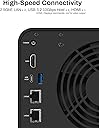
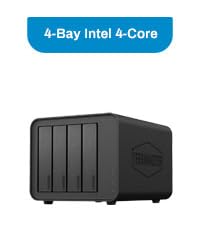
The TERRAMASTER F4-424 Pro is a high-performance 4-bay NAS designed for SMBs and prosumers, featuring an 8-core Intel i3 CPU, 32GB DDR5 RAM, dual 2.5GbE ports with 5Gbps link aggregation, and versatile RAID support. Its tool-free design and advanced backup solutions ensure easy expansion and robust data protection, while quiet operation and fast connectivity make it ideal for demanding workflows and media streaming.


| ASIN | B0CPPD51B9 |
| Assembly Required | No |
| Best Sellers Rank | #136,117 in Computers & Accessories ( See Top 100 in Computers & Accessories ) #78 in Network Attached Storage (NAS) Enclosures |
| Brand | TERRAMASTER |
| Brand Name | TERRAMASTER |
| Colour | Black |
| Compatible Devices | Server |
| Customer Reviews | 4.2 out of 5 stars 191 Reviews |
| Enclosure Material | Metal |
| Item Dimensions D x W x H | 22.2D x 17.9W x 15.4H Centimeters |
| Item Weight | 4.2 Pounds |
| Manufacturer | TERRAMASTER |
| Manufacturer Part Number | F4-424 Pro |
| Material | Metal |
| Model Number | F4-424 Pro |
| Mounting Type | Tabletop |
| Product Dimensions | 22.2D x 17.9W x 15.4H Centimeters |
| Size | 8-Core, 32GB RAM |
K**S
Works with Unraid
I've seen lots of complaints about Terramaster's OS (both in Amazon reviews and on places like Reddit), so I was almost put off of buying this device. But in terms of the specs of the F4-424 Pro compared to its price, no other NAS offers a better bang for your buck. Luckily, I found a helpful YouTube video explaining how to install Unraid on a Terramaster NAS, so I picked this up as an upgrade to my QNAP TS-251+. Accessing the boot USB slot on the F4-424 Pro involved removing two screws from the back of the case, sliding off the side panel, then removing the four screws holding the motherboard in place. Doing so allowed me to swap the preinstalled flash drive for a flash drive with an install of Unraid. I will note, I had to buy a Sandisk Ultrafit to create the Unraid boot drive, as the clearance between the USB slot on the board and the NAS enclosure is quite small (even my Samsung FIT was a bit too tall). For Unraid, you'll want to get a USB drive of 32 GB or smaller. You can get a larger flash drive, but you'll need to format it down to 32 GB (from what I understand about Unraid). Also, Unraid's USB boot drive creation tool displayed my Sandisk drive as "incompatible", but using the manual Unraid boot disk creation process worked just fine. I've had the Terramaster F4-424 Pro running Unraid for almost a week now, and everything is working great. I've got three drives (a 12TB, an 8TB, and a 4TB), with another 12TB on the way. Unraid isn't the most user-friendly NAS solution for beginners, but videos from YouTubers like NASCompares (who hosts the tutorial on installing Unraid on a Terramaster device) and Spaceinvader One (an Unraid guru with tutorials on everything Unraid-related) have been extremely helpful and have allowed me to migrate my data from external flash drives and my existing NAS. They also have guides for setting up popular apps like PLEX, which is working great. I haven't yet allowed remote access to my PLEX server, but allowing my parents to stream PLEX in HD was another motivator for upgrading to a beefier NAS. In theory, the device specs suggest they should have no issues, but I'll report back after everything is completely set up. UPDATE: Remote Access to PLEX is working great. I had my parents and a friend both streaming 1080p remotely while I was streaming 4K HDR in the home, and the CPU was rarely getting over 50% load. So, can confirm that the F4-424 Pro is great for PLEX, both over your local network and remotely. So, if you're worried about the Terramaster OS (which, from what I've read, is continually getting better), just know that you can easily install Unraid. While Unraid might not be as easy out of the box as QNAP's or Synology's software, it only took me a few days to get the hang of things.
R**.
F6-424 MAX - Versatile and quiet with lots of power.
I have a reasonable amount of experience with linux based operating systems. The TOS6 suits my needs and is easy to configure with respect to basic settings. I did not require in depth configuration as my use case was plex and data backup for photos and documents. I've paired mine with 4 22tb seagate iron wolf pro hhds in a TRAID (raid 5) configuration. Additionally I added two 1tb WD red SN700 ssd... one for cache and one for apps/OS. Now, 8gb of memory that is fairly expensive to upgrade if you stick with terramaster branded modules... I upgraded to 64gb using: Crucial CT2K32G56C46S5 specifically. Worked with no problems. Beyond this, the nvme clearance for using heatsinks is super limited without modification. For my deployment and use case, nvme heatsinks weren't required. NVME drive idle around 48-51 degrees and the HDD idle around 38 degrees (Celcuis). The fan noise is negligible so the device can be placed anywhere. Network transfer speeds are fairly steady at 287Mbps over a 2.5gbps remote computer. The nas is interfaced to the switch at 10Gb. I did not experience any connection issues to or from the NAS and was able to map a network drive in a windows PC for access to the NAS with little effort. Remote access to files has worked flawlessly. Through the tnas app for android it was painless to configure the interface to securely sync with shared resources. If you have your heart set on synology then go with that. I needed hardware transcoding for plex uses so a capable INTEL processor was required and not too many affordable option on the synology side. If you take some time to plan and assess your requirements this f6-424 max is a great option for many use cases and I do recommend it. UPDATE: Still working well a year later with 100% on time. Firmware updates are typical every couple months. Upgraded the sending PC to 10gbe so large transfers transfer at around 700-800MBps. (Ive seen over 1GBps but was more of a peak rate) Stock fan still going fine, will likely replace with a noctua once issue begin. The hardware and software are not "perfect" as I've seen issues with USB, network unresponsive, software updates that create issues in some apps etc. Keep in mind I was looking to connect a UPS via usb to enable controlled shutdown when UPS got low in a power outage. Network issue, solved with a nightly network reset script. Been using it for about 10 months, it is possible the TOS6 operating system updates may have fixed the bug but I don't care to check. The app issues (Surveillance Manager) were no preview video... clear on the next patch and the overall impact was minimal. Bonus, the hardware is compatible with whatever you want to run on it. For a decent priced NAS, with great hardware, and decent community/manufacturer support... can recommend.
J**H
Ok
Good spec.
D**D
Excellent
Convenient, efficient, sleek.
B**C
Excellent NAS, small form factor but very capable
This thing is absolutely awesome! I started with wanted to build a local Plex server, but that's turned into other home server projects (e.g. Immich for image backup) and running a Home Assistant server, it's worked so well for everything I throw at it. It's addicting to play with. The integrated Intel graphics seems to work well for Plex transcoding, from my experience (even from 4k files, etc). I swapped the OS to Unraid like another reviewer mentioned, I do recommend this, Unraid works very well and a quick Google search will give you clear directions how to do this (it was easy). I upgraded RAM & added NVME drives too (easy). The 10G ethernet is a nice touch, and works well with a USB-based UPS battery backup (I chose an APC UPS). My use case unfortunately didn't allow for a large custom server build (I was looking at Fractal cases to build from scratch), or server rack type cases - I just don't have the room. If you're space constrained like me, this form factor is perfect. Even if not, the small size + easy hard drive installation is appealing over custom builds. THANK YOU TERRAMASTER for making this, I think you're filling a void Synology seems to be leaving behind (moving from Intel to AMD processors)
Trustpilot
2 weeks ago
1 month ago