Some deliveries may take a little longer than usual due to regional shipping conditions.

DOWNLOAD THE APP


Customer Services
Copyright © 2025 Desertcart Holdings Limited
DOWNLOAD THE APP

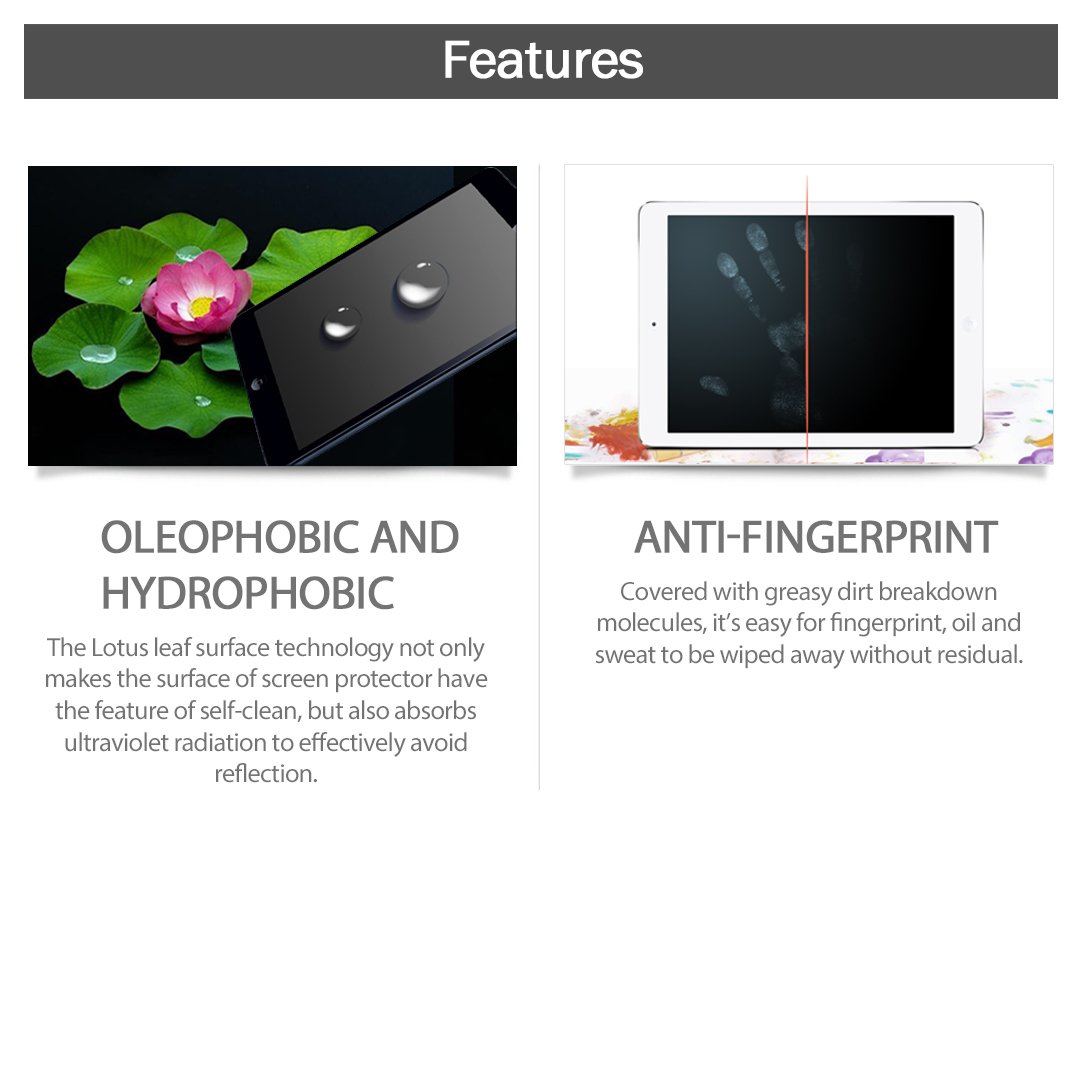

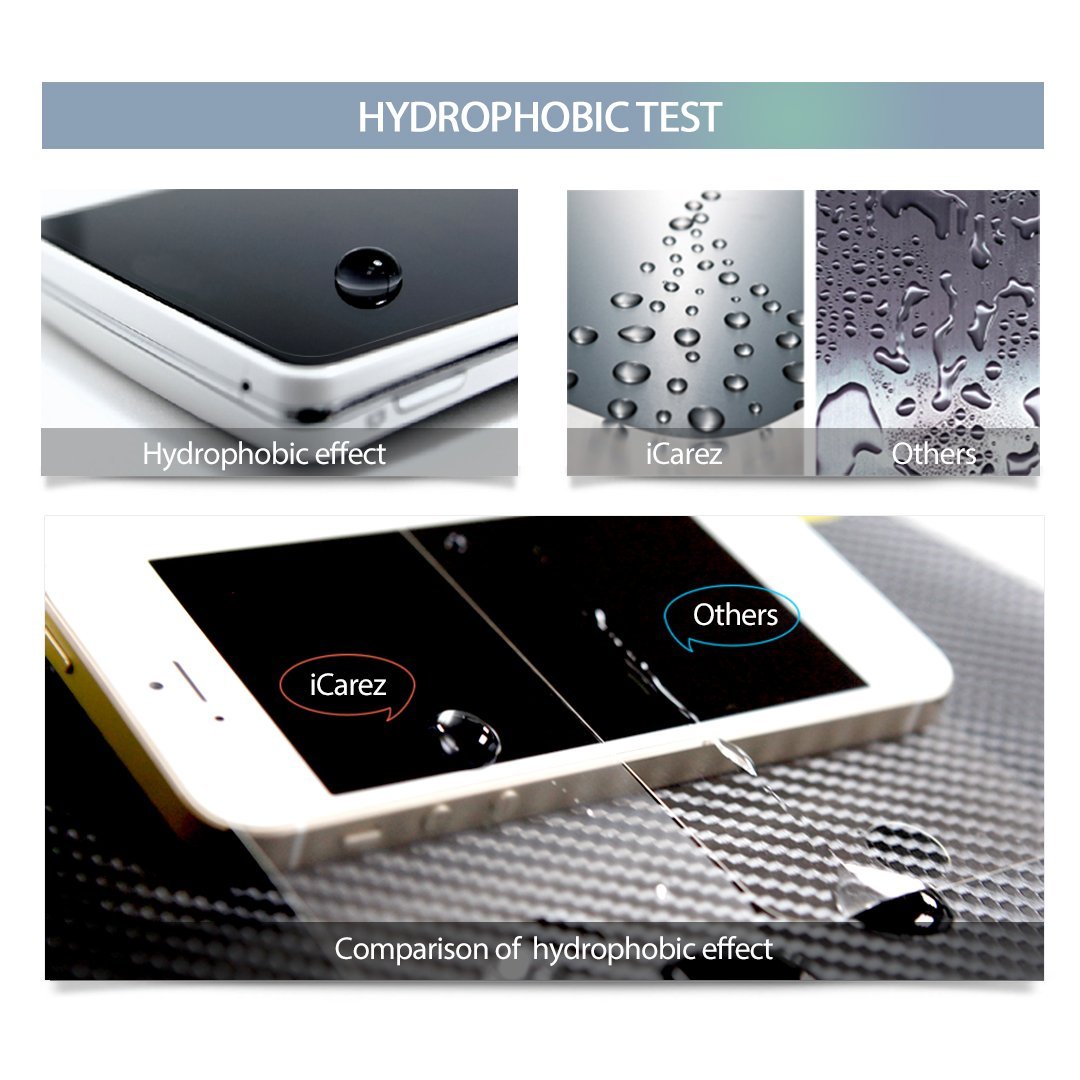

🖋️ Elevate your iPad experience with flawless clarity & smudge-free style!
The iCarez Anti-Glare/Anti-Fingerprint Matte Screen Protector for iPad Pro/Air 2 offers a durable 3H-4H hardness coating that resists scratches, a matte finish that reduces glare without compromising Retina display clarity, and an oleophobic layer that repels fingerprints and smudges. Designed for easy, bubble-free installation with included application tools, it maintains true touch sensitivity and provides a natural, paper-like texture ideal for artists and professionals seeking both protection and enhanced usability.


| ASIN | B00G4SA1FG |
| Best Sellers Rank | #7,900 in Tablet Screen Protectors |
| Brand | iCarez |
| Brand Name | iCarez |
| Clarity | 100 |
| Compatible Devices | 9.7 inch iPad Pro, iPad Pro 9.7, iPad air, iPad air 2 |
| Compatible Phone Models | Ipad |
| Customer Package Type | Standard Packaging |
| Customer Reviews | 4.5 out of 5 stars 3,601 Reviews |
| Finish Type | Matte |
| Item Dimensions L x W | 11"L x 8"W |
| Item Hardness | 3H |
| Item Height | 0.2 inches |
| Item Weight | 0.06 Pounds |
| Manufacturer | iCarez |
| Material | Polyethylene Terephthalate |
| Model Name | iC-iPadair-AG-2P |
| Model Number | iC-iPadair-AG-2P-Seller |
| Number of Items | 2 |
| Product Dimensions | 11"L x 8"W |
| Screen Size | 9.7 Inches |
| Screen Surface Description | Matte |
| Special Features | Anti Glare, Scratch Resistant |
| UPC | 720825258034 |
| Unit Count | 2.0 Count |
P**I
One of the Best Screen Protectors I Have Ever Purchased!!!
As an owner of many devices with touchscreen technology, it is only natural that one would wish to purchase a screen protector as well. I've used many others, but none quite like the iCarez Anti-Fingerprint screen protector. Let's start from the top. Packaging: The packaging that the screen protector comes in is amazing. The product was shipped in a durable envelope of the perfect size and sealed tightly. Once opened, I could instantly tell that I definitely got my money's worth, as the packaging for the product itself was also of a nice, durable quality, being made out of a tri-folded thin cardboard-like material. There is an easily visible "Tear Here" mechanism, in which you must rip across the length of the envelope that the product is contained in. Once you open the tri-fold, on the left hand side is a pocket that contains the two high-quality screen protectors. In the right pocket, you will find rubber bands stickers which you will use in the screen-protector application process, as well as a small cloth with which you may use to wipe the screen of your device. Application: I've had my fair share of troubles applying screen protectors before, and I am extremely glad to say that this was THE EASIEST time I have ever had in applying a screen protector to any device, especially one as large as an iPad. It was however, quite an unorthodox method. The pouch on the right of the envelop also includes a set of instructions (which I highly recommend you follow) that allows you to apply the screen protector flawlessly. Yes, there is quite a bit of reading, but the company was thoughtful enough to include pictures along with the description of each step, which I found to be quite helpful! Once the screen protector was on my iPad, I could not have been happier with the results. The screen protector was aligned almost perfectly! And the best part is that there were very few air bubbles. However, after a bit of scrubbing and pushing with my credit card (and you can use any straight-edge for this), the air bubbles were completely absent! One thing I loved about this iCarez product is that they even provide you with De-dusting stickers. YES. They not only provide you with stickers to remove dust from underneath the screen protector, should you have failed to remove all dust particles before applying the new layer, but the company also provides a sticker that you can attach to any corner of the screen protector and easily lift it up, without having to pick and peel the screen protector with your fingers and risk ruining the adhesive! Again, the best screen protector application experience I have ever had. Quality: Usually, with Anti-Fingerprint/Anti-Glare or oleophobic/hydrophobic, you expect a hard, matte surface which, does all that it claims, but at the same time distorts and overall lowers the quality of your device's display. The distortion and quality-lowering aspect is completely absent from this iCarez screen protector. I've done experiments to test each of features the screen protector claims to have. As for Anti-Glare, once the screen protector was applied, I took my ipad outside. It was a sunny day, perfect for testing how much glare there was. I am pleased to say that there was little to no glare present! This is attributed to the matte-like texture of the screen protector. However, unlike other matte screens, this one manages to maintain the quality of the display without any sort of visible distortion in brightness or the pixels! With multiple tests with water from a spray bottle, it is indeed, as it claims, hydrophobic. It is also oleophobic, as I placed a few drops of olive oil on the screen. To my satisfaction, both liquids were wiped off swiftly and cleanly without any residue left on the surface. If you have oily hands and fingers, they WILL leave marks. However, oleophobic and hydrophobic do not mean that marks will not be made. It simply means that those marks and residues will be much easier to wipe off than with the average HD glossy screen protector. Conclusion: I have owned the iCarez Anti-Fingerprint Screen Protector for several days now, and I could not be happier with my purchase. The packaging was simply astounding, as was every the application process and quality of the screen protector. In addition, if you were to somehow fail to apply the screen protector properly, the stickers for the application process can indeed be reused with a SECOND screen protector that the company had been so kind to provide to their customers. Everything about this product screams "Quality", "Superiority", and "Satisfaction". I write this as the average customer, who has had experience using and applying screen protectors, but usually had to remove them at least once as a result of "guesstimating" the correct alignment of the screen protector. With iCarez's instructions, even if you've had a past riddled with screen-application woes, you will be able to apply this screen-protector with ease, guaranteed. With all that being said, I am unable to understand some of the reviewers who claim that this item was difficult to install. Perhaps they just did not read the instructions carefully or ignored them completely. If you happen to be confused by the instructions given, very similar instructions can be found on Google or even YoutTube if you just search "foolproof screen protector application". I wish you all the best! If you choose to buy this product for your device, you will surely never regret it!
D**.
Highly Recommended for any iPad Artist
I was worried that I was scratching up my iPad from the constant drawing I do on it. I did put a couple permanent little scratches in the glass, but they are beautifully masked by this matte screen protector. The real reasons I got this screen protector however are because fingerprints/smudges drive me insane, and I wanted something more comfortable to draw on than the slippery-smooth glass. Anti-Glare/Anti-Fingerprint: I don't often use this outside, so glare hasn't ever really been an issue. But fingerprints are a nightmare! On the anti-glare front it does cut down on the glare some, but if you hold it right so the light (be it from a lamp or the sun) is reflected on the iPad it will glare. I don't really think there is anyway for it not to so I don't find that as a fault. It reduces the glare though. As for fingerprints, while it wont completely stop them it is very resistant. Just pressing your finger against it wont leave a print, likewise gentle swipes cause no issue. You can still smudge it if you take your nasty-oily finger and press down and drag, but not something a few seconds with a microfiber cloth wont fix. Mostly you wont find fingerprints all over the edges from holding it to read, or from casually picking up and setting down. It's actually very nice to have a smooth clean screen. Grainy/Fuzziness: This is one of the major complaints I've seen. You can see from my pictures of Amazon Prime app and a book that it does make the picture a little grainy looking. It isn't horrible, and in terms of reading (and drawing, more on that later) it actually has a really nice paper-like quality that makes it look more like writing on a page. I find reading more comfortable as it isn't stark white background blinding me. I don't use my iPad as a major TV-watching device, but I don't find that the matte screen protector really detracts from the picture when I do watch. To be honest, if I was watching something that I really cared about picture quality on, I wouldn't be watching it on my iPad to begin with. In the end I think it's personal preference, but I like the matte look. Drawing with the Apple Pencil: This is the big one for me, as this is my main use for this device. I got it to do digital artwork on, and that is what 90% of the usage of it is for me. And for that I LOVE this protector. I was drawing on the slippery glass screen and I find it feels so much more natural with this protector on. There is some grip with the pencil that is more akin to drawing on real paper. You will notice from one of my pictures that after some scribbling with the pencil you can see noticeable lines on the screen protector. The next picture of the clean black screen was taken after a little bit of buffing from a microfiber cloth. The scratches made by the pencil can be buffed out, at least from my experience so far. I will update this review after a few weeks of continued drawing use and let you know how the protector holds up, but it seems pretty good. Conclusion: If you do a lot of drawing and or reading on your iPad this matte protector is ideal, especially if you detest smudging. If however you use this primarily for video media consumption and the quality of the picture is very important to you, I might suggest a smooth tempered glass cover. For what this one does however, it does it spectacularly, and I would highly recommend this to any iPad Artist.
D**R
Struggled getting it on but it looks good. no glare..nice and clear and feels nice too.
Bear in mind Ive never used a screen protector before...so Ive nothing to compare it to except a brittle one (from a competitor) that came in the mail shattered. It is anti-glare and the surface feels good and is easy to clean. The so called easy installation tools for me were a pain in the ... your either going to spend time aligning stickers to the pane or just forget about the stickers and eyeball the pane without them. I started out trying the "installation kit". It was more frustrating than anything and just got in the way of trying to align the edges of the protector by eyeballing it. I cleaned my ipad 2 very well using their cloth which is included. It didnt clean any better than my anti-static wipes but it wasnt bad. Regardless of what you clean with you WILL get air bubbles. How many you get depends on how you lay down the protector. If you go slow and use the scraper thingy thats included you can minimize the air bubbles. Im sure Ill get better at this in future but next time Ill start without the "easy" install system. because I think the more you lift off to adjust the more air bubbles you get. So, for the price its pretty good despite my struggles getting it on. Thats to be expected I guess from someone whose never used these before. :-) I do appreciate that its finger print resistant as compared the the ipad 2's glass.
R**L
Excellent screen protectors at a great price!
I have been using the Zagg Glass protectors on my iPad, iPhone and Watch with a good amount of satisfaction, but lately the halo effect, along with the glare that comes from using a glass protector in the sun had me wanting to move to an anti-glare protector for some time now. I had previously used Moshi iVisor AG products for my devices with great satisfaction, but grew tired of the fact that those lacked significant oleophobic properties to be effective, plus they tended to darken the screen more than I liked. I happened to find these on a search a couple of days ago and decided to take a chance, seeing as they were not too expensive. I'm glad I did. Installation was [relatively] easy, taking me only about ten minutes total to install it. There are no bubbles and no dust particles underneath, something that impressed me from the start, and the fit is perfect! It provides the requisite anti-glare that I want, and has significant fingerprint and oil resistance much more than other protectors I've used. If I have one minor complaint about this product it would be this: they need to provide TWO sets of the stickers and rubber bands to accompany the second protector in the package, as once you use said items, they really can't be used as effectively again. I would highly recommend this product to anyone who is looking for a cost effective screen protector. PROS: Excellent anti-glare, oleophobic and fingerprint resistant; detailed instructions, as well as a video available online; excellent quality control, cutouts align perfectly; extra protector in the package. CONS: Needs another set of stickers and rubber bands in the pack for the second protector; installation not for the impatient.
L**Y
Five Stars for this great iPad screen protector
- [ ] A purchase that needed to happen because 2015 Christmas I received a new iPad 2 Air - and everyone's first fear with getting a new iPad is going to damage the screen right it's inevitable! Seen my friends with their new iPhones or new iPads broken so I know I definitely needed a screen protector. I use my iPad to read a lot of books and the glare on the screen of courses makes it sometimes hard to read and bright sunlight if you're setting at the beach or pool. After doing a lot of research on different types of screen protectors I choose the iCarez antiglare anti-fingerprint matte finish screen protector. This item arrived really fast too I was really surprised great seller thank you for that :). I do recommend when installing this protector to your iPad that you really "really" clean the outside screen of your iPad first so that way you can make sure you get all dust, pet hair or any smudges off before you put the screen protector to your iPad. because if you don't there's going to be that one small random here they get stuck underneath of it and you'll be able to see it everything will time you try to use your iPad and like me that we totally get on my nerves - my OCD coming through right - ha!!!! In the package you get the plastic protector, a dusting cloth, and a small plastic squeegee that will help you push out any air bubbles that may have happened when installing the protector. I put my iPad on a good level table. Starting at the bottom and lining it up perfectly with the circle on/off button I carefully and very slowly remove the backing while smoothing out as best as I can to try to eliminate as many air bubbles as while I remove the backing. Once I have it fully adhered to my iPad I used the plastic squeegee that comes in the packaging and starting in the middle of my iPad and with the light pressure I smoothed out any air bubbles that might have occurred. For me this was very easy to put on I had no problem smoothing out and getting any bubbles that might have happened. I highly recommend this product and now I have a piece of mine that I won't scratch the front of my screen and with the antiglare and the mat finish I now able to use my iPad outside in the sunlight and not have to strain my eyes to read any of my books!
R**N
Positioning & cleaning systems work very well. You won't be disappointed! Well thought-out product which produces good results
I have a family of four so I have applied a lot of screen protectors. This system and product are the best I have used. Zero bubbles. Ofcourse you do have to go about this process deliberately and carefully. Wash your hands, try to operate on a dust free surface, keep the dog away, etc. The system provided includes some adhesive strips which you can use to remove those last few pesky dust bits that always seem to get under the screen. Brilliant. Whether the dust is on the protector or the screen, when you pull back the protector you can use the adhesive strips to snag them off. Additionally, the positioning system provided helps you move the screen protector into position without touching it, after removing the first protective sheet. Great idea. You might have to re-position a few times but it is a hands free operation still. They even provide extra adhesive strips to allow you to re-position after the initial re-positioning system strips have been removed, which is a nice touch. The screen protector itself has a matte finish which has a very different feel to the screen itself, and it seems to reduce peripheral view of the screen - which is deliberate as it is supposed to provide privacy. I got used to the feel and look quickly. The matte surface does not show fingerprints much at all so a real improvement. And I didn't notice any reduction in touch sensitivity of the screen. Overall A+ The two screen protectors provided came stuck together so it may seem like you just got one. Make sure you look carefully and pull them apart. I didn't discover it until they came apart as I was applying the first one! I applied both with equally flawless results.
D**2
Excellent Anti-Glare Properties, Easy to Apply, and a Great Value ...
Because I use my iPad Pro 9.7 as my primary reading device, I wanted an anti-glare screen protector. The numerous 5-star reviews – and the price for 2 screen protectors - for the “iCarez Anti-Glare Anti-Fingerprint Matte Finish Screen Protector for iPad Pro / Air 2 / Air” made the choice an easy one. I found the anti-glare properties were as good as the far more expensive 3M product I had on my previous tablet. The “iCarez Anti-Glare Anti-Fingerprint Matte Finish Screen Protector” is not difficult to apply. If you have not previously used screen protectors, I recommend watching the video so you have an idea of how the iCarez application system operates. If you have applied screen protectors in the past, then you should have not issues applying this one. The dust removal process and the Squeegee card made iCarez application process one that allowed me to get a dust-free, bubble-free surface. The downside of the “iCarez Anti-Glare Anti-Fingerprint Matte Finish Screen Protector” is a loss of clarity and the pixilated-appearance of images and photos. At some point, I may switch to a different screen protector so that I can use an iPencil, but for the present this screen protector is a good choice. Nevertheless, for ease of application, value – you get two screen protectors, so my spouse used one of them for his tablet, too – and anti-glare properties, the “iCarez Anti-Glare Anti-Fingerprint Matte Finish Screen Protector” is an excellent choice.
N**P
Good for anti-glare but has reduced clarity :(
I purchased this for my iPad 9.7 Pro. I haven’t had an anti-glare screen protector for at least 10 years. I was hoping that the technology would have progressed to combine anti-glare with decent clarity. I guess I was wrong. The fuzziness that the anti-glare has just doesn’t work for me. I had no issues installing this screen protector on my iPad. I use the steamy bathroom technique and then I’m all about prepping the iPad screen. I clean it thoroughly with Invisible Glass and then also run a lint roller over it to get any dust or particles that might have settled. Then I peel back just an inch at the top and align it perfectly to the top and front camera of the iPad. Next I pull the skin off the protector as I let the protector roll down on to the iPad. I had only three small bubbles that were easily rubbed to the edge and the disappeared. So I was totally happy with the installation. I also like the feel of the anti-glare and the way the Pencil feels. This protector also seems to not show fingerprints and smudges as much as the clear protectors. Would be a super, happy camper if not for the reduction in clarity from this anti-glare. It seems the same as the ones I used 10 years ago. I don’t get it. Crizal can put anti-reflective coatings on eyeglasses without reduction in clarity. Seriously, can the engineering community not do the same with anti-glare screen protectors? So for now I’ll keep this screen protector on my iPad but I’m glad I didn’t pay much as I’ll probably replace it with a clear protector soon. Okay screen protector if you can live with the reduction in clarity.
Trustpilot
1 month ago
2 months ago