


๐ Elevate your home network to WiFi 6E speed and security โ because buffering is so last decade!
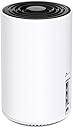
The TP-Link Deco XE75 AXE5400 is a cutting-edge Tri-Band WiFi 6E mesh system designed to cover up to 2900 sq.ft. It features a brand-new 6 GHz band for ultra-fast, interference-free connections, supports up to 200 devices at speeds up to 5400 Mbps, and uses AI-driven mesh technology for seamless coverage. With easy app setup, Alexa integration, and advanced cybersecurity via TP-Link HomeShield, it replaces traditional routers and extenders to future-proof your home network.



| ASIN | B0B3YZ5DQB |
| Antenna Location | Home |
| Antenna Type | Internal |
| Best Sellers Rank | 109,383 in Computers & Accessories ( See Top 100 in Computers & Accessories ) 272 in Whole Home & Mesh Wi-Fi Systems |
| Box Contents | 1 x Deco XE75, 1 x Power adapter, 1 x Quick Installation Guide, 1 x RJ45 Ethernet cable |
| Brand Name | TP-Link |
| Colour | Black, White |
| Compatible Devices | router |
| Connectivity Protocol | Wi-Fi, Ethernet |
| Connectivity Range | 2900 Square Feet |
| Connectivity Technology | Ethernet, Wi-Fi |
| Control Method | App |
| Coverage | 2900 square feet |
| Customer Reviews | 4.4 4.4 out of 5 stars (584) |
| Data Transfer Rate | 5400 Megabits Per Second |
| Frequency | 6 GHz |
| Frequency Band Class | Tri-Band |
| Global Trade Identification Number | 00840030707124 |
| Is Modem Compatible | No |
| Item Dimensions L x W x H | 10.4L x 10.4W x 17H centimetres |
| Item Weight | 0.53 Kilograms |
| LAN Port Bandwidth | 1000 Mbps |
| Manufacturer | TP-Link |
| Manufacturer Part Number | Deco XE75(1-pack) |
| Maximum Upstream Data Transfer Rate | 5400 Megabits Per Second |
| Model Name | Deco XE75(1-pack) |
| Model Number | Deco XE75(1-pack) |
| Number of Antennas | 4 |
| Number of Ports | 3 |
| Operating System | TP-Link Router OS |
| Other Special Features of the Product | WPS |
| Security Protocol | WPS |
| UPC | 840030707124 |
| Unit Count | 1.0 count |
| Wi-Fi Generation | Wi-Fi 6 |
| Wireless Compability | 802.11ac, 802.11ax, 802.11b, 802.11g, 802.11n |
A**F
Worth the money
So far so good. Helped a lot with Network Quality and speed
F**D
ุฃุถูุชูุง ุงูู ูุธุงู ุฏููู ูุชุนุฑู ุนูููุง ุจุณุฑุนู
A**N
I have bought this router for my summer house to make the main router. My setup has 3 Deco M9 plus and 2 Deco P7. When I finished the setup I have noticed that it did not support internet speed feature on the router. Both M9plus and P7 were supporting this feature. It was essential for me to see the reliability of the internet provider. So I returned it back. Except from this problem its coverage area and the speed were perfect.
K**W
UPDATE: IT NOW REFUSES TO CONNECT TO THE INTERNET NO MATTER WHAT. I have literally reset and re-setup this POS no less than 23 times and it does not work. Absolutely infuriating product. I'll summarise this into pros and cons. Previously had Orbi and thought to give TP-Link a try while overhauling our mesh to triband 6E. PROS - WiFi 6E is super fast - Setup is relatively straightforward CONS - Range is incredibly disappointing on 5GHz (one room over, approximately 6 metres from the router with only one drywall in between the signal strength is already 30% and speeds cap out at 100Mb/s... I've had to move this right against the wall to see full signal strength, meaning it's only 3m away. Ridiculous honestly, the Orbi I had would give a solid 10 metres of range at full strength. - The firmware is TERRIBLE. If you ever experience a power cut, unplug the power cable or ethernet cable to route it slightly differently, basically upset the internet connection even in the slightest, the Deco will COMPLETELY lose internet connection and never restore it. You have to perform a hard reset on it, manually remove the network you just setup from the app and REINSTALL the entire @##%$#% Deco from scratch... Looking into the problem on Google people have been having this issue for the last 3 years and TP-Link still hasn't addressed it. Their support has been the typical script of "have you tried turning it off and back on again? Are all your cables plugged in correctly?"... - This drops the internet on a regular basis, once a day approximately. Thankfully it doesn't require a full reset from scratch like if a cable is ever physically disconnected, but you will have no internet for a good half hour, it fixes itself eventually and I don't want to mess around with rebooting it lest it make me have to install it from scratch again. To get around this I've taken the modem out of bridge mode so that I have two WiFi networks and can manually switch over to a working network when the Deco drops out. This is embarassing for a mesh network... On occassion it will also completely lose the network and then expect you to reset and start from scratch again Currently this is the second time in 3 weeks for that, and literally daily on the random disconnections. - The app is very very slow even on a flagship device and there's no web interface. This can mean the Deco's actual status isn't reflected on the app for up to a minute at a time. Most of the time it doesn't even know it's status even if you previously opened the app a few minutes ago so you sit there waiting for 20 seconds for it to do its thing until it finally loads the status of your networkwhenever you open it. - The only status light is a tiny LED on the bottom of the device at the very front. You can barely see it during the day, but at night it's super bright. There's an option to schedule on/off times for the light, but not to change the brightness. Personally I prefer how Orbi does it with no lights until it detects a fault and shows a softly glowing ring across the whole top of the device. - This isn't compatible with their Archer modems mesh system, which is very annoying as it means you need to switch your expensive Archer modem into bridge mode, basically making it a cable modem for passthrough, and then plugging in a Deco to sit right next to it... I expected that with other brands' routers and is how I ran the Orbi, but not with TP-Link's own modems... - Minor consideration, but the build quality is surprisingly lightweight and flimsy. A stiff LAN cable can upset how it stands up... If this falls off the stand you put it on, there's a good chance it will crack the housing if it lands on hardwood floors. The Orbi system I last had was significantly sturdier. OVERALL SUMMARY - This is cheap for a 6E mesh router, but has flaws that make it seem like very poor value for money - Buy an Netgear Orbi mesh system and don't cheap out.
R**N
Works great so far. Set up was much easier than I thought it would be as I'm not a tech savvy person and was nervous that it would be beyond my abilities. Not so. However, be aware that you have to download an app to your smart phone to get the installation instructions and there is no other choice for that. My internet is much faster now. I haven't tried to connect out in my garage yet, so I'm not sure about the range. I am the only person using it so I also can't testify as to how this works with many people connecting at the same time. Thus 4 stars because I can't testify to some aspects. I would say good value for the money. BTW - I also bought a new computer that is compatible with the 6E but found that it worked with my old computer too. This is definitely something to check out before you buy.
A**L
I would highly recommend this; however, I wish I had done more research on this and got the WiFi 7 model instead. Hands down this for a WiFi 6E delivers. I have ATT fiber and set this up then got errors after a few days. Doing some research and reading other tech reviews I realized that I was using this as a WiFi router which caused an issue with my ATT router. The default setup for this is WiFi Router which means it has it own DHCP, DNS, NAT, QoS setting that interfered with the ATT WiFi settings. I then change the Deco to an AP (Access Point) this solved the issue but now I have 2 SSID. I went and disabled the ATT WiFi and went back to activate the Deco to WiFi instead of AP. This gave me better range and my wireless camera outdoor remained on the same network as all the other cameras. Overall, now I am extremely happy with my setup.
Trustpilot
3 weeks ago
3 days ago


