🚀 Upgrade your workflow with speed and security that keeps you ahead!
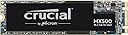
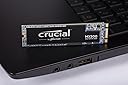
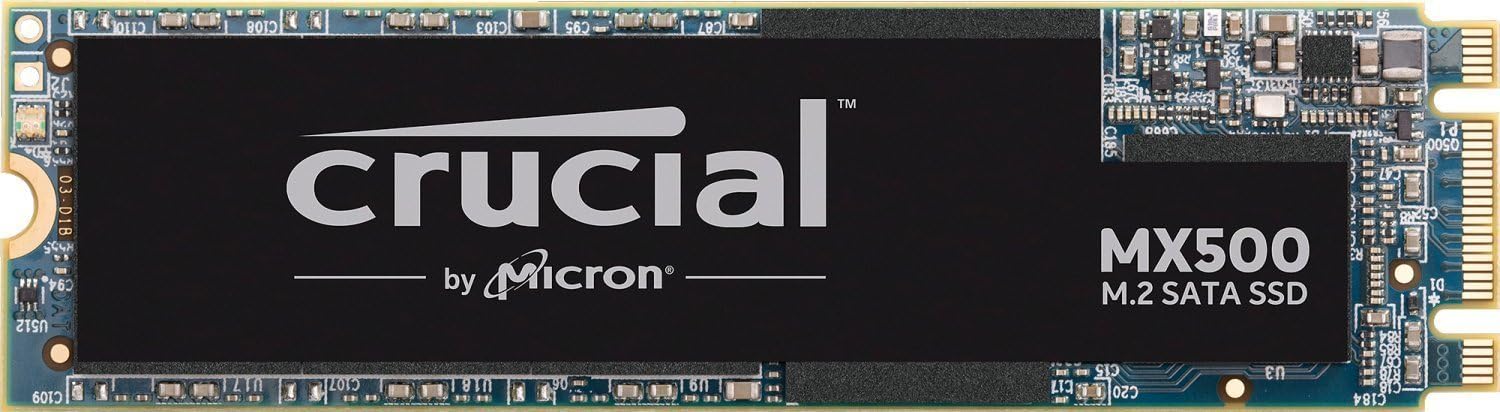
The Crucial MX500 500GB M.2 2280 SSD delivers fast SATA 6 Gb/s performance with sequential read/write speeds up to 560/510MB/s. Featuring Micron 3D NAND technology, AES 256-bit hardware encryption, and power loss immunity, it ensures data integrity and security. Its low power consumption and compatibility with laptops and desktops make it an ideal upgrade for professionals seeking reliable, high-speed storage backed by a 5-year warranty.


| Asin | B077SQ8J1V |
| Best Sellers Rank | #184,801 in Computers & Accessories (See Top 100 in Computers & Accessories) #1,020 in Internal Solid State Drives |
| Box Contents | SSD |
| Brand Name | Crucial |
| Cache Memory Installed Size | 1 |
| Compatible Devices | Desktop, Laptop |
| Customer Reviews | 4.4 4.4 out of 5 stars (4,866) 4.4 out of 5 stars |
| Data Transfer Rate | 6 Gigabits Per Second |
| Digital Storage Capacity | 500 GB |
| Form Factor | 2.5-inch, M2 |
| Global Trade Identification Number | 00649528785091 |
| Hard Disk Form Factor | 2.5 Inches |
| Hard Disk Interface | Solid State |
| Hard Disk Type | Solid State Drive |
| Hard Drive Size | 500 GB |
| Hardware Connectivity | SATA 6.0 Gb/s |
| Hardware Platform | Mac, PC, Unix |
| Importer Contact Information | M/s Rashi Peripherals Pvt. Ltd.Ariisto House, 5th Floor,Telli Gali, Andheri (East),Mumbai - 400069, RASHI PERIPHERALS PRIVATE LIMITED |
| Installation Type | Internal Hard Drive |
| Item Type Name | Memory |
| Item Weight | 0.02 Pounds |
| Manufacturer | Crucial |
| Manufacturer Part Number | CT500MX500SSD4 |
| Media Speed | 510 megabits_per_second |
| Model Name | MX500 |
| Model Number | CT500MX500SSD4 |
| Network Connectivity Technology | SATA |
| Packer Contact Information | MICRON CONSUMER PRODUCTS GROUP(SINGAPORE)A DIVISION OF MICRON SEMICONDUCTOR ASIA OPERATIONSPTE. LTD.1 NORTH COAST DRIVE,SINGAPORE 757432 |
| Product Features | Multitasking |
| Read Speed | 560 Megabytes Per Second |
| Specific Uses For Product | Personal |
| Unit Count | 1 Count |
| Upc | 649528785091 |
| Warranty Description | 5 Year Warranty |
User
Highly Recommended. Thumbs up.
Amazing price. Installation was a breeze (it comes with two screws), and it's super fast. For productivity, SATA SSD will suffice, however, if you're doing beefier resource intensive tasks or gaming, NVMe SSD will be better for you. The 500gb fills up fast, so depending on the applications you install, you might want to get a bigger one. I'm using an 1TB crucial P1 nVme ssd as the boot drive & using this new one for application installs. Read-write speeds are really good.I'm thinking of using this ssd in an enclosure with type c & use it as an external drive which can help me with quick transfer of data or work on the go.Update: (week Later); I have added this ssd in a metal type enclosure by everpert which costed about Rs.950. Read-write speeds were good using a usb 3.1 cable.Update: (8 months Later): Speeds were consistently stable 410-445 reads & 390-430 writes. observed a 2% speed boost after a recent firmware upgrade. i also ordered the 1tb ssd last week. will post the benchmarks soon.Checkout the benchmark screenshots i posted. This SATA m,2 drive is totally worth its price.
User
Great upgrade
The price is a big value for those who want to upgrade their systems. Works seamlessly till date without any issues. However, using their Acronis software can be a bit confusing at first but oncd you get the hang of it, its pretty much ok. Laptop now boots in about 7 seconds from an earlier boot tike of 25-30 seconds. Highly recommended
User
Totally worth the upgrade
Hi,Writing this review after 3 weeks usage, If you are some one who struggles with hard-disk then just go for this It will be the single best upgrade you can do on a laptop. I am software developer and I work with many software and files on almost times, My main bottle neck was the damn hard-disk which used to be in 100% usage all times. Now everything works like a charm, not even a single lag after the upgrade.My lap is i5 8250U, 8gb Ram, mx150below are my experience> Windows boots completely + get search result from chrome in less than 20 secs> Windows shutdowns in 3-6 secs> Witcher 3 open to main menu in 5 secs> Normally stays in temperature of 40°C-45°C, on high usage like bench marking it hits 67°C - 74°CIf you are into complete cloning or C drive only cloning I recommend Macrium Reflect, It does the Job fine and its easy to use.,don't need to use Acronis true image as its recommended
User
Extremely Satisfied.
Best Sata SSD at 5000 price range.Read and write speed is nearly 600 MBps.I installed it on my Acer swift 3 ryzen 5 2500u laptop and working perfectly fine.Windows boots up in less than 6 seconds.Extremely satisfied with the product.
User
BUGET cost effective SSD
This product is very under rated compared to Samsung and other brands , but after checking its reviews around the world , I choosed to purchase it , I'm happy with the purchase. I have 8th Gen Intel CPU with H370 motherboard , during installation the only thing that I worried about was data transfer from my existing HDD to this SSD , but this came with a free cloning software which has done my 90% of my work , only after cloning I had to chose the SSD as preferred boot option , then it worked like it should at the first time , don't be scared during the first boot , it takes time similar to a HDD , after 2nd boot it's starts to show magic , my computer usually used to boot in 2 Min befor now it only takes 7 sec . Pretty awesome right.I'm using this SSD from past 6months, don't have any complaints.
User
SATA m.2 500gb 4k aound , then buy it. Its good 👍
SATA 500gb & Nvme 500 both were for 4899.It wud hav been better if SATA was still less as it's old .But decent price for online , these days online are expensive nd not returnable. I got the good product, so far 1month no issue. I expect it to last for 8+years.
User
Good
It's working very well .It takes just seconds to boot up from few minutes and apps like visual studio are also loading fast.My one complaint is packaging was very poor .I mean you guys packed a ssd in just thin layers of cardboard like wrappingbup some cd.i hoped at least for antitampering packaging and some padding for ssd .but packaging was very poor.
User
Garbage projuct and very bad service.
The product is totally garbage and my SSD does not work. I submitted my SSD last 21/12/2021 service centre and still waiting for replacing.
User
Great product, very fast, and cheap = excellent SSD
I have bought it almost a month ago, and it is working great. While browsing or watching a movie, the temp is between 40-50, and if I try to push the SSD a lot, the temp is around 60-65 Celsius.It is very fast, Windows boot process is done in a matter of few seconds, transfer speed are as advertised, and it doesn't heat like some people said since the heating problem could also be due to the laptop design and how did the vendor dealt with the airflow, etc.The only thing I don't like is the lower TBW than with some other 500GB M.2 SSDs. However, having 180 TBW is around 96GB daily in a course of 5 years, and for this price, it is a great deal. 90ish GB daily should be plenty enough, unless you plan to reinstall Windows every week for several times.
User
Performances au rendez-vous
Un SSD au bon rapport capacité/prix (Au jour de l'achat 500Go/75€). Les performances annoncées sont obtenues (559.1Mo/s en lecture et 511.1Mo/s en écriture) sauf dans le cas de la lecture aléatoire (95Mo/s annoncé, 48Mo/s mesuré, voir capture d'écran en pièce jointe).Ce SSD est au format SATA M.2, attention à ne pas confondre avec le format NVMe M.2 qui affichent des performances bien supérieures (3500Mo/s contre 560Mo/s en lecture séquentielle), mais à un prix aussi plus élevé.Ce SSD utilise bien entendu des cellules 3 bits (TLC), moins chères à produire, de moins bonnes performances que les SLC ou MLC, et s'usant plus vite (On peut tout de même espérer une trentaine d'années de vie à raison de 40Go écrit par jour, c'est donc à relativiser). C'est le cas de tous les SSD de bon rapport capacité/prix, il n'est donc pas possible de retirer d'étoile pour ces prétendus défauts : A ce prix, c'est tout à fait honnête.Mis à part les benchmarks et étude des caractéristiques, en pratique ce SSD est très bon. Installé sur une config "low-cost" récente (i5-7500, 8Go DDR4, 500Go SATA M.2, B250M Pro-VD), la réactivité est parfaite, les temps de chargement quasi-inexistants (Hors jeux, ce n'est pas une config "Gaming"), et Windows 10 est sur le bureau prêt à fonctionner en moins de 10 secondes.Si votre carte mère le permet (Dispose d'un port SATA M.2), n'hésitez pas. Et si le budget est moins un problème, tournez vous peut-être vers les Samsung 970 EVO (Après avoir vérifier la compatibilité NVMe M.2 de votre carte mère, bien entendu...)
User
Crucial MX500 500GB M2.2280 SSD - Its great!
I purchased a cheap 11 inch laptop - added the Crucial 500GB drive and changed things to boot on the new drive. It works a treat!It wasn't a difficult project. The SSD drive was easy to install and cloning of the original SSD drive was straight forward.The SSD is fast and compensates nicely for the small RAM in the laptop.
User
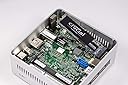
Prima voor in bijvoorbeeld een intel nuc
Prima kaartje voor in een home theater pc. Het is misschien niet de snelste maar in de praktijk merk je daar niks van. Prima prijs kwaliteit verhouding.
User
Very fast
So I bought this drive as it was recomended to me by a friend. It was my first PC build in way over 20 years and understandibly I was a little rusty and disconnected with todays technology. After plenty of reading and research i bought the drive and didn't look back since, loading times are lightning fast, games respond better and downloads have definitely sped up. So if you're looking for a great value SSD look no further, this one will keep youy happy.I should also point out that updating the F/W was super simple and intuitive. One last thing before I finish, this is SATA M.2 connector so make sure this is the type of connection for your MOBO. I happen to have purchased PCIe before and struggled with drive detection under BIOS and was sure that it was my MoBo that was faulty and after a tonne of troubleshooting turned out i was a burke and bought the wrong thing.
Trustpilot
2 days ago
3 weeks ago