


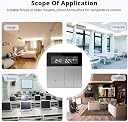
zemismart 4090916090789 Thermostat Electric Floor Heating Temperature Controller 20A with LED Panel Switch 200-240V
Product ID: 75261747
External Internal Temp Check: Long press the“M”and“^”to switch the internal temp or the external temp. b. Temp Protection Warning: When the temp is higher or lower the protection value,“fire”will flash,the valve will auto close or open, and adjust the temp to 2℃ higher or 2℃ lower of the protection value,“fire"will stop flash and the protection mode c. ERR Exception : When the“ERR” light up, it means the sensor mode was wrong or the sensor was broken. And the temp value in the screen will show "--". d. “WIFI”flash slowly, means WiFi connect is failed. e.There have the Anti-locking Function. f. Check the MAC Address When the thermostat is power off, and long press the “^”and “>”,enter the checking mode, and press “^”or ">"to select the address. CONNECT TO THE INTERNET a. Press “^” for 3s, “WIFI"will flash quickly b. APP enter the Add device page, select the type of product. c. Input the SSID and password, then pairing. ADVANCED SETTINGS When the thermostat is power on,long press the "^"and">"(5s) , press“M”select the setting item, and press “^"or“>"to select . 1.Sensor Type 00: Internal 01: External 02: Internal&External. Default is 00 2 .High temp protection: 35~95℃, Default Is 95℃, “--” Cancel the Protection 3.LowTemp Protection:0~10℃, Default is 5℃, “--” Cancel the Protection 4.Swing: 0-9 ℃,Default 2 ℃ 5.Temperature calibration:ADJ : -9℃~+9℃, Default is 0℃ 6.Highest target temp:35~90℃, Default is 35℃ 7.Lowest target temp:0~30 ℃, Default is 5℃ 8.Home mode target temp:Default is 24℃ 9.Eco mode target temp: Default is 18℃ 10.Away mode target temp:Default is 15℃ 11.System restart:Press“^”or “>”to Switch the “--" to “==” and Wait for 5s 12.Factory setting:Press“^”or“> "to switch the "--" to "==" Wait for 5s Review: You do not need any gateway - I bought this thermostat. With Google home it works perfectly. It is very aesthetic and clear. The seller is very factual and answers all questions. I recommend this product and the seller.
| ASIN | B07F7L4LL1 |
| Backlight | Yes |
| Brand | zemismart |
| Brand Name | zemismart |
| Colour | Electric Floor Heating Controllor |
| Connectivity Protocol | Wi-Fi |
| Connectivity Technology | Wi-Fi |
| Connectivity technology | Wi-Fi |
| Control Method | Touch, Voice |
| Control Type | Button Control |
| Controller Type | Amazon Alexa, IFTTT |
| Controller type | Amazon Alexa , IFTTT |
| Customer Reviews | 4.3 out of 5 stars 2 Reviews |
| Included Components | 4090916090789 |
| Included components | 4090916090789 |
| Item Shape | Rectangular |
| Item Type Name | thermostat |
| Manufacturer | zemismart |
| Manufacturer Part Number | 4090916090789 |
| Material Type | Alloy Steel |
| Model Number | 4090916090789 |
| Mounting Type | Wall Mount |
| Power Source | Electric |
| Power source | Electric |
| Product Style | Work,Protection |
| Unit Count | 1 Piece |
| Voltage | 220 Volts |
R**I
You do not need any gateway
I bought this thermostat. With Google home it works perfectly. It is very aesthetic and clear. The seller is very factual and answers all questions. I recommend this product and the seller.
Trustpilot
2 days ago
2 weeks ago