Desertcart purchases this item on your behalf and handles shipping, customs, and support to Japan.
🚀 Upgrade your speed, storage, and style—because your data deserves the best!
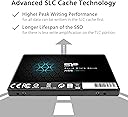
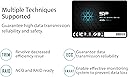
The Silicon Power A55 4TB SSD combines a slim 7mm 2.5-inch form factor with advanced 3D NAND flash and SLC cache technology to deliver up to 500MB/s transfer speeds. Designed for ultrabooks and laptops, it offers robust shock resistance, Bad Block Management, and ECC for reliable, long-lasting performance. Included SP Toolbox software enables real-time health monitoring, making it a top-tier choice for professionals seeking high capacity and speed in a compact, durable drive.


| ASIN | B0BVLRFFWQ |
| Amazon 売れ筋ランキング | パソコン・周辺機器 - 29,120位 ( パソコン・周辺機器の売れ筋ランキングを見る ) 内蔵型SSD - 197位 |
| GTIN (Global Trade Identification Number) | 00886576069678 |
| HDD容量 | 4 TB |
| UPC | 886576069678 |
| おすすめ度 | 5つ星のうち4.5 14,091 レビュー |
| カラー | ブラック |
| デジタルストレージの容量の測定単位 | 4000 GB |
| デジタルストレージ容量 | 4000 GB |
| データ転送速度 | 500 メガバイト毎秒 |
| ハードウェアインターフェイス | SATA 6.0 Gb/s |
| ハードディスク 種類 | ソリッドステートドライブ |
| ハードディスクのフォームファクター | 2.5 インチ |
| ハードディスクインターフェイス | Serial ATA-600 |
| ハードディスクフォームファクタ | 2.5 インチ |
| フォームファクター | 2.5インチ |
| ブランド | SP Silicon Power |
| ブランド名 | SP Silicon Power |
| メーカー名 | SP Silicon Power |
| メーカー型番 | SP004TBSS3A55S25AY |
| 互換デバイス | ノートパソコン |
| 付属品総数 | 1 |
| 取り付けのタイプ | SSD。 |
| 同梱商品 | ソリッドステートドライブ x 1。 |
| 商品の用途 | ビジネス、マルチメディア、パーソナル、ゲーム。 |
| 商品の追加説明1 | 耐衝撃 |
| 商品の重量 | 0.11 ポンド |
| 商品外装素材 | 3D Nand Flash。 |
| 型番 | A55 4TB |
| 接続技術 | SATA |
| 搭載済みキャッシュメモリサイズ | 4 |
| 書き込み速度 | 500.0 |
| 梱包タイプ | FFP |
| 特徴 | 耐衝撃 |
| 読み込み速度 | 500 メガビット毎秒 |
| 通信・接続インターフェース | SATA |
り**ー
ストレス無く使えています
2個セットがお得でした。スピードもストレスの無い程度で満足しています。
と**ー
コスパ良し
最近、SP製のメモリやSSDを好んで使用しています。特に問題もなく性能も良いので、これからも良い品があれば購入し使用してみたいと思います。
ぬ**ろ
安定して使えます
raidを構築するために2枚買いをしました。問題なく使えています。
ち**ち
耐久性
すごくコスパのいいSSDだと思います。 256GBを使用しいますが 7年程度で累計1,369,100TB(約1.3ペタバイト)書き込んだようですがまだデータ損失等はなく動き続けています。
N**N
安定のssd
ssdも壊れますよ 五年位での交換をお勧めします、二百台は使いましたが、動作が不安定になったら、crytaldisk等で、80%は使える目安です、hddと違って、突然、壊れ復旧はかなり厳しいので、早めの交換をお勧めします
公**会
疑義あり
「特定商取に関する法律」に基づき調査中です。当初とホームページに記載の品番が変更になっています。商品に疑義があるので現在調査中です。購入は待たれた方が良いと判断します。品質・性能が出るかどうか不明です。
D**É
+++
All is ok
J**O
Excellent.
Drive formatted with no problem and has been working all afternoon having files copied to it, for about 5 hours straight now without a single hiccup. Excellent. Speed seems as good as my Crucial MX500 SSD's so very pleased with this drive. Quite a good saving from the other SSD's so at least at the moment I'm glad I took the chance on this brand. I will add another down the track a bit which will be over $100 saved compared to the other brands or more.
A**Z
Muy buen ssd
Excelente ssd, aún despues de 7 años lo tengo y funciona de maravilla.
I**N
Still working
Have had this for a few years now working very hard & is still working well would buy this again
T**S
Good value
Its super fast and quiet of course. There were some reviews mentioned it lags when writing large files to it. This is true because it does not contain the buffer circuitry on the SAMSUNG ssd drives. This will not be an issue for you if you use Aomei or EaseUS partitions software. There is a box you can check, optimise for ssd, to speed up the cloning massively. My steps to move OS- 1 - Clone the System Reserved Partition 2 - Clone the OS partition Be sure not to miss step 1. Of course you can clone the entire drive it is much simpler but I did not do this because it will take forever. What you will want to have in case of boot issues: -Windows PE disc -EasyBCD (critical), and a way to run it Sustained write speeds will not be much of an issue for most people once it's migrated / cloned or setup. If it is an issue for you, shell out the shekels for the Samsung. As all flash memory does, it operates way faster with small files, sustained writes and probably even reads, are going to slow down after about 500mb of file size This is a great value and it will perform fine for most users. Very cool to have and great value I do not regret this purchase even .001%. Would have like to get the Samsung, but its 3X as much money, for what boils down to nearly the same thing, once the drive is cloned Make sure to check optimize for ssd in cloning software. Definitely use fast mode clone (copy files) in Aomei to save yourself hours. I'd probably avoid using clonezilla because it wiped my boot record then failed to clone, and it takes forever in sector clone mode. Do not expect the disc cloning to be easy or fast, it will not be unless you clone entire drive, and if you do that and your drive is huge then prepare to wait overnight if not days. So is why I suggested the steps above. Only took about 30 minutes to clone a 270 gb partition just now. works best to just not delete anything on source disk and you will be fine as long as you are able to run EasyBCD again (make sure that you can!)
Trustpilot
2 days ago
3 days ago