📡 Elevate your binge game—never miss a moment with crystal-clear HD signals!
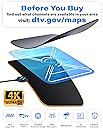
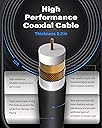
The Amplified HD Digital TV Antenna delivers up to 180 miles of range with advanced signal boosting technology, supporting 4K and 1080p HD broadcasts. Equipped with an 18ft coaxial cable and USB power adapter, it offers flexible indoor placement and easy installation. Enjoy over 80 free full HD channels without monthly fees, backed by lifetime warranty and 24/7 customer support.
| ASIN | B07FVLXHYV |
| Best Sellers Rank | #5 in TV Antennas |
| Customer Reviews | 4.2 4.2 out of 5 stars (25,173) |
| Date First Available | May 14, 2012 |
| Is Discontinued By Manufacturer | No |
| Item Weight | 0.32 ounces |
| Item model number | 4K-RS55 |
| Manufacturer | U Must Have |
| Product Dimensions | 10 x 10 x 0.5 inches |
Y**I
Great product, signal, purchase.
So easy to install and I now get 84 live channels for free on my smart tv, in addition to what else I have streaming-wise. I only installed it today, but bought it in 2019. Can’t believe it took me this long to bother! Watching the Football playoffs on local network tv and the signal is crystal clear, even without using the amplifier it came with. I am close to a broadcast tower, so I opted to try it without the additional hardware.
K**N
Pleasantly surprised
Far exceed expectations. Amazing reception. Easy set up and use fast delivery and unbelievable good price. Plus works indoors and outdoors. Definitely recommend
C**N
Local channels achieved
We were looking for an antenna so my wife can watch Big Brother and Survivor without having to wait for it to be released on the streaming app. So far, it works pretty well. We were able to pickup around 50+ channels, most of which come in clearly.
J**R
Great Value- Easy to set up!
Quick and Easy to set up! Great quality with Short range and long range options. Great value!
O**R
Easy to setup for local channels + some others, BUT glitches + very sensitive to any movement
This digital antenna is a first time purchase of its kind. Easy to use right out the box, with a long enough cable if needed. After tuning it to a Samsung Smart TV, it receives local channels, a random assortment of QVC/HSN type channels, and some other tv/movie channels thrown in, maybe 20-30 total. We bought it primarily to be able to watch college and nfl football without the hassle and buffering of streaming. Thus far, it works really well, but there are definitely some cons:: - Even though it only takes one time to scan in order to pull all nearby channels, it basically refreshes as soon as you open the guide to browse the channels, and it takes a good 30 seconds to several minutes to load the information. In addition, whatever is playing on the channel pauses and blacks out when you move to the guide view for 10-20 seconds, then again every time you scroll through the guide. If you start scrolling down the guide pages, then the channel you are originally on does not continue playing, like any other cable tv would while scrolling through the channel guide. Sometimes, the channel even changes while scrolling through the channel guide, without even selecting another channel, and with no preview in the top corner where the channel should be visible. Very strange. - Some channels have HD quality, while others have much lower quality and resolution. - Unfortunately, in a rental house with foundation issues as well as flooring issues which pretty much ensure that you can feel the movement of anyone walking around, this impacts the antenna too. We tried placement of the antenna just sitting on the tv table/leaning against the wall immediately behind the tv - this placement allowed a decent scan of channels and ability to view the channels. But after a lot of glitching from movement of walking around [or the adjacent neighbor on the other side of same wall], we moved the antenna to the wall, as instructions state. This has the same effect, and basically all of the tv channels glitch a lot, but that is because the antenna is very sensitive to movement. I assume most people don't have this issue, so they should be able to disregard this con. However, the antenna has a hard time staying on the wall using the adhesive strips provided. It continuously falls off.
J**E
Amazing antenna!!
Awesome antenna with clear display on channels! I mainly use this for gametime during football season but I appreciate how easy it was to set up and how quick it was to begin working!
J**.
Good product at a good price!
Good quality for a good price. Channel reception is good and the channel information and guide updates quickly regularly. No complaints would recommend this for anyone wanting local channels without a monthly fee. Cable is long enough and the antenna is easy to hide and it looks good.
J**S
Works As Advertised - Highly Recommended
If you’re considering purchasing a U Must Have HDTV antenna, then like me, you’re probably on a ‘cut the cable journey’. There are many pieces to that adventure, of course, but at some point you’re probably going to ask, “How do I go about maintaining access to my favorite network channels?” And so this is my story. We googled (doesn’t everyone?) and learned about HTDV antennas. What made U Must Have stand out? I suppose the reviews. Did it live up to them? Absolutely. I went into this part of the process kicking and screaming. There’s not going to be any cable running across my floor! And I’m not blocking any part of a window to hang this thing even if it is for the best reception. I’m sure my wife was thinking, “Wanna bet?” Fortunately, she kept her mouth shut and let me have my tantrum. Well, here we are. The antenna was easy to set up per the instructions. We used the amplifier. If you don’t know what that is, you’ll learn. Our HDTV, as I suspect is the case with most of them, was able to scan for channels internally. We set the antenna on a table and were able to receive enough channels to keep us motivated. But what the hell? There was no sound. Here is where we took a detour. Our setup involves a Bose console which manages the sound for our modest home theater system. A quick call to Bose confirmed my suspicion that an optical cable would be needed to connect the TV’s sound output port to the Bose’s sound input port. A little configuration - and we were on our way again - sound and all! Note: Your setup may be decidedly simpler. Next learning curve - where to put the antenna for best reception. Moral of the story: Your results may vary. We ended up buying a cable extension and connector (easy and cheap on Amazon) to provide the additional length needed to reach our fortunately south-facing window. And guess what? My wife was right. The cable running along the baseboard and the sacrifice of a small amount of window space doesn’t bother me a bit. Also, as you’ll read in your studies, even a small adjustment to the antenna position my change your receivable channels significantly. Do remember to rescan for channels any time you move the antenna. In the end, without too much effort, we found the best position for us. The number of channels received was doubled from where we were in the beginning. The key is to make sure you’re getting the channels that are most important to you - such as the major networks. And so here we are. The cable is cut. Our marriage is intact. Jeopardy, Wheel, and Big Bang Theory are right where they’ve always been. Everything worked as advertised. And we’re happier for having taken the journey. Would I purchase a U Must Have HDTV antenna again? Yes - a hundred times over. Take the journey. You can do it, too!
Trustpilot
2 weeks ago
2 days ago