
Desertcart purchases this item on your behalf and handles shipping, customs, and support to Japan.
🚀 Unlock your GPU’s hidden potential with zero fuss!
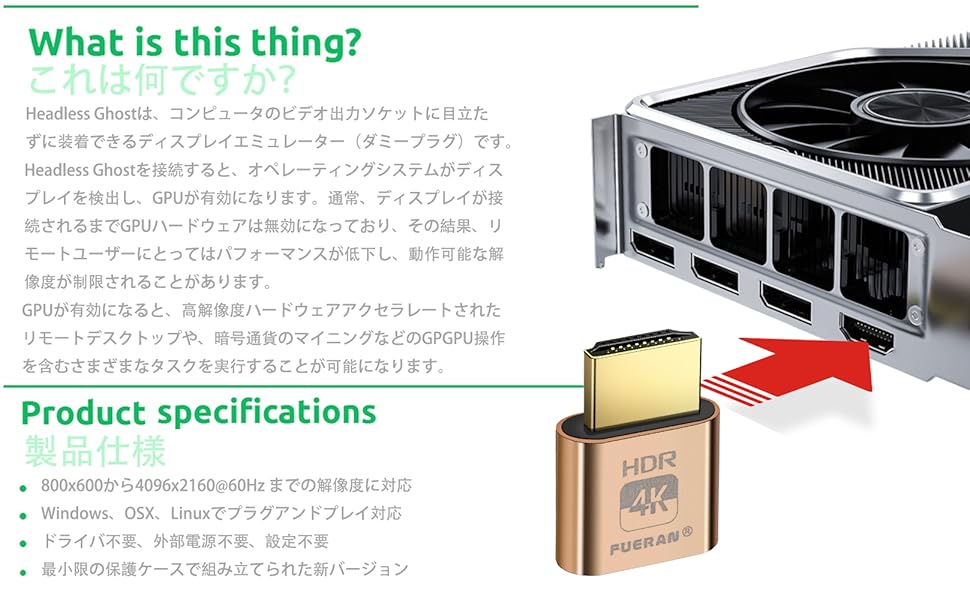
The FUERAN 4K HDR HDMI Dummy Plug is a compact, plug-and-play virtual monitor emulator supporting up to 4096x2160@60Hz resolution. Compatible with Windows, Mac, and Linux, it enables headless operation by tricking your system into detecting a connected display. Ideal for remote desktop acceleration, GPU-intensive tasks, and seamless multi-monitor setups without physical screens.




| ASIN | B0CRBFJ4LK |
| Amazon 売れ筋ランキング | 家電&カメラ - 120,250位 ( 家電&カメラの売れ筋ランキングを見る ) AV機器用変換アダプター・変換プラグ - 1,280位 |
| おすすめ度 | 5つ星のうち4.5 13 レビュー |
| カラー | 4K- HDR-3P- |
| コネクタタイプ | HDMI |
| コネクタータイプ | HDMI |
| パッケージ商品数 | 1 |
| ブランド | FUERAN |
| ブランド名 | FUERAN |
| ポート数 | 1 |
| メーカー名 | FUERAN |
| ユニット数 | 1.0 個 |
| 主電源のプラグタイプ | プラグがありません |
| 互換デバイス | モニター |
| 仕上げ | Hdmi。 |
| 付属品総数 | 1 |
| 保証内容 | 12 |
| 商品の用途 | ゲームAFK/サーバー/マイニング。, ゲームストリーミング。, リモートワーク。 |
| 商品の重量 | 1 グラム |
| 商品寸法 (長さx幅x高さ) | 3 x 3 x 3 mm |
| 商品本体サイズ | 3 x 3 x 3 mm |
| 商品用途・使用方法 | ゲームAFK/サーバー/マイニング。, ゲームストリーミング。, リモートワーク。 |
| 型番 | FUERAN 4K HDR HDMI Dummy Plug |
| 対応デバイス | モニター |
| 色 | 4K- HDR-3P- |
S**S
Does as advertised, worth the value
Does as advertised, only complaint is that the light located on the back of it does shine a bit bright and has woken me up multiple times at night, but that is just nit-picking. Other than that, works well for it's price.
R**R
Dummy plug works smart and allows 4k headless server with backup plugs if necessary
While I only needed one dummy plug for a headless Linux server, I purchased this three pack due to its value. After extended use I have not had any issues with the one I have installed tricking the server into thinking an 4k monitor is attached and if I do I have two more as backup.
T**.
not helpful
doesnt seem to produce good output on crd or rdp.
D**U
Solved all the quirks I had running a headless Linux machine
I've been using my machine headless on Ubuntu with the NoMachine server, but wasn't able to use any GPU acceleration in visual apps like Blender due to the lack of a physical display. Ubuntu also had some quirks where my Snap apps won't show in the Super menu on a virtual display. I plugged one of these into the machine and voilà the computer treated it just like a physical display, so I got the hardware acceleration capabilities I wanted and my Snap apps worked as expected.
J**H
works great
i use these for game streaming. out of the box the resolutions only support 60hz, but they can be modified with an edid editor to get higher frequencies. i did this so i could get 90fps on my steam deck while streaming.
Trustpilot
2 weeks ago
3 days ago