
DOWNLOAD THE APP


Customer Services
Copyright © 2025 Desertcart Holdings Limited
DOWNLOAD THE APP
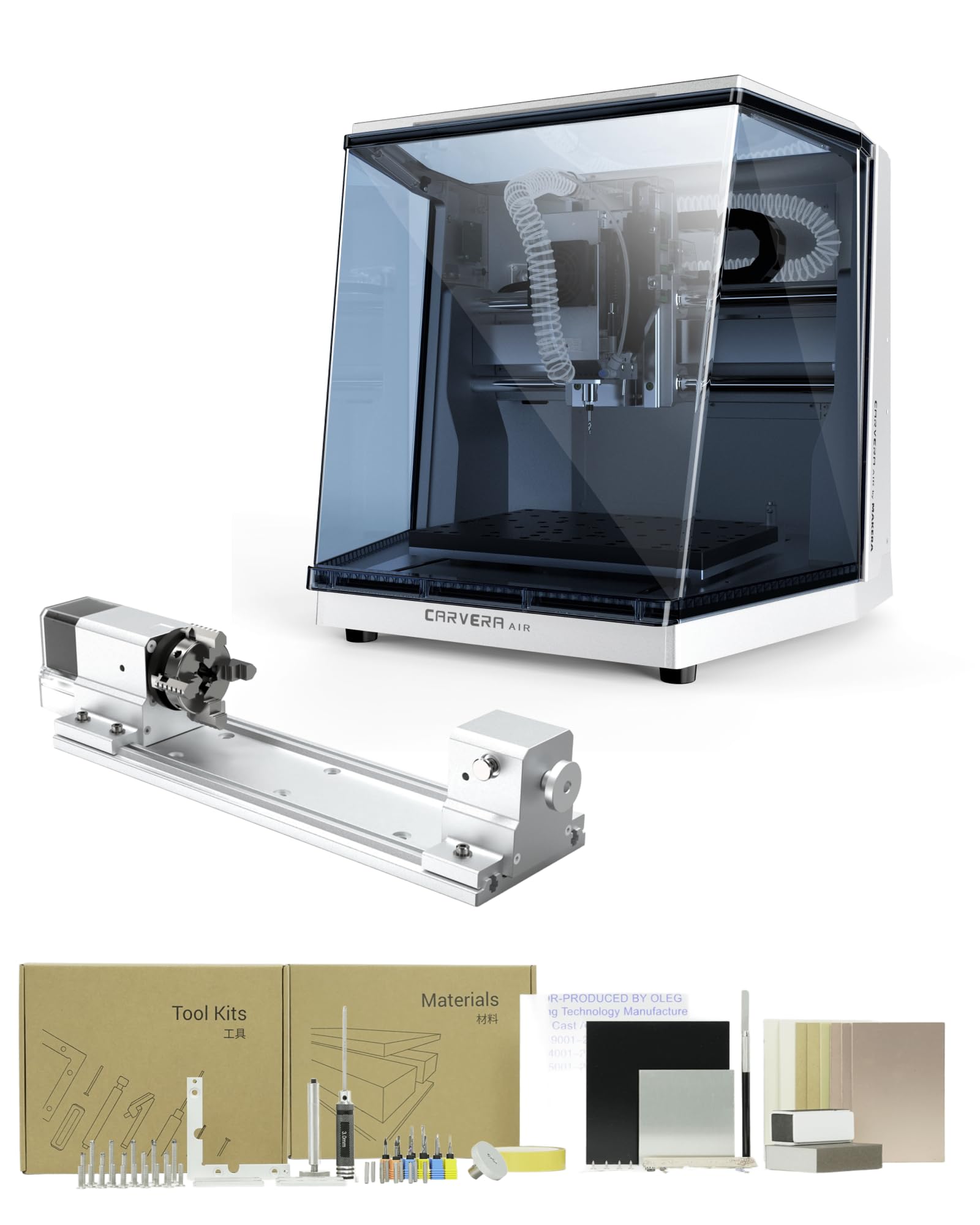




⚙️ Elevate your desktop workshop — precision, speed, and versatility in one compact powerhouse!
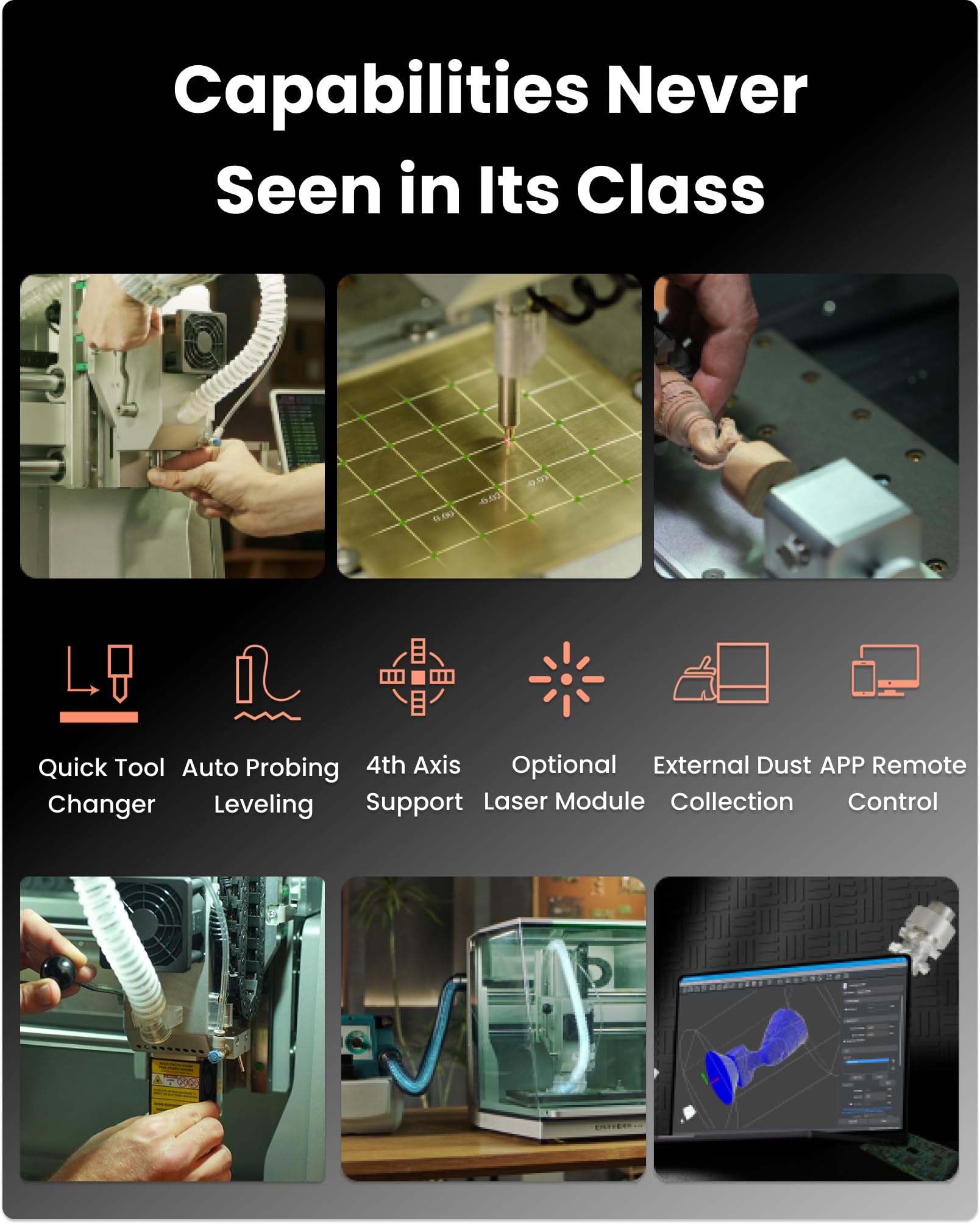
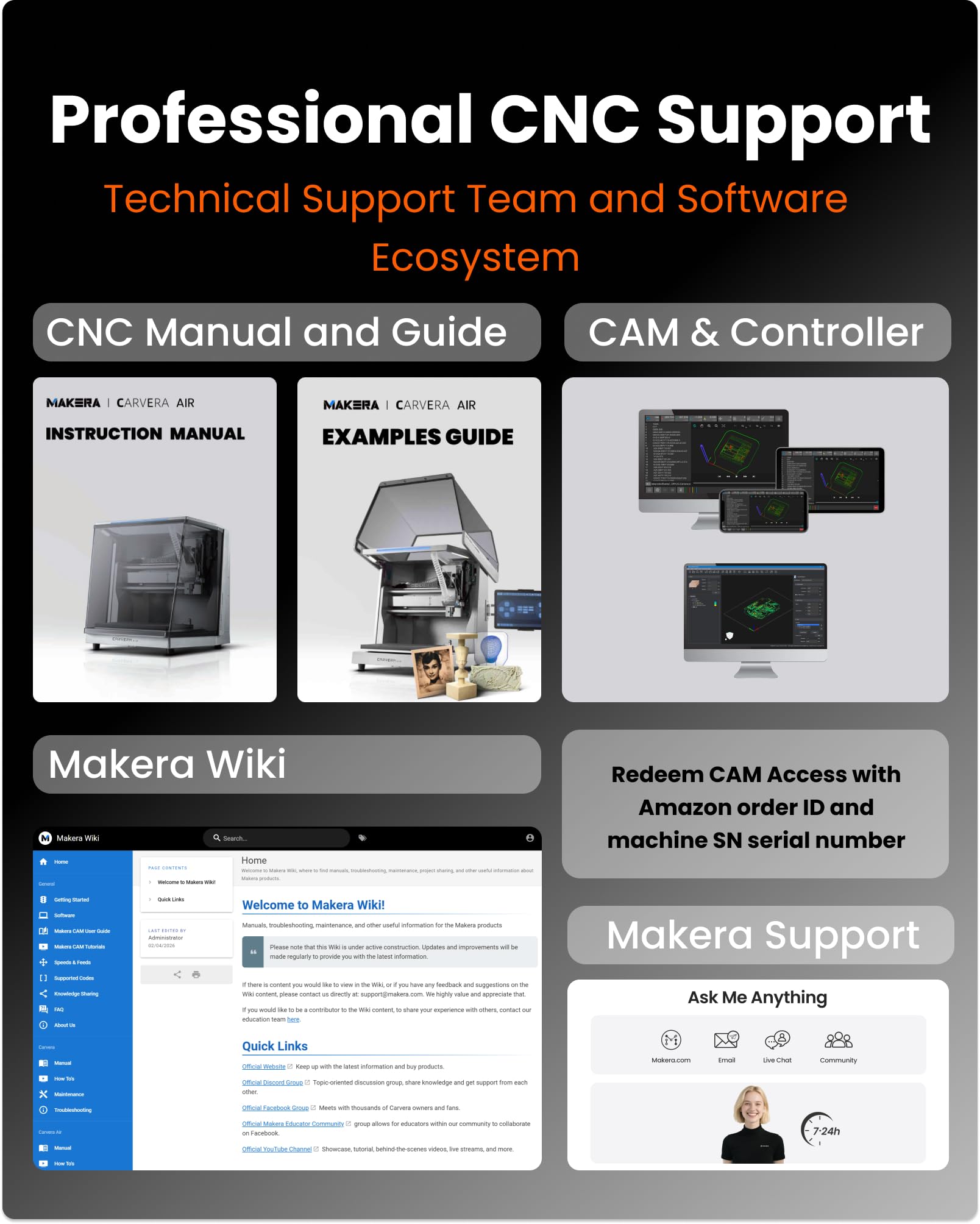
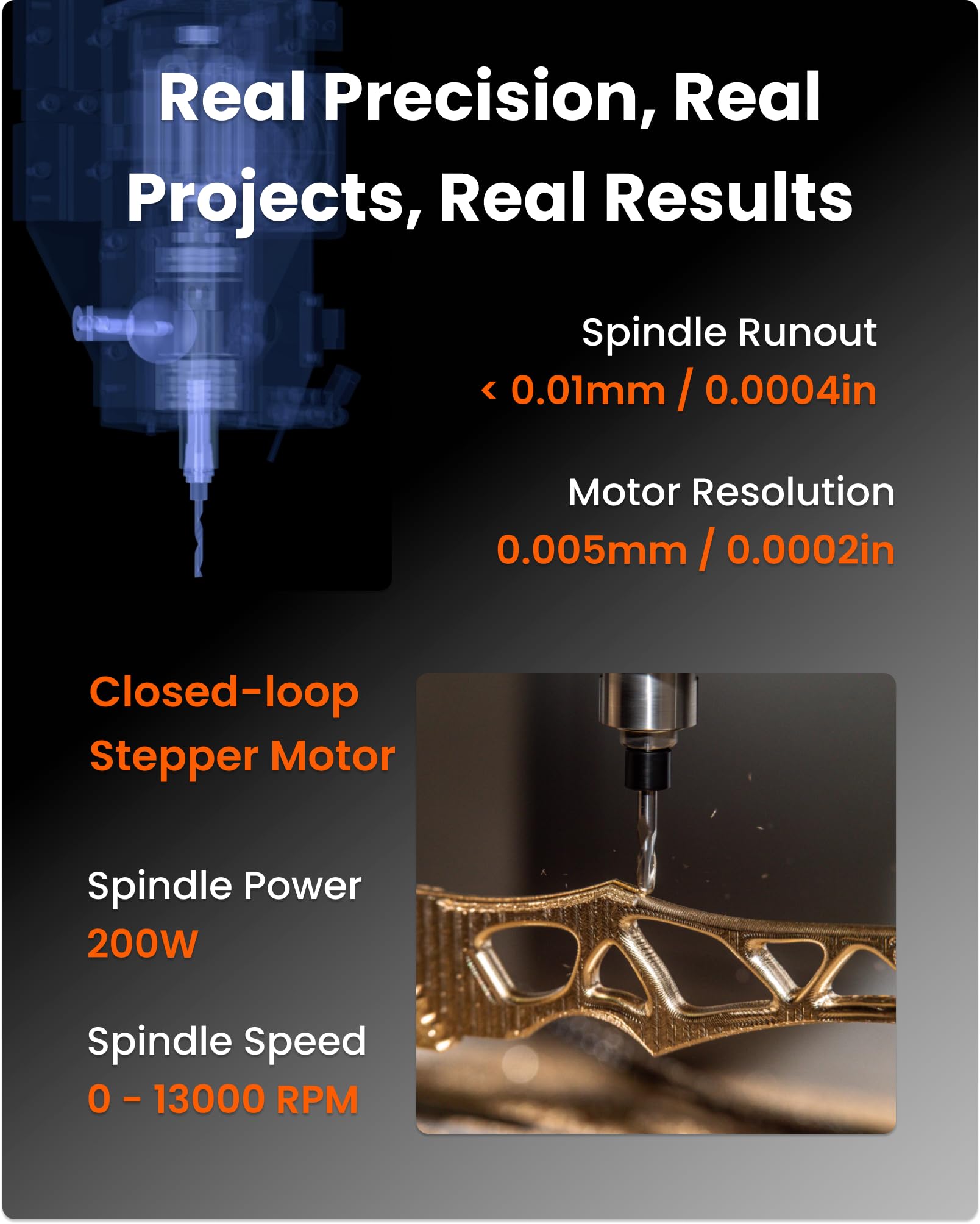
The Carvera Air Desktop CNC with 4th Axis is a compact, enclosed mini mill designed for professional-grade precision milling, carving, and engraving on metal, wood, and plastics. Featuring a high-speed 13,000 RPM spindle with closed-loop control, a quick 10-second tool changer, and an optional 4th axis for advanced cylindrical and 3D machining, it combines industrial capabilities with user-friendly Makera CAM software compatible across all major platforms. Ideal for hobbyists and pros seeking automated calibration, seamless workflow, and expansive creative possibilities in a desktop form factor.


| ASIN | B0F7QXZ8ZM |
| Batteries Required? | No |
| Best Sellers Rank | #156,087 in Tools & Home Improvement ( See Top 100 in Tools & Home Improvement ) #15 in Power Milling Machines |
| Customer Reviews | 4.3 4.3 out of 5 stars (20) |
| Date First Available | May 7, 2025 |
| Included Components | 4th Axis for CARVERA Air, CARVERA AIR Desktop CNC Machine |
| Item Package Quantity | 1 |
| Item Weight | 99.8 pounds |
| Item model number | CA1 |
| Manufacturer | Huaibei Makera Technology Co., Ltd |
| Package Dimensions | 23 x 22.5 x 21.5 inches |
| Part Number | CA1 |
| Power Source | ac |
| Size | with 4 Axis |
E**C
Just fantastic
For the price point, fantastic. Quality and functionality! Love the closeable hood, air options, noise level fine. Added the Makera vac and having that controlled by the controller, makes everything about this system perfect. Sure, would I like an auto tool changer? Of course. But for half the price of the regular Makera, this hits all the right spots. Thanks for making such a great product!
A**S
Very nice machine
I've found it tricky to use so far. I needed to thoroughly read the documentation and explore many videos. I was getting many emergency stop errors. I did not realize that the switch, once activated, doesn't come back up by itself. I must say I needed to thoroughly read the documentation. It is not a simple machine, and it has an extraordinary number of capabilities many of which are rather complex. The accuracy is phenomenal! It does many things automatically reducing the cumbersome problem of programming. I'm used to doing many things manually where it does this automatically. One just needs to be patient and study all the documentation. I was able to use FreeCAD to generate files or drawings which it can import. Then, I program the tool paths. It is great!
A**.
Carvera Air
I took a bit before writing this to make sure I could recommend this machine without reservations. I can. It is solidly built and has been accurate on everything I have fabricated on it so far. The software is easy to use, and the video tutorials are extensive: (caveat: I would have liked to have a bit more in text format). It is an excellent machine for smaller, light milling perfectly suitable for my use which is robotic parts fabrication. It will mill aluminum, and I presume brass, with no issue, although an add on air-cooling unit is recommended -hint: check on those made for laser etch cooling - Amazon has several of those. It is noisy but not excessively loud. The vacuum I used to pull up wood and plastic chips is quite a bit louder. I bought some additional bits for PCB work directly from Makara since they werent available on Amazon and received the order promptly.
T**Y
The machine I got did not work
Unfortunately, I got a bad one right out of the box. I set it up. It started giving me alarms. It wouldn’t Home and the gantry seemed very tight as if something was wrong so I sent it back and they refunded me. No questions asked
C**R
Buy Makera... Reasonable quality great until there's an issue... which they IMMEDIATELY addressed
A saga - read to the end. Well I was excited when it showed up. I opened the box and the bottom corner of the front panel was cracked - I didn't notice it for a day or so, the plastic held together and it wasn't until I opened and closed it about 10-12 times that I saw it - OK cosmetic blemishes no worries. I need function over form Using flatcam I generated gcode for a large time-sensitive 2-layer pcb project. The very first function: drill guide pin holes for alignment when flipping the PCB. The -Y axis travel sounds like a groan - likely a limit switch or something got knocked out and a stepper is firing like mad. I was able to run an auto level cycle (a nice touch) but when the dreaded "S2000 M03" came into the picture, the X,Y and Z axis were moving... but no spindle. Now we get online - dozens of mentions of running tests in the diagnostics panels - it's all over the place - everywhere but on the Makera Wiki - a search for the letters DIA bombs out - no mention of diags in the documentation. Now it's time for a beer - let's see what their support is like - honestly, I'm not hopeful. Returning this ain't gonna be fun - packing a myriad of items back into a box... not happy. Glad I didn't buy the big one that I originally wanted. EDIT: Makera was as immediately responsive as possible given the time zones. In the meantime, I discovered the spindle issue was a post error - once I hand edited the right format and removed blank lines, the spindle powered up. Also, although there is no mention anywhere in the docs or carvera controller, the "diags screen" is what you get when you click the arrow on the right side of the carvera controller screen. Tech support received video/audio of the shuddering issue and advised me to grease the ball screws - I did this to no avail - still waiting to hear back on this one. The cracked front shield appears to be a manufacturing line defect - the corner in question has a shcs that looks like it was overtightened. The setting ring on the torque-screwdriver used on the assembly line must have been getting sloppy. I forwarded pics and feedback and there was a fedex truck here the next business day (seriously - impressed.) I purchased the machine to run proto circuit boards - I am seeing z axis drop out at the end of the +X travel - this could be my doing as the machine has auto-probed leveling - the board I am running is 2" x 10.5" - the dropout started at around 1.5x9.0 and continued to the X limit, with the bit not cutting into any copperclad by the limit. Close to datum I had some ADC traces that held 6mil which impressed me. I have the intentions to attempt a 4-layer "glue-up" and see if I can develop a reasonable process to that end. If it works out, I'll post it on youtube.
D**Y
Impressive for a desktop mill
So far it's incredible, aluminum capable out of the box and cuts to pretty good tolerance.
M**E
Nice little CNC machine - perfect for the beginner
Great machine, the quick tool change is huge time saver. Very stable and built like a tank. My first projects were some name badges in 2-layer acrylic. Both used a 1mm flat end clearing bit and details with a 0.2mm 30 degree engraving bit. The ease of using these two for this operation (pocket) is very cool - you just add the two bits to the toolpath and it knows what to do. The gold badge was contour cut with the same engraving bit. The blue badge has a chamfered edge made with a 0.1mm 90 degree chamfer bit.
"**"
Beyond Expectations - Compact Powerhouse!
I was genuinely surprised when unboxing - the build quality feels premium, way beyond typical desktop CNCs. Despite its compact footprint (fits perfectly on my workbench), the work area handles my projects with room to spare. The Makera CAM software is a game-changer: set up my first job in 5 minutes, and the wireless controller worked flawlessly from my iPad. Zero crashes or confusing menus! Can’t wait to carve aluminum prototypes and custom gifts. This isn’t just a tool; it’s my new creative partner.
Trustpilot
4 days ago
1 week ago