Desertcart purchases this item on your behalf and handles shipping, customs, and support to Japan.
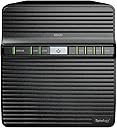
🚀 Elevate your digital workspace with Synology DS423 — your personal cloud powerhouse!
The Synology NAS DS423 is a sleek, 4-bay network-attached storage device powered by a quad-core Realtek CPU and 2GB RAM. Designed for mid-level users, it supports up to 72TB of HDD storage, dual 1Gbit LAN ports, and Synology’s intuitive DiskStation Manager OS. Perfect for centralized data management, secure remote access, and seamless multi-device synchronization, it offers robust backup solutions and flexible RAID configurations to protect your valuable data. Ideal for professionals and families seeking a private cloud with enterprise-grade features in a compact form.


| ASIN | B0BY7LGMNP |
| Amazon 売れ筋ランキング | パソコン・周辺機器 - 30,346位 ( パソコン・周辺機器の売れ筋ランキングを見る ) ネットワーク接続ストレージ(NAS)エンクロージャ - 20位 |
| UPC | 846504004911 |
| おすすめ度 | 5つ星のうち4.4 162 レビュー |
| カラー | ブラック |
| サイズ | 奥行き:22.86 cm、幅:16.76 cm、高さ:18.39 cm |
| パック数 | 1 |
| ブランド | Synology |
| ブランド名 | Synology |
| メーカー名 | Synology |
| メーカー型番 | DS423 |
| レンズマウントの種類 | テーブルトップ |
| 互換デバイス | デスクトップパソコン |
| 付属品総数 | 1 |
| 保証内容 | 2年間 |
| 原産国 | 台湾 |
| 品目の寸法 (D x W x H) | 9奥行き x 6.6幅 x 7.2高さ cm |
| 商品の寸法 | 9奥行き x 6.6幅 x 7.2高さ cm |
| 商品の重量 | 2210 グラム |
| 型番 | DS423 |
| 対応デバイス | デスクトップパソコン |
| 組み立て式 | はい |
| 色 | ブラック |
よ**ち
使えませんでした
HDDをフォーマット出来ずに返品となったのでこの評価としました
P**A
Was a Drobo fan for years, they are gone and Synology is a great replacement
I have been a fan of Drobos for decades, but recently when one of my Drobos failed I found out that Drobo is no more. The went out of business in 2020. So, the hunt was on for a replacement. The key feature (for me) of the Drobos was that they could hold drives of different sizes and would automatically adjust storage if a drive failed so that you only had to replace that one drive. To my knowledge none of the other DAS or NAS manufacturers supported this functionality. In my hunt, I looked at several NAS and when I got to Synology, I stopped in my tracks. Turns out Synology has an operating system for their NASs called SHR which stands for Synology Hybrid Raid. It doesn’t work like Drobo, but it is similar enough that you can put different drives in your drive station and the OS will handle it. The only down side from what I can determine is that when different size drives are used, then some space will be wasted because essentially the Synology SHR breaks each drive into very large chunks and pairs them up for data protection. If one of the drive chunks can’t be paired with a chunk on another drive then it will not be used. For example if you put a 4TB drive in your NAS paired with a 7TB drive, then SHR will only be able to match chunks for 4TB of total space and 3TB will be wasted. Not great, but usable until you can afford to buy another 7TB drive to match up with the 7TB you already have. Functionality: I wish I had known about the Synology SHR years ago, cause now that I bought their NAS and am learning about it, I am finding that there is an enormous amount of functionality that it brings to the table. I have struggled for years with sharing data between my Windows computer and my Macintosh because of the incompatible by design philosophy or either Microsoft, Apple, or both. The Synology NAS makes sharing data a breeze. Now, I need to mention that I am a software engineer (retired), so I am used to handling a certain level of complexity. So, I need to make it clear that Drobo was much simpler than the Synology NAS to setup. The Drobo was essentially a really big USB hard drive. You just format it and use it like any other drive. No muss no fuss. The Synology on the other hand is essentially a completely separate and very powerful computer that happens to have a whole bunch of storage in it. Synology try’s to make things simpler by allowing you to control everything through your web browser. Once you are connected to the NAS with you browser, you get what is actually a desktop on your NAS. I have included a screen shot of the desktop displayed in a browser window so you can see what I mean. The desktop includes various tools to adjust the configuration of you NAS as well as providing a way to download and install both updates, as well as additional applications (packages) for other things you might like your NAS to do. With Package Center you can install apps to turn your NAS into a download server, a DHCP server, And audio and or video media server, a mail server, you can load an office suite as well as a simple text editor, you can install a VPN server and eve a chat server. There are also Open Source applications that can be installed and also a category called Contributor that has some third party applications like TeamViewer and KodiExplorer. Overview: The DS423 I purchased has two Gig-T Ethernet ports on the back, along with two USB3 ports that can be used to backup the NAS to external USB drives. It has slots for four drives. As a replacement for my failed Drobo, the Synology NAS does a great job, at the expense of having to learn how to set it up. That is the only real down side. If you are a novice computer user, then you will need someone to set it up for you, or you will need to just go with a USB external hard disk and forget about using a NAS. The operating system in the NAS is Linux, but Synology has hidden it very well, so you don’t need to be a Linux expert, or even a Linux user to master the Synology, but you will need to brush up on some of the network terminology that is essential to configuring a NAS. Do I recommend the Synology NAS, definitely. I had mine up and running in a minimal configuration in a few hours, but exploring all the options takes time so expect to spend some additional hours learning some new stuff. By the way, Synology makes a 2 drive bay NAS DS223 that has all the capability of my DS423, but only costs $250. Add a couple of big drives and you have a pretty good backup system for little money.
A**O
La solita qualità Synology
Nas davvero robusto, silenzioso e molto eprformante. Ecco le specifiche principali del Synology DS423: Chassis: NAS desktop a 4 bay CPU: Realtek RTD1619B quad-core 1.7 GHz RAM: 2 GB DDR4 (non espandibile) Capacità di archiviazione: Supporta fino a 4 dischi HDD/SSD SATA da 3.5" o 2.5" Capacità massima interna: 72 TB (4 x 18 TB) Porte: 2 x USB 3.2 Gen 1 2 x RJ-45 1GbE LAN File System: Interno: Btrfs, ext4 Esterno: Btrfs, ext4, ext3, FAT, NTFS, HFS+, exFAT Tipi RAID supportati: Synology Hybrid RAID (SHR), Basic, JBOD, RAID 0, RAID 1, RAID 5, RAID 6, RAID 10 Dimensioni: 166 x 199 x 223 mm Peso: 2.0 kg Consumo energetico: In funzione: 32.17 W Hibernazione HDD: 5.57 W Sistema operativo: DiskStation Manager (DSM) Applicazioni: Supporta varie app Synology per backup, condivisione file, collaborazione, streaming multimediale, sorveglianza, ecc. Protocolli di rete supportati: SMB, AFP, NFS, FTP, WebDAV, CalDAV, iSCSI, Telnet, SSH, SNMP, VPN (PPTP, OpenVPN, L2TP) Sicurezza: Crittografia AES-NI a 256 bit, supporto per 2FA, firewall integrato Garanzia: 2 anni Questo NAS è progettato per piccoli uffici e utenti domestici avanzati, offrendo un buon equilibrio tra prestazioni, capacità di archiviazione e funzionalità.
Y**.
Great NAS and great supplier
This NAS is first class. excellent quality. Very easy to set up and it just replaced an old one with more secured and up to date technology. very quiet in operation. I bought a return item and has no complain so far….Good price. The delivery was next day. Great delivery.
S**N
VFM
Great Value for Money.
P**U
Le stockage réseau à la portée de tous : Fiable et intuitif !
Fidèle à la réputation de la marque, ce Synology DS423 est une véritable valeur sûre pour quiconque souhaite centraliser ses données sans se compliquer la vie. Voici mon retour après installation : Installation d'une simplicité déconcertante : C'est le point fort de ce modèle. L'installation physique des disques et le premier démarrage se font très rapidement. Contrairement à ce que l'on pourrait penser pour ce type de matériel, il n'y a besoin d'aucune compétence technique particulière. Interface DSM intuitive : Le paramétrage est extrêmement facile. Le système d'exploitation de Synology (DSM) ressemble à un bureau d'ordinateur classique, ce qui rend la configuration des dossiers partagés et des sauvegardes très fluide. Conformité totale : Le produit est parfaitement conforme à ce que l'on attend d'un NAS domestique à 4 baies. Il est silencieux, réactif et la gestion des accès à distance est sécurisée mais simple à mettre en place. Performance et Sérénité : On sent que c'est un produit robuste, conçu pour tourner 24h/24. C'est l'investissement idéal pour sécuriser ses photos de famille ou ses documents de travail. En résumé : Si vous cherchez un NAS performant mais que vous avez peur de la complexité technique, foncez. C'est un produit "clés en main" qui remplit parfaitement son rôle.
Trustpilot
5 days ago
2 months ago