Desertcart purchases this item on your behalf and handles shipping, customs, and support to Japan.
🔥 Elevate your craft game with precision & portability!
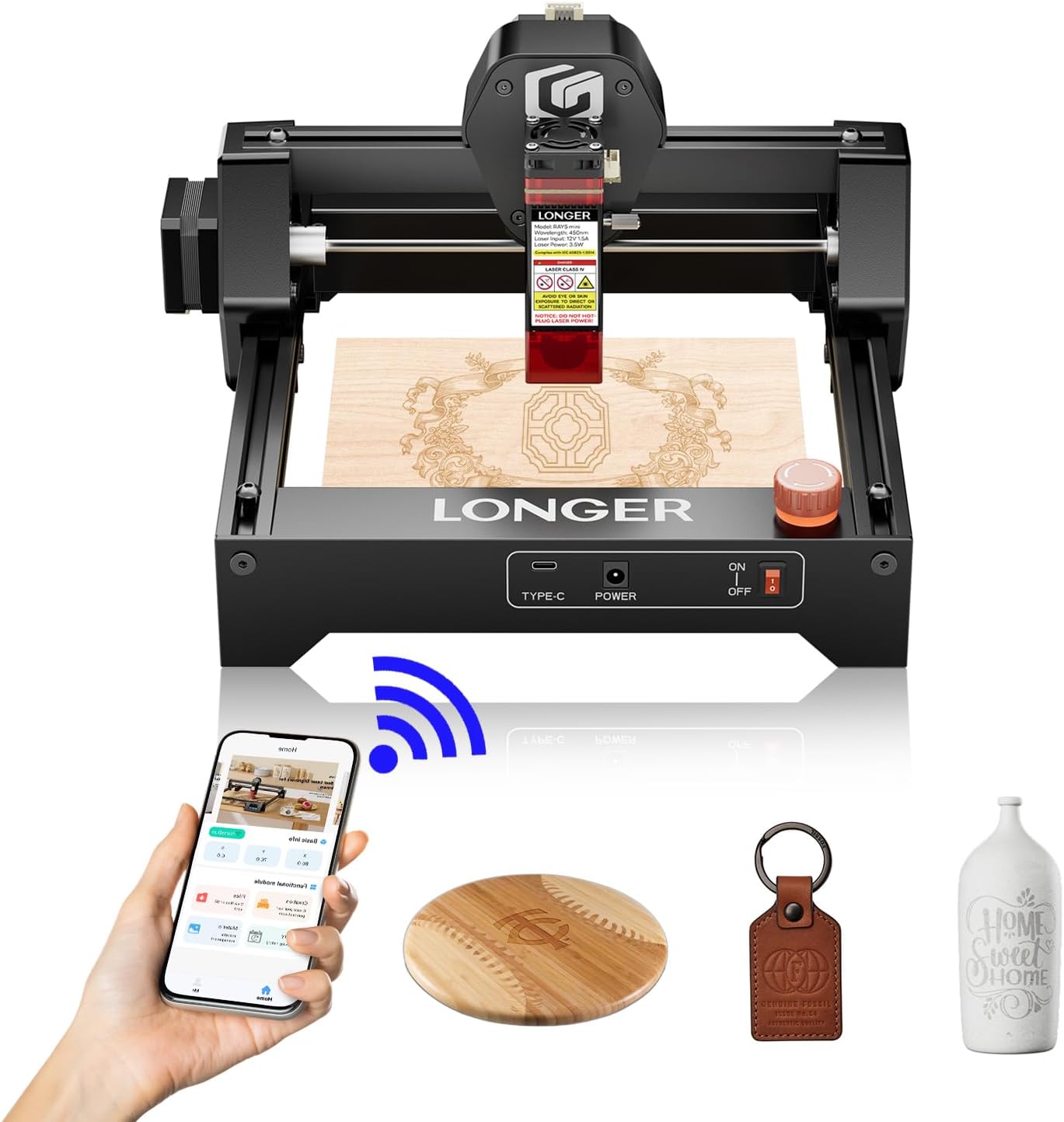
The LONGER RAY5 Mini Laser Engraver is a compact, ultra-precise 2.5W diode laser tool designed for professionals and hobbyists alike. Delivering 0.01mm accuracy and speeds up to 12,000mm/min, it supports engraving on 300+ materials. Lightweight and beginner-friendly, it offers versatile connectivity options and built-in safety features, making it the ultimate portable creative powerhouse for personalized gifts and small business projects.


| Best Sellers Rank | #100,373 in Arts, Crafts & Sewing ( See Top 100 in Arts, Crafts & Sewing ) #227 in Jewelry Making Engraving Machines & Tools |
| Customer Reviews | 4.0 out of 5 stars 164 Reviews |
D**.
Great product and great company to work with
Easy installation and well written instructions. Most of all, this is a great company to deal with. I have 2 laser engravers from them (Ray5 10w and 20w) and they are workhorses. Any issue I’ve had with them their customer service is all over it. They address the issue quickly and do everything necessary to make sure it’s taken care of.
J**E
Customer Service
I am extremely pleased with the Longer Ray5 Mini. It arrived on time and well packaged to avoid damage in transit. Excellent entry level machine priced right. I initially had a problem with the USB port, but Rayn at Longer Support was on it in a New York second and completely took care of business. Put me down as a satisfied customer, so much so that I added Longer's Air Assist product, as I plan on etching some slate soon.
C**L
Cannot complete install. Poor quality control
The harness came with two connectors labeled 12V. The controller card has a +12V port and a -12V port. No possible way to know which connector goes where without risking damage due to incorrect polarity. Of course customer service is nowhere to be found. I needed this engraver to be functional this weekend for a job. Looks like it will be late.
H**2
a cool machine
I love this machine! There is definitely a learning curve and you'll probably need to purchase software such as Lightburn, but you can make a lot of cool stuff if you put in the time. I wouldn't recommend buying if you aren't patient enough to put in the time learning.
E**A
Easy to use !!!
We are having entirely too much fun with this laser engraver!!!
M**Y
Promising Accessory, but Firmware Update Hurdles with Windows 11
I purchased the LONGER RAY5 Laser Engraver Limit Switch Kit with high hopes to enhance my laser engraving experience. While the hardware itself seems solid and well-designed, there’s a significant roadblock: the firmware update required to use the switches is difficult to execute on a Windows 11 computer. I’ve tried multiple troubleshooting steps, including running the program as an administrator, verifying file permissions, and even using Command Prompt to launch the installer. Despite these efforts, Windows 11 consistently blocks the installation, citing permissions issues or unverified software. This lack of compatibility or clear guidance on how to resolve these issues detracts from what could otherwise be an excellent product. Suggestions for Improvement: Provide clear, step-by-step instructions for users on Windows 11 to complete the firmware update. Offer a troubleshooting guide or customer support for firmware installation issues. As it stands, the hardware seems great, but I can’t fully use it without resolving the firmware update issue. If anyone knows how to make the firmware update work on Windows 11, please share your tips!
D**M
A Gift-Making Powerhouse
After using the Longer Ray5 extensively over the last year, I can confidently say it’s one of the best investments I’ve made for my workshop. The real test came during this past Christmas season; I used it to create almost all of my holiday gifts, and it handled the workload like a pro.
P**7
Works great as long as you get the settings right.
This thing is great as long as you get the Lightburn (or other software) settings right. The settings come with device on a printed sheet. Tip - It doesn't do as well with tumblers that aren't the same circumference top to bottom. This is the majority of tumblers. You can easily make yourself a jig in Lightburn. Take the outer circumference of the top of tumbler and create a circle the same size in Lightburn. Then take the outer circumference of the bottom of the tumbler and center this circle inside the other in Lightburn. Then cut this out of plywood. You will get a ring to put around the bottom of the tumbler to hold it parallel to the laser. Put this ring on before putting it on the rotary. Sometimes a little tape (duct, gorilla) will give extra assurance that it stays in place.
G**S
Excellent Laser Engraving Machine
A wonderful addition to my wood burning and wood craft equipment. Just because it is basic, does not lower the quality of the project outcome. In my opinion, it was well worth the money and been using it on regular occasions for craft works I've done.
Trustpilot
1 month ago
3 weeks ago