Desertcart purchases this item on your behalf and handles shipping, customs, and support to Japan.
๐ Upgrade your laptopโs brainpower โ donโt get left behind!
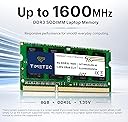
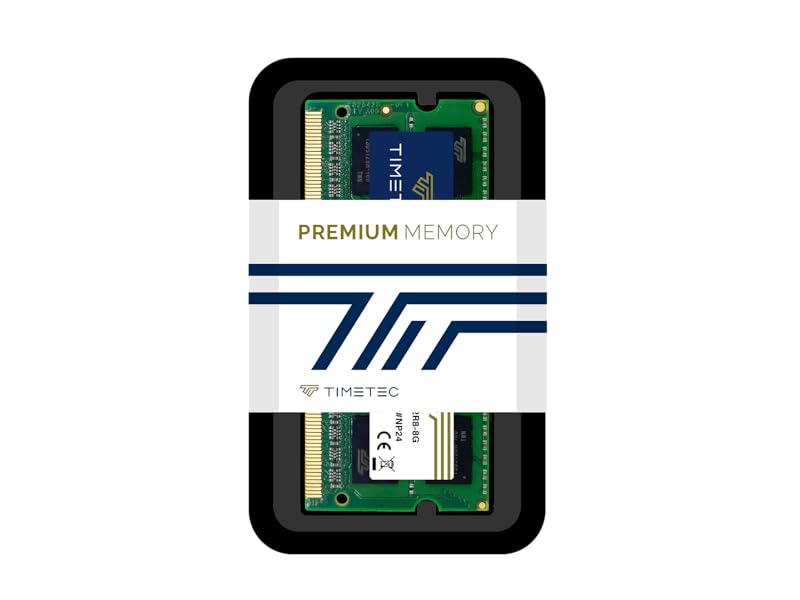
The Timetec 16GB KIT (2x8GB) DDR3L 1600MHz PC3L-12800 SODIMM is a high-performance, low-voltage memory upgrade designed for laptops and thin PCs. Featuring dual-rank, non-ECC modules with CL11 latency, it ensures reliable, fast multitasking across Windows and Mac systems. Lightweight and backed by a lifetime warranty, itโs the smart choice for professionals seeking a seamless productivity boost.

| ASIN | B0145WDNF2 |
| Amazon ๅฃฒใ็ญใฉใณใญใณใฐ | ใใฝใณใณใปๅจ่พบๆฉๅจ - 40,396ไฝ ( ใใฝใณใณใปๅจ่พบๆฉๅจใฎๅฃฒใ็ญใฉใณใญใณใฐใ่ฆใ ) PC็จใกใขใช - 249ไฝ |
| RAMใกใขใชๆ่ก | DDR3L |
| RAMใกใขใชๆก็จๆ่ก | DDR3L |
| UPC | 765441335172 765441342446 |
| ใใใใๅบฆ | 5ใคๆใฎใใก4.7 9,292 ใฌใใฅใผ |
| ใซใฉใ ใขใใฌในในใใญใผใใฌใคใใณใท | 11 |
| ใณใณใใฅใผใฟใกใขใชใตใคใบ | 16 GB |
| ใใผใฟ่ปข้้ๅบฆ | 1966.04 ใกใฌใใคใๆฏ็ง |
| ใใใฏๆฐ | 2 |
| ใใณใฎๆฐ | 204 |
| ใใฉใผใ ใใกใฏใฟใผ | SO-DIMM |
| ใใฉใณใ | Timetec |
| ใใฉใณใๅ | Timetec |
| ใกใขใชใใฉใผใ ใใกใฏใฟใผ | SODIMM |
| ใกใขใชไธไปฃ | DDR3, DDR3L |
| ใกใขใช้ๅบฆ | 1600 MHz |
| ใกใขใช้ๅบฆ(Mhz) | 1600 MHz |
| ใกใผใซใผๅ | LZBBD |
| ใกใผใซใผๅ็ช | 76TT16NUSL2R8-8GK2 |
| ใขใใซๅ | Timetec P N 76TT16NUSL2R8-8G |
| ไบๆใใใคใน | ใใผใใใฝใณใณ |
| ไปๅฑๅ็ทๆฐ | 2 |
| ไฟ่จผๅ ๅฎน | ๆฐธไน ไฟ่จผ |
| ๅ็ฃๅฝ | ๅฐๆนพ |
| ๅๅใฎ่ฟฝๅ ่ชฌๆ1 | ECC, ่ปฝ้ |
| ๅ็ช | 76TT16NUSL2R8-8GK2 |
| ๅฏพๅฟใใใคใน | ใใผใใใฝใณใณ |
| ็นๅพด | ECC, ่ปฝ้ |
| ้ปๅง | 1.35 ใใซใ |
ใพ**ใ
ๅฎใใฆ่ฏใๆใใพใใ
ใใผใใใฝใณใณ8GB๏ผ4GBร2ๆ๏ผใงใฏใขใฟใขใฟ้ ใใฎใง๏ผGBร๏ผๆๅข่จญใใใๅใใใตใฏใตใฏใชใๅฟซ้ฉใชใใพใใใ
K**ๆง
ใๅพใงใ
ใณในใ่ฏๅฅฝ
M**Z
Compatibilidad con el equipo - Excelente opciรณn...
Funciono a la primera, me permitiรณ actualizar un equipo ASUS a su mรกxima capacidad de memoria sin problema alguno; es importante buscar la compatibilidad de la memoria con los diversos fabricantes... Muy buena elecciรณn a un precio justo...
T**R
As Described, Works Well, Great Price
I bought this RAM to upgrade an old Acer laptop. The 16gb kit was delivered fast and arrived as described. Great price and works well. Highly recommend Timetec RAM kits if you want to upgrade or improve performance.
B**.
Working well with MBP pro mid 2012 version
Works really well with Macbook Pro Mid 2012 version
G**N
Worked as Expected, Good Value
Ordered this ram upgrade for my refurbished HP EliteDesk 800 G1. Photo shows "before" memory upgrade which consisted of 2 4GB memory modules (8GB total). This is a "mini" PC (only about 10 X 10 inches) so only 2 memory memory slots. PC seemed to run OK with 8GB (max possible was 16GB) but Google seemed to often not load a new internet screen without using "Reload" from a drop-down menu. Online search suggested that problem may be insufficient ram. So, I figured that more ram at least couldn't hurt. There seem to be many different suppliers to choose from at many prices. I wanted to replace the 2 4GB modules with 2 8GB modules (16GB total). Perhaps a single 16 GB module would have worked but I didn't want to add any more unknowns than necessary so I wanted 2 8GB modules. In the HP, the ram modules are readily accessible and easily removed and replaced. Not swapping ram in and out much anymore, the module configuration specification numbers were to some extent undecipherable to me. So, I looked for replacements that had most if not all of the same specifications. Furthermore, it was not exactly clear if the offer (price) was for one or two modules. THESE modules had the exact numbers plus said "kit" so I knew I was getting 2 modules. Installation was literally a 1 minute job! Of course, be careful and concerned about physical damage and ESD damage. I took a number of photos before replacement including photos of the various external cable connections. I further cloned the internal SSD drive to an external drive that I regularly use for weekly clones. At startup after upgrading, the BIOS recognized that the ram configuration had changed and showed "press F1" to do something. In the "old" days, you HAD to go into the BIOS and agree or set the new size. Here, I just pressed any key without getting into the BIOS and the PC successfully booted into W10. I could visually see that speed of had increased. Next, had to verify that everything was working. Everything except my USB sound speakers was working fine. I didn't see how the memory upgrade could possibly affect sound. Online suggested to "reload" the sound driver. I did and this fixed it. Haven't seem the Google "reload" requirement. In summary, easy, safe upgrade for me and good price and quality - they work!
P**E
Work well in HP all in one computers
I have two HP all in ones: An HP Envy 23 (23-D059) and an HP Pavillion 23 (23-g239c). Both are getting on in age and I was wondering what I could do to improve their performance. Each had 8 GB of RAM. At the outset, I should say I am a senior and not that familiar with IT to begin with. In doing a bit of research, I found that upgrading the RAM may help out so I looked for Youtube videos on how to do it. It seemed simple enough so I thought I would try. After opening up the back of the Envy 23, I found that it had 2 slots for RAM but only one was being used. The other was empty. So I inserted one of the 8 GB RAMs into it and after a few attempts, the computer was able to read 16 GB. It made a noticeable improvement in processing speed. The Pavillion 23 also had 2 slots for RAM, each with 4 GB of RAM. Both were used so I replaced one of the RAMs with the other 8 GB RAM. Once again, after a few attempts at inserting and reinserting the RAM, it worked too. I then ordered another 8 GB of RAM and now have 16 GB RAM on both computers. The improvement in peformance is notable. I've had this product running on both computers now for a couple of weeks and both are working well. Would recommend. ps. Sorry for the rambling.
Trustpilot
2 weeks ago
1 week ago