Desertcart purchases this item on your behalf and handles shipping, customs, and support to Japan.
🔥 Level up your game with the ultimate command mouse 🎮
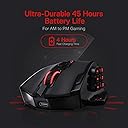
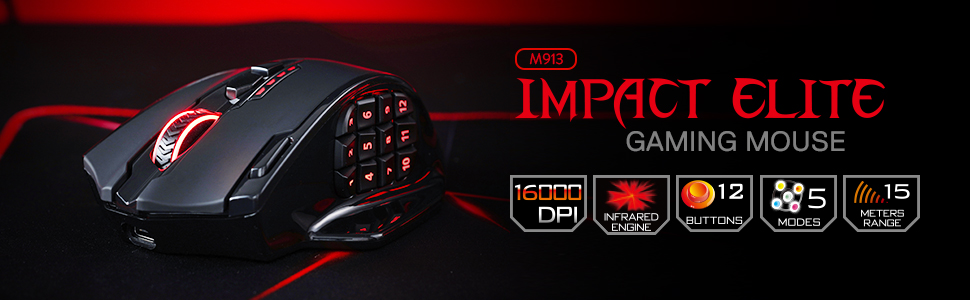
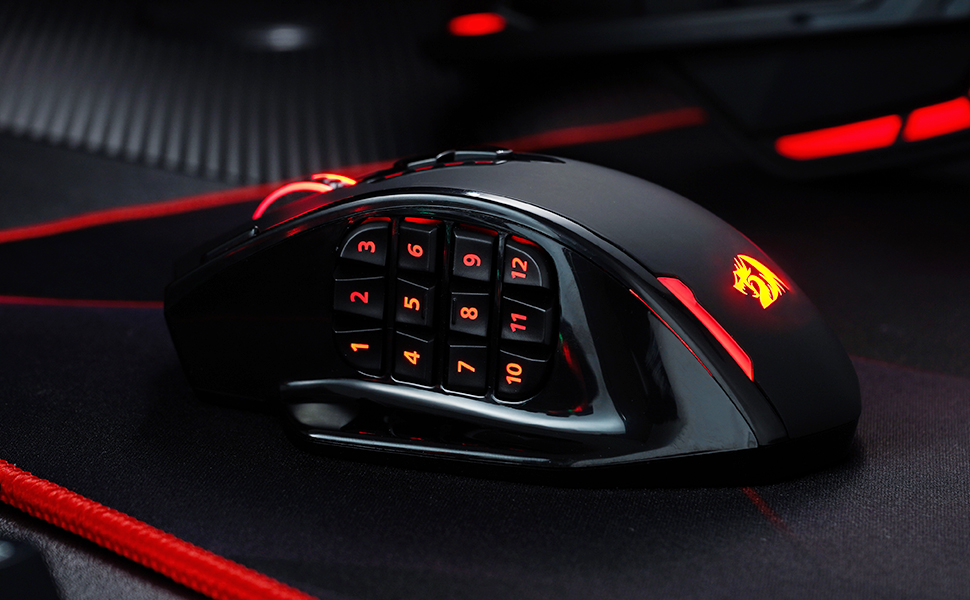
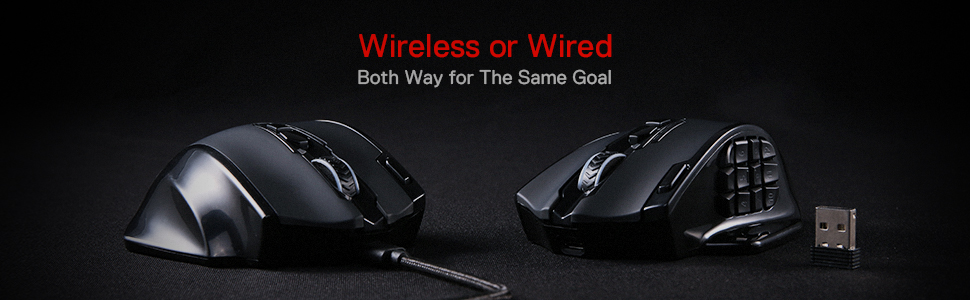
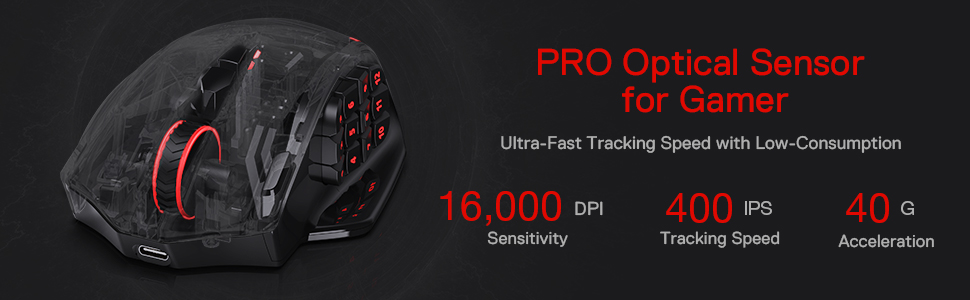
The Redragon M913 Impact Elite is a high-performance wireless gaming mouse featuring a 16000 DPI professional optical sensor, 16 programmable buttons optimized for MMO gameplay, and a robust 45-hour battery life. Designed for gamers with larger hands, it offers versatile 2.4GHz wireless and USB-C wired connectivity, customizable RGB lighting, and a durable build backed by a 1-year warranty.


| ASIN | B088B3ZM76 |
| Amazon 売れ筋ランキング | パソコン・周辺機器 - 16,637位 ( パソコン・周辺機器の売れ筋ランキングを見る ) ゲーミングマウス - 160位 |
| おすすめ度 | 5つ星のうち4.2 6,551 レビュー |
| カラー | ブラック |
| スタイル名 | 無線 マウスです |
| ハードウェアプラットフォーム | ノートパソコン |
| バッテリー付属の有無 | いいえ |
| バッテリ平均持続時間 | 45 時間 |
| ブランド | Redragon |
| ブランド名 | Redragon |
| ボタンの数 | 16 |
| ボタン数 | 16 |
| マウス最大感度 | 16000 ドットパーインチ |
| ムーブメント検出技術 | 光学 |
| メーカー名 | Redragon |
| メーカー型番 | 507611201 |
| ユニット数 | 1.0 個 |
| 互換デバイス | パソコン |
| 保証内容 | 1年間のメーカー保証です |
| 動き検出技術 | 光学 |
| 原産国 | 中国 |
| 同梱コンポーネント | [USBケーブル、ワイヤレスレシーバー、RGB照明] |
| 商品の寸法 L x W | 17.5長さ x 11.5幅 cm |
| 商品の推奨用途 | ゲーム |
| 商品の追加説明1 | ワイヤレス |
| 商品の重量 | 132 グラム |
| 型番 | M913 |
| 必要電池数 | はい |
| 接続技術 | 2.4Ghzワイヤレス、USB-C。 |
| 特徴 | ワイヤレス |
| 色 | ブラック |
| 通信・接続インターフェース | 2.4Ghzワイヤレス、USB-C。 |
| 電池の数 | 1 リチウムポリマー 電池 |
| 音域 | 13.72 meters |
さ**う
G604からの乗り換え。事務作業やMMO向けコスパマウス。手がでかい人向け
G604の後継機が無く定価1万のG600は在庫切れ。仕方なく値段的に手頃なこちらへ乗り換え。 使用一週間の感想です。 中華メーカーという事で警戒していたが思ったより使える。乾電池式だと思い込んでたが内蔵バッテリー充電式。意外と長く保つので一週間に一度とかで良いかも。G604と違ってボタン数が多く押しづらいが慣れれば問題ない。寧ろボタン数が増えて痒いところに手が届く印象。ホイールの左右チルトが無いがボタンの多さでカバーできる。ボタンは確かにG604より硬いもののこれも慣れる。 事務作業やMMO系に向いてると思う。私はアクションゲーやらなくなったので特段困っていないがそういう人には非推奨。あとマウス自体がお椀型というか横幅があるので持ち上げづらい。微妙な位置調整で持ち上げたい時やや不便。またマウスの電源ON・OFFが無いのでPCのスリープを解除してしまうのは難点か。ただしPC側の設定でこの問題は解決できる。 当たり前だがマウスがでかいので手が小さい方は非推奨。私は手首のラインから中指の先まで18cm程だがこの手で親指の中腹が1~3に当たる感じ。親指を伸ばしきって押す1~3は少々押しづらく、第1関節を曲げて押すことになる4~12は押しやすい(力が入りやすい)。恐らくボタンが硬くて押しづらさを感じてる人は手が少し小さいのかも。 あと日本語版の説明書は同梱の説明書のQRコードを読み取って飛ぶと存在する。私はスマホで飛んでChromeに履歴を残し同アカウントのPCでスマホの履歴を参照してPCで閲覧できた。 追記26/05/23 26/05頃からチャタリング発生。購入日が25/03なので寿命1年ちょいという感じでしょうね。チャタリングはマウスなら避けられない問題なので年1で6000円使い捨てる感じならコスパ良いと思う。他社のやつだと倍くらいするけど保証で交換できるがチャタる頃には交換のやり方忘れてるし。
A**ー
ボタン多数で助かる!
少し大きめで滑りはよくはないですがサイドボタンが多くあって助かっています! やっているゲームがキーボードだとボタンが複雑なので右手ひとつである程度操作できるのが良かったです!
M**O
コスパもよく、かなり便利。
セールだったので買ってみたのですが、かなり便利。 当たり前ですが「指が操作を覚えるまで」と「設定」は大変ですが、毎日酷使していても問題なく使えています。 無線なのに遅延もなく、たまにの充電でかなり長く動きます。 ほんの少しよくないのは充電のタイミングがいつきれるかはソフト開かないとわかんない。もしくはきれてわかるのでそこがよくないかな。 2週間に一回ぐらいフル充電しています。
H**U
これで十分
購入から1ヶ月。ゲームではなく事務用途に使っていますが、カスタマイズ性、機能性とくに不満なく使えています。ボタンが押し辛いとのレビューもありましたが自分はそんなに気になりませんでした。
M**U
初めてだお
初めてボタンいっぱい付いてるやつ買ったけど使いやすいと思う
あ**あ
充電不可
これ買うなら他のを買ったほうがいい。 すぐ充電できなくなるから使い物にならない。
わ**い
3D作業に使っています
たくさんボタンがあるのが良すぎる! 自分は3D作業に使っています。blenderなど shiftやCtrlを設定するとマウスだけでモデリングができて便利 特に問題もなく使えています。 あとドラゴンがかっこいい!シールもついてくるのでウキウキします 問題があるとすれば、設定アプリのウインドウサイズが何故か小さいこと
R**D
作業用には適さないと思いました
☆4よりの☆3 性能面的には問題ないし、より高い機種にあるような機能・性能をしていてコスパがいいというのはあるのだろうと思う またデザイン面も気に入ったので購入した ただ、主目的として私は作業効率化のために購入し、何よりサイドボタンを重視していた このマウスのサイドボタンは固くて押すには力がいるし、薬指の付け根辺りでマウスをしっかり握らないと押せない これでは手が疲れて作業効率化などと言ってられない。慣れで改善するのだろうか? マウスをがっしり握りこんでゲームに集中して、誤爆の恐れのない固いボタンが必要な方向けだと思う
C**E
Produto excelente visto o preço.
Mouse bom, vem com fio e sem fio. Diferença entre ele e raze naga, é somente o tamanho dos botões laterais, mas o produto é excelente e o tamanho para caber na mão é muito melhor que o raze.
O**I
Great but the middle button is broken
Yeah the mouse is really wonderful This is my forth product from Red Dragon, my first was this same mouse but wired, i used it for over six years then the middle button gave its life and wouldn’t work again. This mouse is wonderful if you are looking for multitasking since it has many “configurable” buttons and you can use it as a numpad The main problem is again the middle button, the mouse wheel to be exact, it just broke with no reason at all, now whenever i press it i pray that it work and to be honest my whole work involves using this mouse wheel so yes it had an affect on my work
J**W
Reasonable Priced and Good Quality
A very reasonable priced substitute for Razer mouse. Dongle is magnetically captured at bottom of mouse to prevent unintentional loss. Would definitely buy another for my friends in the near future.
P**A
Lasted nearly 4 years! Great accessibility mouse!
I'm reviewing this mouse after ordering my second one. A lot of folks say this mouse isn't durable, but that confuses me a ton because mine lasted almost four years. And what finally wore down was the turbo click (rapid triple click) button. So, if I hadn't grown attached to that functionality, the mouse could have honestly lasted even longer! I bought this mouse because I have a condition called hemiplegic migraines that give me stroke symptoms and make it difficult for me to use the keyboard easily. With the twelve extra buttons on the side of this mouse, I've regained so much ability to use the computer. I find the side buttons easy to use, personally, but I'm told I probably have a light grip on my mouse. I also have small hands, but will say that this mouse is quite large to hold! Another note on the durability: I repeatedly dropped my mouse on the floor. Now, it's an area rug, but it's fallen off the bed onto the wood floor, too. I lost my USB dongle at some point at a sleepover, so I've been using my mouse plugged in. And the cable would get caught in blankets/clothes and yeet the mouse onto the floor. I also travelled with it and threw it into the bottom of my purse. In my opinion, this thing was decently indestructible! When the turbo button finally crapped out, it was getting stuck in the pushed in position. I was able to disassemble the mouse and try cleaning everything out really well with some compressed air to try and fix it. Unfortunately, I don't have the tools or the steadiness to open up where the sticking is happening. I did try and use some pinhead drops of rubbing alcohol and that would unstick it for about five minutes. Just jams after that. The fact that the mouse survived me opening it up was a pretty big deal, too! Though, just as a note, the casing likes to try and crush the mouse's "guts" when you put it back together. But tricky to get it aligned. All in all though, I really couldn't be more happier with this product! It had a good run. Was tempted to try out the newer M990 to have the extra 3 buttons on the side, but decided the metal casing might be too heavy for me and read that the switches were poorer quality than the older models. So, I've snagged another one of these M913's and will probably buy another one in another four years! Showed it to my dad and now it's his favorite mouse, too! Mm, one small con I forgot to mention. If you buy the wireless version but ever do decide to use it plugged in, the cord is rather stiff. I got used to it after a while, but definitely recommend a mouse bungee or something.
C**N
Souris au top
Franchement c'est une sacrée souris vous pouvez y allez les yeux fermés. La batterie tient vraiment longtemps en bluetooth (je mets juste en mode eco), les boutons sont vraiment utiles pour du gaming ou même si vous faites de la bureautique copier coller précédent suivant etc. La prise en main c'est vraiment quelque chose, très agréable. Ça sera difficile de changer de souris après elle. La meilleure souris que j'ai eu, mieux que ma Logitech g502 hero.
Trustpilot
3 weeks ago
1 week ago