🚀 Power Your Play, Dominate the Day!
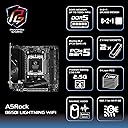
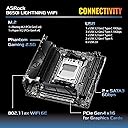
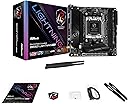
The ASRock B650I Lightning WiFi is a compact Mini-ITX motherboard designed for AMD Ryzen 7000 series CPUs with AM5 socket. Featuring PCIe 5.0 SSD support, DDR5 memory slots supporting up to 96GB, and integrated WiFi 6E + Bluetooth 5.2, it delivers cutting-edge connectivity and performance. Its pre-installed I/O shield and robust 8+2+1 power phase design make it ideal for gamers and professionals seeking a future-proof, high-performance build in a small form factor.
| ASIN | B0CKWVHW69 |
| Amazon 売れ筋ランキング | パソコン・周辺機器 - 86,981位 ( パソコン・周辺機器の売れ筋ランキングを見る ) マザーボード - 419位 |
| CPUソケット | Socket AM5 |
| GTIN (Global Trade Identification Number) | 04710483944253 |
| HDMIポート数 | 1 |
| LANポート数 | 4 |
| PCIeポート総数 | 6 |
| RAMメモリ技術 | DDR5 |
| RAMメモリ採用技術 | DDR5 |
| S/PDIFコネクタタイプ | 光デジタル音声端子 |
| SATAポート総数 | 6 |
| USB2.0ポート数 | 6 |
| USBポート数 | 12 |
| おすすめ度 | 5つ星のうち4.3 240 レビュー |
| グラフィックカードインターフェイス | PCI Express |
| コンピュータCPUタイプ | AMD Ryzen 7 |
| チップセットタイプ | AMD B650 |
| チップセットファミリー | AMD |
| ブランド | ASRock |
| ブランド名 | ASRock |
| プラットホーム | PlayStation 5 |
| プロセッサソケット | Socket AM5 |
| ポートの数 | 22 |
| メモリクロック(Mhz) | 2666 MHz |
| メモリメディアストレージ容量 | 32 GB |
| メモリーのサイズ | 32 GB |
| メモリースロット数とタイプ | 2 |
| メーカー名 | ASRock |
| メーカー型番 | 90-MXBMP0-A0UAYZ |
| モデル名 | B650I LIGHTNING WIFI DDR5 AM5 |
| 主電源コネクタの種類 | 24ピン |
| 互換デバイス | パソコン |
| 互換プロセッサタイプ | AMD Ryzen 7000シリーズ |
| 付属品総数 | 1 |
| 保証内容 | メーカー保証2年 |
| 品目寸法(L x W x H) | 31長さ x 21幅 x 5高さ cm |
| 型番 | 90-MXBMP0-A0UAYZ |
| 対応システムバス規格 | SATA 3 |
| 対応デバイス | パソコン |
| 対応プロセッサ | AMD Ryzen 7000シリーズ |
ラ**ア
Good value for mini itx
Everything seems in order, good board
桐**美
NVMeのヒートシンクがいい!
ASRockは安定していますね。
N**L
PCIe Gen3 x8接続にしないとブルルク多発
Ryzen 7 8700G, RTX3060と組み合わせて使用しています。 マザボ裏面にM.2スロットがあるのでSSD2枚対応で便利です。C/Dドライブを別SSDにしたい人におすすめ。 CPUの温度制御も優秀で、動画エンコードをしていても75℃程度で頭打ちになるように動作します。 AsRockのマザボはいたずらにCPU電圧を盛らないので爆熱にならなくて扱いやすいです。 ただし残念な点が・・・。 ビデオカードのPCIe接続をBIOSでGen3 x8にしておかないとブルスクが多発します。 RTX3060はGen4 x16接続なのでGen3 x8接続では帯域幅が1/4しかなくStable Diffusionの生成速度は半減します。 GIGABYTEのA620マザボではGen4接続で普通に動いていたのでガッカリ。 試しに別のPCのRTX3060に差し替えても変わらず。電源ユニットを交換しても変わらず。別のPCのIntel Arc B580に差し替えるとブルスクは発生しませんがブラックアウトします。ブルスクで自動シャットダウンしてくれないのでブラックアウトはさらにたちが悪い(笑) とにかくビデオカードを安定動作させるにはGen3 x8接続必須で明らかに性能劣化します。ゲーム用途や生成AI用途ならやめておいたほうがいいです。動画エンコードなどCPU主体でがんばる人向け。
A**R
Cheap bunny ears included. Don’t use.
Great mobo ! Cheap bunny ears don’t work in wifi 6E. Had to replace them.
J**.
BBB
Para mí es una placa con las 3 B, aunque quizás en barato no tanto, pero dentro de las mini atx, calidad precio rinde muy bien. Es fácil de configurar y los conectores son de buena calidad, da gusto comñnectarle algo a los USB. Para mí es una muy buena opción a tener en cuenta si no quieres dejarte 300 en una mini ATX.
R**N
Great mobo
Use it with 7800x3d and Lian Li A4 h20. It works as expected. I forgot to check QVL memory compatibility and bought GSkill F5-6000J3038F16GX2-FX5 which was not mentioned on the Asrock site but it launched on 6000mhz EXPO normally. Boot to POST screen after every memory settings change in bios takes ~2-3 min. Also, I was once faced with one long boot without any memory changes. I'm still on stock bios. Phanteks 240d30 AIO fits well on this motherboard. Set PBO -30 (tjmax 75, PBO -30 preset) and set SoC voltage to 1.18 manually in bios (It was automatically set to 1.25 after EXPO had been enabled).
G**2
Great ITX AM5 board
This is my first AMD build since my old FM3 build I did many years ago. I love building in SFF cases and since I've always had good luck with ASRock motherboards I figured I would give this one a shot. I am building in a Thermaltake Tower 200 case and while the case is a bigger SFF case its not without its issues. I paired this board with a 7700X and 32GB of Corsair 6000mt/s DDR5 memory. Once I got everything installed I pushed the power button and waited.....and waited.....and waited.....and waited. I thought something was wrong since I had no video image for almost 4 minutes and the computer restarted itself 6 times. Getting ready to power off the whole system thinking something was wrong, the last restart gave me an image on the screen and it loaded into BIOS. Fast forward about an hour I got Windows all up to date then I updated the BIOS to the current non-beta revision using the BIOS flashback function. I didn't feel comfortable updating BIOS within the BIOS since ASRock needs you do to a workaround to get a video image on a RTX 40 series card (I have a 4070ti super). Everything is working fine at this time with no issues. I have not experienced the extended load times into Windows like some people have. I load into Windows in about 6 seconds. All in all, I recommend this board to anyone wanting to do an AM5 mini ITX build.
S**M
Perfect thanks
Arrived a day early in perfect condition. First time ever working on a m-itx as upgrading my parents prebuilt that had windows 11 force installed on incompatable 13yo parts so needed to grab a cheap but capable mobo that would support the 9600x and 16gb DDR5 out of my own gaming rig when I upgrade to the 9800x3D and 32gb and this mobo fit the bill perfectly. I know the bios will need a quick update to ensure it is 9000 series ready but other than that will be a breeze to work on. Top job would recommend highly for anyone working in a m-itx or m-atx case looking for a first gaming rig or cheap upgrade path to future proof their existing rig.
Trustpilot
4 days ago
5 days ago