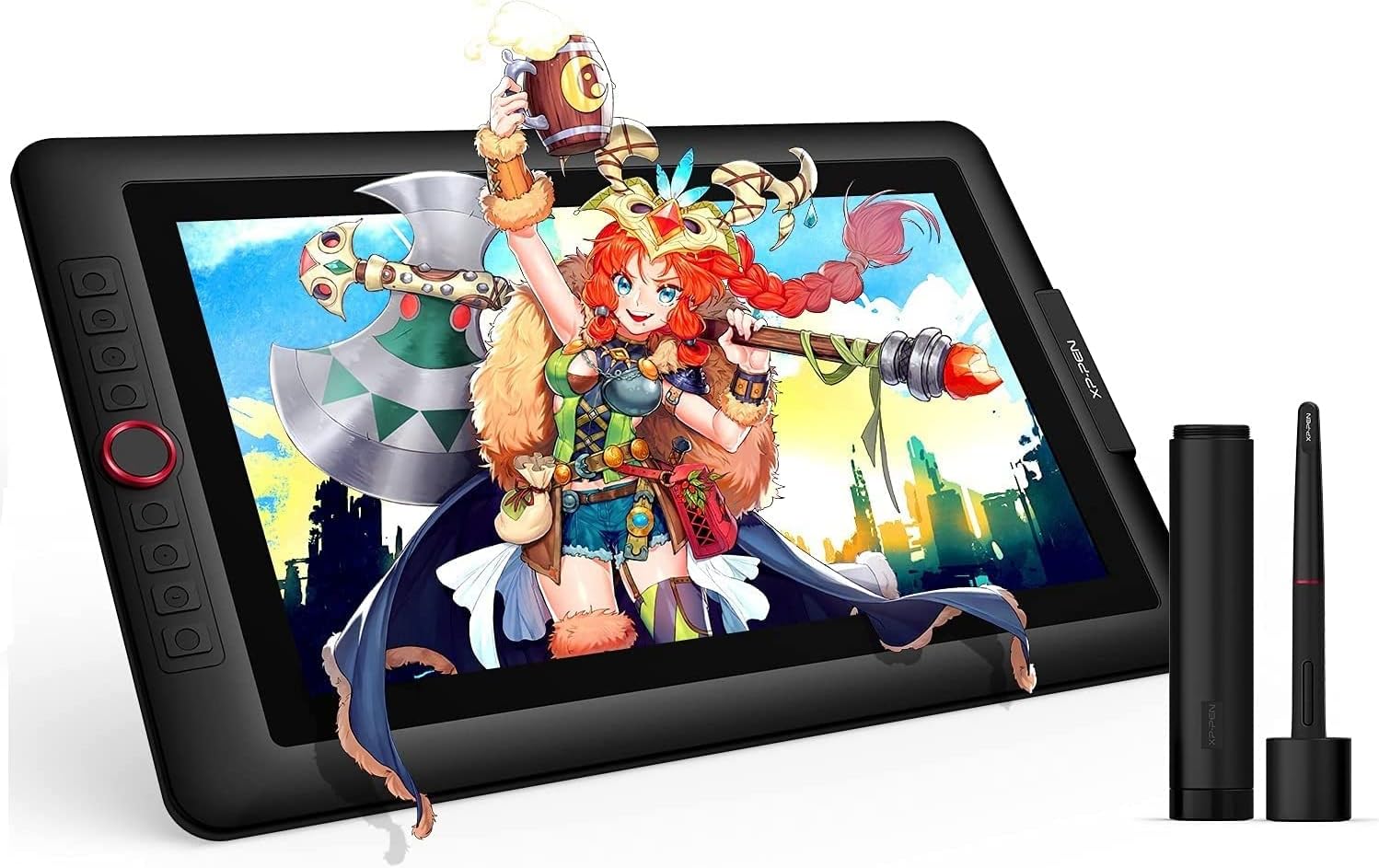


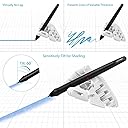
XP-Pen 液タブ 傾き検知 筆圧8192レベル 色域88%NTSC 15.6インチ フルHD IPS液晶 Artist15.6 Pro
Product ID: 728816426
Details
- ブランドXPPen
- 接続技術DVI HDMI USB
- 特徴60度のチルトサポート
- 筆圧感度8192 レベル
🎨88% NTSC color gamut
📺15.6" Full HD IPS display
🖌️8192 pressure levels
Desertcart purchases this item on your behalf and handles shipping, customs, and support to Japan.
🎨 Elevate your digital art game with pro-level precision and vibrant color — don’t just create, captivate!
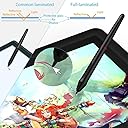
The XP-Pen Artist 15.6 Pro is a 15.6-inch Full HD drawing tablet featuring an IPS display with 88% NTSC color accuracy and 8192 levels of pen pressure sensitivity. It includes 8 customizable express keys, a red dial for intuitive control, and full lamination technology to minimize parallax and eye fatigue. Compatible with Windows, Mac, and Chrome OS, it supports major creative software, making it ideal for professional digital artists and remote work setups.


| ASIN | B07M5X7MH1 |
| OS1 | OS X 10.10 Yosemite, Windows 10 Education, Windows 10 Enterprise, Windows 10 Home, Windows 10 IoT Core, Windows 10 Professional, Windows 7 Enterprise, Windows 7 Home Basic, Windows 7 Home Premium, Windows 7 Professional, Windows 7 Starter, Windows 7 Ultimate, Windows 8 |
| UPC | 654913039536 |
| おすすめ度 | 5つ星のうち4.6 3,483 レビュー |
| アクティブな表面積 | 13.55 x 7.62 inches |
| オペレーティングシステム | OS X 10.10 Yosemite, Windows 10 Education, Windows 10 Enterprise, Windows 10 Home, Windows 10 IoT Core, Windows 10 Professional, Windows 7 Enterprise, Windows 7 Home Basic, Windows 7 Home Premium, Windows 7 Professional, Windows 7 Starter, Windows 7 Ultimate, Windows 8 オペレーティングシステム OS X 10.10 Yosemite, Windows 10 Education, Windows 10 Enterprise, Windows 10 Home, Windows 10 IoT Core, Windows 10 Professional, Windows 7 Enterprise, Windows 7 Home Basic, Windows 7 Home Premium, Windows 7 Professional, Windows 7 Starter, Windows 7 Ultimate, Windows 8 表示を増やす |
| カラー | ブラック///ホワイト |
| ディスプレイの種類 | LCD |
| ネイティブ解像度 | 1920x1080 |
| パック数 | 1 |
| ブランド | XPPen |
| ブランド名 | XPPen |
| メーカー型番 | Artist 15.6 Pro |
| モデル名 | Artist 15.6 Pro |
| ユニット数 | 1.0 個 |
| 付属品総数 | 1 |
| 同梱商品 | クリーニングクロス, スタンド, ペンホルダー, 手袋 |
| 商品の追加説明1 | 60度のチルトサポート, アンチグレアガラス, エクストラスリム, ショートカットキー, フルラミネーション |
| 商品の重量 | 3300 グラム |
| 圧力感度 | 8192 レベル |
| 型番 | Artist 15.6 Pro |
| 接続技術 | DVI, HDMI, USB |
| 特徴 | 60度のチルトサポート, アンチグレアガラス, エクストラスリム, ショートカットキー, フルラミネーション |
| 現在までサポートされているソフトウェアアップデート | 不明 |
| 画面サイズの単位 | 15.6 インチ |
| 筆圧感度 | 8192 レベル |
| 通信・接続インターフェース | DVI, HDMI, USB |
| 魚種 | ドローイング, ペインティング |
M**A
Calidad precio muy buena
Tableta gráfica que aún sigue funcionando perfectamente después de tanto tiempo hecha la compra. Es útil, práctica y un buen aparato para comenzar a iniciarse en el diseño gráfico.
A**R
One of the best drawing tablets available
I have been using this tablet for months now, and it is a pleasure to work with. The few problems it has are so inconsequential that I can do nothing but recommend this product to anyone looking for a screen this size. I am very happy with the tablet and hope XP-Pen continue to make products of this quality. PROS: - Great screen with great colours - Comfortable pen with very low activation pressure -Tilt function -Express keys with a programmable dial wheel - One cable - Included screen protector Cons: - No VESA mounting option - The nib remover scratches the nibs THE BUILD: The tablet's made of sturdy plastic, unfortunately it has no options for VESA mounting at the back. It's very thin, and lightweight, has no air vents and doesn't overheat. The included stand is practically unusable because of the tilt angle. In fact, I'd be happier if it wasn't included at all, and the saved costs be used to improve the tablet itself. There are 8 distinguishable express keys with a red dial wheel. The express keys can be distuinguished by touch and feel good to press. The dial is a feature I didn't know I needed until i tried it. Spinning it can make you zoom in/out, change brush size, or even work as extra 2 individual functions (spinning left = step backwards, spinning right = step forward). THE DISPLAY The display is a 1080p IPS panel, clear and sharp, capable of displaying very accurate colours after calibration. It does have a slight yellow tint towards the edges, which are taken up by software UI anyway. The tablet comes with a removable pre-applied matte screen surface protector. The screen itself is glossy, but the protector does a great job at reducing glare and adding some texture to the surface. The screen protector's quality is questionable, as mine scratched in the first few days, but I have since replaced it with a third party solution. Either way, having any screen protection out of the box is a great foresight and I hope XP-Pen will do include a removable screen protector in all of their products. This display is laminated, which reduces the distance between the surface you draw on and the display. The reduced parallax is great, however because of this, pressure gets transfered to the IPS panel and hue shifts will pulsate through the screen when you press the pen too hard. This is a drawback of having a laminated screen, and it is present on every tablet with a laminated screen, so I don't count it as a con. THE PEN The pen is very comfortable to hold. It's very similar to the Wacom Cintiq pens, although a bit lighter, but still substantial enough to not feel like a toy. The tip of the pen has very little amount of play, which is a huge bonus for me. It doesn't *click* every time you put the pen to the screen. This also means the activation force needed for the tablet to register a stroke is very tiny. The pen pressure was a little jumpy for me, but works perfect after adjusting the pressure curve in the drivers. This pen also has a tilt function. This works surprisingly well. I use the tilt function to rotate brushes, and about every 60 degrees there is a slight "jump" to the next 60 degrees when tilting the pen around in a circular motion. The tilt function works perfectly for what it was designed, and works very well whatever you decide to use it for. A massive plastic pen holder is included. Opening one side lets you access the pen, the cap doubling as a pen holder. It functions well. Unscrewing the other side reveals 8 extra nibs for the pen, along with a small hole to help you extract the nib from the pen. CON: The hole is lined with a metal ring from the inside, and has cut a small dent into the my nib when removing it. This extra edge on the nib has scratched the screen protector, leaving rainbow-like marks on it. I advise on using nailcutters, pliers, or just extra care when trying to remove the nibs!
J**A
Perfect Gift
I love it. A nice gift for my son.
D**N
beste beginners teken tablet
tekent fijn en doet wat het moet doen! beste tablet : )
M**R
Parfaite pour un amateur
Je suis loin d'être un artiste, ou même de savoir dessiner, mais ayant eu envie de m'y mettre sans vouloir utiliser de papier, je me suis tourné vers le digital. Après avoir tenté de trouver une tablette wacom pour un prix raisonnable (je rappelle que ce n'est pour moi qu'un passe temps secondaire, le dessin n'est ni mon métier, ni ma passion) et ayant échoué, je me suis tourné vers les autres marques. J'ai ainsi regardé une batterie de tests sur les différents modèles, et me suis tourné vers celui-ci étant donné tous les avis positifs, aussi bien en absolu qu'en relatif aux modèles de chez wacom, ainsi que le prix attrayant par rapport à la concurrence. Et bon sang, que je ne regrette pas mon achat ! L'installation est extrêmement simple: on branche la tablette, on télécharge et installe les drivers, et voilà ! Le calibrage est simple et efficace, mais je dois personnellement le refaire à chaque fois que je me sers de la tablette. J'ignore si c'est un déréglage entre chaque utilisation ou si ça provient juste du fait que je n'ai pas le même angle d'utilisation à chaque fois, mais c'est une affaire d'une dizaine de secondes, et je ne dois plus le refaire pendant toute la séance d'utilisation. Niveau précision, rien à redire, c'est presque comme crayon + papier, pas de latence, le tracé suit parfaitement le stylet, parfois à deux ou trois millimètres de décalage en fonction de l'inclinaison (on dirait que le calibrage se fait pour un point environ 0.5 cm au dessus de la mine si on tient le stylet à la verticale, c'est surtout flagrant en changeant de main ou en l'orientant différemment, mais c'est loin d'être dérangeant). Les boutons de raccourci sont extrêmement pratiques et simples à configurer; il existe une configuration générale et il est possible de configurer des raccourcis différents en fonction de l'application, ce qui permet une plus grande flexibilité. Par contre, pour le moment, le mode gomme du stylet (qui s'active à la pression d'un des deux boutons qui se trouvent directement dessus) ne semble fonctionner que sous photoshop (et pas Krita, MyPaint, ou Corel Painter, par exemple), mais la présence de boutons de raccourci sur la tablette en elle-même pallie à ce problème sans soucis. Enfin, l'écran en lui même. Une fois de plus, je ne suis pas un professionnel ou expert, mais je n'ai jamais eu un écran avec d'aussi belles couleurs. Elles ressortent bien sans pour autant être saturées, ça me convient parfaitement ! La luminosité est réglable via deux boutons sur le côté, mais également depuis l'application, qui permet aussi de configurer les couleurs. N'y connaissant rien à ce sujet, je n'ai rien changé. De plus, le fait d'avoir un écran de 15.6 pouces donne assez de place que pour être à l'aise, mais n'est pas trop grand que pour devenir encombrant, on peut très facilement se servir de la tablette posée sur ses genoux. Autres points positifs : les accessoires fournis. Pour ce prix, en plus d'avoir une tablette absolument géniale, on a : - Un adaptateur pour mac - Un gant à deux doigts pour éviter de salir la tablette et pour mieux "glisser" sur l'écran - Un porte-stylet qui fait également office de socle et de rangement pour les... - ... 8 mines de rechange, et vu que je ne vois pas d'usure sur celle d'origine, je pense que je n'aurai pas besoin d'en racheter de si tôt - Un chiffon pour nettoyer l'écran - Une rallonge pour l'alimentation USB - Une prise courant avec port USB (pour l'alimentation, justement) avec un adaptateur pour les principaux types de prises (en tous cas, US, EU et un autre type) - Un socle pour surélever légèrement la tablette. (dommage qu'il n'y ait qu'un seul angle, mais c'est déjà pas mal de ne pas devoir en acheter un séparément !) Et pour résumer mon expérience, je n'ai pour le moment eu aucun problème à l'utilisation. En tous cas, j'en suis extrêmement satisfait, ne regrette absolument pas mon achat, et j'irais même jusqu'à le recommander aux amateurs (et peut-être même aux professionnels, mais j'ignore le standard de qualité attendu dans ce domaine) de plus, pour le prix d'une tablette 13 pouces de chez Wacom, on peut s'offrir deux de ces tablettes.
Trustpilot
2 weeks ago
2 weeks ago