![SPARKLE Intel Arc A310搭載 消費電力50W「ECO」シリーズ グラフィックカード [ SA310C-4G ]](https://m.media-amazon.com/images/I/41j9Cl+hETL._AC_SL3840_.jpg)




Desertcart purchases this item on your behalf and handles shipping, customs, and support to Japan.
🔥 Power meets efficiency — game smarter, not harder!
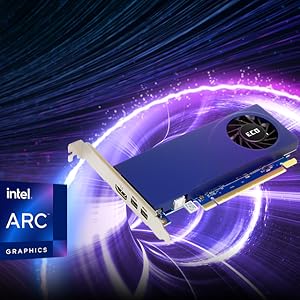
The SPARKLE Intel Arc A310 ECO graphics card redefines low-power performance with a 50W thermal design power, delivering smooth 1080p gaming and efficient AV1 encoding. Its compact single-slot, single-fan design fits versatile builds, while Intel's advanced Xe cores and ray tracing units ensure modern graphics capabilities. Perfect for professionals and gamers seeking a balance of power, efficiency, and flexibility.


| ASIN | B0CSFJN835 |
| Amazon 売れ筋ランキング | パソコン・周辺機器 - 59,581位 ( パソコン・周辺機器の売れ筋ランキングを見る ) グラフィックボード - 222位 |
| GPU クロック(Mhz) | 1000 MHz |
| GPUクロック速度 | 1000 MHz |
| GPU製造会社 | Intel |
| VRAMサイズ | 4 GB |
| VRAMタイプ | GDDR6 |
| おすすめ度 | 5つ星のうち4.2 482 レビュー |
| グラフィックRAMサイズ | 4 GB |
| グラフィックの説明 | Arc A310。 |
| グラフィックカードインターフェイス | PCI-Express x16 |
| グラフィックコプロセッサ | Intel Arc A310 |
| グラフィックハードウェア | Intel Arc A310 |
| ディスプレイ最大解像度 | 1080p Full HD |
| ビデオ出力インターフェイス | HDMI, Mini DisplayPort |
| ファンの数 | 1 |
| ブランド | スパークル(Sparkle) |
| ブランド名 | スパークル(Sparkle) |
| メモリクロック(Mhz) | 15.5 GHz |
| メーカー名 | SPARKLE |
| メーカー型番 | SA310C-4G |
| ユニット数 | 1.0 個 |
| 互換デバイス | デスクトップパソコン |
| 保証内容 | 1年間 |
| 同梱商品 | グラフィックボード本体 |
| 商品の寸法 L x W | 15.6長さ x 6.9幅 cm |
| 商品の推奨用途 | ゲーミング |
| 商品の重量 | 202 グラム |
| 図形処理装置メーカー | Intel |
| 型番 | SA310C-4G |
A**ー
爆上がり
最近いろんなPCパーツが爆上がりして性能と値段のバランスが難しかったですが、この値段でこのスペックなら満足です
P**E
エンコード用
メイングラボと2枚差し、ゲーム配信前時AV1エンコード用、ゲームプレイ時fps低下なく配信できます。OBS上 2160p 60fps QSV-AV1 slow main 36000kbps 1s key frame 0B frame長時間でもサクサク動けます! 編集用は流石に無理がある。緊急時の予備ディスプレイカードと配信エンコーダならコスパ無敵。
コ**イ
エンコード目的ならコスパ&ワッパ最強です。
AV1ハードウェアエンコーダーを搭載しているグラボの中で 15000円台とコストパフォーマンス最強です。 消費電力が50Wと書いていますが、実際には31W制限が入っており、 アイドル時14Wくらい、負荷75%あたりで25Wとワットパフォーマンスも最強です。 補助電源なし、ロープロファイルで1スロットと かなりコンパクトなため、取り付けられないPCはほぼないと思います。 温度についてはアイドル時は44度あたりとちょっと高めですが、 負荷75%で60度くらいなので、特に問題なしです。 ファンについては、余りにも小さいため回転数を30%にしても 100%にしても冷却能力に大差ないので、回転数が60%あたりになると、 それなりの騒音が出るため、コントロールパネルで30%固定をおすすめします。 MicrosoftのEdgeと相性が良いみたいでグラフィックス アクセラレータを ONにした場合、ブラウザの表示速度がかなり早くなり、 今まで重かったブラウザゲームなどが爆速になりました。 (逆にクロームとは相性が悪い) ダメな点ですが、初期状態ではロープロファイルのプラケットが装着されていますが、 ノーマルのプラケットに付け替える際にグラボのヒートシンクを外さないと ネジが回せないため、ヒートシンクを外して付け替える必要があります。 個人的には星5判定ですが、ヒートシンクを外すことに抵抗がある人いると思うので星4としました。 (改良版では改善されているらしい) 【快適に遊べるゲームと設定の目安】 ヘブンバーズレッド フルHD 60FPS 高設定 崩壊スターレイル フルHD 60FPS 高設定 初音ミク Project DIVA MEGA39’s+ フルHD 60FPS 高設定 MONSTER HUNTER RISE フルHD 60FPS 中設定 Monster Hunter: World フルHD 60FPS 低設定 FidelityFX CAS + UpscalingをON DEAD OR ALIVE 5 Last Round フルHD 60FPS 高設定 DEAD OR ALIVE Xtreme Venus Vacation フルHD 60FPS 高設定 Kena: Bridge of Spirits フルHD 60FPS 低設定
暇**人
--enable-features=IntelVSR
【使用環境と構成】 Windows 11,4kHDRモニタ環境 表示系GPU:RX Vega 64(DisplayPort接続) 演算系GPU:Intel Arc A310(補助GPUとして追加) → VegaはFluid Motion表示、A310は映像補強処理(Intel VSR/フレーム補完)担当 【映像再生における挙動】 ■ MPC-BE(ローカル/DVD再生) Windowsの「グラフィックスの設定」で描画GPUにA310を指定 Intel VSRとFluid Motionの並立が可能 Vegaで描画、A310で演算処理という分離構成が成立 安定して動作しやすく、再生品質も良好 ■ PowerDVD 24(ローカル/BD/DVD再生) Windowsの「グラフィックスの設定」で描画GPUにA310を指定 VSRとフレーム補完処理は排他仕様(同時利用不可) BD再生時はFluid Motionを選択可能 Windowsの「グラフィックスの設定」で描画GPUにVegaを指定した場合、Intel VSR/補完とも無効になる → この構成ではFluid Motionのみ有効になるため、演算系GPUが活かせない DVD再生時はVSRもFluid Motionも使用不可。描画制御の制限が強く、A310が演算に参加しない ■ Microsoft Edge Intel VSRは有効化できた(設定が必要) Fluid Motionは非対応 静止画の画質向上は凄い。動画もVSRを確認できた ■ PCTV A310を描画GPUとして指定とAMDドライバーに登録すると(非VSRだが)画質向上とFluid Motionを確認 ただしソフトが再起動するケースあり(OSは安定) ※上記構成は私の環境での検証結果です。使用環境や再生ソフトによって挙動が異なる可能性があります。設定の詳細や構成の工夫についてはWindows付属のCopilotに質問してみてください。動画再生時のタスクマネージャーでのGPU使用率が高いので新規に購入、安定動作を目的とするなら大きさと価格が異なるがA380の方が幸せかも。 色々書いたけど安価でVSR目的なら選択肢に入りますよ。
M**F
現時点ではPhotoshopやillustratorの使用目的で使わないほうが無難
radion RX6400 LPを上記アプリでAIノイズ除去を使用すると不具合が頻発したため、メモリも同じサイズでDDR6で高速なはずですし、多少はマシかと思い購入。 使用しているPCがスリムタイプで、LPの、しかも1スロットのグラフィックボードしか使えないので、現行GPUではほかにほぼ選択肢がないためこれを選択。 問題はAIノイズ除去などの動作で、今まで使用していたNvidia GT1030で15分ほどかかってしまいます。早速交換して使ってみたのですが、40分以上かかってしまう結果になりました。 どうもARC Aシリーズのドライバーは、タイトルのアプリの使用には色々問題があるらしく、IntelのインフォメーションにLightroomのAIノイズ除去をすると過去にセピアになったり彩度が落ちる事象が発生し、それを修正したらノイズ処理に異様に時間がかかるようになったということで、それがまだ解決されていない状態のようです。 このGPUは、本来の用途は別にあるようですから、そちらの目的の方には良い選択になる人もいるかもしれません。 あと処理中はファンが常時最大で回るのですごくうるさいです。 追記 試しにARCの余分なアプリをインストールせず、PCが自動認識だけに任せたシンプルなドライバーだけで動作させてみたころ、lightroomを立ち上げてすぐは5分足らずで処理が終わりました。ただ、2枚目、3枚目と処理するにつれ徐々に処理速度が落ち、結局15分ほどかかるようになります。遅延発生時は必ずメモリ使用量が落ちるので、どうもドライバーか、もしかしたらPhotoshop、lightroomのほうに問題があるのかもしれません。
よ**け
1スロ&補助電源なし。安価で良し。ただファンの音が耳障り
Intel Arc A310 ECO ■購入目的 Windows11Pro Hyper-V上のゲストOS(Windows11Pro)でGPU-Pを使う ■良い点 ・安価 ・1スロ&補助電源なし ■悪い点 ・高負荷時のファンが非常にうるさい(星1つ減要素) ・(2025/04/16追記)↑うるさいというか、耳障り。購入時期より室温が上がったことで、GPU-P環境での軽作業に関わらず、ファン回転速度が頻繁に調整されるようになってしまった。結果的に私の我慢の範疇を超えてしまい「AR-A310-E4GB/4HDMI」を追加で購入(思わぬ出費)。評価を4から2にしました。 ■GPU-P RADEON RX6700XTに接続した4K,UWQHD(3440x1440),QHD(2560x1440)x 2の環境(計4画面)において、ゲストOSでArcによるGPUアクセラレーションが有効化されたRDP接続が可能でした。 ・旧情報①「ただし、期待していたRDP複数画面でのARCによるハードウェアAVC,HEVCエンコードは無理でした。これはArcだからダメというよりか、現在のRDPの仕様外ということだと思います。または「おま環」。」 ・2024/12/14追記:旧情報①を修正「念のためもう一度グループポリシーで「リモート デスクトップ接続の H.264/AVC 444 グラフィックス モード優先する」だけ有効にすると複数画面においてもAVCによるハードウェアエンコードが有効になりました」※イベントログのスクショ参照 ■関連情報,その他 ・発送:Amazonはまれに外箱に送り状を貼って発送するという暴挙に出るのだけど、今回はコレでした。GPUとしては確かに安価だけども1万円超えの電子機器に対してこの発送方法は流石にダメだと思う。 ・添付画像:GPU-ZはホストOSでのキャプチャです。GDDR6の製造元はなぜか表示されていない。
一**人
少しうるさい
ファンの音が少しうるさいので、ソフトで調節すると良いと思います。
A**ー
商品の箱に直接配送伝票を貼った状態で届いた、商品・製品には問題なしであったが残念
商品・製品には問題はなし。ただし配送梱包方法が他の商品・配送と異なり外箱なし、商品の箱に直接配送伝票を貼った状態で届いた。Amazonの配送は常に梱包箱に入った配達であったので今回は驚いた。製品に箱含め損傷はなかったがいかがなものかと感じた。なので星は2つとさせていただいた。
J**N
Weird.
It's fine, if you can get it working and the your PC is in the basement. The driver installer is a joke, results in the attached photo. The card makes an annoying whining ramp up and down constantly - NOT something you want to be sat beside all day. Other people report that updating the driver (and by side effect the firmware) on windows fixes the issue, but it does not. Intel has lost their mind, and if I don't return this card, the annoying sound will make me lose my mind too.
N**P
Au top! compact, efficace 👌
Ça fait tellement longtemps qu'on ne trouve plus de petites cartes graphiques performantes. Celle-ci fait exception. 1 seul slot occupé, du câble mini-display port histoire d'aller en 2k / 4k en haute fréquence de rafraîchissement, de la modernité dans le décodeur vidéo hardware. La 3d qui passe avec les jeux (voyez la vidéo de R-Type en 2k) et le tout pour 50watt de consommation énergétique. Franchement bravo Intel! Super content de cet achat. ++++++ Attention aux réglages UEFI, si c'est demandé après l'installation du pilote, choisir "décodage au dessus de 4g" et "redimensionnement support bar" dans les paramètres UEFI afin de gagner en fludité d'affichage (voir copie écran des paramètres)
G**N
perfect small videocard.
Looking for a good low profile videocard and wanted actually an Intel card, so this one is obvious surely for the price! a lot better than those ancient 730 videocards you see around for a lot more money..
L**S
Low power, great for transcoding, needs a firmware update to fix fan surging issue.
I purchased this as a dedicated hardware transcoding GPU for a rack mount server, it requires no external power, fits in a 2U case, comes with both full size and low profile brackets, but swapping them requires a little creativity as the plastic shroud covers the upper screw. Installation is easy as no external power needs to be connected. Out of the box, the cards firmware contains a bug that causes the fan to constantly spin up for a few seconds, this is fixed by installing the Intel GPU drivers under Windows which also upgrades the firmware during install. After that, it runs quietly and fulfils that role perfectly and runs cool, the fan is barely noticeable, even at full chat. While it was in a windows environment, I ran 3D Mark, being a 4GB card it’s clearly going to struggle, so had to drop to the basic benchmarking test, 3D Mark predicted FPS results on 1080 High: Fortnight 180+ Battle Field V 55+ Apex Legends 110+ GTA V 145+, Red Dead Redemption 2 35+ Obviously those are just guide numbers, but for a basic card at 1080p, it looks like Arc has some decent performance potential. It handles transcoding multiple streams with ease, unlike NVIDIA, no artificial session limit on transcodes, the only concern is 4GB VRAM, but that is more than enough for over a dozen H264/H265 transcodes from 1080 down to whatever. If you need more, then choose a card with extra VRAM. Is it good value? That depends on your needs. For gaming at 1080, I would pay a little more and go Arc 570/580, at 1080 they are significantly more capable. If you just need to add a low power, quiet GPU for transcoding duties with AV1 support for the future, it’s the cheapest and arguably best option, also ideal if you stream and want to hardware encode in real time without hitting your main GPU’s resources.
M**O
Best buy per transcodifica video
Prodotto fantastico, avevo bisogno di aggiornare un pc di fascia bassa per poter guardare senza problemi i miei dvd e blueray. Ora posso riprodurre contenuti ad alta risoluzione senza problemi. Discreta in ambito gaming, punterei su altro che possa fare meglio. Un plauso anche ad amazon che mi ha consegnato praticamente un prodotto pari al nuovo tramite warehouse.
Trustpilot
3 weeks ago
2 weeks ago