Desertcart purchases this item on your behalf and handles shipping, customs, and support to Japan.
🖨️💧 Revive Your Printer, Save Your Day!
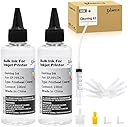
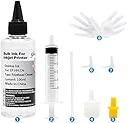
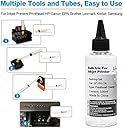
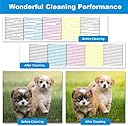
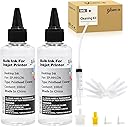
The EXCERCUS Printhead Cleaning Kit offers a powerful enzyme-based solution compatible with major inkjet brands like HP, Epson, and Canon. Featuring 2×100ml cleaning liquids, syringes, nozzles, and tubing, this all-in-one kit efficiently dissolves dried ink to restore printhead performance with a 95% success rate. Certified safe and eco-friendly, it’s the ultimate maintenance tool to extend your printer’s lifespan and avoid costly replacements.


| ASIN | B08TWJZ2X2 |
| Brand | EXCERCUS |
| Brand Name | EXCERCUS |
| Cartridge Type | Compatible |
| Colour | Yellow |
| Compatibility Options | Compatible |
| Compatible Devices | Printer |
| Compatible Printer Models | Brother, Canon, Dell, Epson, HP, Kodak, Lexmark, Samsung |
| Customer Reviews | 4.4 out of 5 stars 220 Reviews |
| Global Trade Identification Number | 00736067756573 |
| Ink Base | Water |
| Ink Colour | White |
| Manufacturer | EXCERCUS |
| Manufacturer Part Number | Cleaning Kit(2) |
| Model Name | Cleaning Kit(2) |
| Model number | Cleaning Kit(2) |
| Number Of Items | 1 |
| Other Special Features of the Product | Enzyme-based Cleaning and Printhead Protection |
| Printer Type | Inkjet |
| Special Feature | Enzyme-based Cleaning and Printhead Protection |
| Specific Uses For Product | General printer maintenance |
| UPC | 736067756573 |
| Unit Count | 1.0 Count |
A**.
Didn’t work for me
Didn’t do much I had high hopes but it did not work for my ink tank printer.
S**N
Fixed Brother MFC-465CN!
My Brother printer MFC-465CN was printing blank pages. Despite cleaning over and over only blank. This product works! Few tips you need to use the yellow adapter on the end of the syringe for this Brother printer. You will have to wiggle small end of the yellow adapter unto the print nozzle. I needed curved tweezers to pull adapters off nozzle- be gentle. I kept my printer resting on the back end- tilted up. I did put paper towels inside but couldn’t get them under the printer head. I put several folded paper towels inside. Keeping it up with the end facing down ( resting on the back end) allowed me to be able to see clearly and allowed flushed ink to seep out the back so you will need a lot of paper towels there as well, but positioning this way makes liquid flow out and away from components. Keep unplugged! I had to flush each tube twice. Then I ran it through the clean cycle about 10 times . It was now printing but quality was still poor . Then I had a light bulb moment- maybe the actual ink cartridge is also clogged since printer had been sitting for quite awhile. So I soaked Q-tips in the same solution and placed them where the ink comes out and let it sit for several minutes. SUCCESS!
M**E
Works
Printer did not print before solution cleared heads and printer prints fine now.
L**D
Saved my Canon G6020
I tried every type of maintenance built into my printer and nothing worked, the colors were so off. I determined it was a clogged port for the yellow ink. This product was easy to use with clear instructions. These a re a great value and saved me from having to purchase a new printer. I followed the instructions and cleaned all my ink ports easily. My printer is back to working like new.
G**L
Works to flush out the ink and get rid of clogs.
I used this to clean out my printer ink, it worked. It does stay wet for a bit so make sure you let it dry completely. I made that mistake and my printer died. I try does clean out the ink.
Trustpilot
1 month ago
2 weeks ago