Buy anything from 5,000+ international stores. One checkout price. No surprise fees. Join 2M+ shoppers on Desertcart.
Desertcart purchases this item on your behalf and handles shipping, customs, and support to Japan.
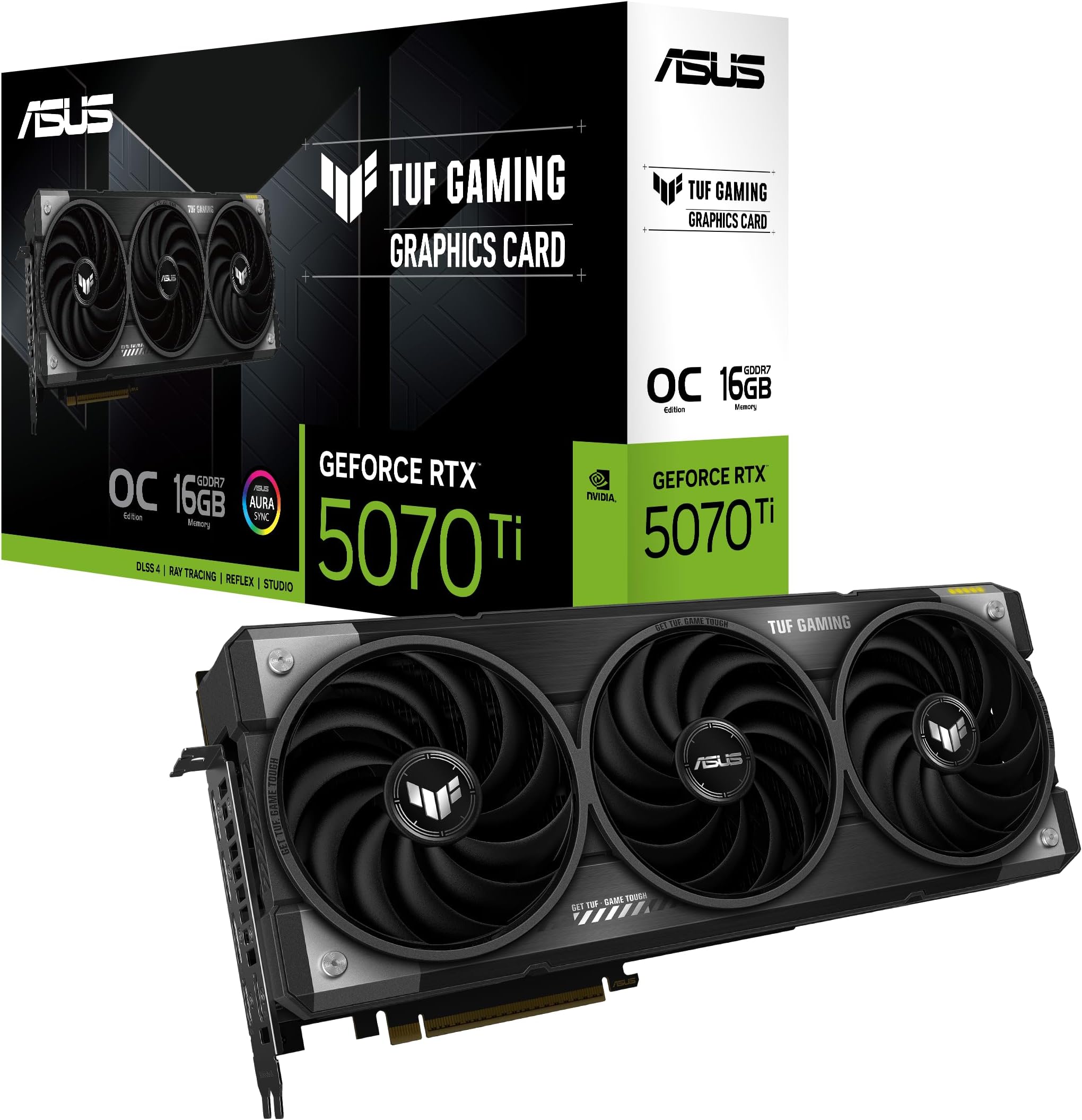
🎮 Dominate your digital realm with ASUS TUF RTX 5070 Ti — power, durability, and cool confidence.
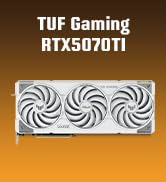
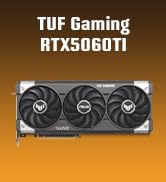
The ASUS TUF GeForce RTX 5070 Ti 16GB GDDR7 OC Edition is a powerhouse graphics card built on NVIDIA's Blackwell architecture, delivering a 2610 MHz boost clock and advanced DLSS 4 support. Engineered with military-grade components and a protective PCB coating, it guarantees exceptional durability and longevity. Its 3.125-slot design features triple Axial-tech fans and phase-change thermal pads for superior cooling performance. Equipped with dual HDMI 2.1b and triple DisplayPort 2.1a outputs, it supports multi-monitor setups with ease. The included GPU Tweak III software offers intuitive performance tuning and system monitoring, making it a top-tier choice for professional gamers and creators seeking reliable, high-performance graphics.


| ASIN | B0DS6WTXGP |
| Antenna Location | Business, Gaming, Office, Professional |
| Best Sellers Rank | #19 in Computer Graphics Cards |
| Brand | ASUS |
| Built-In Media | Speedset up manual, TUF graphics card holder, TUF Magnet, TUF Gaming certificate, TUF Velcro Hook & Loop, TUF-RTX5070TI-O16G-GAMING, Thank you card; Adapter cable (1 to 3) |
| Compatible Devices | Desktop |
| Customer Reviews | 4.7 4.7 out of 5 stars (453) |
| Display Resolution Maximum | 7680x4320 Pixels |
| GPU Clock Speed | 2610 MHz |
| Graphics Card Interface | PCI-Express x16 |
| Graphics Card Ram | 16 GB |
| Graphics Coprocessor | NVIDIA GeForce RTX 5070 Ti |
| Graphics Description | Dedicated |
| Graphics Ram Type | GDDR7 |
| Item Dimensions L x W | 13"L x 5.5"W |
| Item Weight | 3.6 Pounds |
| Manufacturer | ASUS |
| Memory Clock Speed | 2610 MHz |
| Model Name | TUF-RTX5070TI-O16G-GAMING |
| Number of Fans | 3 |
| UPC | 197105878075 |
| Video Output Interface | Native DisplayPort 2.1a x3, Native HDMI 2.1b x2 |
| Video Processor | NVIDIA |
| Warranty Description | 3 years |
S**R
Decent but expensive
Overclocking is a bit meh (3150MHz core max freq at 1.04V). Runs cool at stock setting (below 70C at full load 1400-1500rpm fan speed, ambient 28C) with uv. Excellent build quality though a bit too big. Expensive for the price offered. Very decent card. Nothing to write home about.
M**L
Battle-tested performance with premium TUF build quality🛡️⚙️💪
From the moment I started using this card, performance has been excellent. I game at 3440×1440p on a 34-inch ultrawide at 240Hz, and performance has been excellent across the board. I mainly play competitive FPS games, and the card delivers consistently smooth, high frame rates with no issues. Every game I’ve played has run smoothly, and I’ve never felt limited by performance. The design aesthetic is another highlight. The metallic gray and silver color scheme looks clean and premium, with very minimal RGB, which I really appreciate. It fits seamlessly into my build, giving me exactly the aesthetic I wanted. The card feels extremely well built and durable, with high-quality materials throughout that give it a solid, premium feel. It also has a nice selection of rear I/O ports to accommodate additional displays. Cooling performance has been excellent as well. Even during long gaming sessions, temperatures remain well controlled, and the card stays quiet while under load. It came extremely well packaged and protected, with great attention to detail in the branding on the box, along with thoughtful extras like the included TUF graphics card holder, TUF Velcro hook-and-loop straps, and a TUF magnet. Overall, this GPU has been fantastic to use and easily lives up to the TUF Gaming reputation for quality, performance, and reliability.
A**R
Red light power issues & solution - AMAZING card
I was upgrading from a 4060 to the 5070ti and I have a 1000w ROG PSU. FIRST BIG THING - it uses the 12v PCIe express 5.0. So your standard PCIe cables likely won't connect without the adapter. This is sold with an adapter - IT DOES NOT WORK. MOST people's adapters likely draw power from one output socket of their PSU which the adapter then diverts into multiple channels into the 12v input for the card. That isn't sufficient for this card and you'll likely run into the red light of death like many other people have. The EASIEST solution I found is to purchase a separate 600w 12v 5.0 power cable like the one shown in my pictures from Fasgear. Rather than drawing power from 1 output on your PSU and relying on the provided adapter, this has 3 PSU ports that divert power directly to the 12v 5.0 input that gets plugged into the card. I did that, and it works AMAZING. For how this is different than the 4060 I upgraded from: I used Cyberpunk 2077's benchmark testing for this. With the 4060 I was running medium-high quality graphic settings without the use of ray tracing or any of the bells & whistles that make the graphics "pop" and it would remain at an inconsistent 40-60 fps during the benchmark tests. With the 5070ti (after getting it working), I was running at max settings across the board and able to maintain a consistent 60-70 FPS prior to upgrading to the 3x DLSS frame generation mode. Once I turned on the DLSS AI frame generator I was getting a reported 160 FPS (I'm not sure about how accurate that is but it looked amazing) and had 0 lag. All in all - definitely worth the money spent - BUT the provided adapter is garbage and they either need to fix that or advertise it more clearly.
L**A
Great performance and very quiet
I upgraded from an older RTX card and the difference is huge. This ASUS TUF RTX 5070 Ti runs all my games smoothly at high/ultra settings, with very stable FPS and great image quality. The card is quiet, temperatures stay under control and the build quality feels solid. Installation was easy and the RGB is subtle, which I like. Overall, excellent performance for gaming and content consumption.
K**L
Great for RTX 5070 Ti – but skip the included adapter! Beginner guide to powering it right
Great GPU but skip the included adapter! Beginner guide to getting the power cables right (what I learned the hard way) GPU = Graphics card PSU = Power supply unit PCI cable = A power cable that connects your PSU to your GPU. It has 8-pin plugs (with holes) on one end for the PSU ports, and a big 16-pin end (looks like 12 big holes + 4 tiny ones on the side) for the GPU. This graphics card works awesome, but you need the right power cables or it won't start properly (red light, no video, etc.). DON'T use the short adapter that comes in the box with the GPU — I read a bunch of warnings on forums/Reddit that it often causes issues, so I skipped it completely. I'm new to this, so here's what I figured out after researching one night when it wouldn't work. This GPU needs three separate PCI cables from your PSU (one or two isn't enough). My son's old GPU only needed two, so that confused me at first. I had to unscrew and remove the back cover of the case to see the PSU (it was hidden behind it). Shine a light in there and follow the existing cables — they go through a hole to the back of the PSU. The ports are labeled VGA1, VGA2, VGA3, etc. (these are for GPU power cables). My son's PSU had 4 VGA ports, which is plenty. You may have to squeeze your hand in to add or remove cables, make sure the ports say VGA and not CPU you don't wanna unplug the wrong cables. I didn't remove my PSU I left it in and patiently struggled to get the cables in lol **The picture I added shows where my VGA ports were on the PSU, they were to the left of the ports labeled CPU, I circled the area in red but yours might be left or right of that just make sure the ports say VGA1, VGA2, etc.** You basically have two options: Option 1 – Easier if you already have three cables coming out of the PSU (what I wanted at first): Buy a "PCIe to 12VHPWR extension adapter" (or "3x8-pin female to 16-pin male adapter" / "12VHPWR adapter cable"). It has three holes/sockets on one end (your existing PCI cables plug into those) and the big 16-pin end that goes into the GPU. It's short (often around 30cm), no need to unplug anything from the PSU — just add it on top. Search Amazon for: "12VHPWR adapter 3x8-pin to 16-pin extension" (brands like CableMod, EZDIY-FAB, or Fasgear with "extension" in the title). Option 2 – What I accidentally bought (cleaner but more work): The Fasgear 600W PCIe 5.0 GPU Power Cable Sleeved 70cm (the long black one with 3x8-pin male plugs for the PSU and one big 16-pin for the GPU). You have to unplug the old cables from the PSU's VGA ports, then plug this new cable's three 8-pin ends into those same ports (they click in), and the big 16-pin end into the GPU. It uses three separate lines for better power stability and looks neater. I ended up going with Option 2 because that's what I ordered (thinking it was an adapter at first!). I reached in, swapped the two old cables for the new three, plugged it in — and it worked perfectly on the first try! My son gave me a 6/10 chance lol, but mom proved him wrong. Always turn off and unplug the PC before messing with cables, and make sure the big plug on the GPU is pushed all the way in (no gaps). If your card is heavy, add a support bracket to prevent sagging. Hope this helps someone else avoid the confusion — take your time and research like I did!
E**A
Ingatu rola si jala está madre, ya saben mínimo 850w
M**I
マーケットプレイスで購入して、初期不良なのかわかりませんが認識しなかったため問い合わせ返品したのですがおくってから初期不良レポートまで20日ほどかかり待てずにすでに別のグラボで組み立てが終わってたのですが返品に応じてもらえずGWにもう一度チャレンジしてくださいと返送されてくる予定です。7900xtxは問題なく認識したのですが、こちらは認識なくいったんマザーボードのアップデートを行って試してとのことでした。 品にも、マケにも今のところ印象が良くなく返送先も海外のため日数がかかるのが最悪です。 もう一度試してくださいとのことでしたが、また外して組みなおして配線をばらしてっていう手間を考えるとすごくだるいです。 アマゾン公式から以外の購入はお勧めしません。 マザーボードはX870wifiCMSです。12月のバージョンのものだったので4/30のものにアップデートをしましたが、今回の認識されないのが3/22時点のトラブルだったので新しいbiosアップデートでの認識ができた状態だとなんとも言えないですね。 相性診断できるドス〇ラのほうが良かったかも。 安い買い物じゃないので…
M**S
I purchased this to finally upgrade my now unsupported GTX1070. I was a little skeptical with an Asus card with thier reputation over the past couple years (mainly with thier laptops and motherboards) but from what I can tell that worry was over nothing when it comes to thier GPUS. This card has performed flawlessly ever since I first popped it in, I tried to upgrade with a 9070XT prior to this card and spent 2 weeks trying to get it to work and I could never get it to show a picture so I sent it back for a refund and got this card instead and as soon as I powered up my desktop it was recognized! The card has pushed my gaming to a new level of performance. I also upgraded my monitor to an 27" QHD Acer 280hrz gaming monitor which also helped boost my gaming experience. The card runs whisper quite and the cooling is amazing for such a powerful card. The heatsink is a chunky finstack with active cooling on the GPU die, Vrams as well as a true metal/functional backplate and they even include a little gpu sag support stand if you want it but the card does seem to sit evenly without sag just installing in the PCI slot, however I still used the stand just to be safe. The only drawback to this card is the awful 12V-2x6 power connector, my card has not been having any issues but its still not a great feeling knowing there have been issues with this connector. At this point in time I have no reason not to recommend this card, its a large card but should fit in most ATX cases and the performance is definitely top notch. Its also nice to see the price of GPUS have dropped over the past month, its still higher then it should be but at this point in time if you can grab this card for under $1200.00 you are getting a decent price (man that hurts to say). System Specs Intel 12700K MSI Tomahawk MAG Z790 mobo 64GB of Corsair Vengeance DDR5 Ram WD Black 1TB Gen5 NVME - (C Drive) Crucial 2TB T500 x 2 Gen4 NVME EVGA 1000GQ Power Supply DeepCool LT720 360mm AIO Phanteks Eclipse P400S Case (Red)
I**Z
Llegó en excelentes condiciones muy bien producto, llegó a tiempo
J**.
super quiet, cools very efficiently. Overclocks like a beast. was able to OC well. I should mention that it's really good to have more than one overclock profiles. Some games will be 100% stable with one OC profile and then the next game you play might not be stable at those clocks. But I'm impressed by the cooling on the this beast. Also they put PTM for the thermal interface between the gpu core and the cooler. Much better than your cheap standard thermal paste. ALWAYS buy Gpus that use PTM its much better than thermal paste overall. More long lasting too. I got this one at a good price. I woulda gone rx 9070 xt but my monitor doesn't support freesync at all. It's a gsync only monitor and I'm not changing my monitor right away. so I'm quite happy with my asus rtx 5070 ti tuf oc edition card.
Trustpilot
1 month ago
3 weeks ago