Desertcart purchases this item on your behalf and handles shipping, customs, and support to Japan.
⚡ Future-Proof Your Home Network with WiFi 7 Power!
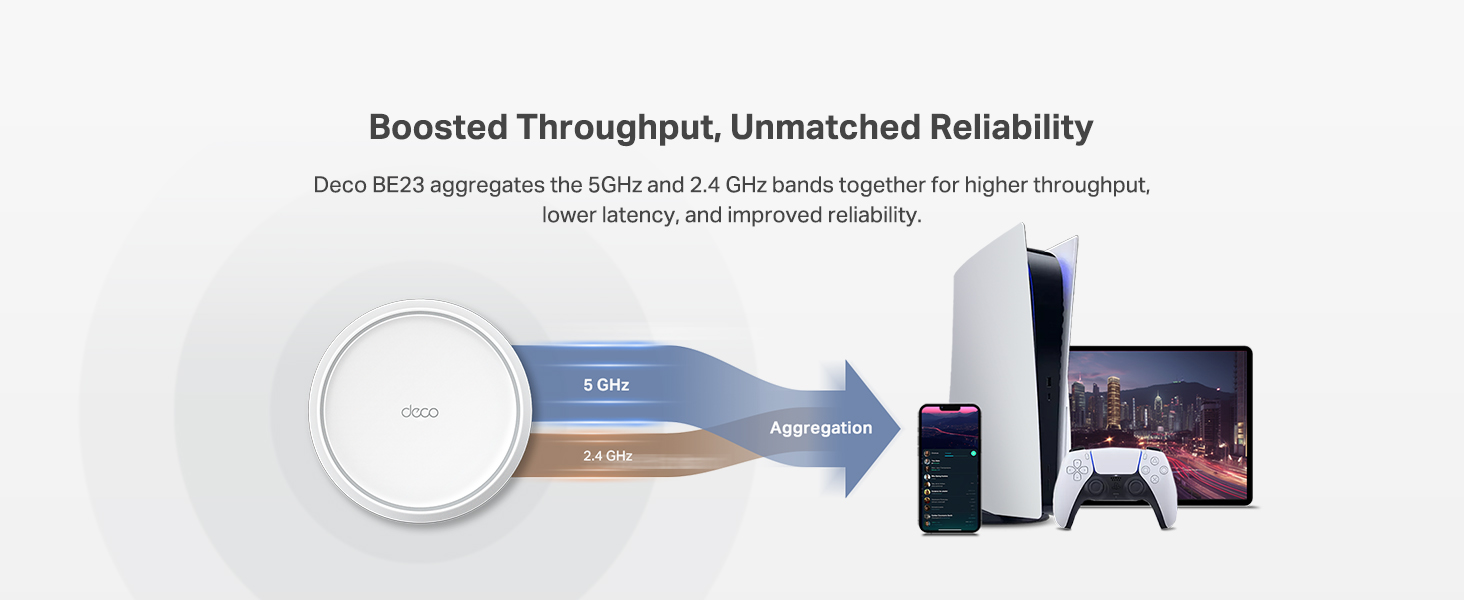
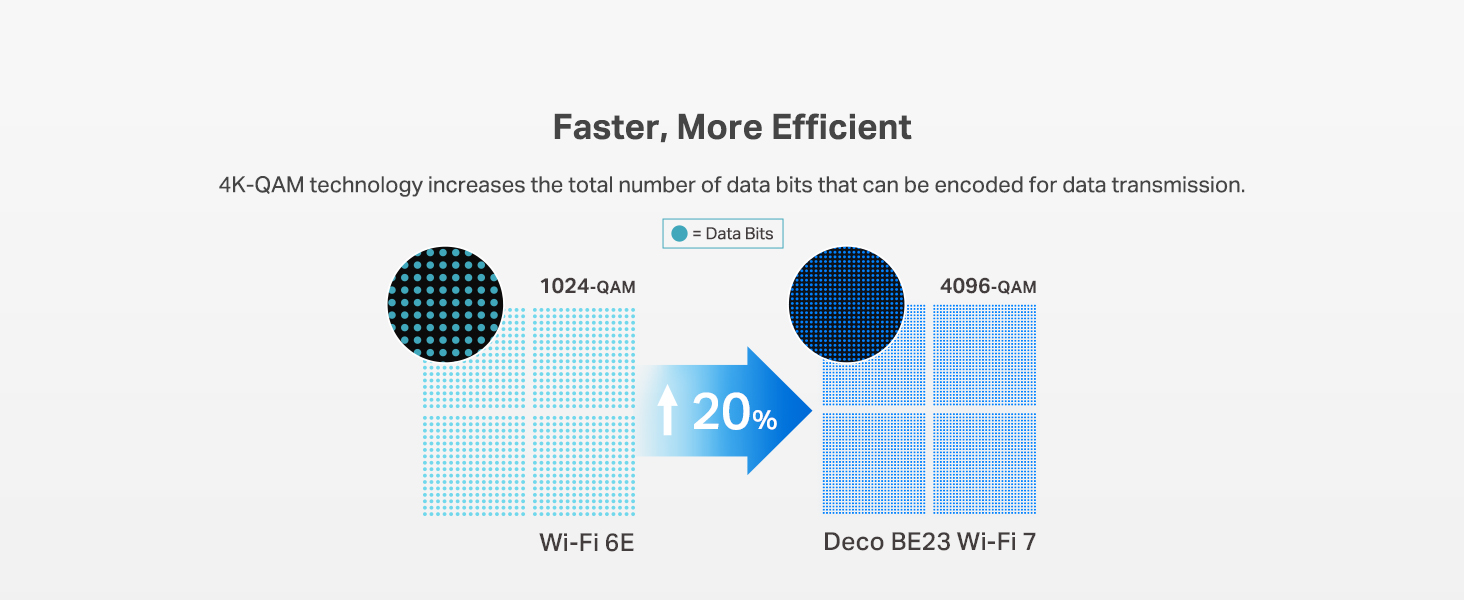
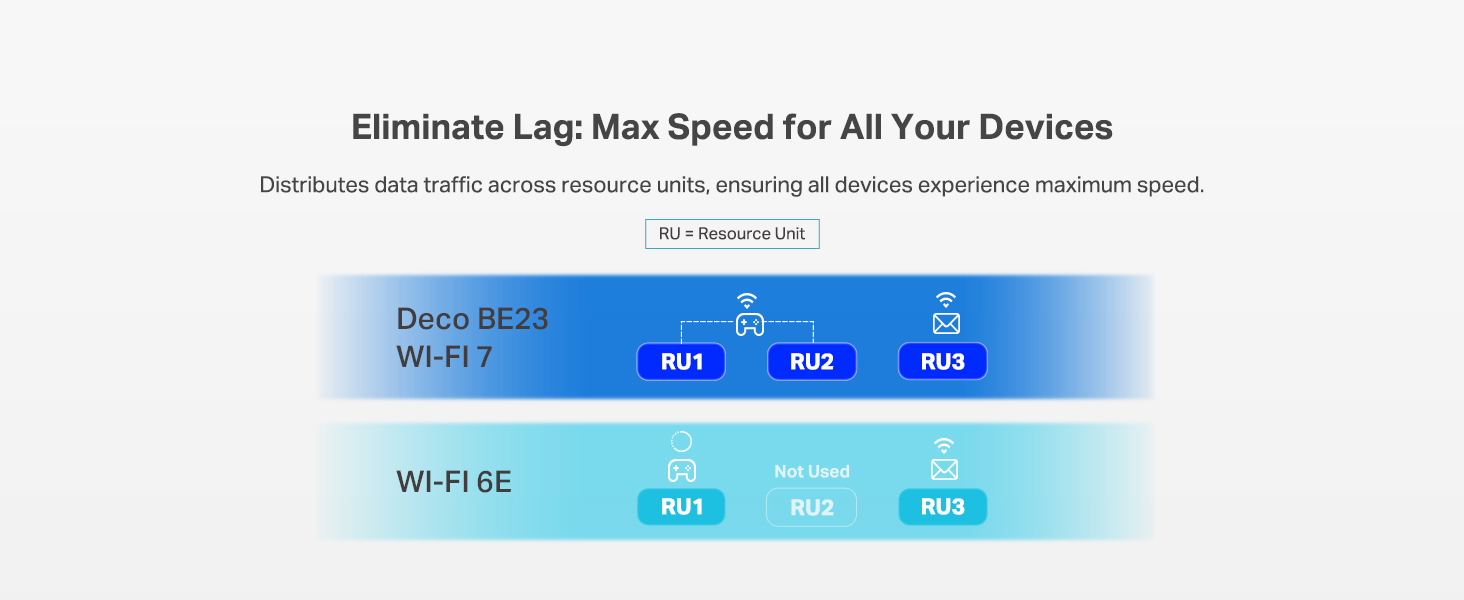
The TP-Link Deco 7 BE23 is a cutting-edge WiFi 7 mesh system offering ultra-fast 3.6 Gbps dual-band speeds, expansive 6,500 sq.ft coverage, and robust 2.5 Gbps wired backhaul. Designed for modern smart homes, it supports over 150 devices with AI-driven seamless roaming and advanced security features like HomeShield and VPN support. This 3-pack system ensures reliable, future-ready connectivity for streaming, gaming, and remote work.


| ASIN | B0DQP4DNNJ |
| Antenna Location | Home |
| Antenna Type | Internal |
| Best Sellers Rank | #34 in Computers & Accessories ( See Top 100 in Computers & Accessories ) #6 in Whole Home & Mesh Wi-Fi Systems |
| Brand | TP-Link |
| Built-In Media | 1 RJ45 Ethernet cable, 3 Deco BE23 units, 3 Power adapters, Quick Installation Guide, WPA3-Personal |
| Color | White |
| Compatible Devices | Gaming Console, Personal Computer, Smart Television, Smartphone, Tablet |
| Connectivity Protocol | Wi-Fi, Ethernet |
| Connectivity Range | 6500 square_feet |
| Connectivity Technology | Ethernet, Wi-Fi |
| Control Method | App, Remote, Voice |
| Controller Type | App Control, Voice Control |
| Coverage | 6500 Square Feet |
| Customer Reviews | 4.3 out of 5 stars 720 Reviews |
| Data Transfer Rate | 3600 megabits_per_second |
| Frequency | 5 GHz |
| Frequency Band Class | Dual-Band |
| Item Weight | 5.6 pounds |
| LAN Port Bandwidth | 2.5 Gbps |
| Manufacturer | TP-Link |
| Maximum Upstream Data Transfer Rate | 2500 megabits_per_second |
| Mfr Part Number | Deco BE23(3-Pack) |
| Model Name | BE23 |
| Model Number | Deco BE23(3-Pack) |
| Number of Antennas | 2 |
| Number of Ports | 2 |
| Operating System | Omada |
| Other Special Features of the Product | Alexa Compatible, Guest Mode, Internet Security, Parental Control, Remote Access |
| RAM Memory Installed | 512 MB |
| Router Network Type | hybrid |
| Security Protocol | WPA-Personal, WPA2-Personal |
| Special Feature | Alexa Compatible, Guest Mode , Internet Security, Parental Control, Remote Access |
| UPC | 840030712494 |
| Unit Count | 3 Count |
| Voltage | 12 volts_of_direct_current |
| Warranty Description | 2 Year Manufacturer |
| Wi-Fi Generation | WiFi 7 |
| Wireless Communication Standard | 802.11.be, 802.11ac, 802.11ax, 802.11g, 802.11n |
| Wireless Compability | 802.11.be, 802.11ac, 802.11ax, 802.11g, 802.11n |
D**E
Helped me get closer to what I am paying for. Easy set up and management.
This upgrade made a huge difference in my speed. I had upgraded to 2 gig speed through Comcast (I hate them) and was only seeing speeds in testing that were about 600/mbs. I had already upgraded my modem and while that helped, it didn't make the biggest impact. I decided to upgrade to the new WiFi 7 router and wanted to stick with TP Link/Deco as I trust their stuff. It took a few minutes to set everything up and a few more minutes to ensure that all of my devices were still seeing the correct networks, but I am now regularly getting speeds past 1 gig (still not quite getting what I am paying for but). Last night I needed to upload a bunch of photos to a google drive and decided to take my laptop home to do this. It was shockingly fast especially compared to how long it would have taken with my work's network (we are currently using ATT 5g at work). No issues with streaming devices or anything else. Management is simple and the coverage of just 1 of these mesh routers covers my 2 bedroom apartment just fine.
R**N
Good upgrade, fast, stable, and future‑proof
The Deco 7 BE23 system completely transformed my home network. The WiFi 7 speeds are no joke. the 4‑stream 3.6 Gbps performance is noticeably faster, especially with multiple devices streaming and gaming at the same time. Coverage is excellent; the 3‑pack easily blankets my entire home (around 6,000+ sq ft) with strong, consistent signal. The 2× 2.5G ports are perfect for wired backhaul, and setup through the Deco app was incredibly smooth. Features like AI‑Roaming, MLO, and HomeShield make this feel like a premium, future‑ready system. If you want rock‑solid WiFi with next‑gen performance, this is a fantastic choice
J**I
Fast, Reliable Coverage and Easy to Set Up
This mesh Wi-Fi system was simple to install, and the companion app made the setup process quick and straightforward. Once everything was connected, I noticed stronger, more consistent coverage throughout my home, with fewer dead spots than before. Speeds have been excellent for streaming, gaming, and working from home, even with multiple devices connected at the same time. The Deco units have a clean, modern design that blends in nicely with the room, and the network has remained stable since installation. Overall, this is an excellent mesh system for anyone looking to upgrade to fast, dependable whole-home Wi-Fi.
V**A
Easy to install and activate , and it works !!
So far , 24h of use, it works perfect, no issue , better signal than the comcast router only , worst spot went up from 150 to 500Mbps on cellphone, pc computers near the main mesh , even better than comcast router (they are on same place). Connected main mesh to the comcast router on the 2.5gb port using a switch with 2.5gb ports, main mesh is on a second floor, the others on first floor. Edited: First issue, as i need Deco 6 configured as wifi router, i can't have a pc wired to the router and the quest 3 on same network as it works creating its own network for wifi, to solve this it requires a lot of changes that can affect other devices, or probably, i didn't try yet, to reconfigure the dhcp configuration on router and deco to avoid ips duplicate, meaning i'll need to reconfigure NAT configuration, port fw, etc... a hell... so 4 starts
N**.
Game changer.
I’ve been testing the TP-Link Deco BE23 and it’s honestly a steal for a WiFi 7 setup. It isn't the fanciest system out there, but for the price, it’s hard to beat. The setup is dead simple. You just download the Deco app and it walks you through everything. I had three nodes running in about ten minutes without any headaches. Coverage is solid too. It’s rated for a huge area, and while it works great wirelessly, plugging the nodes into ethernet really unlocks the best speeds since this is a dual-band system. The IoT segregation is a huge win for me. You can set up a separate network just for your smart plugs and cameras. This keeps those cheaper devices away from your main gear and fixes those annoying connection drops older gadgets usually have. For the tech side, the VPN integration is actually useful. It supports WireGuard (NordVPN), which is fast, and you can pick exactly which devices use the VPN. I have my streaming box routed through it while the rest of the house stays on the normal connection. If you want future-proof tech without spending a grand, this is the one to get.
S**L
After 7 hours, failure!
I did not have a very good experience with the Deco 7. I have a mesh wi-fi system and was looking to update it, so I wanted to try a different product and for what it is supposed to do, the price point for this was a bargain. That was the only upside. The downside is getting all this to work properly. I hooked up the router and the two pods where the old one were. The router was doing its thing, but for the life of me I could not get the two pods to communicate with the router. I watched videos, went through the app again and followed their instructions. Now the router is not communicating with the app and the pods are not recognized. I turned everything off, disconnected everything, trashed the app and started the process all over again. Went though the same set-up through the app, and it did connect to one pod. Then that connection disappeared and needed to connect the pod over again. The app kept saying that it does not recognize the pod and to try again later. Connected to the TP-Link help line. It could never answer my question or resolve my problem. Automated bots can't do that and I kept getting the same instructions that never solved anything. I did put this all together and repeated everything . . . and it kept saying "try again later". Later came and went. Disconnected everything, trashed and reinstalled the app, watched more videos, contacted a friend, and went through the steps once again. The results are the same: the pods are not recognized. So after 7 hours of my life gone, everything was disconnected, trashed the app, put everything back in the box and returned it. I'm sorry to say that this just didn't work out for me. I connected my old mesh system and it worked perfectly. I'll stick with the same brand that is out of this orbi(t).
D**N
Solved my Problem
I should preface this by saying I was very skeptical when I ordered these because I had tried 3 different routers and two different extenders and nothing had helped get a signal to our son's room which was confusing because our house is 1,600 sq feet so not gigantic and his room is only about 60 feet away from the router but it's through several walls and his room is directly behind the kitchen wall where the stove and microwave are. Anyway...I'm rambling. I installed these and instantly it solved the problem. Setup took about 30 seconds and it actually took longer to take the satellite units and plug them in. I'm extremely happy with the result and would definitely recommend these to anyone with the same problems.
M**G
Great Entry Level Router
Great value for upgrading to Wifi 7. Speeds have finally caught up to what they should be after upgrading from my old Wifi 6 setup. App was straight forward and coverage is amazing with all 3 covering my house. Security a bit simple but has potential for advance settings
Trustpilot
2 weeks ago
3 weeks ago