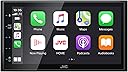
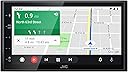
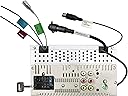
After purchasing a much cheaper unit that failed after a few weeks, I did more research and settled on this radio. I'm glad I did. After using it for a while, I'm very pleased with the performance. Here's my list of PRO and CON: PRO Sound quality is very good, though not perfect. I blame that more on my crappy OEM speakers. Since I mostly listen to talk radio and not music, that's not really an issue. Installation was pretty straight forward and the documentation was excellent. Android Auto works as expected and gives me everything I need without using full mirroring. Phone call sound is crisp and clear and the include microphone has excellent sound. Touch screen controls work very well and are mostly intuitive, though they sometimes have a short lag between touch and action. The screen is clear and easy to read (unless you wear polarizing sunglasses). CON Slight lag in some touchscreen functions. You can touch Mute for instance and it sometimes takes a second to actually mute the radio, so I've touched it again and turned mute off. Once you realize that the function isn't always instantaneous, you are fine. The fit in the dash is a bit off, but that is mostly because of the installation kit I purchased. There is a slight gap around the head unit. Be aware of this when installing. I never really got the full Mirroring function to work with my Android phone and the JVC app. However, as I said Android Auto gives me all the functions I need. One note: I did NOT hook up my backup camera to the head unit since I have a rear camera display in my rear view mirror that works very well and I didn't want to re-route the cable for that. Overall thoughts: A good unit at a reasonable price. Hopefully it will give me many years of use. UPDATE: After 9 months of use, I am still happy with the radio. My only complaint would be the lack of actual buttons for some functions, especially volume control and mute. My truck does not have steering wheel controls, so all those functions require touching the radio itself. Since there are not buttons or knobs for these functions, you don't get any feedback as to what's going on. A minor issue, but the only thing that bothers me. Also, I have gotten lots of questions from others about "Does this fit my XXXXXXX". While I am not a car audio expert, I found it relatively easy to install with an install kit that I purchased separately. If you have never installed any electronics in your vehicle I highly recommend getting any such unit professionally installed. Most aftermarket radios can be installed in most standard vehicles but almost always will require some sort of mounting kit and wiring harness. If you try and do it yourself without the proper tools and knowledge you can get into a lot of trouble. I've done such installations many times and yet made a minor mistake on this one that cost me a lot of time and headache. Short answer: If you don't know what you're doing then DON'T.