

Desertcart purchases this item on your behalf and handles shipping, customs, and support to Japan.
๐ฅ Power your creative empire with ASUS ProArt X870E-CREATOR ๐
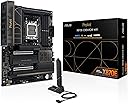
The ASUS ProArt X870E-CREATOR WiFi motherboard is engineered for professional creators and power users, featuring AMD AM5 socket compatibility with Ryzen 7000/8000/9000 series CPUs, robust 16+2+2 power stages, DDR5 memory support up to 256GB, PCIe 5.0 x16 slots for next-gen GPUs, dual USB4 ports, ultra-fast 10 Gb & 2.5 Gb Ethernet, WiFi 7, and advanced AI-driven overclocking and cooling technologiesโall designed to deliver future-proof performance and seamless connectivity.


| ASIN | B0DF123GCV |
| Best Sellers Rank | #59,171 in Computers ( See Top 100 in Computers ) #403 in Motherboards |
| Brand | ASUS |
| CPU Model | Ryzen 7 |
| CPU socket | AMD AM5 Socket |
| Chipset Family | AMD X870 |
| Chipset Type | AMD X870E |
| Chipset type | AMD X870E |
| Compatible Devices | Keyboard, Monitor, Mouse, asus laptop, asus pc |
| Compatible Processors | AMD Ryzen 7000 series |
| Compatible devices | Keyboard, Monitor, Mouse, asus laptop, asus pc |
| Compatible processors | AMD Ryzen 7000 series |
| Customer Reviews | 4.3 out of 5 stars 129 Reviews |
| Graphics Card Interface | PCI Express |
| Item Dimensions L x W x H | 8.6L x 36.6W x 28.2H centimeters |
| Item Weight | 1.32 kg |
| Main Power Connector Type | 24-Pin |
| Manufacturer | ASUS |
| Memory Clock Speed | 320 MHz |
| Memory Slots Available | 6 |
| Memory Storage Capacity | 256 GB |
| Mfr Part Number | ProArt X870E-CREATOR WIFI |
| Model Name | ProArt X870E-CREATOR WIFI |
| Model Number | ProArt X870E-CREATOR WIFI |
| Number of Ethernet Ports | 1 |
| Number of Items | 1 |
| Number of Ports | 26 |
| Platform | Windows 10, Windows 11 |
| Processor Socket | AMD AM5 Socket |
| RAM Memory Technology | DDR5 |
| Ram Memory Maximum Size | 256 GB |
| Ram memory technology | DDR5 |
| System Bus Standard Supported | PCIe 5.0 |
| Total PCIe Ports | 16 |
| Total SATA Ports | 6 |
| Total Usb Ports | 20 |
| UPC | 197105730779 |
| Unit Count | 1.0 Count |
M**R
Just for pro
Anything a pro needs from a motherboard.
J**R
Calidad
Excelente producto
J**E
EXPO Works with 9800X3D + 64GB 60000 MT/s DDR5
TL/DR : Pretty board , let PC sit overnight in failed POST mode after enabling EXPO to let BIOS learn RAM timing. If you're looking at this board , you've probably learned all the quirks about the X870E chipset and PCIe5 lanes bifurcation / sharing with NVME slots , so I won't rehash that. My main reason(s) for the review are twofold: 1) The build quality is awesome , the materials and aesthetics are (subjectively) topnotch. I'm not an RGB-vomit fan , but the murdered out black look is so... dead. So, it's nice to have a minimalistic look with a trace of elegance. Building on it was straightforward. I had no fitment issues with a 2280 form factor NVME in the M 2_1 slot (w/ heatsink) interfering with an ASUS TUF gaming RTX4080. It all fit and worked well inside a Lian - Li Lancool II Mesh using the ProArt AIO360 radiator mounted to the front of the case. Everything snapped in easily & securely. there was never a "hmm, is that right ? " No it was all pretty much a breeze. 2) The Ram LED POST fail coming on after enabling EXPO. This freaked me out. If I then cleared CMOS , reboot , then it would POST. However after reading up this is SUPPOSED TO HAPPEN. I then went into BIOS , enabled EXPO for my (4x16 GB) 6000 CL30 RipJaws ram profile , and let it sit in the failed state. I woke up the next morning to a windows boot screen. The BIOS had to do some internal clock checks that took a fair bit of time, but it eventually POSTed and has been solid since. So , that's my piece , enjoy !
P**H
Easy assembly, lack of drivers for Linux
Very nice motherboard, but wi-fi and bluetooth do not work with Linux operating systems due to lack of drivers. Hopefully this will be addressed soon.
C**N
Magnificent Motherboard! Perfect Manjaro Linux Compatibility
I built a new computer with this motherboard nearly one year ago (July of 2025). It has been reliable and worry-free this entire time, with regular BIOS updates. I paired this with a 9950X3D and a Radeon RX 9070XT. This platform has been completely compatible with Manjaro Linux, right from the start. There is a high probability that this motherboard is compatible with most Linux distros; but, I have only run Manjaro, so I can only attest to that one working with this board. I like the aesthetic of this motherboard quite a lot. I typically have built my computers with gaming focused motherboards. Even though I do not overclock my systems, I prefer to have 'overbuilt' motherboards, because they are usually very stable, and have a long lifespan, compared with motherboards in other tiers. For me, the trade-off has been that gaming motherboards often have visual features I do not enjoy. This motherboard provides high quality components that gaming boards typically offer, but with a visual scheme that is understated - not visually brilliant with LED's and zany graphics. This board is in a black ThermalTake open case, with Noctua black Chromax fans, and a black Noctua CPU cooler. My GPU features LED lighting which I could not disable with the one Linux-friendly program I found for controlling that; so, I cracked open the shroud to unplug the LED cable. Now, my computer is blacked out; no LED's; no crazy stickers/graphics on components; and, the subtle graphics on this motherboard add just the right amount of visual interest. If this is the type of aesthetic you like for your computers, this Asus board works very well.
Trustpilot
1 week ago
2 months ago