Desertcart purchases this item on your behalf and handles shipping, customs, and support to Japan.
💼 Elevate your NAS game with WD Red: storage that works as hard as you do.
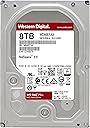
The WD Red 8TB NAS Internal Hard Drive (WD80EFAX) is a 3.5-inch SATA drive spinning at 5400 RPM, optimized with NASware 3.0 firmware for 24/7 operation in NAS systems up to 8 bays. It offers 8TB of reliable storage with a 256MB cache and an MTBF of up to 1 million hours, delivering quiet, vibration-resistant performance ideal for home and small business network-attached storage solutions.


| ASIN | B07D3MWMNZ |
| Best Sellers Rank | 13,645 in Computers & Accessories ( See Top 100 in Computers & Accessories ) 41 in Internal Hard Drives |
| Box Contents | WD Red 8 TB (8.9 cm (3.5 inch) SATA 6 Gb/s 128 MB Cache) |
| Brand | Western Digital |
| Brand Name | Western Digital |
| Cache Memory Installed Size | 256 |
| Color | Red |
| Compatible Devices | Desktop |
| Connectivity technology | Ethernet, SATA |
| Customer Package Type | Standard Packaging |
| Customer Reviews | 4.3 out of 5 stars 22,211 Reviews |
| Data Transfer Rate | 6 Gigabits Per Second |
| Digital Storage Capacity | 8 TB |
| Digital storage capacity | 8 TB |
| Enclosure Material | Metal |
| Form Factor | 3.5-inch |
| Global Trade Identification Number | 00718037854694 |
| Hard Disk Description | Mechanical Hard Disk |
| Hard Disk Form Factor | 3.5 Inches |
| Hard Disk Interface | Serial ATA |
| Hard Disk Rotational Speed | 5400 RPM |
| Hard disk form factor | 3.5 Inches |
| Hard disk interface | Serial ATA |
| Hard-Drive Size | 8000 GB |
| Hardware Connectivity | SATA 6.0 Gb/s |
| Hardware Platform | PC |
| Installation Type | Internal Hard Drive |
| Item Type Name | Newcomer in the range, Hard Disk WD Red 8To 128Mo cache SATA 6GB/s 5400T *WD80EFAX will satisfy a lot. Mainly aimed at demanding players, this material will meet your expectations. |
| Item Weight | 717 g |
| Manufacturer | Western Digital |
| Manufacturer Part Number | WD80EFAX |
| Media Speed | 540 megabytes_per_second |
| Model Name | WD80EFAX WD RED |
| Model Number | WD80EFAX |
| Network Connectivity Technology | Ethernet, SATA |
| Number of Items | 1 |
| Product Features | Portable |
| Product Warranty | Manufacturer warranty for 90 days from date of purchase. |
| Read Speed | 540 Megabytes Per Second |
| Special feature | Portable |
| Specific Uses For Product | Business, Private |
| UPC | 718037854694 |
N**Y
24x7 quiet, fast and reliable performance for desktops and 1-8 bay NAS
Price purchased £127.07 The drive information on Amazon the drives are described as only tested for NAS with 1-5 drive bays. However, on a support page it clarifies that the Red series are tested for 1-8 bay NAS and there is also a link to a NAS compatibility list [Amazon won't allow this link]. To find it search for "Compatibility list for the WD Red NAS Hard Drive id=9758" in Google without the quote marks. This appears to have been tested for the latest drives with NASWare 3.0 although I have been using 4 mirrored pairs of NASWare 2.0 drives without any issues. In NAS systems with 24x7 operation vibration is a factor in terms of reliability which is why NASWare 2.0 drives were recommended for drive enclosures of no more than 5 drives. NASWare 3.0 drives improved on the ability to manage the effect of vibration on the drives and this is why they increased rated these newer drives for up 8 drives per NAS enclosure. I had the opportunity to purchase the retail drive at the same price as the OEM drive so I was able t compare what you get in comparison to buying the OEM version of the drive. Looking at reviews of the OEM version of this drive there has been some confusion about whether the extra cost is worth it. To clarify what the differences were I rang Western Digital support. They told me that different countries have different warranty periods. Red series drives in the USA have a 12-month warranty and then you pay a little extra to add the extra warranty. I have bought more than 10 of the Red series of various sizes 3TB, 4TB and 6TB OEM. Each of these drives have registered for 3-year warranties. WD support suggested that Amazon sourced their OEM drives from different countries and that about 50% of them would register as OEM and only have 12 month’s warranty. Amazon identifies that the drives only come with a 12-month warranty unless you pay for more, (not an option for the 4TB drive), so if you register one and it only gives you a 12 -month warranty you have no grounds to complain. So in summary spending the extra £14.00 for the retail version gives you the peace of mind of knowing that you definitely have a three-year warranty. It also comes with drive screws and standard retail packaging. The OEM drives generally come with plastic mounts, on either end, to isolate them from damage to the containing boxes. The retail version plastic support mounts are on the side running the full length of the drive see photos. I think whether you purchase this retail version or opt for the OEM version depends on whether you need a set of screws to mount the drive and more importantly whether you are willing to take the risk that you may end up with a drive which only registers a 12-month warranty. I would suggest that buying OEM drives directly from Amazon, as opposed to buying from a Market Place seller, might increase the chance of getting a three-year warranty and a safely packaged drive. In terms of performance these drives run quietly and quickly. They have a variable speed between 5,400-5,900rpm. So these are not the fastest drives, which are the black series, but seem to perform quickly in everyday use for Desktop (Windows 10 & 8.1), and NAS (Network Attached Storage).
R**T
The hard drive failed me, but Amazon didn't...
I cannot fault WD Red drives - superb performance and quality. Perfect for my Synology backup system, safe in the knowledge that the data is in safe hands. ... UPDATE: So I have a 4 bay NAS by Synology and finally filled it with my 4th 4TB Red drive. But over a period of a few months this last drive started to show some problems. Synology reported some I/O errors and bad sectors (even though the drive's bad sector count remained at 0 at the beginning). Perhaps just a firmware issue, maybe? So I left it as it was... Eventually that 4th drive just gave too many problems. The logs were full of I/O errors and reallocated sectors. It was now 6 months since buying it. A quick chat with Amazon online had a new drive with me within days, and Synology's excellent OS had my RAID system back to normal within about 18 hours. The moral of this story? Actually, there are two. Always go for a RAID system (or a manufacturer's equivalent), so if a drive fails you can easily replace it. And always buy direct from Amazon - so when the worst happens you have a hassle-free route to sorting it out, which in my case was an advanced replacement. Drive failures DO happen, to all manufacturers. So the review keeps its 5 stars.
M**S
Perfect NAS drives
Although I haven't had access to the full range of Western Digital's colour-coded drives, I am able to compare the Caviar Reds to Caviar Greens. Both are aimed to have minimal power draw with good capacity, and both deliver with a tiny 4-5W typical, both are available in 3tb capacities, and both will deliver solid transfer speeds for large files of around 150mb/sec for a continuous transfer of a single large file (no fragmentation). However, the Reds are intended more specifically for NAS use, and while the justification for the extra cost is no immediately apparent when looking at the numbers, the big difference with the Red drives is that they are far more responsive (much lower average seek time) than Greens, making them ideal for accessing lots of small files, or for working in a shared environment, which will bog down the Green drives. Also, unlike the Green drives the Reds are designed to spin continuously and avoid parking the read/write heads, while still retaining the same low power consumption, while the greens will attempt to rest components in order to achieve the same results for lower cost. The result however is that a Green drive will be less efficient if it is actually under heavy load, and will suffer greater wear on its components in such cases. Which brings me neatly to the final factor, and the one that truly convinced me; the three year warranty. If you're going to be using as a backup device then the last thing you want is a drive with a poor warranty, for something so sensitive I believe it's better to spend the small amount of extra cash for the extra peace of mind, even if it's just to know that you won't have to shell out if the drive does fail. So to conclude; even for non NAS use I would probably spring for more Red drives so long as they remain only slightly more expensive, however the difference in price does waver, so your choice may not be as easy, but if it's close enough, or you know you need reliability under heavy use, then the Reds are the drives to get.
N**O
Great drive but buy with CAUTION!
I've been running a NAS server with 6 x 1tb green drives and I've been quite pleased with both performance and energy efficiency of these drives. I'm now in the process of building a second array of drives for backup purposes, but wanted extra assurance over the reliability and these seemed to tick the boxes, well mine, being: PERFORMANCE : Slight performance increase over green drive (very slight) EFFICIENCY : Similar energy efficiency as the green drives WARRANTY : three year warranty (most important factor; the extra year over the green) Western Digital, are absolutely brilliant with their warranty service and replace failed drives within a couple of weeks with new drives labelled as re-certified. I've done this for both my business and personal drives and can say the customer service alone is brilliant! I've had dealings with the Samsung warranty service and was so appalled I vowed never to own another Samsung again! On multiple occasions they sent me a second hand drives back with uncorrectable sectors to replace failed drives! So failed for failing! BUYING : I haven't got much else to add to what hasn't been mentioned already, other than to make sure you pick your seller carefully if it isn't Amazon. Fulfilled by Amazon isn't enough. My drives arrived in separate deliveries and each time they were all inadequately packaged. I don't believe that simply placing the drive in a thin coating of bubble wrap is enough (single layer). The other drives came in their own boxes but again a thin coating of bubble wrap and absolutely no air between the outer box and drive (other than what was in the bubbles!). I've always received drives in the proper hard drive cardboard boxes with plastic inserts. !!WARRANTY ISSUES WITH QUANTUM WIRELESS DRIVES!! Amazon were great regarding my complaint over the inadequate packaging but as a precautionary check, in-case I had to warranty any of them, I discovered the drives aren't even registered as European; therefore potentially not warranted! This has happened to me before and it takes a couple of weeks to fix; exchanging receipts with Western Digital, it's just rare and extremely annoying and shouldn't happen with UK drives. You can check the warranty status at any point in time by simply entering in your drives serial number. [...]
A**X
Things are improving
I was deeply perturbed by the recent bad reports of Amazon's frustration free packaging, and of the apparently high incidence of drive failures. Decided to risk it anyway, and all has gone well so far. I bought two drives from Amazon (not a reseller), and am pleased to say Amazon appears to be learning. The package was delivered in an Amazon box by Royal Mail Parcelforce, although it lacked the old "shrink-wrap" internal containment, and used scrunched up brown paper to secure the drives in the big box. The drives themselves were still in WD's boxes, with their plastic supports isolating them from damage. So perhaps Amazon has learned about jiffy bags not working. The drives themselves are simply the best I've ever had. Fast, responsive, very little waiting time, even when the drives are "parked". And best of all, they are so quiet, I have to strain to hear them spin up. They've been running for two weeks now, so no sudden death experiences either. They are used as regular drives in a PC, but as the PC is often on for 12 hours a day, I figured these would be a better bet than WD "green" drives (my 3 year old 1Tb green drives were still running fine, but I needed the extra space). I'm cautiously optimistic they will run for many years, but as always, backups of important data is the only way to guarantee not losing it. EDIT: almost 18 months later, and both drives are still running perfectly. No glitches, no errors, no failure to respond. These remain the best drives I have ever bought. 2nd EDIT: OK, it's getting on for 3 years now, with my PC in use eight hours a day, every day, on AVERAGE. That's 8,000 hours-ish. And all is well. Relieved to have bought a good pair. Touch wood...
S**K
Great Western Digital Hard Drive - and it's my favourite colour too!! - in Silver! - READ THE COMMENTS
This is a really good hard drive. Western Digital make really good hard drives. We use it for one of our NAS. Actually, we have more than one. More than one hard drive and more than one NAS. Some of our hard drives are still going strong nearly 10 years on! We bought those from a shop. They are very good. Yes. They come in lots of different colours - Red, Purple, Blue, Black, Gold and they used to even have Green, would you believe!! But I choose this one because it was Silver. My favourite colour!. This arrived really fast - in this wonderful box.. Amazon are very good at packaging computer components. Yes, they are. The box was nice and big and the hard drive even had a nice piece of paper laid on top of it to keep it warm during transit. The photo shows the hard drive upon opening the box. It looked so pretty in there with all that room. It's a very very good hard drive you know! But such a shame. This component box version had to be sent back. I now realise I prefer getting the retail boxed version. Much better than the component box. But don't let the packaging put you off, that's just my preference. Wish I'd bought the retail boxed version.
P**R
Drive is great new Firmware fixed the Load Cycle Count issue But be careful where you buy from so don't get out of region drive
I have used the drive for other 30 days now and its working great. I checked the the load cycle count and its normal at just 10 this was an issue with earlier drives but has been fixed in firmware on the drive now so you don't need to do anything to the drive. The drive is in a Startech Caddy attached to a PC running RAID1 drives and is on all the time. I use the drive for storing an incremental backup of all my work and data everyday. So it gets regular write use but nothing very taxing maybe a few GB a week. The only issue I have had was no fault of WD but the seller on amazon i bought the drive from. When I went to register the warranty from me living in the UK the drive was SN was for USA. So instead of getting the 3 years I would only get the 1 year maybe. So I contacted WD and just a few straight forward emails with Lukas at WD support and sending a png image file attachment of the amazon order and it all now sorted with 3 years warranty. Excellent. It took longer to write this review but its worth doing when a company gets stuff right. Old Review: Part of the reason you are buying this drive is because of the Warranty. But I went to register it at WD website and was informed that it was Out of region and had no warranty. The drive might be perfectly good and just the same as sold the world over but if the Warranty is not valid then you are not buying what you expect. I will have to return it and buy a drive elsewhere that does have a 3 year warranty for the same price.
T**H
WORTH EVERY PENNY
This product is probably going to save me a lot of hassle and heart ache in the future; I recently had an external HDD fail, of course I was going to back it up and have been for a long while, just never got round to it. The hard drive contained three years worth of photographs, plus of course family shots and you never lose data that you don't really want; fortunately I was able to have it recovered. The guy who recovered the data for me recommended the Synology system and I am so pleased he did. I was able to install it easy enough, but I did forget one element [Dah] and I did look at the instructions on how to set it up as I required, since I didn't want it streaming films to my TV etc, but I did lack confidence in the whole issue so I got my computer man in, who set it up as I requested. I am using it to back up my external HDD and my main computers HDD. It will also be used to host a website in the near future; in addition I can access my data from my tablet, phone etc while I am away from my computer for such as when I am on holiday. Consequently, the system is basically with you where ever you go, so no more clogging up HDD's on your tablets and phones with your music or films that you can access when you are in warmer climes or holidaying in the UK. I watched my computer man set up the system and if I had been more confident I think I could have set it up myself, it looked pretty straight forward. Some one argued that it was a bit pricey just for backing up data, well, no, it isn't because some things are priceless, in addition to which, if you have several people in the household, each can have their own section on the system, the kids can do their gaming, the grown ups can do what they want and there are security protocols that prevent prying eyes, so the kids can't access your information if you don't want them to. Similarly, you can give access to friends and family to view such as photographs from their devices without them having to come round to your house [a bonus sometimes]. The access you give them is as limited as you want it to be; it doesn't mean they can change anything or view your personal data, you can given them permission to download or not, you can given them permission to edit or not, in effect it is a server but cheaper. An additional bonus is that you can purchase a computer with just the average amount of memory, again saving money and use the Synology system to store and back up, then of course there is less hassle when you come to change computers, because all the information is accessible from the Synology system, including your programs. So far I am loving what I can do with this system and as I become more familiar with it, I am sure I will be able to do a lot more with it.
A**A
Runs a little hotter than desktop grade HDDs
It’s a solid unit, but it needs some extra air flow to keep it cool.
M**O
Excelente para NAS
HD funcionando bem, baixo ruído durante sua operação.
M**L
Excellent produit, extremement silencieux !
J'ai acheté ce disque en remplacement d'un Western Digital Caviar Green de 1To, devenu trop juste pour mon NAS. Mon principal critère de choix était le silence : je suis très pointilleux sur ce sujet, le Caviar Green était très correct de ce point de vue, mais je trouvais qu'on entendait un peu trop le grattement des tetes de lecture. Je suis depuis quelques années fidèle aux produits WD, je n'ai pas eu de mauvaise surprise. Tout ce qui concerne les performances et la consommation ne rentrait pas en ligne de compte : c'est pour du stockage, pas pour du montage video.... Bilan après une semaine : c'est parfait. Installation et configuration très simple dans mon NAS Qnap TS119, dont la particularité est de ne pas avoir de ventilateur (je vous avais dit que j'étais pointilleux sur le silence...). A l'utilisation : on entend un léger souffle dû au disque qui tourne (inévitable), mais ce qui est impressionnant c'est que je n'entends que très peu les tetes de lecture lors des accès disque. Avant d'écrire ce commentaire j'ai approché mon oreille à moins de 20cms du NAS, tout en lancant une lecture de video. Résultat : aucun bruit de grattement. Seul le léger souffle... Sur une copie e d'environ 200 fichiers de petite taille, toujours à l'oreille à 20cms, j'entend le grattement des tetes.. A plus d'un mètre de distance je n'entends rien. Toutes utilisations confondues, cela doit être mon 20eme disque dur, c'est de loin le plus silencieux. En résumé je le conseille aux personnes exigeantes sur le bruit !
S**O
Ottimi hard disk per NAS
Ho acquistato 2 di questi hard disk da 4TB ciascuno insieme ad un nas della Zyxel per archiviare la mole di dati presenti su diversi pc, smartphone e tablet sparsi per la casa. PICCOLA PREMESSA Se anche voi avete un quantitativo consistente di foto, video (del vostro matrimonio, dei vostri figli, del vostro viaggio di nozze, o di viaggi in generale, delle serate con i vostri amici ecc) ma anche di documenti digitali, film, ecc.. a cui tenete particolarmente e che per nassuna ragione volete perdere, il NAS è a scelta ideale. Questo dispositivo è importantissimo perchè da un lato provvede a fare quello che dovremmo fare noi regolarmente, ovvero fare il backup regolarmente (fa costantemente una copia di tutto, i maniera automatica) e dall' altro consente di condividere tutti questi file tra tutti i dispositivi presenti in casa (se avete delle foto sul cellulare, le potete vedere anche su un pc o sul tablet e viceversa). L' HARD DISK Anche se apparentemente gli hard disk da 3,5" appaiono tutti uguali fra loro vediamo come rimanendo in casa western digital, di hard disk da 3,5" ne esistono diverse serie; la blue (da utilizzare nei comuni pc desktop), la black (sempre per pc desktop ma che offre prestazioni migliori possedendo un maggior quantitativo di cache e un maggior numero di giri 7200 rpm vs i 5400 rpm della serie blue, quindi un disco più veloce e performante), la serie purple (adatta per sistemi di videosorveglianza) e la serie red (ideale per i NAS). Perchè gia soltanto all' interno di una stessa azienda, ci sono così tante possibilità di scelta? Perchè ogni hard disk è progettato per funzionare in un determinato ambiente di lavoro. Da un pc fisso, ci si aspetta velocità e reattività, magari sacrificando i consumi, l' affidabilità, la rumorosità, mentre da hard disk progettati per un NAS o un apparato di video sorveglianza ci si aspetta affidabilità, consumi ridotti, minor rumorosità, essere utilizzati contemporaneamente da più utenti, sacrificando la velocità. D' altra parte un pc lo si accende lo si utilizza diverse ore al giorno e si cercano le prestazioni migliori, ma un NAS o un sistema di videosorveglianza sta acceso ed attivo per 24h/24 e 7 giorni su 7. In pratica funziona continuamente. Se compro un hard disk non adatto ad essere utilizzato sul NAS avrò consumi maggiori, senza che ve ne sia una reale necessità e rischio che tra un paio di mesi l' hard disk si rompa, perchè messo troppo sotto stress. La serie RED della Western Digital da 4TB con 64mb di cache e 5400 rpm, velocità max di trasferimento dati di 175 Mb/sec, un consumo max di 4 watt, una vita media di circa 1 milione di ore (oltre 100 anni..) è adatta proprio all' utilizzo su NAS. Io ne ho acquistati 2 da 4TB ciascuno, installati su un NAS in raid 1 (su ciascun hard disk c'è la copia speculare dell' altro). CONSIDERAZIONI PERSONALI. Ottimi hard disk, molto silenziosi (ovviamente il nas non va messo in camera da letto) e almeno sulla carta molto affidabili, ma Western digital è una delle aziende leader nella produzione di hardware per storage. Io li ho utilizzati con massima soddisfazione (non la serie red) su pc desktop, e da circa 6 mesi sul NAS (la durata sarà da testare). Il prodotto è arrivato BEN IMBALLATO (a prova di qualsiasi corriere), SPEDIZIONE RAPIDA con PRIME, e GARANZIA di 3 anni. Spero che la mia recensione vi sia stata UTILE.
P**Y
UWAGA! To nie sa dyski EFRX tylko EFAX!!!
Dyski ktore dostalem to WD30EFAX (SMR) zamiast WD30EFRX (CMR) jak w opisie! Dyski odeslane, czekam na zwrot pieniedzy.
Trustpilot
2 months ago
3 weeks ago