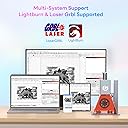
First impressions of the Longer Nano-2 were impressive, but then I tried using it. More on that in a minute. The packaging is very nice and the build quality is solid. However, assembly was lacking. There were several screws missing and most of the others were loose. There was a bag labeled "spare parts" that included 2 allen wrenches but no M3X6 screws like the label on the bag said. After tightening the screws that were there, the laser unit does not sit flush with the mounting bracket on the electric lift, allowing the laser unit to "wobble" with ~ a 1-1.5 millimeter gap between the laser unit and mounting bracket. Because of this, my engravings go from nice and dark to barely noticeable as the laser engraves from left to right. I can probably 3D print or fabricate my own mechanism for properly mounting the laser unit onto the mounting bracket so that it's flush, but I shouldn't have to do that. Next, if you use the L-shaped positioning pieces, you can't also use the red protective cover unless your material is thick enough to raise the laser unit to its highest point. That's because the red protective cover isn't wide enough to go around the L-shaped positioning pieces when they're placed in the top-left holes (e.g., on the base plate, not on the removable plate in the middle). It's also difficult to properly align the laser with your material when the red protective cover is attached because you simply can't reach the material, that's why I tried using the L-shaped positioning pieces. You can move the laser up, using the buttons on the electric lift. But as you do, the bounding box of your design becomes off by a little bit, making it more difficult to make sure your material is aligned and your design will fit. The LaserBurn app for iOS is also lacking, but not completely unusable. If you follow the instruction manual that comes with the laser, the mobile app makes it very easy to connect the laser to your WiFi. However, I was only able to connect it to my 2.4GHz WiFi network. It never would recognize my 5.0GHz WiFi network. So, make sure your WiFi router supports 2.4GHz if you want to use this laser from your phone or over WiFi. The LaserBurn app comes with a few fonts and images (called "materials") which make for quick designs. Anything more complex will need to be done on a computer and sent to the laser using LaserGrbl or LightBurn. It's easy to add text and materials/images to layers for your design in LaserBurn, but I couldn't find a way to align them. Trying to drag items on an iPhone using your finger isn't the best method for aligning text and shapes. During my first attempt at engraving a piece of wood that came with the laser, the focal point was way off. I also noticed smoke coming from directly under the laser itself (not from the wood). This was because, at some point, there had been a sticker placed on the glass where the laser comes out. The sticker had been removed before I received the product, but there was still a lot of sticky residue I had to clean off. Note: I ordered and paid for a new Longer Nano-2, not a used or refurbished unit. The packaging and the device look new, but that doesn't necessarily mean they sent me a new one. Once I cleaned the sticky residue from the glass I was finally able to run several tests. The laser is very quick and does a pretty decent job at engraving wood. It even did well at engraving anodized aluminum business cards I had from a recent project. However, because the laser unit head leans to one side (due to the gap between it and the mounting bracket), the engravings get much lighter toward the right side. If you try cutting all the way through your material, make sure you use a honeycomb. I tried without it just to see how it would do. It burned into the removable plate in the middle of the base plate, left a mark that could only be removed using isopropyl alcohol, and was unable to cut all the way thru the sample balsa wood that came with it - at least on the right-side, even at multiple passes. Using a honeycomb fixed all of that, though I did still have to make multiple passes because the right side wasn't getting proper focus due to the laser unit sitting unevenly on the mounting bracket. One last thing. This unit is NOT wireless. The images indicate you can pick up the unit by the handle in order to engrave on vertical surfaces and on anything else that doesn't fit on the base plate. Yes, you can do that, but you're still tethered by the power chord. This isn't a problem with the device itself, but I thought it might help others who'd like to use this laser in places where power isn't available. Would I recommend the Laser Nano-2 to others? Well, if they fix the problem with the laser unit not properly sitting flush with the mounting bracket - absolutely! It's a decent little laser with a lot of potential. But, until that has been addressed and/or confirmed by other customers, I would recommend passing for now. Granted, this is based only on my own experiences - your mileage may vary. Otherwise, there are much larger lasers out there that are much less expensive, many/most of which are just as good - if not better. For now I'm giving it 2 stars, but I would give it 5 stars if it screws weren't missing or loose upon arrival, and if the laser unit actually sat flush so that my engravings don't taper off as the laser engraves from left to right. Update: When taking the laser unit off the stand and attempting to engrave something vertically, such as a wall or a board in my case, the engraving is always mirrored when using the LaserBurn app for iOS. Nowhere in the app does it show how/where to disable mirroring. This might not be a problem when sending designs to the laser from LaserGrbl or LightBurn, but this completely negates the purpose of the unit being portable. So, I'm deducting another star, bringing my review of this product to only 1 star.