
DOWNLOAD THE APP


Customer Services
Copyright © 2025 Desertcart Holdings Limited
DOWNLOAD THE APP

⌨️ Elevate your mobile workspace with style and precision!
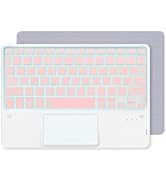
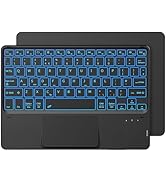
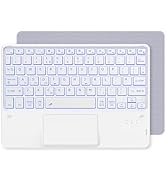
The CACOE Wireless Keyboard with Touchpad is a sleek, 10-inch QWERTY Bluetooth keyboard featuring a 7-color backlit system and multi-finger touchpad. Compatible with a broad range of tablets and laptops including iPad, Samsung, Lenovo, and Windows devices, it offers a lightweight, slim design with a 700mAh battery for extended use. Crafted with responsive scissor-switch keys and high-quality ABS material, it balances portability, comfort, and vibrant aesthetics for professionals on the move.




| ASIN | B0DCYTZYNY |
| Are Batteries Included | Yes |
| Batteries | 1 Nonstandard Battery batteries required. (included) |
| Best Sellers Rank | 8,143 in Computers & Accessories ( See Top 100 in Computers & Accessories ) 165 in Tablet Keyboards |
| Brand | CACOE |
| Colour | Black |
| Customer Reviews | 4.4 4.4 out of 5 stars (300) |
| Date First Available | 13 Aug. 2024 |
| Delivery information | We cannot deliver certain products outside mainland UK ( Details ). We will only be able to confirm if this product can be delivered to your chosen address when you enter your delivery address at checkout. |
| Guaranteed software updates until | 14 Oct. 2024 |
| Item Weight | 360 g |
| Item model number | K08BT |
| Lithium Battery Energy Content | 700 Milliampere Hour (mAh) |
| Lithium Battery Packaging | Batteries contained in equipment |
| Manufacturer | CACOE |
| Number Of Lithium Ion Cells | 1 |
| Operating System | Windows 10 |
| Power Source | Battery Powered |
| Product Dimensions | 24.5 x 17 x 0.8 cm; 360 g |
K**S
Surprisingly Great Little Keyboard!
I bought this CACOE wireless keyboard to use with my tablet for writing emails and documents on the go, and I'm genuinely impressed with its quality and performance for the price. First off, the size is perfect. At 10 inches, it's incredibly lightweight and slim, making it easy to slip into my bag without adding any bulk. Pairing it via Bluetooth was straightforward and took less than a minute. The connection has been stable and reliable, with no noticeable lag while typing. The QWERTY layout is standard, and the keys have a satisfying, responsive feel with decent travel, which makes for a comfortable typing experience. It's much better than typing on a touchscreen for any length of time. The battery life is also excellent; I've been using it for over a week on a single charge with no issues. My only minor gripe is that the build is entirely plastic, which feels a bit basic, but that's to be expected at this price point and contributes to its light weight. Overall, this is a fantastic, portable keyboard that offers incredible value. If you need a simple, effective typing solution for your tablet or phone, I highly recommend it.
B**0
Easy Pairing with Windows 11 laptop.
The keyboard works extremely well with my Windows 11 Jumper laptop. First class keyboard and Touchpad. Easy pairing. Highly recommended.
B**B
Great
Good little keyboard. Very light and I use it for my iPad. You can change colours which is pretty nice. The battery life lasts a long time. I use it for pretty much the whole day and only have to charge it maybe once or twice a week. It is slightly magnetic too and adheres to my iPad case nicely. Use a USB-C charger to charge, same as the iPad one. I use it everyday. My MacBook has become obsolete. Very easy to connect to devices. The only criticism I have is very occasionally it is a bit laggy sometimes. Very minor problem though. Sometimes I try to copy something using the keyboard and it doesn’t really work properly so i have to do it on touch on my iPad but again this is a minor issue. I have an iPad Air that’s around 13 inches and it’s the same length as the iPad so it is perfect. Very cheap and has lasted me a couple months so far!
D**N
Would get
The keyboard is good quality and size, great for connecting to your laptop which is connected to a TV across the room. The backlit keys are good for using the keyboard in the dark, plus you can change the brightness (3 brightness levels as well as backlight off) and colour of the backlight. There are tons of media keys like adjusting volume, brightness,screenshot, play pause etc as well as a toggle between the function keys vs the media keys so you don't have to hold the Fn button. Bluetooth connection is reliable and has as little latency as you could really get with Bluetooth. The underside of the keyboard is like that of a mouse pad, fixing it in place when typing on a table. The only issue as others have mentioned is that when you try to type " it types @ and vice versa, but I'd still recommend. Also works well on Ubuntu
T**E
Good keyboard
Works well.. can change colour of keyboard
S**O
Brilliant
Brilliant little keyboard perfect if your working in low light
K**T
Good enough for a tween
Got it for child for typing her homework assignments easier. Meets her requirements.
S**.
Incredible value for money the price.
Works well and does the job. Great value for money at the price. Some users report issues with key mapping but this is an easy fix by changing the hardware keyboard type on your device to British-PC and then turning the keyboard off and on.
M**Ł
Działa bez problemu z tabletem. Nietypowy sposób parowania.
A**E
Obige Tastatur soll mein neues Android Tablet kompettieren, ist aber eher eingetroffen - und deswegen schon mit einem Windows 10 Notebook vorab getestet. Einfach nur Wow! Verbindung super einfach und stabil, die Tastatur spricht sofort und präzise an, sowohl die Tasten als auch das Touchpad, klasse Beleuchtung, einstellbar auf 3 Helligkeitsstufen und 7 Farben, intelligente Stromsparfunktionen. Die Beleuchtung schaltet nach ca. 10 Sekunden ohne Eingaben ab, Umschaltung auf komplett Standby nach 10 Minuten, reine Touchpad Eingaben lassen das Licht dann sinnvollerweise aus, ein Tipp auf eine beliebige Druckaste und die Tastatur ist aus dem Standby zurück - mit Licht - wenn dies vorher eingeschaltet war. Eine LED weist auf aktivierte CAPS Lock Taste hin. (Feststelltaste Großschreibung) Klasse. Da haben die Entwickler Hirnschmalz bewiesen. Das Touchpad dieser Tastatur kommt - das wurde sowohl in o.g. Beschreibung als auch im Manual übersehen - SOMIT NOCH BESSER ALS DARGESTELLT - INKL. Li/Re MAUSTASTEN (!) Die sind in die unteren Li/Re Ecken des Touchpads mit integriert - und klicken hörbar mit Druckpunkt wie von Mäusen bekannt. Kontextmenü öffnen, Scrollen, Zoomen, Fenster/Icons verschieben, Fenster verkleinern/vergrößern - was auch immer - gelingt präzise ansprechend. Die umfangreiche Fingergesten Erkennung des Touchpads rundet den Bedienkomfort ab. Das Scrollrad einer Maus stellt das Touchpad virtuell dar: Zwei auf das Touchpad aufgelegte und runter/hoch bewegte Finger entsprechen analog den Drehungen eines Mausrads. Schnell mal die Windows Suche öffnen? Ein Touchpad Tipp mit 3 Fingern, offen. Alle Touchpad Gesten sind im mehrsprachigen Handbuch für Windows, Android, IOS easy und bebildert dargelegt, eben so die umfangreichen FN Tasten Funktionen. 100% Windows tauglich. Nach einschalten des Rechners ist die Tastatur bereits erkannt sowie die Passwortmaske erscheint, getestet mit Windows 10. Genial ist die geringe Bauhöhe von nur 6,5 mm bei Abmessungen die fast deckungsgleich mit einem Normalgröße Standard Mauspad liegen. 17,4 cm x 24,6 cm - was geringfügig kompakter ist als ein 12 Zöller Tab. Das Schreibgefühl ist quasi identisch mit einer Notebooktastatur eines besserverarbeiteten Notebooks ohne Ziffernblock. Weitere gut denkbare Einsatzmöglichkeit: User - die Besitzer eines Notebooks mit bereits ersten defekten Tasten sind - für das es kein Original Tastatur Ersatzteil vom Hersteller mehr gibt - finden mit dieser Tastatur die bessere beleuchte VOLLERSATZLÖSUNG. Denn diese eignet sich wg. superflacher Bauweise zum einfachen Auflegen über die Original Tastatur. Tipp: Dazu einfach 4 selbstklebende Gummifüße besorgen, die an die 4 Ecken am Tastaturboden kleben - und schon hat man so Abstandshalter die dafür sorgen daß man obige Tastatur ein paar mm über einer defekten Notebook Tastatur "schwebend" stabil auflegen kann. So kann das Notebook einerseits weiterhin genug Kühlluft ansaugen, andererseits drückt obige aufgelegte Bluetooth Tastatur so nicht ungewollt noch funktionierende Tasten der notebookeigenen Tastatur - ferner braucht man so keinen mm mehr Stellfläche als vorher auch. Last not least erspart das im Gerätemanager die notebookeigene Tastatur deaktivieren zu müssen. Denn wenn der Ziffernblock des Notebooks noch vollständig intakt ist: So eine besonders praktische Kombination: Das obige Keyboard ist kompakt genug einen etwaig vorhandenen Ziffernblock nicht zu verdecken, siehe Video. Einzige Voraussetzung: Der (Windows) Rechner muss über Bluetooth verfügen. Ansonsten über min. einen freien USB Port 2.0 oder 3.0 - Stecker Typ A. Denn per USB Bluetooth Adaper für unter 15 € (sinnvoll ab Version 5.0 mit Schwenkantenne) ist aktuelles reichweiten- und datenratenstarkes Bluetooth ohne Lags auch nachrüstbar falls nicht vorhanden, das empfiehlt sich auch bei Geräten mit Versionen unter Bluetooth 5, da schaltet man ein Oldie Bluetooth vorher ab und steckt danach ein 5.x per USB zu. Mit im Tastatur Lieferumfangumfang enthalten: Ein USB Ladekabel USB Stecker Typ A (Ladequelle) auf Stecker Typ C (Tastatur). Und ein mehrsprachiges Manual inkl. Deutsch das übersichtlich und verständlich Tastatur, Pad, FN, und Lichtfunktionen erläutert. Die obige Tastatur präsentiert sich als vielseitiger haptisch und optisch sehr gelungener Allronder, überzeugt obendrein durch wertig wirkende solide Verarbeitung. Nichts knarzt, klappert oder sitzt wackelig, der hart gummierte fein strukturierte Unterboden verhindert Verrutschen. Eindrückliche knapp 4 Minütige Windows (10) Funktionsdemo inkl. Erläuterungen in Deutsch anbei. Die Windows PC Startfähigkeit ist ist über Bilder domumentiert da nur 1 Video pro Rezension durchgeht. Als kompakte Tastatur für mobile Windows, Android, IOs Endgeräte hervorragende Lösung - und eine Empfehlung wert. Verdiente 5 Sterne.
C**N
La tastiera è ben fatta luce ottima peccato che non si collega
D**Z
Tastatur ist super, Akku hält sehr lange. Der erste Buchstabe nach dem aufwecken wird nicht immer erkannt aber sonst läuft die einwandfrei.
T**M
Die Tasten sind Top. Angenehmer Druckpunkt und sehr gute, gleichmäßige Beleuchtung. Das Touchpad ist ordentlich und für gewöhnliche mausorientierte Desktop-UIs gut geeignet. Für anspruchvollere Dinge wie Bildbearbeitung nimmt man aber besser eine Maus. Ich verwende die Tastaur mit einem Notebook unter Linux (Fedora 40). Bluetooth-Pairing war problemlos. Das Touchpad der Tastatur wird (unter Linux, habe kein MS-Windows zum Testen) als Maus erkannt, so dass Touchpad-spezifische Einstellungen nicht möglich sind (z.B. Tippen aufs TP bedeutet linker Mausbutton ist nicht abschaltbar). Ich hätte der Tastaur 5 Sterne gegeben, wenn da nicht folgende Macke wäre: Die Tastatur soll angeblich das Betriebssystem erkennen können. Für mein Notebook hiesse das "Windows-Modus". Funktioniert nicht, was nicht schlimm wäre, denn es lässt sich über eine Tastenkombination einstellen (Fn + S mind. 1 Sekunde drücken). Leider vergisst die Tastatur diese Einstellung, wenn sie nach 10min in den Bereitschaftsmodus geht, so dass man anschliessend erneut den Betriebssystem-Modus einstellen muss. Das ist jetzt nicht so schlimm, so dass ich den Artikel deshalb nicht zurückschicken würde - aber einfach dämlich programmiert und deshalb 1 Stern Abzug, sorry.
Trustpilot
1 month ago
5 days ago