Desertcart purchases this item on your behalf and handles shipping, customs, and support to Japan.
๐ค Elevate your desk, command your game, and never miss a beat.
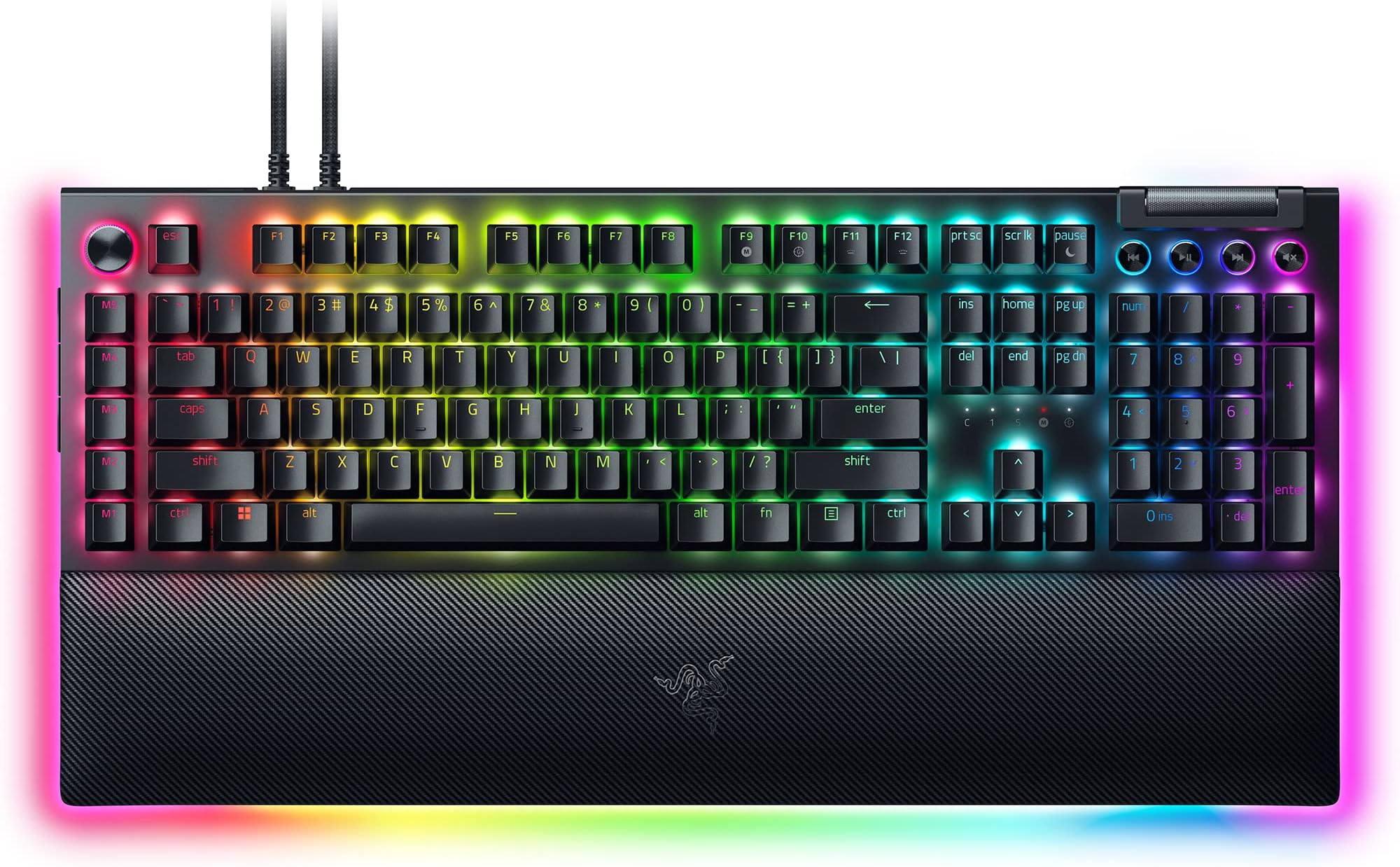
The Razer BlackWidow V4 Pro is a premium wired mechanical keyboard featuring quiet yet tactile orange switches, fully customizable per-key RGB lighting with immersive underglow, and 8 dedicated macro keys plus a command dial for advanced control. It includes a magnetic plush leatherette wrist rest with RGB lighting for ergonomic comfort and doubleshot ABS keycaps for long-lasting durabilityโdesigned for gamers and professionals who demand precision, style, and performance in one powerhouse device.


| ASIN | B0D4NMMFXB |
| Additional Features | Chroma RGB, Command Dial - 8 Dedicated Macro Keys, Doubleshot ABS Keycaps, Orange Switches Tactile & Quiet, Wrist Rest |
| Antenna Location | Business, Everyday Use, Gaming |
| Best Sellers Rank | #777 in Video Games ( See Top 100 in Video Games ) #88 in PC Gaming Keyboards |
| Brand | Razer |
| Built-In Media | Wrist Rest |
| Button Quantity | 19 |
| Color | Black |
| Compatible Devices | Laptop, PC |
| Compatible Operating System Family | Android, Linux, Windows |
| Connectivity Technology | USB-A |
| Customer Reviews | 3.7 out of 5 stars 109 Reviews |
| Enclosure Material | 5052 Aluminum Alloy Top Case, Case foam & PCB foam included, Lubricated stabilizers, Magnetic plush leatherette wrist rest |
| Generation | BlackWidow V4 Pro |
| Hand Orientation | Ambidextrous |
| Item Dimensions L x W x H | 17.52"L x 6.54"W x 1.54"H |
| Item Weight | 5 pounds |
| Keyboard Backlighting Color Support | RGB |
| Keyboard Description | Gaming |
| Keyboard Layout | QWERTY |
| Language | English |
| Manufacturer | Razer |
| Mechanical Keyboard Switch Model | razer_orange |
| Mfr Part Number | RZ03-04683500-R3M1 |
| Minimum Required Operating System Version | Android 3.0 Honeycomb |
| Model Name | BlackWidow V4 Pro |
| Model Number | RZ03-04683500-R3M1 |
| Number of Items | 1 |
| Number of Keys | 104 |
| Number of Packs | 1 |
| Number of Sections | 1 |
| Power Source | Corded Electric |
| Recommended Uses For Product | Business, Everyday Use, Gaming |
| Series Number | 4683500 |
| Special Feature | Chroma RGB, Command Dial - 8 Dedicated Macro Keys, Doubleshot ABS Keycaps, Orange Switches Tactile & Quiet, Wrist Rest Special Feature Chroma RGB, Command Dial - 8 Dedicated Macro Keys, Doubleshot ABS Keycaps, Orange Switches Tactile & Quiet, Wrist Rest See more |
| Style Name | BlackWidow V4 Pro |
| Switch Type | Tactile |
| Theme | Gaming |
| UPC | 840272907313 |
| Unit Count | 1 Count |
| Warranty Description | 2 Year Manufacturer |
| Water Resistance Level | Not Water Resistant |
T**G
A Masterpiece of Art, Comfort, Control, and Creativity โ My Setup Will Never Be the Same
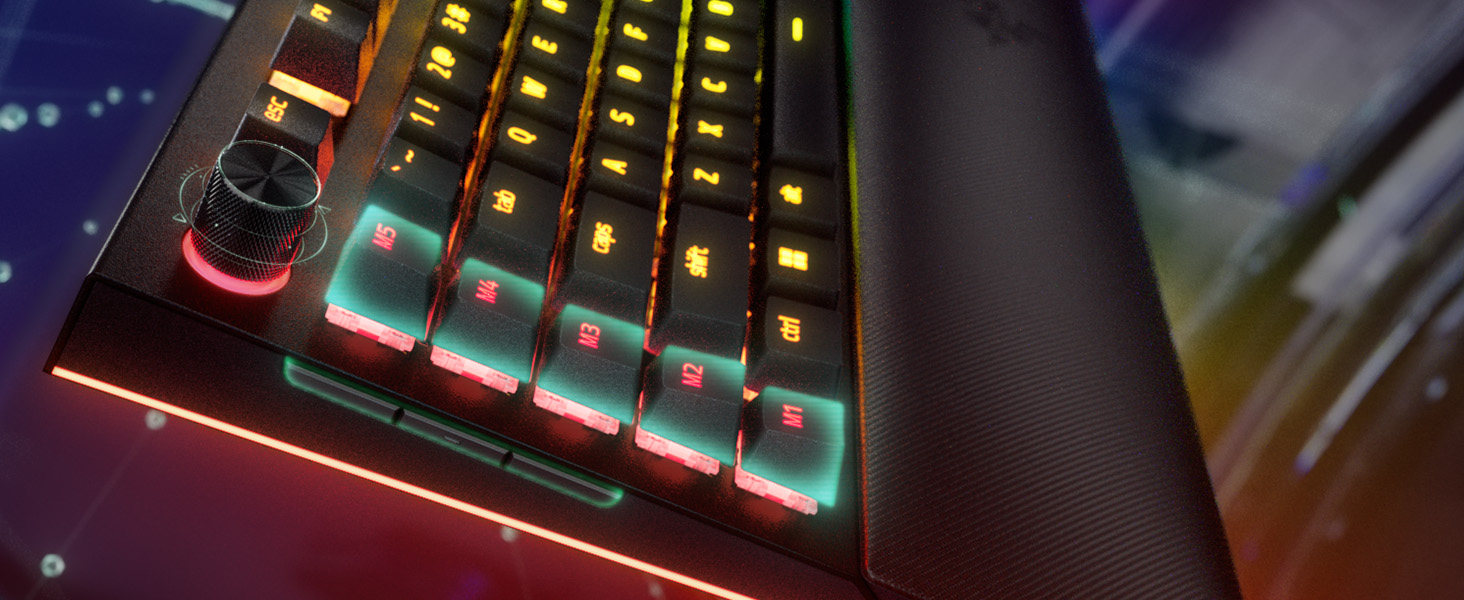
Thereโs something truly special about the Razer BlackWidow V4 Proโit doesnโt just sit on your desk, it transforms it. As someone who balances gaming marathons with hours of digital creativity, this keyboard feels like it was made with both in mind. The plush wrist rest with its radiant wraparound RGB lighting instantly drew me in. Itโs not just about aesthetics (though, letโs be honest, it looks incredible)โitโs also one of the most comfortable typing experiences Iโve ever had. Whether Iโm deep into editing a design or in the heat of a battle, the support and feel are flawless. Whatโs blown me away even more is how thoughtfully designed this board is. The command dial quickly became my favorite featureโwhat started as a curiosity is now something I rely on daily to scroll timelines, adjust brush sizes, or control volume with the smoothest twist. And the three hidden macro keys on the left side? Pure genius. Subtle, out of the way, but once discovered, they unlocked a whole new level of control I didnโt know I needed. Iโve bound them to game commands, workflow shortcuts, even lighting presetsโitโs incredibly versatile. Add to that the sleek media buttons and the satisfying resistance of the volume roller, and youโve got a piece of hardware thatโs as elegant as it is powerful. This isnโt just a keyboard. Itโs the centerpiece of my creative and gaming spaceโand honestly, I donโt know how I ever lived without it.
R**M
High Quality
This keyboard is worth every penny you'll drop on it. The soft sound is nice and quiet and you can feel every click cleanly. The lights are gorgeous and the amount of customization available is awesome. 3 buttons on the side, media buttons with a scroll wheel for volume. Button next to escape key has 4 swapable modes optimizing the ability to work quickly and efficiently, or for gaming purposes, and even a nice zoom feature for artists. M1-M5 for customizable macro... this keyboard has it ALL. It also includes a soft wrist rest that connects magnetically and also lights up. Easy to take off or put on. I replaced most of the keys with some custom ones and they fit like a glove. Easy to swap keycaps or even the key switches if you are a keyboard enthusiast. It containes a usb slot on the back as well which makes it easy to integrate my razer mouse with the keyboard freeing up a usb port on my computer. Razer keeps it all together making life nice and simple. So once again... worth EVERY penny.
C**W
Keys Malfunctioning Too Early On
When I first got this keyboard, it felt sleek and high quality... until a few months in, one of the keys started not always registering when typing. Then over the course of a couple months, another key, and then another, and so on. I determined that it was not a software issue with the Razer app and instead something to do with the build quality? I have never owned a keyboard that has had this issue, let alone one that costs $230. When I tried using the warranty contacting Razer themselves, I found that someone had scratched off the serial number on the back... and I had had the keyboard for too long that I couldn't return it through Amazon (this is more on me for taking too long to contact Amazon, because their return policies are already pretty generous. I just thought to mention it). I do not recommend this keyboard.
K**R
Gift
Gift for husband he loved it
P**A
RMA'd twice to Razer for bad switches
Had to RMA through Razer twice for bad switches. First after 9mo, then after 3 months. Since I purchased through Amazon, I couldn't get a refund through Razer, and the Amazon return window had expired. Not a happy customer. If the key switch issues were not a problem, this would be a great keyboard, but keys that repeat numerous times per press or don't register at all is a huge issue as the switches on this keyboard are not swappable. Do not recommend this version.
W**S
I like the key feel, love the lighting.
I like the look. I like the key feel, I like the lights. I don't like whatsoever that the media keys don't work. This problem has existed for more than one version, possibly back to v2 (from their support web site). That's tough to stomach and the problem with the Razer software suggests incompetence in their engineering department (I am a software engineer). If you have the problem, you fix it. I do know mine worked until I installed the razer software (it is needed by several devices including the custom Basilisk mouse settings). So get with it, Razer and fix this. I want to pause or silence music when a call comes in, I don't want to screw around answering the call, then going to the media player to pause it. It's a ridiculous thing to have to do. No excuse at all for it. I'm paying for it to work, I expect it to work. Mapping those keys doesn't work either, readers need to know that. I need functional media keys much more than I need macro keys. I don't use this for games, I use it as an engineering workstation. The lighting is much better (no half lit keys) than my older Cherry MX Brown one from Corsair - that is a limit of those switches. The similar (typist stile) orange keys on this keyboard have all keys fully lit up across the characters, period. Once you get into this price range it seems like that should be expected but these orange keys are better than the Cherry ones for lighting (the MX keys are a decent feel, it's that the symbols are not evenly and completely lit, they fade about 75% of the way across the symbol/letter). I have some silicone O rings I will be installing to make things a little quieter when the key is completely pressed - I've done this before and it's worth the few dollars it costs for a kit with O Rings and a key puller (just always pull straight up, not at an angle). I like to listen to classical music while a work so quieter keys are nice, but I like the tactile keys that aren't totally silent (Orange for Razor, Brown for Cherry). The O rings don't make them totally silent but most of the noise is gone. I use a big 43" 4K Dell IPS monitor so the work environment is "see everything" at once and a nice keyboard goes a long way. Install the Synapse SW after you have your critical stuff installed (Office, browsers, basic utilities and media stuff), and I'd say don't bother with the Axon and other things - just install Synapse (which controls the 5 mouse speeds and any key mapping, which doesn't apply to me) and let it install Chroma (the RGB color part for mouse and keyboard). The install is pretty easy and if you set up an account to store your profile, even if you have to uninstall the SW or replace a critical component like a motherboard, the Razor cloud will save your settings and everything comes back quickly on re-install. I've had a Samsung NVMe drive fail and take all that with it, so getting these small settings saved is nice. Most software will not export the settings (I'm thinking of MS Office). This does. Another FWIW is that you can get, for about $10 each, RGB USB cables, but they are only USB 2 (480 Mbps) speed - but it is a nice adjunct to RGB human interface devices since they don't need bandwith (likewise Levethian and the mouse pad). I use an affordable mouse hub for that, under my big monitor to save all the cables being run all the way to the computer (a full tower Phanteks NV9 on top of the desk area). For all the wires, the color is nice and it's still tidy if you have a kit of colored small zip ties. I originally got the zip ties to attach security badges at the gov places where I've worked, but found the small zip ties (finger length) to have other nice uses. Small diagonal cutter snips off the excess.
S**Y
More shinies for the RGB enthusiast!
loving this keyboard. it has a usb port on it too! The keys are tactile yet more silent than the typical clack of a mechanical, and the chroma effects are pretty cool. Some games plug into the lighting effects and highlight keys used, and all sorts of things like that. Very neat keyboard to add to my pile of RGB gadgets! Hand rest is a masterful upgrade to previous hand rests, feels better, little fatter too. Price is a bit steep, but you'll use this more than anything else besides your mouse, splurge!
D**N
It didn't last a year under moderate use. But it looks nice.
9 Months into owning this keyboard and the tab key started working intermittently. Sometimes it won't register a press, sometimes it registers it as a double press. That's a big issue for me because I do a lot of spreadsheet work as well as alt-tabbing while gaming. Turns out the keys on this keyboard are soldered, I wish I would have reserached that before buying it, I wouldn't have bought it. Sometimes the RGB lighting resets to the default rainbow effect, I have to restart the software to fix it. The software is also just obtrusive and obnoxious generally speaking. They keys do feel really nice while they work though, and the media controls are handy! I have a razer headset as well that I bought around the same time, that is giving me a whole other set of issues. I'm about done with razer, going to try to get a warranty repair on this and sell it to some poor soul on marketplace. I've already bought a new keyboard.
Trustpilot
3 weeks ago
5 days ago