![Megatank G3290 All-in-One Wireless Supertank [Megatank] Printer](https://m.media-amazon.com/images/I/71xXs7dyuWL._AC_SL3840_.jpg)


Desertcart purchases this item on your behalf and handles shipping, customs, and support to Japan.
๐จ๏ธ Print smarter, save biggerโmeet the Canon Megatank G3290!
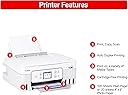
The Canon PIXMA G3290 Megatank All-in-One printer combines wireless convenience with ultra-high ink capacity, delivering up to 7,700 vibrant color pages per refill. Featuring a user-friendly 2.7โ LCD touchscreen, automatic duplex printing, and versatile media support, itโs designed for home and office pros who demand quality, efficiency, and massive ink savingsโall in a compact footprint.


| ASIN | B0DF4GTWWK |
| Additional Printer Functions | Copy |
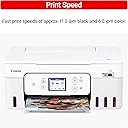
| B&W Pages per Minute | 11 pages_per_minute |
| Best Sellers Rank | #1,501 in Office Products ( See Top 100 in Office Products ) #4 in Ink Tank Printers |
| Brand | Canon |
| Built-In Media | Ink Bottles |
| Color | White |
| Color Depth | 16 bits |
| Color Pages per Minute | 6 pages_per_minute |
| Compatible Cartridge | GI-21 Pigment-Based Black Ink Bottle & GI-21 Dye-Based Color Ink Bottles (Cyan, Magenta, Yellow) |
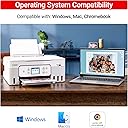
| Compatible Devices | Smartphones |
| Connectivity Technology | USB, Wi-Fi |
| Control Method | Push Button, Touch |
| Controller Type | iOS |
| Customer Reviews | 4.2 out of 5 stars 760 Reviews |
| Display Type | LCD |
| Duplex | Automatic |
| EU Spare Part Availability Duration | 1 years |
| Global Trade Identification Number | 00013803378078 |
| Hardware Interface | USB 2.0 |
| Ink Color | Black, Cyan, Magenta, Yellow |
| Item Dimensions D x W x H | 14.3"D x 16.4"W x 7"H |
| Item Type Name | Multifunction Printer |
| Item Weight | 14.2 pounds |
| Manufacturer | Canon USA |
| Maximum Copy Resolution Black and White | 1200 dpi or higher |
| Maximum Copy Resolution Color | 1200 dpi or higher |
| Maximum Copy Speed Black and White | 11 pages_per_minute |
| Maximum Media Size | 8.5 x 47.2 inch |
| Maximum Print Resolution Black and White | 1200 dpi or higher |
| Maximum Sheet Capacity | 100 |
| Maximum print Resolution Color | 4800 x 1200 dots_per_inch |
| Model Name | PIXMA G3290 WH |
| Model Number | 6706C022 |
| Model Series | G3290 |
| Number of Trays | 1 |
| Other Special Features of the Product | Auto Power On, Auto-Duplex, Borderless Printing, Display Screen, Touch Screen |
| Output sheet capacity | 100 |
| Paper Size | 3.5โ x 3.5โ (Square), 4โ x 6โ, 5โ x 5โ (Square), 5โ x 7โ, 7โ x 10โ, 8โ x 10โ, Letter (8.5โ x 11โ), A4, A5, A6, B5, Legal (8.5โ x 14โ), U.S. #10 Envelopes, Card Size (3.6" x 2.2"), Custom size (width 2.1โ8.5 in, length 3.5โ47.2 in) inches |
| Power Consumption | 18 watts |
| Print media | Card stock, Envelopes, Glossy photo paper, High-resolution paper, Labels, Paper (plain) |
| Printer Connectivity Type | USB, Wi-Fi |
| Printer Output Type | Color |
| Printer Type | Inkjet SuperTank |
| Printing Technology | Inkjet SuperTank |
| Resolution | 4800 x 1200 |
| Scanner Type | Flatbed |
| Series Number | 3290 |
| Special Feature | Auto Power On, Auto-Duplex , Borderless Printing , Display Screen, Touch Screen |
| Specific Uses For Product | Home, Office |
| Total USB 2.0 Ports | 1 |
| Total Usb Ports | 1 |
| UPC | 013803378078 |
| Unit Count | 1 Count |
| Warranty Description | 1 year manufacturer |
| Warranty Type | limited warranty |
J**E
BEST CRAFT PRINTER EVER MADE
I've owned a very many lot of printers. I like the ones that print 12x12 and have Cannon's version of that, in my creative space, but I needed one that's tiny and I could put in my kitchen. I found this one and read some questionable reviews but thought I'll try it. Boy am I glad I did. If you watch this video that I made about it, there is nothing I do not like about this printer, and that says a lot. I do not have trouble connecting the Wi-Fi even though I live in a 276-year-old farmhouse. Which the walls are horsehair plaster and very thick, but yet a 50-foot stretch for the Wi-Fi signal, shows 59% when I check the strength. I have been using this solid for 3 days non-stop printing, having used just over half of the red ink, and about 3/4 of the yellow and blue, and nearly none of the black. This is a heck of a deal for this printer. The ink I found for less than $10 so I ordered it via subscribe and save. When visually observing the prints, there are no lines, no discoloration, no anything, just perfect prints. And all of my prints are done on the DRAFT option. That really speeds up the color printing. And as you see in the video, it does not take away from any of the Chrispness or saturation. I also read someone complaining about how colors just aren't this or just aren't that, take a look at the papers that I printed, there's absolutely nothing wrong with them. If you are searching for a high definition type printer or whatever you're lamenting about, go buy one of the really expensive ones, that does just that. And actually be honest about being cheap ๐คฃ This little guy gets the job done with bells on. I absolutely love him, it was my birthday present to myself, and I am so glad I bought Charlie the Canon that could. He's already got a warm spot in my kitchen and my heart โค๏ธ. You should get your own Charlie. He'll never let ya down!
E**E
cute new printer โsave $$ with GIANT ink tanks!
Awesome new printer with bulk liquid ink. I grabbed this beige model on sale, a nice change from the black I had before. I upgraded from the best selling canon four-in-one printer that has regular ink cartridges, and I am already impressed with the ink situation. Also they made a few other small changes like the top does not have a paper feed for copying multiple pages, so you have to load multiple pages in the scanner but I usually did it this way anyways wo too many pages. If I need to scan a huge stack I can just stop at a fedex. Also both the paper trays feel much more sturdy, especially the front tray, the whole thing slides out, vs my older model that was narrow and got broken. There was one other option of these that did not have the large LCD touch screen, but instead had a lot of buttons โnot sure how it compares. I love classic mechanical buttons, Id like more on this one, but I prefer to have the newest user friendly printer Software when dealing with a printer. So far itโs been super easy and quick to set up with fast printing on a whim right outta the box. Definitely worth upgrading to save money on ink and print more without worrying about ink levels!
Y**)
One day owner, Love it already ๐คโจ๏ธ
Arrived on time! It came in the manufacturers box but was packed very well. Don't count on any instructions in the box. I have just set it up today. From opening the box to actually printing only took approximately 30 - 40 minutes! Absolutely no issues with wifi connectivity! Set up directions are simple and we're on the printer's screen. It's very light weight and seems to be made sturdy. I'm giving 4โ until i see if i can tweak a couple things as far as printing pictures. The Canon app isnt the greatest. But using it for "trying" out specific tasks, copy, scan and printing different types of documents and pics on different types of papers, I can say, so far I love it! Fingers crossed Canon lives up to their name. Color was pretty much exact and the quality of pictures seems pretty decent, though the speed is on the slower side. I can live with all the things I've mentioned. This particular seller was extremely helpful with my inquiries and had the quickest response time! They had a deal price that was hard to resist! Time will tell from this point. ๐ค
K**L
Great Color Printer
I am very happy with this printer. I have had it for a couple of months and I print every day and it has given me no problems at all. I had initially purchased a Brother printer and I had to send it back when I absolutely could not get it to find my Wi-Fi. This one not only found the Wi-Fi right away but also led me through the steps to hook it up. It could not have been easier. I run a happy mail subscription service and I needed to color pictures that I print to look good and they do. So far it seems to be exactly what I wanted: no trouble and dependable.
A**A
White Updated G3290... NOPE!!!!!!!
I wanted to like this, I was SO excited to order and receive it... but already out of the box the setup to connect was frustrating and we kept going around in circles. The QR code on my android, once the page loaded... did not stop loading. The setup page just kept spooling glitching and resetting so there was no way to actually connect that way. Tried it on my tablet (would be mostly printing from that) and my android phone (same conclusion). Had to do it with PC. The LCD screen and lack of instruction also frustrated my partner. FINALLY after Forever we got it connected. Which leads to HOURS to try to get a decent true black print. I tried 10 different type of papers (glossy, semi gloss, matte, presentation paper, plain and some others). Every print on glossy looks the same. Faded, Red Hue, MUD. Every print on Matte turned out a little better (at least not red hue) but Grayish hue and not black black. The Only Black I saw even close to black was on test print on plain paper. Any image that printed black was a Black and white image on plain paper (which may work on glossy except I do a lot of color). THERE IS NOT ENOUGH PRINTER SETTING OPTIONS in the Canon apps. You cannot tweak it, tweak alignment, no contrast/brightness, no color intensity no detailed options whatsoever. It is the worst printing app editor for artists. You just have to be happy with quality either Standard or High, a paper type, borderless option. No much else really. I downloaded All the Canon apps for this particular model from their site. There is basically NO printer app that will work with Canon that has detailed printing options mentioned above. I thought with Canon being about images, that somehow they would have it together enough for artists, but they seem to cater to Only general basic consumer and not the artist. The App/s are FRUSTRATING and Severely lacking. The printer itself is noisy and a busy body. Constantly nagging you and beeping as soon as you put paper in it want's to know what paper size/type... BUT they ask the same question in the printing app itself, the two don't always talk to each other. I shouldn't have to always answer and set that info twice. Then after every individual print it seems to clean its heads. Fine... if I were doing a ton of printing. . . but after every single print (literally when I print one sheet and nothing after). Then it takes around 10 min. for a Full color borderless print. Which would be fine... except it does not print true black or Black at all ... just a muddy brown/red/gray black. There is no troubleshooting that can fix the color not printing correctly because it can recognize and only do a close to black IF the image is B/W to begin with on basic paper... but if you are doing color... with a lot of black in the image... Forget it. AND... because this was brand new and no clogged anything. Straight out the box issues from setup/connect to print. I tried on all platforms (phone/tablet/PC desktop), I also tried to print from dif. apps like Photoshop, photo editor from my comp etc... just to try to bypass the Canon Lack of editor feature set. Nothing worked. I also tried dif. setting options in the Canon app (changed paper settings, changed standard to high (pretty much the only setting options they gave). And all gave the same muddy red/brown/gray/black options. This has been one of the most depressing, frustrating, angry experiences I've ever had with a printer and printer app. I CANNOT recommend for ANY artist that wants true black or control over print edit features mentioned above. You will upset if you settle for this. I either have to get a machine that isn't refillable (which is Gonna SUCK)... or suffer the fate of forking over 3xs the amount for another refillable brand that I've heard may leave paper feed perforated track marks in gloss photo paper. Neither option is good. So many other things to say about the experience... but I'm TIRED! Returning, and someone else can feel what I felt when they open the box swimming in the inks I filled in the tank and couldn't take back out. Attaching pics for reference of color prints. One of the pics has a set of 1" button prints for reference of what the black should look like and doesn't. That was printed on my old Epson. The OG image on the rest of the prints was Very bright and the black was very black. The prints that look a little less Red are on Matte, and the others are on glossy... and the black and white design was B/W to begin with on basic paper. Much Luck People, and Canon... PLEASE DO BETTER!!!
J**L
Exceeded my expectations!
I LOVE this printer!!! For years I had a typical ink jet printer (by a different company) with the small little cartridge-type of toner refills. And over those years I wound up paying again, and again, and again for toner that never lasted and more than quadrupled the price of the printer itself! Well, then I saw this Canon Mega Tank G3290 printer!! Oh I love this so much. It came with a box of big toner bottles that filled the corresponding color tanks. Overall setup and wireless connection took me a few more minutes, but relatively easy. The paper "tray" is actually a plainly visible easel style holder at the rear, so you always know how much paper is ready. Also, the toner colors each have easy to see level windows. I have printed BUNCHES of things...bunches, and the level has barely creeped down from the "full" indicator mark. Well worth the cost. The print quality is excellent as well. I would most definitely recommend this printer.
L**R
Printer
The best printer I have ever used, love the fact I can buy refills instead of buying cartilage. Been really the best investment Iโve made so far in printers. I have had no issues of paper jamming, the color is top notch. It was easy eat and I am not computer savvy but have had no issues setting it up or connecting to my internet. A friend recommended this one and I recommend this one also.
W**A
Best purchase! Won't recommend for picture prints.
Easy to setup! Ink is cheap! Wireless connection works great. I have had a paper jam but it fixed itself. Now if you want pictures, the print quality is very unremarkable. Gets it done but if you want high quality pictures, this isn't what you
C**Y
Great print quality and fairly easy setup.
I'm very happy with this printer. The ink cartridges for my old printer were quite expensive so I'm looking forward to saving a lot of money with these refillable ink tanks. My first colour print was perfect. I copied a page from a pattern book and it looked exactly like the original as far as clarity and colour exactness is concerned. Setup instructions on the printer screen were very clear and easy to follow. Connecting to Wifi was very fast and effortless. The only complaint I have is that the diagram on the printer screen for installing the print heads was not at all clear. Thank goodness for YouTube videos. Canon could have included a sheet of paper showing exactly how to open the print head housing. Some of us are wary of applying any force to delicate equipment unless it's clearly called for. Canon did not include a USB cable to connect the printer directly to a computer. For me it wasn't an issue because I had one already but it's something that potential buyers should be aware of. My Wifi is usually disabled as I use an ethernet cable to access the internet so having the USB option is more convenient & faster than enabling the Wifi. The only other complaint I have is that, to the best of my knowledge, Canon does not offer a downloadable PDF file of the user manual, which can only be accessed from their website. I like to have information available offline as well.
S**E
Facile ร utiliser
Je l adore โฆ elle va tellement bien !
C**E
So far so good
I have had this printer a short time but so far I have been very happy with it. I haven't tried printing any photos as of yet but will keep you updated.
L**L
zero stars
a very frustrating printer. Slow if it prints at all. Redone the software several times but still will be very slow to finish several pages.
A**K
Works great! Love it
Works great!
Trustpilot
3 weeks ago
4 days ago