
Desertcart purchases this item on your behalf and handles shipping, customs, and support to Japan.
๐ฅ Power your creative empire with ASUS ProArt X870E-CREATOR โก
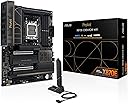
The ASUS ProArt X870E-CREATOR WiFi motherboard is a powerhouse designed for professional creators and tech enthusiasts. Featuring AMD AM5 socket compatibility with Ryzen 7000-9000 Series CPUs, it delivers robust performance through 16+2+2 power stages and DDR5 memory support. Future-proof connectivity includes dual USB4 ports, WiFi 7, and dual 10 Gb + 2.5 Gb Ethernet, while four M.2 slots and PCIe 5.0 x16 slots ensure ultra-fast storage and GPU support. Exclusive AI technologies optimize overclocking, cooling, and networking, making it the ultimate platform for next-gen creative workflows.


| Asin | B0DF123GCV |
| Best Sellers Rank | #40 in Computer Motherboards |
| Brand | ASUS |
| Chipset Family | AMD X870 |
| Chipset Type | AMD X870 |
| Compatible Devices | Personal Computer |
| Compatible Processors | Ryzenโข 7000 & 8000 & 9000 Series |
| Cpu Model | AMD R Series |
| Customer Reviews | 4.3 4.3 out of 5 stars (143) 4.3 out of 5 stars |
| Graphics Card Interface | PCI Express |
| Item Dimensions L X W X H | 3.4"L x 14.4"W x 11.1"H |
| Item Weight | 2.9 pounds |
| Main Power Connector Type | 24-Pin |
| Manufacturer | ASUS |
| Memory Clock Speed | 320 MHz |
| Memory Slots Available | 4 |
| Memory Storage Capacity | 256 GB |
| Mfr Part Number | ProArt X870E-CREATOR WIFI |
| Model Name | ProArt X870E-CREATOR WIFI |
| Model Number | ProArt X870E-CREATOR WIFI |
| Number Of Ethernet Ports | 2 |
| Number Of Items | 1 |
| Number Of Packs | 1 |
| Number Of Ports | 26 |
| Platform | Windows 10, Windows 11 |
| Processor Socket | Socket AM5 |
| Ram Memory Maximum Size | 256 GB |
| Ram Memory Technology | DDR5 |
| System Bus Standard Supported | SATA 3 |
| Total Number Of Hdmi Ports | 1 |
| Total Pcie Ports | 2 |
| Total Sata Ports | 4 |
| Total Usb Ports | 20 |
| Unit Count | 1 Count |
| Upc | 197105730779 |
| Warranty Description | 3 years |
User
Excellent Motherboard with Premium Features and Easy Installation
Excellent motherboard for a high-performance PC build! Shipping was fast, and the board arrived in perfect condition. The ASUS ProArt X870E-CREATOR WiFi has a premium build quality, a clean and professional design, and plenty of connectivity options.I'm using it for a custom AI/ML workstation with an AMD Ryzen 9 9950X processor and dual GPUs. The installation process was straightforward, and the motherboard documentation made it easy to identify the various connectors and components. I particularly appreciate the multiple M.2 slots, PCIe 5.0 support, and built-in high-speed networking.Overall, I'm very impressed with the quality and thoughtful design. It's an excellent choice for enthusiasts, content creators, and anyone building a powerful workstation. Highly recommended!
User
EXPO Works with 9800X3D + 64GB 60000 MT/s DDR5
TL/DR : Pretty board , let PC sit overnight in failed POST mode after enabling EXPO to let BIOS learn RAM timing.If you're looking at this board , you've probably learned all the quirks about the X870E chipset and PCIe5 lanes bifurcation / sharing with NVME slots , so I won't rehash that.My main reason(s) for the review are twofold:1) The build quality is awesome , the materials and aesthetics are (subjectively) topnotch. I'm not an RGB-vomit fan , but the murdered out black look is so... dead. So, it's nice to have a minimalistic look with a trace of elegance. Building on it was straightforward. I had no fitment issues with a 2280 form factor NVME in the M 2_1 slot (w/ heatsink) interfering with an ASUS TUF gaming RTX4080. It all fit and worked well inside a Lian - Li Lancool II Mesh using the ProArt AIO360 radiator mounted to the front of the case. Everything snapped in easily & securely. there was never a "hmm, is that right ? " No it was all pretty much a breeze.2) The Ram LED POST fail coming on after enabling EXPO. This freaked me out. If I then cleared CMOS , reboot , then it would POST. However after reading up this is SUPPOSED TO HAPPEN. I then went into BIOS , enabled EXPO for my (4x16 GB) 6000 CL30 RipJaws ram profile , and let it sit in the failed state. I woke up the next morning to a windows boot screen. The BIOS had to do some internal clock checks that took a fair bit of time, but it eventually POSTed and has been solid since.So , that's my piece , enjoy !
User
Excellent m-board
Excellent motherboard. With the latest BIOS update, it runs stable with a Ryzen 9 7950X3D processor and 6000 MHz RAM. The build quality feels extremely premium, and the overall setup was smooth. Thermal management is top-notch, keeping temperatures under control even during heavy workloads. System boot times are noticeably fast, and I have not encountered a single crash or stability issue. Highly recommended for anyone building a high-performance system!
User
Data corruption king, do not use
ASUS should be ashamed of themselves for making this motherboard, it's a sign of the times I guess. First off, it's extremely buggy. We couldn't figure out why, but after getting a 2nd board, after getting different ram, after even changing the processor, it was still always buggy. It has a known bug where it corrupts the NVME boot drive when Windows does updates. It can only run on Windows 11, no 10, no linux, nothing but 11. This makes it nearly impossible to debug because Windows 11 is a pile, so it's just impossible to determine what is wrong. The NVME's (all slots) get corrupt very fast, within a few weeks of non-stop use. So we had to shift over to SSD boot drive and it works fine with that. The PCI Gen 5 NVME's basically don't work properly either, we have Samsung 9100's and they are horrible. They corrupt very fast as well, far faster than the Gen 4 NVME's. Plus, because of lane sharing, the high speed USB bus can be extremely slow, so can the internal 10G networking when you have full NVME slots. I missed the return opportunity on this board, so I'm stuck with it and I'm ready to throw it in the trash. Unfortunately it does the job we bought it for (media production) just well enough to keep making money. Hopefully it'll make enough for us to afford something else in the near future, but in our config (9950X3D, 128GB DDR5 5400, 5080) it really is nothing special. Our 5 year old 5950X, 64GB, 4080 build is really not much slower. That was one of the things that really depressed us, that spending nearly $5k on a new system, got us MAYBE 10% better performance. X86 manufacturers are WAY behind the times. By contrast, our M4 Max desktop and laptop systems, are both faster in everything BUT very advanced 3D workflows. For media production, we just never touch 3D workflows, maybe the occasional game. But how can Apple build a 50W TDP laptop, which keeps up with and in some ways is faster than a modern X86 desktop? I have no idea why ANYONE would buy this system. I guess if all you did was play games on windows 11? But the drive corruption alone should keep anyone far away.
User
Wonderful Motherboard!!!
Wonderful motherboard, much more than I was expecting , and plenty of room for future upgrades.If using windows, everything works great.If using Linux, WiFi isnโt recognized by the OS, at least to this date, but Ethernet works fine and any USB WiFi dongle solve this problem.
User
Magnificent Motherboard! Perfect Manjaro Linux Compatibility
I built a new computer with this motherboard nearly one year ago (July of 2025). It has been reliable and worry-free this entire time, with regular BIOS updates. I paired this with a 9950X3D and a Radeon RX 9070XT. This platform has been completely compatible with Manjaro Linux, right from the start. There is a high probability that this motherboard is compatible with most Linux distros; but, I have only run Manjaro, so I can only attest to that one working with this board.I like the aesthetic of this motherboard quite a lot. I typically have built my computers with gaming focused motherboards. Even though I do not overclock my systems, I prefer to have 'overbuilt' motherboards, because they are usually very stable, and have a long lifespan, compared with motherboards in other tiers. For me, the trade-off has been that gaming motherboards often have visual features I do not enjoy. This motherboard provides high quality components that gaming boards typically offer, but with a visual scheme that is understated - not visually brilliant with LED's and zany graphics. This board is in a black ThermalTake open case, with Noctua black Chromax fans, and a black Noctua CPU cooler. My GPU features LED lighting which I could not disable with the one Linux-friendly program I found for controlling that; so, I cracked open the shroud to unplug the LED cable. Now, my computer is blacked out; no LED's; no crazy stickers/graphics on components; and, the subtle graphics on this motherboard add just the right amount of visual interest. If this is the type of aesthetic you like for your computers, this Asus board works very well.
User
Solution to board issues with Proxmox
Please Read First:I went ahead and made an "official" review below, but if you're looking for solutions to power settings with this board, this is the section to read.If you have issues with the 2.5gbit network port randomly turning off, you can add these settings to GRUB to fix the issue.Commands:optional [copy/paste]nano /etc/default/grublook for the line that is similar to this:GRUB_CMDLINE_LINUX_DEFAULT="quiet"add these two rules:pcie_port_pm=off pcie_aspm.policy=performancethe finished line should look like this:GRUB_CMDLINE_LINUX_DEFAULT="quiet pcie_port_pm=off pcie_aspm.policy=performance"This should fix your issue with the 2.5gbit port turning off. I have not had problems with the 10gbit port yet, but I have seen some complaints about it on Reddit.(I'm just a Linux guy)Initial Impressions:โ Packaging and included accessories- Great as usual with ASUS boards. This board had a lot of accessories, nothing too out of the ordinary.โ Build quality and physical design- Great build quality, and the board design is clean and without RGB, which I wanted for my server.Key Specifications and Features:โ RAM support and maximum capacity- I used server RAM for this motherboard. Well, half server and half standard. The RAM I used was the NEMIX RAM 128GB (4X32GB) DDR5 5600MHZ PC5-44800 2Rx8 1.1V 288-PIN ECC Unbuffered UDIMM KIT. They sell this on Amazon. I just copied the listing title.โ Storage options (M.2, SATA ports)- I saw limited SATA ports (I think two), but I am unsure. I currently have the new M.2 from Samsung that is gen 4 and 5 running on one slot and another 2 NVMEs. All is running well. (Total of 3)โ Important features (Wi-Fi, Bluetooth, RGB, etc.)- No RGB (That's a plus for me)I don't use Wi-Fi or Bluetooth, but I did notice that when I turned Wi-Fi off in the bios, it killed my 2.5gbit ethernet port. This was annoying but not too big of an issue.Installation Experience:โ How easy/difficult the installation process was- The installation of Proxmox was easy. I did update the bios to the latest firmware because my ethernet port died, thinking that would fix it, but it didn't. The update was unnecessary as it did nothing for me.- The board runs Linux well, and GPU passthrough worked well without issues. I have a dGPU 4060 TI.โ BIOS interface and user-friendliness- Same old, same old with ASUS. Nothing specialPerformance:โ Stability during regular use- I haven't noticed any stability issues.โ Overclocking capabilities (if applicable)- It's ASUS. They offer fancy AI overclocking. (I wouldn't recommend it but to each their own)โ Temperature management- I use Linux, not great. Windows would be fine.โ Boot times and system responsiveness- Boot times are pretty good. I haven't noticed anything different from other modern boards.Value Proposition:โ Price compared to similar motherboards- This is a tough one. I got this board because I needed both ethernet ports, and my case is a 3U with a dGPU, which takes up all my PCIE slots. If you can just slot in a normal ethernet expansion card, do that instead before buying this motherboard.โ Whether the features justify the cost- No.โ Any missing features that buyers should know about- Nothing I have noticed but you can find more info about it on Reddit. I know I saw minor changes, but nothing crazy.Conclusion:โ Overall recommendation- I do recommend this motherboard for a server that is tight on space. I run OpenWRT on my server, which requires a WAN and LAN port. I couldn't fix a ethernet expansion card so I was required to get this board. If you have a 4U case and want to run a server. Get a cheaper motherboard.โ Who this motherboard is best suited for- Uh, servers, power users, or YouTubers.
User
Excellent quality ASUS mid-range motherboard
Excellent built quality for the ASUS motherboard. First time boot trouble as I have not attached the liquid cooler and used only an air fan before actually fixed into the computer case. Only figured out that the sytem shuts down due to CPU over temperature and took some remedial actions, all the rest are getting back to normal. Installation for RAM, SSD, Display Card are all easy. ASUS's software takes care of everything regarding driver installation. Ran a 100%CPU test for some 30 minutes, not trouble at all.
User
Just for pro
Anything a pro needs from a motherboard.
User
Calidad
Excelente producto
User
Easy assembly, lack of drivers for Linux
Very nice motherboard, but wi-fi and bluetooth do not work with Linux operating systems due to lack of drivers. Hopefully this will be addressed soon.
User
NOT for Linux
MT7927 Wifi not supported on Linux. Most recent boards may have had the WiFi replaced by a QualComm board and not the useless, on Linux, MediaTek MT7927.
Trustpilot
2 months ago
2 weeks ago