🚀 Elevate your network game with pro-grade speed and control!
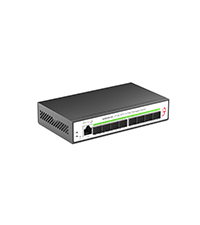
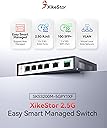
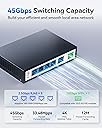
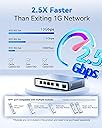
The XikeStor 5 Port 2.5G Web Managed Ethernet Switch combines five adaptive 2.5G RJ45 ports and a 10G SFP+ uplink in a fanless, metal chassis. It supports advanced Layer 2 management features including VLAN, LACP, QoS, STP, and IGMP, delivering stable, low-latency switching ideal for home labs and small businesses. With silent operation, robust surge protection, and flexible mounting options, it offers a premium networking experience at an unbeatable value.




| ASIN | B0CRZ87PYK |
| Best Sellers Rank | #328 in Computer Networking Switches |
| Case Material | Metal |
| Current Rating | 1 Amps |
| Customer Reviews | 3.9 3.9 out of 5 stars (111) |
| Data Transfer Rate | 2.5 Gigabits Per Second |
| Date First Available | June 29, 2024 |
| Global Trade Identification Number | 06972282762850 |
| Interface Type | RJ45, SFP+ |
| Item Weight | 12.3 ounces |
| Item model number | 6 Port │ 5x2.5G Port │ 1x10G SFP+ |
| Manufacturer | Anhui Seeker Electronic Technology Co., LTD. |
| Product Dimensions | 5.5"L x 3.7"W x 1.1"H |
| Upper Temperature Rating | 55 Degrees Celsius |
| Voltage | 12 Volts |
C**.
Great 2.5G switch for home lab
The first switch I received did not have management (was probably provisioned as an unmanaged switch). XikeStor support was very responsive, which was nice. I ended up returning the first switch and the replacement worked as expected, I could reach the management IP 192.168.10.12 without any issues. You can change the management IP (static) or DHCP is supported. The switch boots up very fast (less than 10 seconds), is very compact, fanless and uses very little power (12V DC). The Web UI is a bit basic but very usable. Some nice features are included: front-panel view, port tables with speed/duplex, flow control, VLAN untagged-tagged, QoS strict priority - weighted, STP/RSTP, IGMP snooping, LAG, port mirroring, port isolation, bandwidth control (not sure if it rate limits or shapes), Jumbo frames, MAC limit (qty of learned MACs), static MAC, EEE, storm control (broadcast / multicast) and overall port stats table (good/bad Tx/Rx packets). Config can also be backed up / restored to/from a local file. Given the relatively low price point and feature set, I feel this switch provides great value for a home lab or high end home network.
A**R
A Budget 2.5G Powerhouse
Pros: Unbeatable Value: 8x 2.5G ports + full management (VLAN, LACP, QoS) for this price? Insane. Surprisingly Solid Build: The aluminum casing feels far more premium than expected – runs cool and silent too. Feature Complete: Has every managed feature I needed (and more) for my home lab/network. Just Works (Once Setup): Rock-solid performance once configured. Handles 2.5G flawlessly. Cons: The UI is TERRIBLE: unintuitive, poorly translated. Setup feels like navigating a maze blindfolded. Expect frustration. Good Luck finding the firmware to updated it
J**R
Very good product with minor shortcomings!
This is a first impression review after several hours of intensive use of all the 2.5Gbps ports of a newly purchased Xikestor SKS3200-4E2X. I have not tested yet the SFP+ ports and I am using the original firmware which is version 2.0.7. I read in some reviews that there is a version 2.1.0, unfortunately I wasn't able to find it on Xikestor's website. The hardware quality of the product is very good. It draws very little power and it runs very cool even during high bandwidth utilization. A quick analysis of the packet traffic shows that the jumbo frames of 16KB are never fragmented. Latency is extremely low. Thus the switch actually performs very, very well! The VLAN capabilities are somewhat limited, but the essential is there and work quite well. The manual supplied doesn't correspond to the product received. It looks like a SKS3200-4E2X specific manual was never produced. That's a shame because with a good user manual everyone would benefit and product return rate would go down significantly. Assuming that the SFP+ ports work equally well, I would rate this product 5 stars. Elsewhere in the reviews it is said that the second SFP+ port has issues. I can't confirm as I haven't tested yet. I simply hope that whatever it is or was is fixed. Update: After several days of heavy usage of this switch, including the SFP+ ports, I can confirm my initial observations that in fact this is an excellent switch, which performs very well across the board. All its advertised features are available and operational with its out of the box firmware version 2.0.7. With generic optical transceivers on the SFP+ ports, using plain vanilla fibers, I was able to achieve stable and sustained 10 gigabit per second traffic to another generic (different brand) switch. Both SFP+ ports operate by the book individually and simultaneously. This unit is not novice friendly as it has no user manual. But someone with networking knowledge and fundamental understanding about VLANS should be able to get it going in no time.
C**L
Native VLANs do not work
Trunk ports always tag the native VLAN going out. Therefore untagged traffic is unusable on trunk ports. This makes the switch incapable of behaving how an unmanaged switch would across trunk ports while retaining the ability to split of VLANs to other ports. Unless a firmware update resolves this basic issue in the future, my review will remain one star because it complicates my network setup. There is also no ability to specify which VLAN the management interface is on. I was a little confused why I could not access it, and it turned out it had moved itself off the statically assigned DHCP IP onto my IOT VLAN network. I haven't tested, but this probably means that management interface will accept incoming packets regardless of what VLAN they originated from which is not great for security. Otherwise the webui is a bit basic but for the price it is acceptable. It is a pretty great value if you don't need untagged and tagged traffic on the same port.
9**7
Product seems to work okay, firmware poorly written
The product seems to work. It does what I need and was easy enough to program despite being aimed at the Chinese audience. However, the firmware is atrocious. The default is an obscure hardcoded IP address. This requires you to adjust your PC so it matches the network. The default should be, and should always be for network equipment, DHCP. I could then Once logged in I could set and save the settings as I needed them. However, after I upgraded the firmware, the device lost all settings. I had to go back through the process of adjusting my network to match and the reprogram the device. I could not even load the saved configuration file. It said it loaded it, but it did not. Finally, I cannot seem to login remotely. I can get to the login screen, but the device ignores my username and password. I suspect this is due to the encoding across the Internet and through three routers. I must be directly on the actual network in order to connect up and program. Documentation? What documentation. They give you a basic get started manual. You must go to their web site to get full documentation. They don't even tell you on the box or i the get started manual what their web site is. You have to guess or use a search engine to find it.
玉**吉
海外発送のため12日程かかりましたが6千円程で買えました。2.5G×4 sfp+×2のPoEなし版です。 管理機能あればいいなと思い買ってみましたがないです。
J**L
Robust packaging, all works when connected.
M**I
Good features for the price! Still works.
M**X
N'a pas fonctionné. Témoins de liaison allumés ou éteints sur certains ports. Sur une box free, passe d'actif à inactif et aucune réception. Testé côté box sur port SFP ou port RJ45, testé côté pc sur différence cartes réseau = aucune connexion Tout mon réseau fonctionnait avec un autre switch sans problèmes (je l'ai remis) De plus, j'ai constaté des traces et résidus de colle de "patins" sous l'appareil, ce qui laisse supposer que l'engin n'est pas nouveau comme annoncé et est défectueux. Franchement pas sérieux et perte de temps. Merci Amazon pour le retour et le remboursement rapide
た**き
中国からの発送なので10日ぐらいかかりました。 初期設定のIPアドレスが192.168.10.12固定なので、192.168.10.xx/24のIPアドレスにPCを変更してWebブラウザでアクセスすると管理画面が表示されます。 IDもパスワードも初期は「admin」であとはVLANやLAGなどは画面を見ながらポチポチやれば特に難しいことはなく設定できます。 iPerf3やQNAP⇔PC間でのファイルコピーで2.5Gの速度はちゃんと出ていますし、SFP+もDACケーブルを使ってMikrotikのスイッチと接続してみましたが、ちゃんと10GbpsでLinkUpしました。
Trustpilot
1 month ago
3 days ago