Buy anything from 5,000+ international stores. One checkout price. No surprise fees. Join 2M+ shoppers on Desertcart.
Desertcart purchases this item on your behalf and handles shipping, customs, and support to Japan.
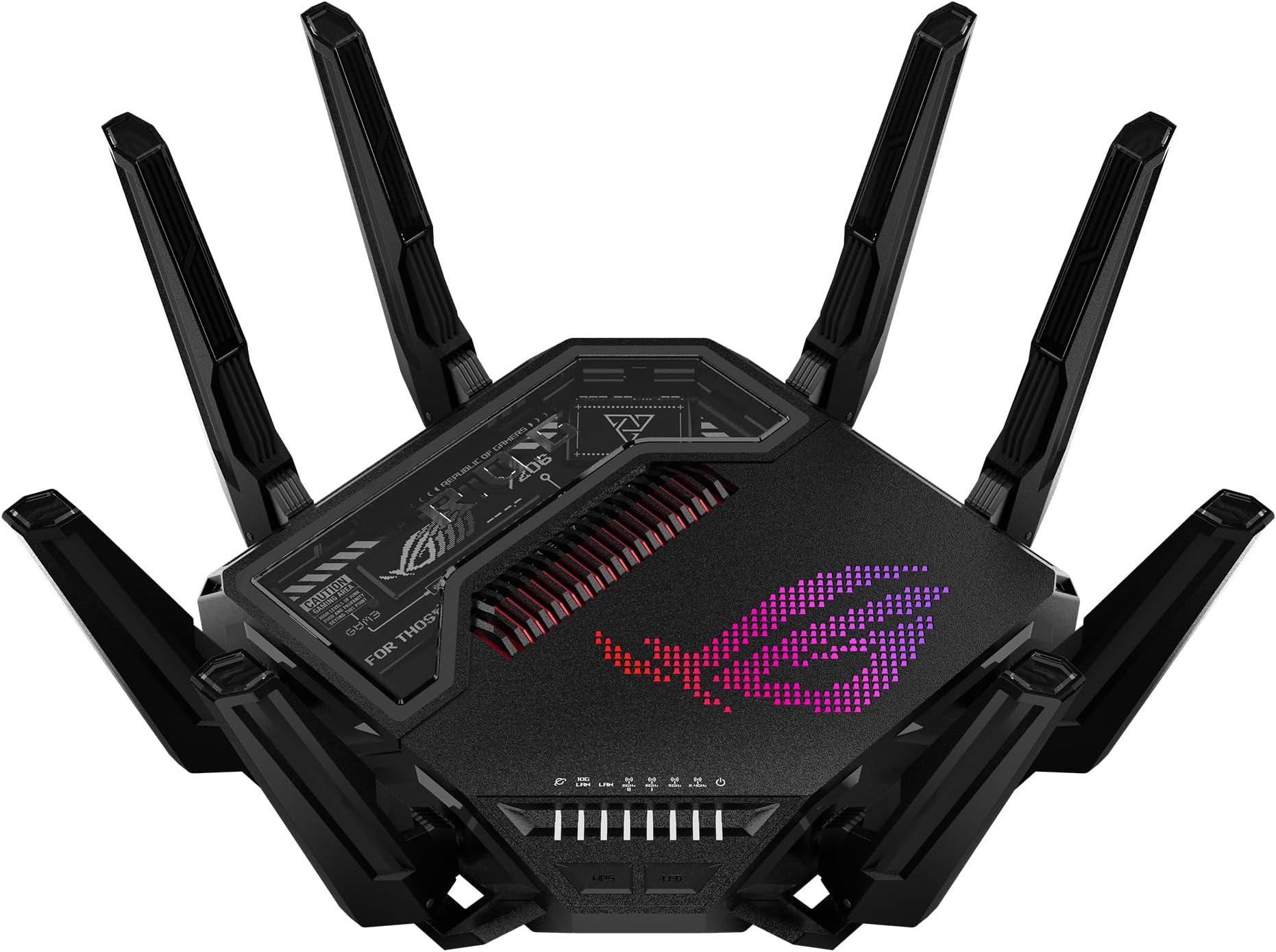
๐ Dominate your digital domain with ASUS ROG Rapture GT-BE98 PRO โ where speed meets power!
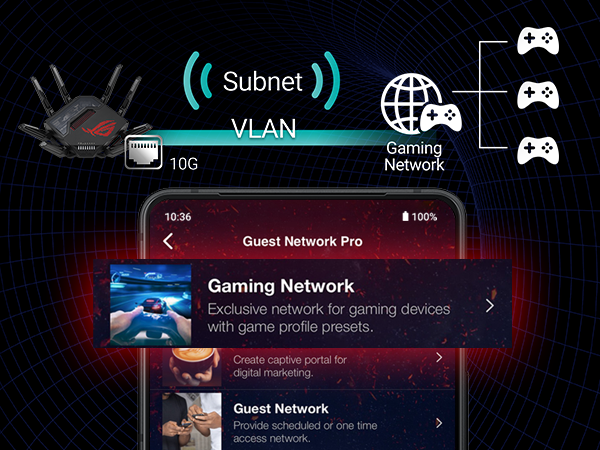
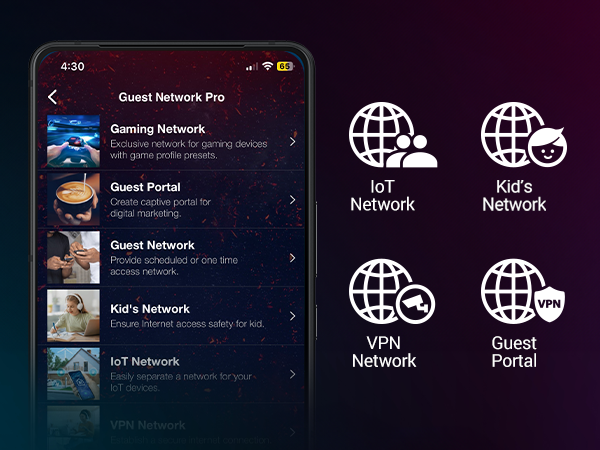
The ASUS ROG Rapture GT-BE98 PRO is a cutting-edge quad-band WiFi 7 gaming router delivering up to 30 Gbps speeds via 320MHz channels and 4096-QAM modulation. Featuring dual 10Gbps Ethernet ports, triple-level game acceleration, and mobile game mode, it ensures ultra-low latency and seamless connectivity across multiple devices. With subscription-free security, AiMesh compatibility, and VPN support, itโs designed for gamers and professionals demanding top-tier network performance and robust protection.


| ASIN | B0CPQYSXCW |
| Antenna Location | Business, Gaming, Home |
| Antenna Type | Fixed |
| Best Sellers Rank | 4,487 in Computers & Accessories ( See Top 100 in Computers & Accessories ) 39 in Routers |
| Box Contents | GT-BE98 Pro quad-band gaming router, Power adapter, Quick start guide, RJ-45 cable, Warranty card |
| Brand | ASUS |
| Brand Name | ASUS |
| Colour | ['Black'] |
| Compatible Devices | Gaming Console, Personal Computer, Smart Television, Smartphone, Tablet |
| Compatible devices | Gaming Console, Personal Computer, Smart Television, Smartphone, Tablet |
| Connectivity Protocol | Wi-Fi, Ethernet, USB |
| Connectivity Technology | Ethernet, USB, Wi-Fi |
| Control Method | App |
| Controller Type | App Control |
| Coverage | Wide coverage |
| Customer Reviews | 4.2 out of 5 stars 496 Reviews |
| Data Transfer Rate | 30000 Megabits Per Second |
| Frequency | 6 GHz |
| Frequency Band Class | Quad-Band |
| Frequency band class | Quad-Band |
| Has Internet Connectivity | Yes |
| Has Security Updates | Yes |
| Is Modem Compatible | Yes |
| Item Dimensions L x W x H | 34.8L x 21.8W x 34.8H centimetres |
| Item Weight | 2 kg |
| LAN Port Bandwidth | 10000000000 |
| Manufacturer | ASUS |
| Manufacturer Contact Information | 500 STAPLES DR FRAMINGHAM MA 01702-4474 United States of America |
| Manufacturer Part Number | GT-BE98 PRO |
| Maximum Upstream Data Transfer Rate | 1 Megabits Per Second |
| Model Name | GT-BE98 PRO |
| Model Number | GT-BE98 |
| Model name | GT-BE98 PRO |
| Number of Antennas | 2 |
| Number of Ports | 7 |
| Operating System | App, Linus, Mac OS, Windows |
| Other Special Features of the Product | Access Point Mode, Guest Mode, Internet Security, Parental Control, QoS |
| RAM Memory Installed | 2 GB |
| Router Firewall Security Level | High |
| Router Network Type | mesh |
| Security Protocol | WPA3-Personal |
| Special feature | Access Point Mode, Guest Mode , Internet Security, Parental Control, QoS |
| UPC | 197105086463 |
| Unit Count | 1.0 count |
| Voltage | 110 Volts |
| Wi-Fi Generation | WiFi 7 |
| Wireless Compability | 802.11.be |
| Wireless communication standard | 802.11.be |
A**.
Quite bulky but good value for money
Setup was seamless( switching from AC5300 through the app). My settings migrated without any hassle. Connectivity & coverage is excellent and stable across all 3floors down to the farthest part of my back garden. It is quite pricey but itโs worth the purchase.
G**.
Asus GT-BE98 Pro wifi 7
ITS A GREAT PIECE OF KIT! just expensive, but it does what it says on the box very very well! Easy to setup and it has boosted our connection 3 fold and great for gaming, fingers crossed it will last us 10 yrs (x)
W**K
Wow
Just wow
T**Y
Illegal to sell in the UK
It is illegal to sell this product in the UK, it broadcasts on unapproved frequencies and is supplied with a US plug. I discovered this after receiving the device and doing some research after noting the US plug. I am trying to return but the seller is not responding. The ASUS ROG Rapture GT-BE98 is fine for the UK (not PRO version).
X**G
Excellent Performance, Frustrating VPN Experience, and Overly Complex Setup
Product Review โ ASUS ROG Rapture GT-BE98 Pro Flagship-level hardware, strong Wi-Fi 7 speeds, excellent coverage, and powerful gaming/QoS features. Performance potential is top-tier once configured correctly. Biggest weakness: VPN setup usability. Manual config uploads and fragile routing behavior can break full-network connectivity if misconfigured. Advanced users will manage fine; average households may find VPN Fusion frustrating without careful setup. Unified Wi-Fi + VPN Fusion Setup Step = Meaning | Straight to the point PART 1 โ Combine All Wi-Fi Bands First Step 1 = Enable Smart Connect / Unified SSID Meaning: Merge 2.4G + 5G + 6G into one network. Step 2 = One name + one password Meaning: Devices auto-select best band. Step 3 = Let Wi-Fi 7 Multi-Link manage traffic Meaning: Router balances load across bands automatically. Step 4 = Avoid band separation Meaning: Prevent congestion and device signal lock-in. Result: Stable, optimized, multi-band throughput instead of single-channel overload. PART 2 โ Airtime & Traffic Fairness Step 5 = Airtime Fairness ON Meaning: No device hogs bandwidth. Step 6 = WMM ON Meaning: Full Wi-Fi speed protocols active. Step 7 = WMM No-Ack OFF Meaning: Prevent packet loss + false connectivity. PART 3 โ VPN Fusion Safe Setup Step 8 = Create VPN profile Meaning: Add OpenVPN inside VPN Fusion. Step 9 = Upload server file + certificate Meaning: Authenticate tunnel correctly. Step 10 = Enter VPN login credentials Meaning: Account authorization. Step 11 = Disable โApply to all devicesโ Meaning: Prevent full-network tunnel routing. Step 12 = Click Apply Settings Meaning: Save profile safely. Step 13 = Connect VPN Meaning: Tunnel activates. Correct status: VPN = Connected Internet = Connected Meaning: Split routing stable. If Internet Breaks Step 14 = Disconnect VPN Meaning: Restore ISP path. Step 15 = Verify global apply OFF Meaning: Remove forced routing. Step 16 = Unassign all devices Meaning: Clear tunnel mapping. Reconnect safely. Cooling & Hardware Stability Add-On (Review Update) Step 17 = Use external router cooling fan Meaning: Prevent thermal throttling. Step 18 = Donโt rely only on built-in cooling Meaning: Dust + heat reduce router performance over time. Overheating can cause: Connection instability. Throughput drops. Random disconnects. Final Configuration Logic Unified Wi-Fi = Multi-band load balancing. Airtime Fairness = Equal device distribution. VPN = Router-level tunnel only. Global apply = Disabled. Outcome: Stable connection, fast loading, no household outages, no factory reset rebuilds.
R**C
Asus great quality
Works great as expected, highly recommended ๐
R**Z
Buen Router para Wifi 7
Buen Router para Wifi 7, tiene muchas configuraciones. Hay que tener en cuenta que es grande y necesita un espacio para poder colocarlo. De seรฑal es buena la banda de 6 debes estar cerca del Router, la de 5 es suficiente para cubrir el hogar y la de 2.4 es la que resalta tiene alcance de aproximadamente 10 metros.
U**A
Monster Beast of a Router
Five stars - blazing fast, powerful, and packed with next-level gaming features for unbeatable performance.
B**A
Insane
INSANE
Trustpilot
1 week ago
2 weeks ago