Desertcart purchases this item on your behalf and handles shipping, customs, and support to Japan.
🚀 Clone, transfer, and conquer your data at lightning speed!
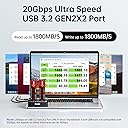
The SSK M.2 SSD Cloner NVMe Duplicator is a dual-bay NVMe enclosure featuring a powerful JMS586U chip, supporting M Key and B+M Key NVMe SSDs. It delivers ultra-fast 20Gbps USB 3.2 Gen 2x2 transfer speeds, offline one-click cloning without a PC, and smart data health monitoring with S.M.A.R.T and TRIM. Designed for professionals seeking reliable, tool-free SSD management with enhanced cooling and seamless connectivity.


| ASIN | B0D6RCR174 |
| Best Sellers Rank | #190 in Enclosures |
| Brand | SSK |
| Built-In Media | 10Gbps USBA Cable, 20Gbps USBC Cable |
| Color | Black |
| Compatible Devices | Laptop, PC |
| Connectivity Technology | USB |
| Customer Reviews | 4.3 out of 5 stars 561 Reviews |
| Data Transfer Rate | 2000 megabytes_per_second |
| Enclosure Material | Plastic |
| Hardware Interface | Solid State Drive, USB 3.2 Gen 2×2 |
| Hardware Platform | Support NVMe SSD Only |
| Item Dimensions L x W x H | 2.8"L x 2.8"W x 0.85"H |
| Item Highlight | For M Key PCIe NVMe Enclosure, 20Gbps USB3.2 Gen 2X2, Offline Clone Function, UASP Supported, Plug & Play, Tool Free |
| Item Weight | 90 g |
| Manufacturer | SSK Corporation |
| Material | Plastic |
| Mfr Part Number | DK201 |
| Model Number | DK201 |
| Number of Items | 1 |
| Product Dimensions | 2.8"L x 2.8"W x 0.85"H |
| Supported Devices Quantity | 2 |
| Warranty Description | 1 Year |
A**K
Does a fine job
Having multiple functions in one device appealed to me, as an enclosure for adapting my SSD to my PCIe slot was not effective. My system only has one PCIe slot, anyway and I need it for a GPU upgrade, but warnings about my SSD failing can not be ignored. At only three dollars difference between a Samsung 512 GB SSD and 1 TB SSD, I went with the larger as a replacement. Buying a utility to format, partition and clone the new SSD was more expensive than this docking unit. So, I bought one to ease my pain over the failing drive (it just passed the warranty period a few months ago)! More pain was waiting, however. The SSK docking station I received was not fully functional. It would not reliably recognize and read an SSD in the Source bay. The Target bay worked fine, but obviously, cloning was not in the picture. I was able to format and partition my new SSD using the SSK docking station's Target bay. Unlike other reviewers, I did not feel the need to partition and format the SSD before the SSK docking station could use it. I interpreted the instructions as making the point that one needs to prepare the SSD drive for cloning, then, not for simple use! Further, NTFS is not specified in the instructions. So, there is no need to be very worried here. I contacted SSK both directly by email and through Amazon. Their responses were very quick and effective. The troubleshooting did not resolve the Source bay symptoms, though. Admirably, they sent me a replacement at no cost, not even for shipping. Further, they did not require a return of the original unit. It arrived in just a few days and I found it to work very well. The 512 GB SSD was cloned in less than 15 minutes. The cloned SSD worked perfectly fine in my desktop computer, booting and running everything as before. Now, considering the faulty initial fulfillment and the replacement, I must give SSK props for customer service and the overall product performance. Of course, quality control may need to be improved. Had a second replacement been necessary, I would not have kept the unit. I would have proceeded in a different direction. One bad unit would not repel me, though, as no brand is without a fluke. SSK could be attentive enough to monitor the frequency of disfunctional docking stations and take corrective measures. That's just good business. Customer support is as important as quality of product for me. If you take my money and forget about me, I'm going to forget about you. That's just the way it is. So, I will rate them fully five stars. I like a company that sees a problem and fixes everything quickly and professionally. Kudos for prompt response, good troubleshooting and acting responsibly with replacement product at no charge for anything. That's great performance in my book. Buy it and use it well-- there's no need to spend three or four times more money. Paying more does not always mean a better product. Use that saved money for some upgrade to your system. Be well. Be safe.
S**S
Affordable NVME cloner - perfect for upgrading storage on the Legion Go or ROG Ally
This is probably the best Black Friday deal I found. I recently needed to upgraded my Legion Go's original 512GB to a 2TB. This cloner was the easiest way to make an exact copy of the original drive. First you need to turn off Bitlocker. Take out the 512GB and put it in the Source (left) and put in the new larger drive in the Target (right). Once the Source and Target lights are lit up, hold down the Clone button for three-seconds or more to see all the lights flashing. Once you see the lights flashing, let go and press the Clone button once. Now the cloning process will begin. Depending on the size, it may take longer... but my 512GB took about 10 minutes at the most (probably much less, but felt longer). Once the 100% light is solid, the process is done. I would recommend just waiting a few seconds just to make sure. There is one last thing you need to know. Since this makes an exact copy, installing the new drive, you will still see only 512GB. The rest of the storage is hidden because it's Allocated storage, meaning you need to format the new partition under Disk Manager. There is no way to merge two non-adjacent partitions into one using Disk Manager, so you need a third-party software to merge the two. I have done this to make my C: drive to 2TB, but if I were to do this again in the future, I will just treat the new storage as drive D: and dump games to that drive and keep the O/S separated from the game files. Now that I'm done cloning, I will now re-use this as extra storage with my old NVME drives using the USB-C to connect to your computer. I don't love it that the drives are just exposed. If this review helps you make a decision, let me know! PS, the hardware itself feels really cheap and flimsy, but I can't really complain for the price. This came with all the cables and hardware and it works!
A**G
Product As Advertised
Product works as advertised. It is fast and efficient in duplicating SSD from my experience.
C**D
Do not buy. Does not work.
This review is for the SSK DK201 dual NVME dock with offline cloning. I purchased this unit to clone two Samsung 970Evo Plus (2TB) to two Samsung 990 Evo Plus (4TB) drives. Before I get into the technical problems, I've tested this unit with multiple drives which all work when installed either a laptop, desktop, or a different USB enclosure. When both drives are plugged in the first time, both bays light up like it recognizes the drives. When starting the cloning procedure, it acts like it's initializing the target drive, then the source drive starts blinking, but it never writes anything to the target drive. When plugging in the 990 for the second time, the drive bay never lights up. If I unplug the power and reconnect it, I get the same behavior the first time. Then the second time I reconnect power, it connects, but still won't finish the clone procedure. When using the dock as a USB adapter on my PC, it will initially connect and read data from the 970 drive, but if I try to read much data off the drive, it gives a red error light on the drive bay within 1-3 minutes. I've tried multiple drives, adding heatsinks to the NVME drives, using a larger 12V power supply than what it shipped with, and no change. I reached out to SSK for support and they were initially responsive asking for a screenshot of the Disk Management utility in Windows, but have gone completely silent for 3 business days when I started providing more information. Save yourself time AND money... just buy two normal USB to NVME adapters and some basic drive cloning software. I will update this review when/if the manufacturer gets back to me, but as of now they haven't even confirmed their device is compatible with Samsung drives.
R**N
Wonderful product! Very useful!
This product is vastly underrated. I had bought a 2TB NVME and needed to move some SSDs around in two computers to make sure I upgraded a few machines. Under normal circumstances, I would have had to connect two SSDs up to a single computer and run a piece of software or boot up into a cloning software to get everything transferred over. This made the process so much cleaner and easier. When I saw this for the first time, I was skeptical that it was actually going to work, but it actually worked flawlessly and saved me loads of time. Using it for direct data access was also fully functional and useful to both the format of a drive and accessing data off of an existing SSDs. Having both in one product is genius and I love it! Speed was also very reasonable! My 500GB to 1TB drive was done within 15 minutes and 1TB to 2TB drive took a little over an hour. I suspect the slower speeds was also related to the non formatted drive prior to cloning since it needed to go through 1TB of empty space bit by bit. You might think, wow... this is a pretty good review. Why not 5 stars? The only reason why I am not giving this 5 stars is because the item I received was clearly used with scratches on it and it seemingly just thrown in the box and shipped to me. After receiving, using, and noticing the 'high return rate' of this item, its clear to me that many users purchase this item just to get their new SSD cloned over and then return it to amazon and let the company deal with the now used product. Doing that just feels wrong, given how I can use it for both NVMe to USB OR hardware cloning and I refuse to do that to this company, even after getting a visibly used product. If you are needing to clone a NVMe drive, I would highly recommend this product! I did, however, test their claim of needing to format the drive before cloning and it does in fact check out. I cloned my Windows 10 system going from a 1TB to 2TB drive and it left my drive with 1TB of unallocated space. Unfortunately I couldn't just expand the disk in windows and needed to boot up into gparted to move a recovery partition before I could expand, but that was not a big deal. Make sure to format new drives before running through a clone to avoid potential problems.
S**N
Fast Copying, Nice Looking, Very Convenient
SSK NVMe SSD Cloner, M.2 Duplicator Dual Bay NVMe Enclosure This Cloning Docking station is very good I used it to Clone the 1TB OS M.2 that came in my new ASUS ROG Strix Scar 18 (2025) G835LR-XS96 Laptop and to partition a TEAMGROUP MP44Q 4TB SLC Cache Gen 4x4 M.2 2280 as the second disks for a D: & E: partitioned drive using the USB connection for the 4TB and not connected to clone the OS drive. Unlike some using the stand-alone Cloning I had no problems what so ever, it worked the first time for me and was very simple. When I was done, I had an exact copy of my 1TB drive to my 2TB drive (SK hynix Platinum P41 2TB PCIe NVMe Gen4 M.2 2280 Internal Gaming SSD), leaving the source drive untouched (exactly the same as it was). Because it’s a 2TB target drive and an exact copy was made I had to use a portioning tool to make the extra 1TB space usable. The docking station is nice size, love the sliding bay cover to keep dirt out of the connectors, and it looks very nice on my desk. Great value for excellent convenance.
M**S
Full and successful and safe cloning
Despite some negative reviews, this particular unit performed flawlessly for me. I initialized the new 2TB M.2 PCIe NVMEquali drive by inserting it into the source socket, USB connecting to a Win 10 laptop, using the Win 10 disk manager (which recognized the new, non-initialized, non-formatted, non-partitioned drive) to create a simple volume and format it. That allowed Explorer (as well as disk manager) to recognize it with correct 2TB capacity. Installed 1TB source and 2TB target in deck, AFTER DISCONNECTING DECK-LAPTOP CABLE. Powered up and got source/target leds lit. Hit "clone" button for 5 seconds to get all leds flashing for 2-3 seconds. And the hit clone button briefly again. This lit up to blink all the 25%, 50%, 75% and 100% leds. They stayed lit until each percentage was cloned and then went out sequentially. The cloning took 90-120 minutes. The was virtually no heat produced. Cloned drive worked perfectly in the source computer (2240 into 2280) EXCEPT that target retained the original source 1TB partition with remainder being 5GB recovery and a 950 non alloted partitions. In my case, the recovery partition was between the primary (healthy) one and the empty one, so that I could not use Window's disk management to resize the healthy Primary into the empty one. There is NO Windows utility to move partitions but I had EaseUS Patition Manager on another computer. Using the deck with USB connection, it was easy and safe to resize the target SSD to its full capacity. I do not know if any cloning decks "automatically" adjust the target partition. A number of software cloning programs do, however. For me, a deck is easier and safer. There may be some quality control issues with these decks, so check them out quickly. Also, be sure your M.2 SSD to be cloned is PCIe and not SATA.
M**S
It did the job
Small and affordable Cloned my laptop's original SSD in 6 minutes, probably less. It's working like it should when I installed it but I had to extend the drive volume. I didn't use a third party software/application to do it so I disabled the Windows Recovery Environment (WinRE) using reagentc /disable command and deleted the partition using diskpart. Syntax: reagentc /disable ***NOTE: Don't renable if you're not planning to create a new recovery partition. I did not plan to.A My laptop is one of those that came with two recovery partitions and another Restore partition. So basically, I had to get past 3 partitions to get to the unallocated volume. I deleted all those and will probably just make an external one from a USB stick. At diskpart> Syntax: select partition (6 for example) Syntax: delete partition override I wouldn't recommend those steps to beginners but if you're comfortable with those commands and have used them in the past, go for it. I would, however, recommend saving the original SSD that you cloned and keep it (sort of like a virtual snapshot, but physical). So if you want to mess around and experiment on the new cloned SSD, you can do so to your hearts satisfaction knowing you did not mess with the original SSD and can replicate it an the time with this awesome cloning device.
B**N
Great device!
Works great! The SSDs get extremely hot though, but it works! I was able to clone Windows and MacOS dual boot (hackintosh) drives!
E**K
Produto de qualidade
J**Z
exelente
llego en buen estado coresponde a la descripcion no tuve ningun problema de clonar de la laptop al dispositivo fue rapido y reconocio bien un MP600 Micro 1TB M.2 NVMe PCIe x4 Gen4 SSD – M.2 2242
C**L
Excelente producto
Excelente producto. Buen material y Justo lo que necesitaba.
P**.
Rapidité et productivité.
Au prix où sont rendu les SSD il permet de recycler les mémoires de plus petites tailles.
Trustpilot
4 days ago
1 month ago