Desertcart purchases this item on your behalf and handles shipping, customs, and support to Japan.
๐ฎ Elevate your game with the K2PRO โ where precision meets freedom!
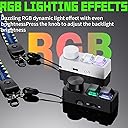
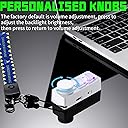
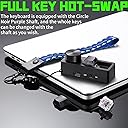
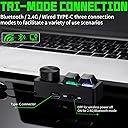
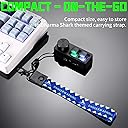
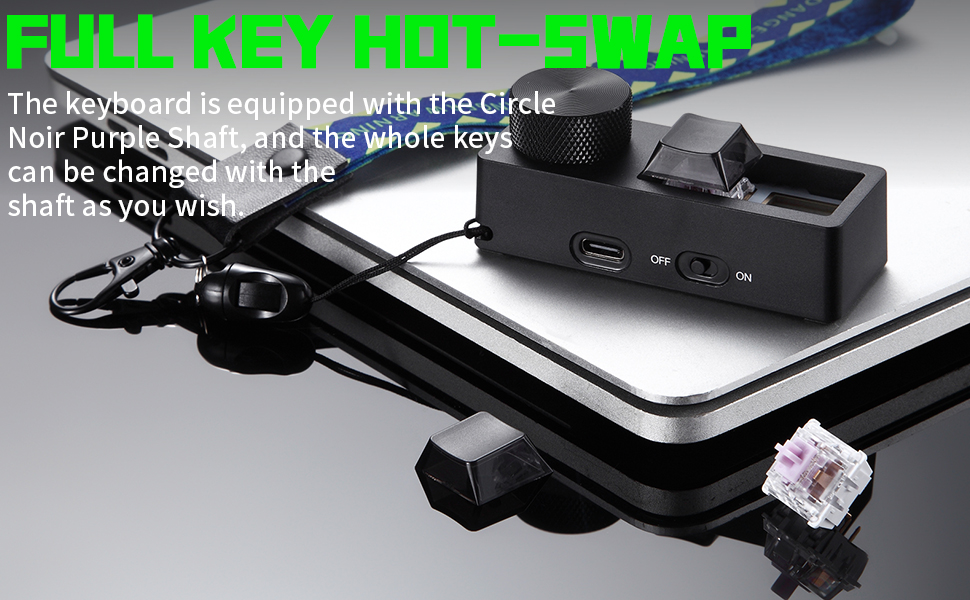
The Darmoshark K2PRO is a sleek, wireless mechanical keypad designed for gamers and professionals alike. Featuring hot-swappable mechanical switches, dual-mode connectivity via USB-C and 2.4G wireless, and customizable RGB lighting, it offers versatile control with two programmable keys and a dedicated volume knob. Its lightweight, ergonomic build ensures comfort and portability across Windows, Mac, and Linux platforms.


| ASIN | B0DCJVDXHD |
| Additional Features | Lightweight |
| Antenna Location | Gaming |
| Best Sellers Rank | #4,327 in Computer Keyboards |
| Brand | Darmoshark |
| Button Quantity | 104 |
| Color | White |
| Compatible Devices | PC |
| Compatible Operating System Family | Windows |
| Connectivity Technology | Bluetooth |
| Customer Reviews | 3.5 out of 5 stars 12 Reviews |
| Enclosure Material | Aluminum and Acrylonitrile Butadiene Styrene (ABS) Plastic |
| Hand Orientation | Ambidextrous |
| Keyboard Description | Gaming |
| Keyboard Layout | QWERTY |
| Manufacturer | Darmoshark |
| Minimum Required Operating System Version | Windows 11 |
| Number of Items | 1 |
| Number of Keys | 3 |
| Number of Packs | 1 |
| Power Source | USB Powered |
| Recommended Uses For Product | Gaming |
| Special Feature | Lightweight |
| Style Name | Contemporary |
| Switch Type | Mechanical |
| Unit Count | 1 Count |
| Warranty Description | 1 year |
S**N
It works. Requires proprietary software for 2-key rebinding.
Short story: It works. Long story and the breakdown: Tri-mode mini 2-key macroboard thing. Bluetooth works, if you follow the instructions. 2.4g dongle works, if you plug it in and follow the instructions. Wired just works even when you turn it off. Default has the board tied to Left Mouse Button, Right Mouse Button, and Volume Knob. This REQUIRES DOWNLOADABLE SOFTWARE from Darmoshark's website if you want to rebind LMB and RMB. I don't really think the knob functions can be changed from my testing. Closing thoughts: Anyway, it was simple to setup and is great since my actual keyboard has no knob. The real benefit for me is that it's small, lightweight, and fits my hands easily so I can use it like a wireless remote for scrolling webpages without having to fully be at my heavy keyboard and mouse. The volume knob is just a bonus. The thing is lightweight and made of plastic, but it can do what I wanted it to. Honestly, the only thing I would have preferred would be for this to be QMK/VIA compatible instead of requiring the separate software, but overall I'm okay with it. I didn't really want to waste a USB port for 2 keys and a knob, so BT working is really enough for me, but the versatile connectivity is nice to have.
P**R
Dial cannot be programmed
The manual it comes with is not translated very well, but you'll get it well enough. The dial is not customizable, it can only do default windows volume control and RGB control, which is very disappointing. Otherwise the keys work fine.
C**R
Another great piece of hardware marred by substandard software
I really want to like this keypad, I really do. The keypad itself feels pretty solid and I like the feel of the keys and even the included knob / dial. Curious why it has a lanyard. I suppose it could be useful if you're going to a gaming convention or something but otherwise and odd feature for a keypad. Unfortunately, this is another case of a really good piece of hardware whose main frustration lies in the software that is used to program it. I have had several of these keypads. To be honest, I start to wonder if they're all made by the same company and just rebranded over and over again. Without mincing words. The software is just downright difficult to use and I am a software engineer. I honestly can't imagine someone without a strong technical background trying to use this thing. I like that it supports macros, but even though the software supports saving multiple macros, it will only support one saved macro on the device at a time. This is a huge design flaw. Why support the creation of multiple macros if attempting to assign the macro to a button requires there to only be one saved macro on the device at all? Speaking of macros. There are very few of these keypads that support entering a password. This one "kind of" supports it... as a macro. It would be better if it just had a stored password (or other text) feature without having to modify each individual keystroke to make it enter faster. The thing is, knowing how software works... I actually think this keypad could be a 5-star product if the manufacturer spent a little more time testing and redesigning the software. I will be on the lookout for updated software. If the software gets better, I will change my rating.
E**R
Fun novelty for sure
This little pad is probably not really something anyone needs, but it's cool regardless. I don't know why but it irks me every time I have to click on something to adjust the volume like a caveman, so any time I can add a volume knob into the mix I will. My current board already has a volume knob, but it can be swapped out with keys instead, so I thought I would try using this in place of that. The reality is that it's just such a small little device and so light that you almost have to fix it to something else. Maybe the edge of your keyboard if it has a flat enough space... Anyway, it's an interesting little thing to have, but ultimately I found it to just not be very useful for my purposes... until it dawned on me to fix it to my sim racing rig. Now I can easily control volume from there and even assign some functions to the two buttons as well. In this scenario, it's actually a really cool addition. I like it!
E**N
Fun little macro pad that does what it says it will do.
The K2PRO is a great little macro pad. A little light weight from a construction standpoint, but that is kind of to be expected. Out of the box, the knob is set to volume on turn and will toggle to serve RGB brightness on press with the keys set to L/R mouse buttons. The usefulness increases once you install the driver, and you can map the keys at will and with Tap functionality as well. This Tap differs from others I've experienced in that the K2PRO can have one function on quick press and release, such as copy and paste and another function on press and hold such as calculator and mute. The Tap sensitivity or threshold can be adjusted in the driver settings as can any macros you wish to record and backlight customization. I do wish the knob press was mappable, but it seems to be locked to toggle between volume and backlight brightness. There is even a female A to C adapter for the included dongle so you can plug it into the provided cable. Overall, this is a great little pad. I'd love it if they made one with an aluminum case.
V**V
Not true Bluetooth connectivity
Bluetooth connection through a usb port. Any mention of that information would be beneficial.
A**R
It's ....ok
While this checks the boxes for a small, basic-use macropad, I am not a huge fan. This is mainly a driver problem, as the device itself is totally fine and doesn't lack in quality there. First, you need to find the drivers on Darmoshark's website. They are not open source VIA/QMK drivers, FYI, if that wasn't obvious from the listing. The other disappointment is that the knob can only control volume/rgb brightness and not be reassigned. The driver itself is pretty basic in terms of what you can do. I couldn't figure out how to do anything but assign key commands/macros to the two keys. There's something they call "tap" which I was hoping would either be a layer functionality or tap/hold functionality, however any time I enabled keys on the Tap layer it seems to just override the default. Finally, and probably the biggest oversight in my opinion, is that you can only customize the key functions. The knob cannot be assigned to something else. That is, you're stuck with the default capability of volume control/device RGB brightness. That's it. Pretty disappointing - I think if the software was improved you'd have a decent little macropad at this price. Without that, it's a letdown. If you want something to do very basic media controls, this would probably be fine as-is.
G**Z
Compact and Reliable Gaming Keypad
This mini game keyboard is a well-designed, high-quality accessory that delivers smooth performance in a compact form. With two fully programmable keys and hot-swap capability, it offers flexibility and customization that gamers will appreciate. The wireless connection is stable, and the RGB lighting adds a fun and modern touch without being distracting. Built with durability in mind, it feels solid and responsive, and the price is good for the level of quality and features provided.
Trustpilot
2 weeks ago
2 months ago