

Desertcart purchases this item on your behalf and handles shipping, customs, and support to Japan.
🚀 Elevate your storage game with speed and style!
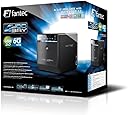
The FANTEC 1695 QB-35US3-6G is a premium external hard drive array designed for professionals needing high-capacity, high-speed storage. Featuring support for up to four 3.5-inch drives, ultra-fast 750 Gbps data transfer via USB 3.0, and a durable aluminium chassis, it offers seamless compatibility with Windows and Mac OS. Weighing just 1.8 kg, it balances portability with robust performance, making it an essential tool for managing large data workloads efficiently.


| ASIN | B00ORENYJE |
| Best Sellers Rank | 107,875 in Computers & Accessories ( See Top 100 in Computers & Accessories ) 344 in External Hard Drives 1,271 in Hard Drive Accessories |
| Box Contents | QB-35U31, Type C 3.1 cable, external power supply, manual, 4x hard disk handles, screwdriver |
| Brand | Fantec |
| Brand Name | Fantec |
| Colour | black / black |
| Compatible Devices | external hard drives 3.5 inch |
| Customer Reviews | 4.4 out of 5 stars 2,610 Reviews |
| Data Transfer Rate | 750 Gigabits Per Second |
| Enclosure Material | Aluminium |
| Global Trade Identification Number | 04250273416954 |
| Hardware Interface | Serial Interface |
| Hardware Platform | Universal |
| Hardware interface | Serial Interface |
| Hardware platform | Universal |
| Item Dimensions L x W x H | 8.9L x 19W x 14.5H centimetres |
| Item Type Name | FANTEC QB-35US3-6G External 4-Way Hard Drive Enclosure (for 4x 8.89 cm (3.5 inch) SATA i/II/III Hard Drives, USB 3.0 SuperSpeed and eSATA Connection, 6G Support, 80 mm Fan Temperature Controlled |
| Item Weight | 1.8 Kilograms |
| Manufacturer | Fantec |
| Manufacturer Part Number | 4250273416954 |
| Material | Aluminium |
| Model Number | 1695 |
| Network Connectivity Technology | SATA, USB, eSATA |
| Number of Items | 1 |
| Product Warranty | 2 years |
| Product dimensions | 8.9L x 19W x 14.5H centimetres |
| Supported Devices Quantity | 4 |
| The Standard Size of the Hard Drive or the Bay the Hard Drive Is Compatible With (in inches) | 3.5 Inches |
T**E
Great kit
Very pleased with the Fantec. It arrived on time is easy to set up and works well and quietly. Very useful to have great and speedy storage. Only criticism I saw before purchase is that the operating led strip is very bright and can be distracting. I can appreciate this is a valid point as it is bright but as mine sits to one side it is not a problem. Fantec could consider including a facility to dim it a bit which would be useful. Apart from this minor point I recommend it.
M**S
Great bit of kit, only let down by lack of LED brightness adjustment
Picked this up to fill with drives taken out of numerous external drive caddies to reduce the amount of plugs and usbs required to run them, space saving etc. The features on this unit is pretty good and was quite surprised to find the main case to be metal rather than full plastic (only front drop down panel is plastic). Very Happy with this, but the LED is dazzlingly bright, would have likes option to reduce the brightness down so isnt blinding me during use, that aside the fan cooler on the back is pretty quiet on all but the highest speed, so that keep those puppies well below the temps in thier original caddies.
J**T
Why no UK plug?
Arrived today. Seems to be well made and rubs. Easy to instal HDD's. Only problem is power lead fitted with Continental two pin plug. If selling in the UK, why not fit a UK plug?
H**H
I love it!
Excellent product at a great price
G**Y
Easy Networking with USB storage.
Good product connected to a windows pc, add 3 hard drives, format and connect USB cable turn on and you can start saving your files.
P**N
FANTEC 1695 QB-35US3-6G External
I purchased this item I 2019 just as look down started; I did not try to use it until some years later and found it did not work. The makers said it might be the power supply I tried to buy a new one from the makers but they do not export to the UK 2024 I found power supply was fealty, its something to do with the two pin plug, I found a similar power supply that work so I have fitted a 3 pin plug and everything lights. But the makers may have done something to rectify on the newer models
A**R
Not the best start. Seemed to work ok after the initial ...
Bit of a mixed bag this one. When I first plugged in the enclosure blue/white sparks emanated from the unit. Not the best start. Seemed to work ok after the initial switch on, until it began randomly disconnecting all the drives from my computer. Will ask for a replacement now in case there is an imminent failure on the horizon and hope for the best. Not a totally hassle free purchase unfortunately.
B**M
Pay more and get a better make.
Pros: The price is reasonable and it is very easy to set up. Cons: The airflow is inadequate and I have had to remove the front panel. It may be coincidence but I have had 2 drives crash in a space of less than one month.
M**6
Enclosure di qualità con la possibilità di condividerla tra due PC
Enclosure di qualità con la possibilità di condividerla tra due PC Considerato il prezzo è un ottimo prodotto, ma ciò che più si apprezza è la concezione ideata da persone che realmente conoscono quali sono le necessità di chi ha a che fare spesso con dischi rigidi e vuole potersi garantire il controllo e la compatibilità, demandando la gestione ad un PC. Tale marchingegno io lo chiamo (UAS or SAS) a seconda degli usi (USB o seriale). Dato che la mia infrastruttura è vetusta non potevo usare un NAS sia per ragioni pratiche (router da 100 Mb/s) che per questioni di affidabilità (quando il NAS muore, minimo devi comprarne uno uguale, e a volte non è possibile re-importarlo), mentre non ho scelto la versione col RAID e USB 3.1 poiché sul RAID già avevo dubbi (e ne ho avuti), poi ho letto di chi ha avuto problemi, mentre sull'USB la 3.0 (ovvero la 3.2 Gen 1x1) è già in grado di garantire una banda di 5 Gb/s, quindi praticamente come un controller SATA agganciato al bus PCI. Questo sistema mi permette di: - Usare i miei HDD, anche singolarmente, inserendo di tanto in tanto un set per fare il cold storage. - Disporre dei miei HDD come più mi piace, incluso usare il RAID software di Windows che dovrebbe garantire un'affidabilità ben maggiore di quello hardware della Fantec. Per il momento ho solo abbinato due dischi (spanned volume). - Condividere gli HDD tra due PC principali per trasferimento dati ad alta velocità, demanando la sincronizzazione ordinaria tramite SMB share di Windows (in ogni PC è aperto uno share per ogni disco o set di dischi riuniti sotto singola unità). Per quanto riguarda l'uso devo rilevare che: - Non è affatto rumoroso, ed ho una Workstation appositamente studiata con ventole di buone dimensioni a bassi giri per questo. Quasi non riesco a distinguere quando è acceso (ventola al minimo, livello 3). - L'ultimo slot confligge durante l'inserzione con quegli HDD che hanno la scheda inferiore popolata di componenti (rischio rottura HDD, prestare attenzione!). - Il primo slot (che sembra anche il più fresco) una volta in uso da qualche difficoltà in chiusura del frame metallico di ritenuta, l'HDD al suo interno ha un gioco maggiore (una volta bloccato tutto OK). - L'interfaccia (come logico) va alternata (tramite pressione prolungata tasto), la sincronizzazione per lo spegnimento col PC funziona correttamente (nella modalità immediata da me provata). - I LED di attività dei dischi sono ACCECANTEMENTE luminosi, ragion per cui ho fatto una modifica per renderli meno luminosi. - I LED di controllo delle varie modalità non sono intuitivi (vanno ricordati), e anche le luci degli HDD vanno interpretate in quanto le scritte sul case sono di difficile interpretazione. - Avrei preferito uno spinotto di corrente posteriore, la facciata anteriore si graffia facilmente. Buona la costruzione metallica. - La ventola ad accesso posteriore è una trovata geniale, sicuramente frutto di persone che sanno cosa vuol dire cambiare una ventola (non hot swap) su un computer acceso. Anche il PSU è fatto con lo stesso criterio e riporta perfino il pinout del connettore: ottimo lavoro Fantec ! La mia impressione è di una disk station destinata a durare nel tempo poiché la ventola e il PSU sono di facile sostituzione, e sia l'USB 3.0 che l'eSATA garantiscono velocità di trasferimento ottime per molti anni a venire. Ed ora due consigli per evitare la PERDITA DEI DATI: Essendo i dischi in eSATA attaccati via seriale al PC non dovrete MAI spegnere l'enclosure Fantec prima di averli disconnessi. 99 volte su 100 se lo fate non accade un bel niente. Se anche l'interfaccia SATA è fatta per l'HOT swap, questa enclosure non lo supporta (almeno non usando il controller JMicron JMB363 sulla scheda madre della mia WS). Per maggiore sicurezza disabilitate la cache in scrittura (in modalità eSATA) e ottimizzate per "quick removal" se non volete usare l'icona rimozione dei dischi ogni volta, ripetuta per ogni singolo disco.
O**R
Ce boitier est parfait
Ce boitier est parfait. j'en avais déjà acheté un, et j'en rachète un autre. Il permet de mettre 4 disques durs internes , J'ai mis 4 HDD de 4To dans chacun . Ce qui me fait 32 To au total . (16 To par boitier) Il est préférable de le brancher en USB 3 qui est plus rapide que le e-Sata. Ils tournent non stop depuis des mois et fonctionnent toujours aussi bien. Il est possible sans problème d'utiliser plusieurs des disques en même temps sans que ca pose de problème. Pas de ralentissement et le transfert disque à disque est tout aussi rapide. - Le seul gros bémol est la prise d'alimentation sur le coté. C'est vraiment le seul point négatif mais avec tout ce qu'il a de positif ce n'est pas bien grave. - Le gros point positif à part qu'il soit parfait, c'est son prix. On ne trouvera pas mieux à ce prix là. Tant qu'il reste à ce prix là ou qu'il baisse de prix. je m'attendais à un boitier beaucoup plus gros et au final il est tout petit. Il a un ventilateur qu'on peut regler (ou mettre en automatique) mais celui fait beaucoup de bruit (en fonctionnement lent, il refroidit assez) L'installation des disques dans le boitier est très simple. Surtout , pensez à mettre les poignées sur les disques, ca facilite les choses au cas ou il faudrait les enlever.
M**H
Günstiges und gutes Produkt mit Informationsdefiziten
Es gibt mit dem Gehäuse u.U. unangenehme Erfahrungen von vermeindlichem Datenverlust, wie auch einige Nutzer hier berichten. Wie ich inzwischen weiß, geht das aber gar nicht auf das Konto des Fantec-Gehäuses. Deshalb möchte ich das erläutern: Setzt der Käufer bereits vorhandene Festplatten aus einem Einzelgehäuse um in das 4-Bay-Gehäuse und sind diese über 2 TB groß, so kann es unangenehme Überraschungen geben, die den Nutzer arg verwirren und glauben lassen, das Fantec-Gehäuse sei schuld und nichts wert. Zwar gibt es den Hinweis, dass man beim Initialisieren einer HDD mit mehr als 2 TB diese als GPT initialisieren muß, aber es gibt leider keinerlei Hinweis oder Aufklärung für den Fall in der Anleitung, wenn eine bereits MBR-initialisierte Disk größer als 2 TB in das Gehäuse eingesetzt wird. Dieses Versäumnis muß ich Fantec vorwerfen. Was also kann passieren? In meinem konkreten Fall habe ich eine früher mal kostengünstig erworbene externe Einzelfestplatte von Intenso mit 3 TB in das Fantec-Gehäuse setzen wollen. Die Festplatte (von Western Digital) war damals bereits vorformatiert und inzwischen zu 2 Dritteln mit Daten gefüllt. Nach dem Einstecken in das Fantec-Gehäuse passierte dann genau das, was andere Nutzer hier auch schrieben: - Es werden für die Platte statt einer großen 3 Partitionen angezeigt, die auch noch unformatiert oder nicht zugeordnet seien. Windows bringt die Meldung, man müsse die Platte vor Verwendung erst formatieren! Wer da Ok drückt, hat seine Daten verloren! - Stecke ich die Platte direkt im PC intern an, funktioniert sie auch dort nicht, ist komplett tot und wird von der Datenträgerverwaltung als "Gerät nicht initialisiert" angezeigt! Festplatte tot? Alle Daten fort? Nein. Die Crux ist aber, dass in dem ehemaligen billigen Festplatten-Einzelgehäuse ein billiger Controller verbaut war, der gar nicht in der Lage ist, mehr als 2 TB zu adressieren, sondern dies nur nach außen simuliert. Die Festplatte funktioniert deshalb auch nur an diesem Controller ordnungsgemäß, aber nicht im PC oder dem Fantec-Gehäuse! Ein probeweiser Rückbau in das alte Gehäuse - und siehe da, die Platte funktionierte wieder fehlerfrei, alle Daten noch da. Obwohl mit dem alten Festplattenverwaltungssystem MBR (Masterbootrecord) eigentlich nur 2 TB adressierbar sind, war die Platte als MBR-Disk vorinitialisiert. Das konnte im PC und dem neuen Gehäuse nicht funktionieren. Festplatten über 2 TB müssen dazu als GPT-Disk initialisiert werden. Nur das neuere GPT-System ist in der Lage, Festplatten über 2 TB ohne Tricks verwalten zu können! Doch genau dazu steht rein gar nichts in der Anleitung. Kurz und gut: Die Probleme lagen nicht am Fantec-Gehäuse, sondern an den Besonderheiten des alten, billigen Einzelgehäuses von Intenso und der damit verbundenen getricksten Festplatteneinrichtung! Mit dieser Erkenntnis habe ich die Platte neu als GPT-Disk initialisiert - und sofort standen mir alle 3 TB als eine Partition auch im Fantec zur Verfügung! Leider mußte ich danach die Festplatte mit den gesicherten Daten neu beschreiben. Hier wird das Produkt wohl zu oft falsch verdächtigt! Ansonsten bin ich mit dem Produkt angesichts des niedrigen Preises vollauf zufrieden. Entgegen anderer Stellungnahmen ist die Übertragungsgeschwindigkeit bestens und wird bei mir nur durch die Leistungsfähigkeit der verbauten Festplatten begrenzt (rd. 150 ... 170 MB/s), das Gehäuse schaltet sich automatisch ab sobald die Festplatten im PC abgeschaltet werden, also auch bei längerer Nichttätigkeit - wenn der PC so eingestellt ist. Zwar ist der Lüfter nicht flüsterleise, eine besonders nervende Lautstärke kann ich aber nicht feststellen. Zumal ich nur energiesparende Festplatten drin habe, die bisher selbst bei kleinster Lüfterstufe deutlich unter 40 °C bleiben, selbst bei stundenlangem Kopieren oder Vergleichen. Wenn man natürlich den Lüfter manuell auf die höchste Stufe stellt, ok, dann ist es laut, aber eben unnötigerweise, weil bisher immer die niedrigste Drehzahl zur Einhaltung der Temperatur genügt hat. Dabei ist der Lüfter allemal leiser als der Desktop-PC selbst. Man denke auch daran, dass dies lediglich ein externes Festplattengehäuse ist und kein NAS-Server. Es bietet sich also insbesondere für die Archivierung an, nicht als permanent laufende PC-Unterstützung. Insofern entstehen die Zusatzgeräusche, wenn überhaupt, nur temporär und nicht ständig beim PC-Betrieb. Die Gehäuseverarbeitung ist angesichts des Preises überraschend hochwertig. Die Frontklappe ist abnehmbar gestaltet, um die unterste Festplatte einfacher einsetzen zu können (sonst wäre das Gehäuse größer geraten). Diese gewollte Abnehmbarkeit gar als klapprig zu bezeichnen, dürfte den Sinn der Konstruktion verkennen. Zu bemängeln wäre höchstens der Klappenverschluss, der sich beim ungünstigen Anfassen des Gehäuses schon mal ungewollt öffnet. Hier wäre ein dauerhafter Schiebe- oder Drehriegel besser geeignet als der Push-Push-Drücker. Andererseits sollte man aber auch daran denken, dass man im Regelfall einmal die Festplatten einsetzt und dann das Gehäuse so gut wie nie wieder öffnet! Als ausgesprochen dämlich aber empfinde ich die seitliche Anordnung des Netzadaptersteckers! Dadurch kann man nicht mehrere solche Gehäuse lückenlos nebeneinander aufstellen. Warum nicht auf der Rückseite? Das ist m.E. der größte und einzige Mangel an dem Produkt. Da auch andere Hersteller diesen Anschluß an der gleichen Stelle haben, kann man nur vermuten, dass sich bei denen genau die gleiche Hardware im Inneren verbirgt. Nachtrag vom 14.01.2018: Inzwischen habe ich mir ein zweites Gehäuse gekauft.Auch bei dem ist der Lüfter wieder ziemlich leise. Ich kann nur vermuten, dass Kritiker, die sich über eine erhebliche Lautstärke beschweren, den Lüfter manuell auf Stufe 3 geschaltet haben und nicht auf "Automatik". In der höchsten Stufe 3 (die übrigens bei manueller Auswahl die erste (!) auswählbare Stufe ist) ist der Lüfter tatsächlich schon recht laut, aber wie bereits gesagt, eine solche Stufe ist überhaupt nie notwendig. Einfach den Lüfter auf Automatik einstellen und dann läuft er niemals schneller als in der niedrigsten Stufe - und ist kaum zu hören. Und die Festplatten bleiben trotzdem unter 40°C. Außer dem o.g. Problem wieder mit einer 3TB-Festplatte, die als MBR-Disk vorinitialisiert war, hatte ich auch wieder keinerlei Probleme mit der Inbetriebnahme von 4 Festplatten.
R**Y
Solid solution
Great! Honestly a fantastic solution if running tight on space and want a high speed direct attached storage solution. Have it on the other side of the room to my Pc via a 5m usb cable and am seeing about 150mb/s transfer rate with a couple of hard drives I have stashed in it. Fan on auto and it’s pretty quiet.
D**.
BUEN PRODUCTO
Queria una caja para meter varios discos y no tener que tenerlos dentro del PC. Es una caja para conectar 4 discos por USB (o eSATA), mucho mas comodo que tener 4 carcasas independientes. Ademas tiene ventilador y alguna funciones mas, aunque no las usare la verdad. Resulta que Windows 10 tiene una funcion que se llama "Espacios de almacenamiento" que te permite hacer algo muy similar a un RAID, es decir, que puedes hacer que Windows te muestre los 4 discos que metas en la caja como uno solo, y de hecho configurarlo de varias formas para que tenga proteccion contra errores o el fallo de una de las unidades. Muy interesante. Yo lo he podido configurar todo ok. - La calidad de fabricacion es buena. - El cable USB que trae es de calidad aceptable, pero un poco corto (1m), yo he tenido que comprar uno de 2m por la ubicacion en la que lo he puesto. - Los discos son faciles de montar. solo llevan dos tornillos, y trae el destornillador. - Las luces led azules del frontal son muy brillantes, pero con un poco de maña se puede arreglar. - El ventilador obviamente suena un poco (en la posicion mas lenta), pero se supone que lo vas a tener al lado de un PC... se disimula el poco ruido que hace. Si apagas el PC, se apaga tambien la caja. Y poco mas que añadir, cumple con su cometido, y el precio dentro de este tipo de aparatos esta bien. IMPORTANTE: Es posible que si conectais el USB en el frontal del pc o en un hub o alargador de usb no reconzca bien los discos o de fallos. Ponedlo en un USB trasero del PC que sea 3.0 MAS IMPORTANTE AUN: Tened en cuenta que durante el proceso de puesta en marcha de los discos puede que te toque formatearlos antes, asi que guarda los datos antes en otro sitio, que luego vienen los lloros. Sobretodo si te interesa el tema de los espacios de trabajo de Windows 10 para "fusionar discos".
Trustpilot
4 days ago
2 weeks ago