

Desertcart purchases this item on your behalf and handles shipping, customs, and support to Japan.
📼 Digitize your nostalgia, own your legacy!
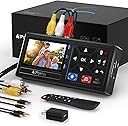
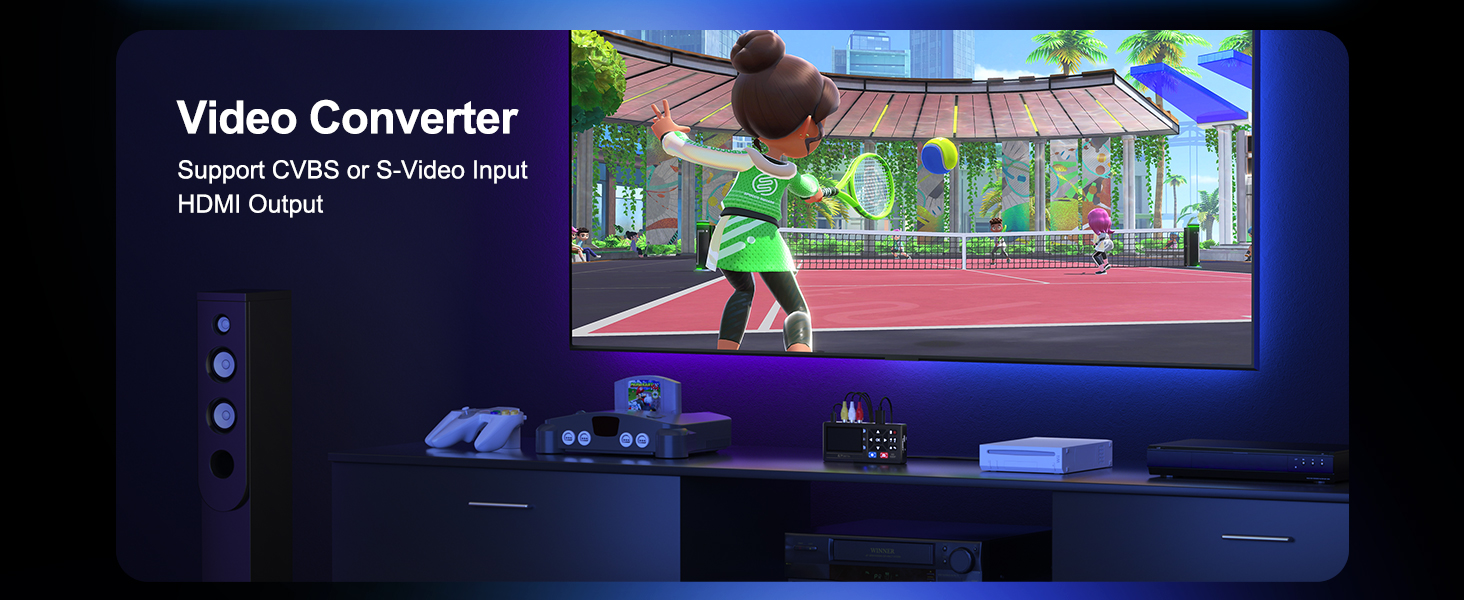
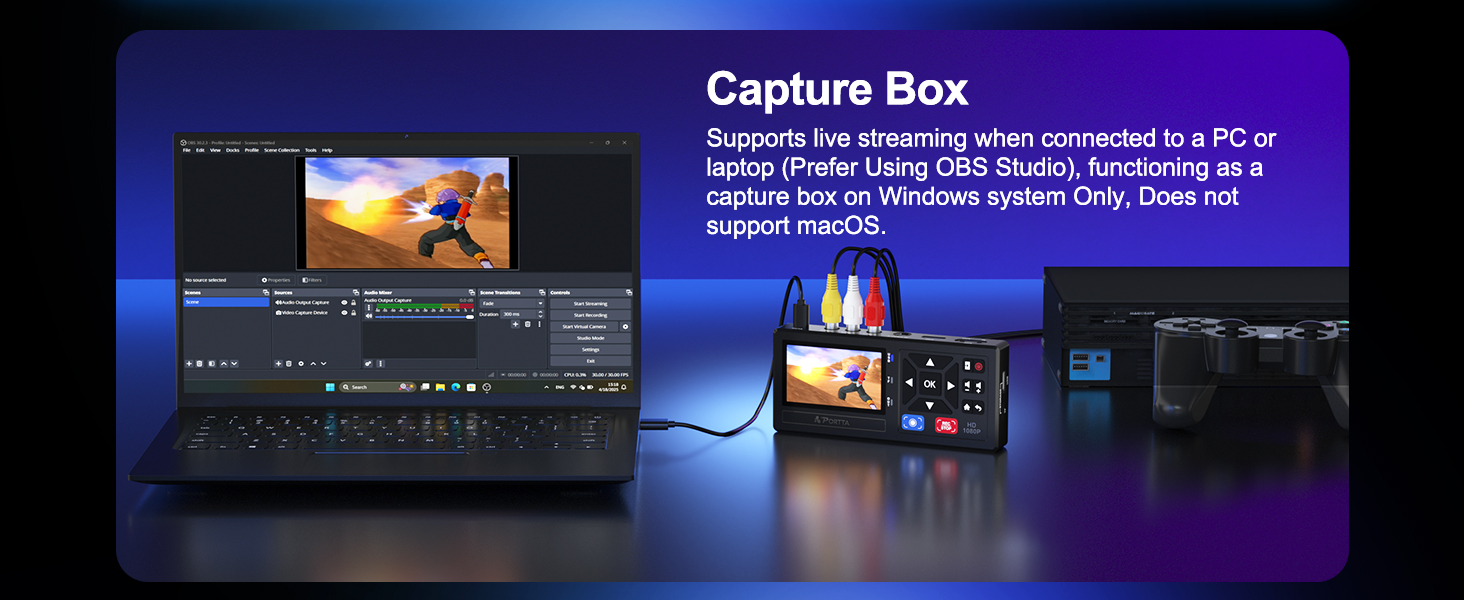
The Portta VHS to Digital Converter is a versatile, plug-and-play device that converts analog video and audio from VHS, VCR, DVR, DVD, Hi8, Mini DV, and gaming consoles into crisp 1080P MP4 digital files. Featuring a 3.0" preview LCD, built-in speaker, and unlimited USB/SD storage support, it empowers professionals to effortlessly preserve and relive their vintage media collections with ease and precision.



| ASIN | B0D8XGYZ8L |
| Audio Output Mode | Stereo |
| Best Sellers Rank | #13 in Video Converters |
| Brand | Portta |
| Brand Name | Portta |
| Compatible Devices | DVD, DVR, Hi8, Camcorder, Mini DV Players, VCR, VHS |
| Customer Reviews | 4.5 out of 5 stars 2,028 Reviews |
| Interface | HDMI, RCA |
| Interface Type | HDMI, RCA |
| Item Dimensions L x W | 6.22"L x 2.97"W |
| Item Weight | 6.5 ounces |
| Manufacturer | Portta |
| Maximum Supply Voltage | 5 volts |
| Minimum Supply Voltage | 5 volts |
| Model | VD10 |
| Mounting Type | Free Standing |
| Number of Channels | 2 |
| Number of Items | 1 |
| Number of Packs | 1 |
| Number of Pins | 3 |
| Part Number | VD10 |
| Unit Count | 1 Count |
| Warranty Description | 2 years warranty |
L**E
A great way to save old memories!
I picked up this VHS-to-digital converter to save some old family home videos before the tapes deteriorated any further. The setup took a little patience, but the included instructions were clear enough to get everything connected. Once I figured out the software, the transfer process was straightforward. The video quality is about what I expected from VHS. It doesn’t magically make old tapes look like HD, but it captures the footage faithfully and preserves those memories in a digital format that can be stored on my computer or backed up to the cloud. Audio stayed in sync during my transfers, and I didn’t experience any dropped frames or crashes. I also like that I can trim and organize the files afterward without having to keep pulling out the VCR. The only downside is that converting happens in real time, so a two-hour tape takes about two hours to digitize. That’s just how this type of device works, not really a fault of the product. Overall, if you have a collection of old VHS tapes and want an affordable way to preserve them, this converter does exactly what it’s supposed to do. I’m happy with the results and would recommend it to anyone looking to save old family memories before they’re gone.
C**L
Good purchase!
This VHS to Digital converter has been great. I have been able to convert a lot of old VHS tapes to digital. I know some reviews have stated it quits or stops but I have not had any problems. I do not have extremely long videos though. I pause between videos to separate each recording so I can rename it to something searchable and I don't have to go through a long recording to get to the video I want to watch. The picture quality on the converter is not as good as the final converted video but it is clear enough and I really only care about the finished product which has been great. I did not have any problems with connecting it to my old VHS recorder, ask the cables I needed were included which was nice. If you want a relatively cheap way to convert your videos I would give it a try.
D**M
Worked as advertised
Performed as advertised. Moved on from using and old Panasonic DMR-ES35V recorder. The Protto makes cleaner copies of my old VHS videos than this old unit, and straight to MP4 format and deinterlaced. Sorry I didn't save some of the old tapes I already had converted to digital and threw away. I copied using 4 head VHS recorder using an S video connection, which made a slightly better picture. I copied the video at a resolution of 640X 480 preserving the orginal format at a bit rate of 10Mbs and Audio set to 192Kbps. Quite happy with the results, you cant expect the video to be better than the orginal, but it is as good and no artifacts, much better than copying to DVD and then having to copy that onto a hard drive to preserve or watch on various devices.
A**G
Great product, but there’s a caveat!
WARNING—while I still love the product which has been working great, be forewarned that after about 2 weeks I had problems saving my videos. The device said my recording was saved, but it would not play from the USB to my computer. It said the recording was not compatible. I wrote to the tech support email. They NEVER answered. After a day or two of experimenting, I figured out that although my USB had over 200 GB of storage, much of which was still unused, the recording device would only record to a little less than 128GB. Reading the description again on Amazon, it does mention 128GB, but it isn’t clear that it is the limit of the recorder’s capacity to transfer to the USB. I have been using this item to the lower capacity since figuring this out with no issues to capture videos off my camcorder from 20 years ago, and the quality of the recordings are great! Just don’t waste your money using USB’s that are greater than 128GB. They play in my computer and my tv, and watched with no problem. The only other glitch is that once I rename my videos, I end up with 2 versions of each video, one that was so short that it didn’t even play, and the other perfect. I don’t know if it’s the converter or the USB and the fact that I renamed the videos. But whatever. I just put the unplayable videos in the trash and kept the perfect versions. BUT IF YOU EXPERIENCE ISSUES, you probably won’t get any help.
J**E
Great Digitizer That Brought Family Memories Back!!
This is a fantastic little digitizer. I have spent at least 18 hours using it and it does very well. I have digitized both VHS and Hi8 using the S-video line. The playback quality is really good, there is no issue with videos with a lot of motion getting blurry like I had with my older computer based digitizer. Keep in mind this does not upscale but it does give you options to change sample rate and resolution of the capture of the device itself which is very nice....there is no degrading between the media on tape to the digitized media which is great. The only issue I have ran into is that some old VHS tapes would have a space that would have data rot and the digitizer would try to sense if the media was NTSC or PAL at that moment and stop recording....this only happened a few times but wasn't a problem since I was monitoring recordings the whole time. Some other great things about this digitizer is that it has a great little internal monitor screen with speaker so you can use this box alone with the VCR or Camcorder or you have the option to plug it into HDMI and actually watch it on a tv while you digitize. I put a 512GB TF card in mine but found it was best to transfer data off TF card after every tape to not get confused of data on card...i don't believe you can rename files on device itself so can get messy with lots of tapes digitized. Each VHS tape is around 10GB of data so you can use a much smaller TF card than what I bought. Overall, I am extremely pleased with this digiter for the money and its very simple to setup and use. Your results may vary based on your VHS data or the VCR you use but my results with S-Video has been very pleasing.
K**I
Finally Transferring My VHS Tapes Before They Disappear Forever
If you have old VHS tapes sitting around collecting dust, I would highly recommend getting them transferred sooner rather than later. Tapes do not last forever. They deteriorate over time, they can get sticky, they can jam your machine, and worst case, they can ruin your VCR heads. The earlier you transfer them, the better chance you have of preserving those memories without issues. Originally, I thought about getting one of those basic video capture devices that connects to a computer. But honestly, this unit is so much better. The fact that you can actually see what you are recording on the screen while it is happening makes a huge difference. It gives you peace of mind that everything is working correctly and nothing is cutting out halfway through. One thing to note is that it does not have built in storage. You will need your own USB drive or TF card to save your recordings. That is not a deal breaker for me, just something to be aware of. It does have HDMI out, so you can connect it to a modern TV and preview everything easily. I also love that it supports multiple inputs. You get standard RCA connections for most VHS, Betamax, or camcorders, and it even includes S Video input for higher end players, which gives better quality. It also comes with the cables, power adapter, and even a remote, which is refreshing since a lot of products these days skip the power block. It records in 1080p, which is more than enough. VHS quality is nowhere near 1080p anyway, so you are basically capturing the maximum possible quality from the source. For anyone serious about preserving old family memories without needing a computer setup, this is a super convenient and easy solution. I am excited to start transferring a whole stack of old tapes and finally get them backed up safely.
M**C
Great value and works well
This worked well. Easy to use and within 10 minutes I was transferring VHS tapes to a flash drive.
A**R
Unreliable - Double check your mp4 files
I have to update my review because it’s been more reliable lately. I’ve had much better luck when I remove the MP4 by cutting and pasting after each single recording. If I copy and paste and leave the previous recording on the USB stick, future recordings tend to fail. Previously, I was copying and pasting because I didn’t want to delete anything until I confirmed it was good. I was also doing multiple recordings without offloading them to my PC so I could process multiple tapes more quickly, but I believe that was causing my failures. I’m uncertain and will continue testing. Using this method, I’ve processed 7 tapes with no errors, at least not yet. I’m still keeping my eye on it, and I will make sure to keep the video folder empty before each recording. Not sure if it matters, but I’ve also been turning the device off by pressing and holding the power button before unplugging the USB stick. It probably doesn’t matter, but I’ll keep doing it anyway so I thought I would share. I use the timer feature to get it to stop recording close to when the tape is done. I know the duration of my tapes. One thing that is awkward is that the timer doesn’t use exact times. It jumps from 98 minutes to 103 minutes to 111 minutes. So I just round up to make sure nothing is missed. The timer feature will not let you start recording until the tape starts playing, which is a bit annoying when trying to record the first frames of the tape. I’ve gotten around this by toggling the menu button on and off on the VCR and then it lets me record. The feature is probably there to avoid recording nothing, but it’s still a bit annoying. The video looks way better than the OBS recording I did previously, but that may have been due to a physical issue with my previous capture system. I like that I don’t need a computer to record but since I’m now cutting and pasting between each recording, it is kind of messing up my flow. Still I’d rather have a slightly slower process with 100% success than a faster process with 55% success. Original review - I've processed 22 VHS Tapes with this and 10 of them created MP4 that fail to play in Windows, VLC, Failed to upload to YouTube. I even tried MP4 file recovery programs and those failed as well. If you don't mind a 45% failure rate, then this is great for you. I personally can not those 10 tapes were 2h30m on avg so thats 25 hours of processing time waste. Completely unacceptable.
E**S
Enkelt att överföra gamla video band till usb minne
Bra kvalitet, enkel att hantera och att överföra video till usb minne .Jättenöjd
A**L
It needs better manual for explanation
It is very good device. I recorded 5 old DV cassette. Then I had a problem with my old camera . Then I fixed my camera. It is working now. The manual is difficult to read . It needs much better explanation as I spent one day to make porta to work again after fixing my camera .
ご**ょ
簡単、便利!
昔撮影した大量のアナログテープ。ミニDVテープやVHSテープ。約20年前のものばかり。 この機器とテープを再生できる機器さえあれば、簡単にデジタル変換、同時にMP4形式でUSBメモリーに保存できました。 ポイントは.ミニDVテープを再生できることと、なんらかの方法で出力できる端子があること。昔の多くの出力端子は、赤白黄色のRCA端子だと思いますが、問題なくいけます。 すごい感動です!
A**I
ممتاز وسهل الاستخدام
ممتاز سهل الاستخدام وتم تحويل كل ما ارغب في تحويله إلى فلاش ميموري يعمل على اعلى جودة انصح بشرائه
R**M
Saved me hours and a lot of money
Has been a game changer for converting family VHS home movies to digital in one step. Each hour of footage uses about 3GB of storage on a USB stick. The device records in blocks of up to 60 minutes, then automatically creates a new file and continues recording. I would prefer the option to adjust this, as it can split the footage part-way through a moment. The saved video quality is great, and overall it’s very easy to use. Highly recommend. Just make sure you buy a high-capacity USB stick alongside it if you plan to record lots of footage.
Trustpilot
4 days ago
2 weeks ago