🔥 Stay cozy, save energy, and control your climate like a pro! 🌍
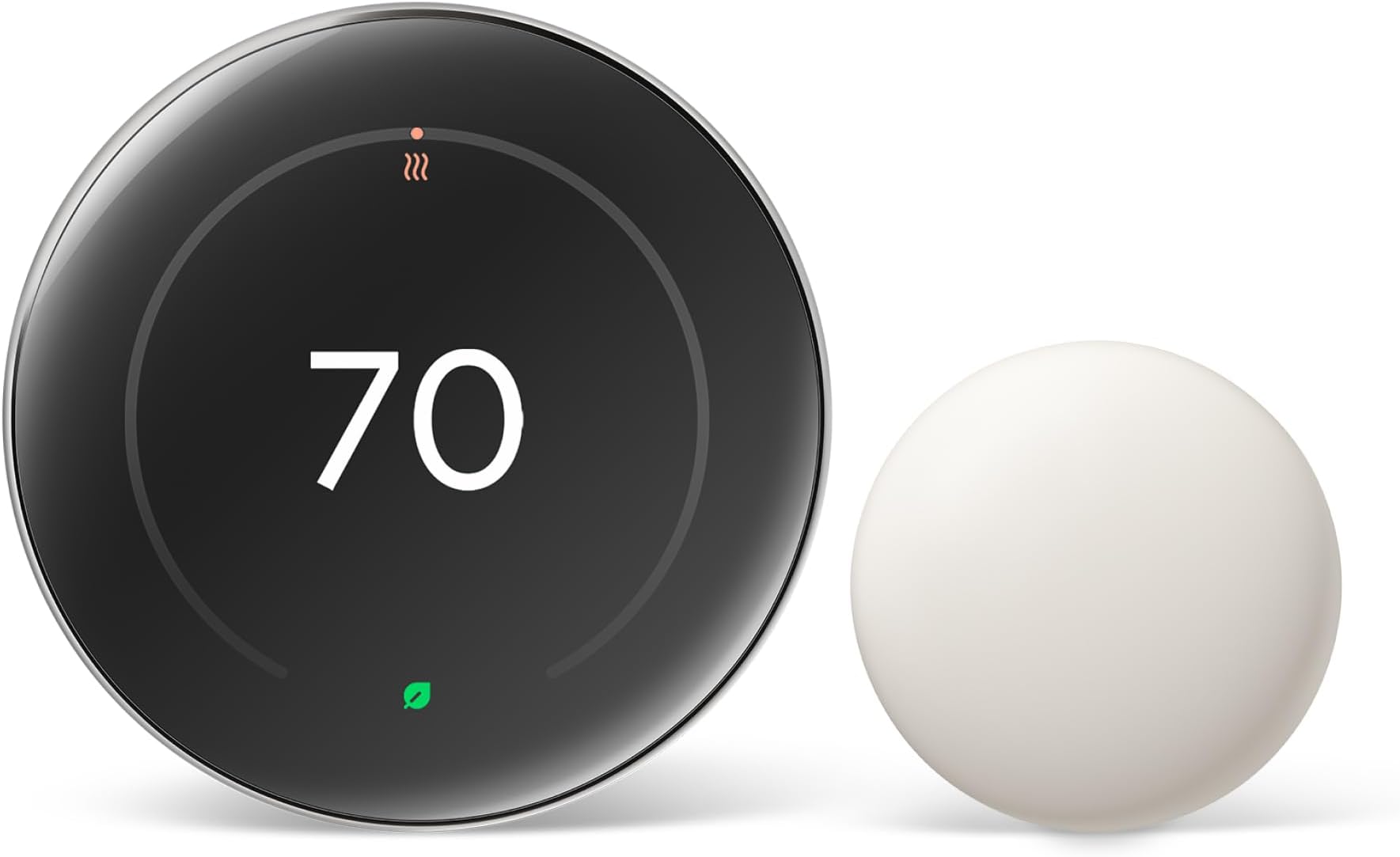
The Google Nest Learning Thermostat (4th gen) with Nest Temperature Sensor (2nd gen) is a sleek, smart home essential that learns your temperature preferences and adapts automatically. Compatible with most 24V HVAC systems and voice assistants, it offers remote control via the Google Home app, a vibrant 60% larger display with Dynamic Farsight, and multi-room temperature management. Designed to save up to 31% on energy bills, it’s easy to install and integrates seamlessly into modern smart homes.


| ASIN | B0D5BGST5N |
| Additional Features | Auto Scheduling, Easy to Install, Temperature Display |
| Backlight | Yes |
| Best Sellers Rank | #914 in Tools & Home Improvement ( See Top 100 in Tools & Home Improvement ) #3 in Home Programmable Thermostats |
| Brand | |
| Brand Name | |
| Color | Polished Silver |
| Connectivity Protocol | Wi-Fi |
| Connectivity Technology | Wi-Fi |
| Control Method | App |
| Control Type | Button Control |
| Controller Type | Amazon Alexa, Android, Apple HomeKit, Google Assistant, iOS |
| Customer Reviews | 4.3 out of 5 stars 2,085 Reviews |
| Display Type | Touchscreen |
| Finish Types | Polished |
| Included Components | Thermostat Display, Thermostat base, Trim plate, Steal plate, Mounting screws and wiring labels, Nest Temperature Sensor (2nd gen) |
| Item Dimensions D x W x H | 0.04"D x 0.15"W x 0.15"H |
| Item Type Name | Thermostat |
| Item Weight | 161.8 Grams |
| Manufacturer | |
| Material Type | Aluminum |
| Model Name | Google Nest Learning Thermostat (4th Gen) |
| Model Number | CE911542 |
| Mounting Type | Wall Mount |
| Number of Batteries | 1 CR2 batteries required. (included) |
| Power Source | Corded Electric |
| Product Dimensions | 0.04"D x 0.15"W x 0.15"H |
| Product Style | English |
| Shape | Round |
| Special Feature | Auto Scheduling, Easy to Install, Temperature Display |
| Specific Uses For Product | Boiler |
| Specification Met | Energy Star |
| Temperature Control Type | Heating,Cooling |
| UPC | 193575038469 193575040196 |
| Voltage | 24 Volts |
A**R
So convenient and beautiful display.
Debated between polished silver and black obsidian. Went with silver because lower price. Happy the way of looks. Upgrading from Gen 3 Nest and this has a much larger animated display. Uses google home instead of the Nest App. Working great, quick instantaneous turn on and off once you switch temperatures setting. No lag. Really like the animated display. Installation was straight forward. I had a common wire but the unit is supposed to to work even without a common. Installation took less than 15minutes. My phone saw the new device and asked to connect to WiFi. Once connected new firmware was downloaded. No problems and so convenient to be able to remotely control thermostat. Not sure how effective the remote temperature sensor is. The systems takes the average temp of the thermostat and remote sensor (if selected) as your average room temperature. You can turn the remote unit off from app if needed.
G**S
Fantastic, highly recommend!!!
I was trying to determine if I was having an issue with my thermostat, my furnace.. or both (yikes). I had an Ecobee, which had been installed for roughly 10 years. Worked great, then I started having issues with getting heat to turn on in my house as it should. Process of elimination, I opted to try Google Nest. I LOVE this. Massive upgrade to what I had, easy to install, and the issue I was having became clear to be the thermostat and not my furnace. In fairness, it likely just needed to be upgraded, but I have other Google Home items and have heard good things about Nest. I have been very happy with it already. And unlike the Ecobee where I need to set schedules for 'home' vs 'away', etc.. this is a learning thermostat, so it naturally learns when you aren't home and just turns the heat off (within reason - I haven't woken up to my house being below 50 degrees or anything). If I am gone all day, the moment I walk in the door and the Nest "sees" me.. it kicks on to heat. It's also very sleek looking, but super easy to use so it doesn't come off super techy or anything. Highly recommend!
S**S
Game Changer for Home Climate Control
Upgrading to this thermostat has completely changed how I think about home temperature control. It's not just a programmable thermostat – it's actually smart in ways that make a real difference in comfort and energy savings. The learning capability is impressive. After the first week or so, it started anticipating when I wanted the temperature adjusted without me having to do anything. It picks up on your patterns and creates a schedule automatically based on how you actually use your home. That means you don't have to spend time programming complicated schedules or remembering to adjust things manually. It just figures out what you want and does it. The display is gorgeous. It's got this clean, modern look that actually adds to your home's aesthetic rather than being an eyesore like traditional thermostats. The screen is bright and easy to read from across the room, and the interface is incredibly intuitive. When you walk up to it, it lights up and shows you the current temperature. The whole interaction feels polished and well thought out. What sets this apart from other smart thermostats is how well it works with the temperature sensor that's included. You can put the sensor in the room where you spend the most time, and the thermostat will prioritize that room's temperature when making decisions. This is huge if your home has uneven heating or cooling. Instead of managing the temperature based on where the thermostat is mounted, it can focus on keeping comfortable the spaces where you actually are. The energy savings are noticeable. The system is smart about when to heat or cool, and it's not wasting energy when you're not home. It can detect when you've left and automatically adjust to save energy, then bring things back to your preferred temperature before you return. Over time, those savings add up, and you can actually see the impact in your energy bills. Remote control through the app is seamless. Whether you're at work, traveling, or just in another room, you can check and adjust your home's temperature from your phone. The app is well-designed and responsive. It gives you detailed information about your energy usage and even provides reports on how efficiently your system is running. That level of insight is something you just don't get with a traditional thermostat. Installation was straightforward. The instructions are clear, and if you're comfortable with basic DIY projects, you can handle it. There's also a compatibility checker on their website to make sure it'll work with your HVAC system before you buy. Once it's installed and connected to WiFi, the setup wizard walks you through everything step by step. Voice control works perfectly with both Alexa and Google Assistant. Being able to adjust the temperature with voice commands is one of those conveniences that seems small but becomes something you use all the time. "Hey Google, set the temperature to 72" is so much easier than walking over to adjust it manually. The Nest Aware features give you additional insights into your home's environment. You get alerts if there are unusual temperature changes, which can help you catch problems with your HVAC system early. The system also provides tips on how to optimize your settings for better efficiency. Build quality is excellent. This feels like a premium product from the moment you take it out of the box. The materials are high quality, the engineering is solid, and everything about it feels durable and well-made. It's clear this was designed to last and to look good doing it. The fourth generation improvements are noticeable if you've used previous versions. The display is better, the sensor integration is more sophisticated, and the overall performance is smoother. Even if you haven't used an older model, you're getting the benefit of years of refinement and improvements. For anyone serious about smart home technology or just wanting better control over their heating and cooling, this is an investment that pays off. The combination of learning capabilities, energy savings, remote access, and the included temperature sensor makes this a complete solution. It's made managing home temperature effortless while actually reducing energy costs. Really impressed with how well this performs.
I**R
May not work in HVAC systems without a C wire, when the 3rd Gen Nest Thermostat will
When one of our 3rd Gen Nest Thermostats stopped working, I decided to replace it with a 4th Generation Nest unit. Oddly, the mounting hardware for the 4th Generation is completely different from the 3rd Generation, which is annoying. The wiring backplate is incompatible, as the 4th Generation has a different electrical connector to the thermostat. One nice thing about the new backplate is that there is a light built into the bubble level which signals voltage on the Rh or Rc wires from the HVAC unit, implying you won't need a dedicated C wire for power. Unfortunately, this is many times not the case for the 4th Generation, lit bubble level or not. When I properly mounted and connected the 4th Generation thermostat, the setup app on my phone reported that there was "no power" on the R wire, even though the bubble level was lit, and I could measure the voltage on a multimeter. There was no way to get around the error message in the app. A call to Google support was completely useless. The support person clearly didn't know why the setup app falsely reported "no power", or whether or not the 4th Generation thermostat required higher voltage on the R wires than the 3rd Generation thermostat for operation without a C wire. An internet search revealed numerous people posting on Reddit and other web sites of the same issue I was having. How could Google support not be aware of this? Depending on your view, the difference between the R wire voltage requirements for the 4th Generation from the 3rd Generation thermostats is either an undocumented design change, or a design flaw. Personally, I consider it a significant design flaw, especially that it is not documented in the setup instructions, and there is no warning of this anywhere in Google's documentation. After spending about two hours removing the 3rd Generation mount, installing the 4th Generation mount, waiting for the callback from Google, and figuring out the root cause myself, I unmounted the 4th Generation Nest, packaged it back up, and returned it. I ordered a new 3rd Generation Nest from Amazon, and it works flawlessly with the HVAC unit. One attraction of the 4th Generation Nest is that the "maintenance band", the temperature variance range at which the AC compressor cycles on and off, is manually programmable, while on the 3rd Generation Nest it is not. There have been complaints that the 3rd Generation Nest's maintenance band is only two degrees F wide, which in some climates and homes cycles the compressor too often, and is blamed for excess wear and premature failure on the compressor. (AC units and heat pumps both use compressors.) So if you have a C wire in your compressor-based system, I recommend trying to use a 4th Generation Nest. Another trick which works with both generations is to use a remote sensor in a different part of the room or another room where the ambient temperature doesn't vary as quickly, to reduce compressor cycling. I use this trick for our 3rd Generation Units, and it also works for 4th Generation thermostats. Note that using a remote sensor this way may require some experimentation to get the desired result, while the feature to manually adjust the maintenance band makes it quicker and simpler. I really like the Google Nest thermostats when they're working the way they're supposed to, but the lack of backward functional capability from the 3rd Generation model to 4th Generation model is inexcusable, since there's no warning about it. And Google support is ineffective in helping less technical buyers. The least Google could do is document the issue properly on their web site.
G**!
Reduce your energy use and keep your house comfortable
This thermostat is great. It was easy to install, walked through wiring, and has been worked wonders on my power usage while keeping my temps comfortable. This has always been a struggle because the back of my house is NW facing and almost all windows. In the South. My primary is farthest away from the HVAC, so the sensor helps the system find a balanced temp. My bedroom is usually 8-10° cooler (lots of windows and an exterior door). But I can also deselect the bedroom sensor if it’s not a concern at the time. I loved it enough to buy a second and I can’t wait to compare my 12month usage before and after.
M**X
Great device to help with energy saving
I purchased a 2nd generation Nest a couple years back and decided to upgrade with this one as I loved the color. First, the appearance is gorgeous with its mirror-like face. Second, the "learning" capabilities are AMAZING! This feature allows it to do exactly as it states; It learns your habits and even works with your electric company to bring the utmost savings to you! We have Alexas integrated throughout our entire home so this works and pairs GREAT with them. Accuracy is always very sharp and carried out effectively as programmed. Energy saving is huge and this helps you do that with no effort at all, it does it for you! If I could change one thing, it would be the app. I really like the interface of the nest app much better and I am not really a Google device person so it's a thorn in my side to have to download apps I don't use for multiple things. Installation is a little tricky but my boyfriend has become a pro at it with all the different houses we have rented and re-installed them into so it can be done!
R**S
THermostat nice but Google Home App not so nice.
Got this thermostat version 4 to replace my old version 1 which was loosing wifi support . New learning thermostat installed easily looks good with big new display . Only problem is Google buying nest and using Google Home app for remote control of the thermostat. Google Home tries to connect to all smart devices you already have and so is more complicated to use. I see no way to only have Google home just connect to the thermostat and delete everythine else. Now google home see the new thermostat and lists all its properties but cannot read or set the temperature. I will update this when I get the google home to work right. Update on Google home -- it seems like google home app is not working yet for the learning thermostat 4. After several attempts to install the thermostat after resetting it , and replacing the app , I hit the help link and was surprised when I quickly got a support person on the phone. They informed me that it was a known bug and they were working on it. This is strange considering google has been pushing the learning model 4 on previous owners of version 1 nest. Will I get an email when it is fixed??
M**L
Happy with this thermostat
I tried 2 other thermostats with good review on the market, they either have glitch and won't maintain the desired temperature or act in weird ways. I have been very satisfied with Nest ever since I switched to this. What I like - very dependable, maintain the set temperature - ability to use different remote sensors based on schedule - mobile app contains a lot of useful information about what the HVAC is doing
Trustpilot
2 months ago
2 months ago