Desertcart purchases this item on your behalf and handles shipping, customs, and support to Japan.
🖨️ Elevate your workspace with wireless power and smart printing—because your office deserves the best.
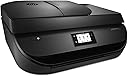
The HP OfficeJet 4650 is a compact all-in-one color inkjet printer designed for home and small office use. It features wireless connectivity with Wi-Fi, mobile printing via HP ePrint and AirPrint, automatic duplex printing to save paper, and a responsive touchscreen interface. With print speeds up to 9.5 ppm (black) and 6.8 ppm (color), plus Instant Ink subscription compatibility, it ensures reliable, high-quality printing, copying, scanning, and faxing in one versatile device.


| ASIN | B013SKI4X8 |
| Additional Printer Functions | All In One |
| B&W Pages per Minute | 9.5 ppm |
| Box Contents | Inkjet cartridges, paper, power cord, instruction manual |
| Brand | HP |
| Brand Name | HP |
| Color Depth | 24 bpp |
| Color Pages per Minute | 6.8 ppm |
| Colour | Black |
| Compatible Devices | Tablet, Computers, Smartphones, Laptops |
| Connectivity technology | Wi-Fi |
| Control Method | Touch |
| Controller Type | Touchscreen & Application |
| Customer Reviews | 4.1 out of 5 stars 6,199 Reviews |
| Display Type | LCD |
| Dual-sided printing | Yes |
| Duplex | Automatic |
| Global Trade Identification Number | 00634154332238, 00889296269809 |
| Hardware Interface | USB 2.0 |
| Ink Colour | Black |
| Item Dimensions D x W x H | 36.9D x 44.5W x 19.1H centimetres |
| Item Weight | 6.55 kg |
| Manufacturer | hp |
| Maximum Copy Resolution Black and White | 4800 x 1200 DPI |
| Maximum Copy Resolution Color | 600 x 300 dpi |
| Maximum Copy Speed Black and White | 9.5 ppm |
| Maximum Print Resolution Black and White | 4800 dots_per_inch |
| Maximum Sheet Capacity | 100 |
| Maximum Supported Paper Size | A4 |
| Maximum print Resolution Color | 4800 x 1200 DPI |
| Model Name | 4658 |
| Model Number | 4650 |
| Model Series | OfficeJet |
| Model name | 4658 |
| Network Connectivity Technology | Wi-Fi |
| Number of Drivers | 1 |
| Number of Trays | 1 |
| Other Special Features of the Product | Network-Ready, Touch Screen |
| Output sheet capacity | 100 |
| Paper Size | A4 [NO] |
| Print media | Paper (plain) |
| Printer Output Type | Colour |
| Printer Type | Inkjet |
| Printing technology | Inkjet |
| Processor Count | 1 |
| Resolution | 4800 x 1200 |
| Scanner Type | Automatic Document Feeder |
| Series Number | 4650 |
| Special feature | Network-Ready, Touch Screen |
| Specific Uses For Product | Home, Office, School, General Document Printing, Mobile Printing |
| Total USB 2.0 Ports | 1 |
| Total USB Ports | 1 |
| UPC | 634154332238 889296269809 |
| Unit Count | 1.0 count |
| Warranty Type | limited warranty |
R**S
You dont get what is advertised. !!!!!
The new machine installed software is problematic. Disappointed with the automatic install software. Our cell phones and Ipads now dont even recognise the new printer. Also you use to be able to scan in Mulipage PDF format, now you cant. The old problem is they trying to get too clever with their upgrades. Particularly every other week there is a new software upgrade. Try contacting HP by phone, near impossible. I replaced old HP printer with supposed to be exactly the same, but it is not ?? Received a HP office-jet 4650 instead of the HP office -jet 4651. There is apparently a difference. Yet what you receive and what you get. There is no difference. Only reason I have kept it, because the unit size will fit into my office desk shelving.
C**N
Love having wireless printing! So convenient!
Wireless printing from your phone/device/laptop! Embarassingly I will admit I don’t use many of the great features that come with this printer. I was interested in the wireless printing feature and this was the most reliable brand with the best price! This printer would be fantastic for a small business or home office as it has its own wifi signal, can setup fax as well as create its own email to send files to! It has an easy to use well lit touch screen built onto it that allows quick access to the different menu options! I have never had any issues with paper jams or ink cartridges! It uses standard sized printer paper and HP ink cartridges that can be found pretty much at any store that sells ink or more conveniently here on Amazon which is where I purchased mine! Easy to install in under a minute and great quality print!
J**S
AU TOP
Très bon produit facile à installer
K**G
Dischetto
IL DISCHETTO DI INSTALLAZIONE NON FUNZIONA, MI SPIEGATE COME CAVOLO FACCIO IO A CONFICIRATR LA STAMPANTE CON IL COMPUTER CHE FINO AD AGOSTO NON HO INTERNET? A ME LA STAMPANTE SERVE DEVO LAVORARE.
H**U
4.5 stars
Edit: It randomly died 5 years later. Not bad for a printer under $100 I guess. It started flashing all kinds of weird error codes. I couldn't find anything helpful online. One of the error codes might have meant something about a power issue. I could get it to work for a little while by unplugging and powering on and off. Eventually it just died and wouldn't turn back on. I even tried ordering a replacement power cord but that didn't do anything. I did really like this printer. So far so good! I've only had this printer about a week but I don't really have any complaints. I bought this to replace my old one after I dropped a rice cooker on it and shattered the glass panel. I've printed from my laptop and phone without problem. It was really easy to set up, took me maybe 10 or 15 minutes. Having to take out the paper if a different size is needed is not that much of annoyance. I had to do it with my old one and isn't needed often. I haven't had an issue with the speed at which it prints. Didn't seem particularly slow, definitely faster than my old one. The black + color replacement ink bundle is around the same price as my old one so it wasn't a deterrent. My one complaint is about the 'arm' that catches printouts. It's a piece of plastic about 2.5-3 inches wide. I wonder how sturdy this is, how much paper can it really hold? The nice thing is that you can push into the printer so it's not sticking out and it will pop out when printing. Issue solutions/advice: 1. 'Instant Ink'. Make sure you are purchasing the printer bundle you want. Apparently the Instant Ink choice isn't for everyone and cancelling it means your ink cartridges won't work. I followed another reviewer's advice and didn't put the CD into my computer. I connected the printer to the Wifi on the printer itself, very easy to do on the touchscreen. My computer was able to find the printer on the network and 'add' it. I was able to print from my laptop and phone without a problem. No installation of software or signing up at the HP site as it asks you to do in the instructions. Which saves me from being harassed by the instant ink thing apparently. 2. You can still connect directly from the printer to computer with a USB cable cord for this model printer (as found by another reviewer). Just search for HP 4650 and it should pop up in search results. I tried to do a product link but it comes up as a book (weird). It was $10 last I looked. One could argue that it should be included at this price but sadly that's no longer standard with wireless printers. 3. Watch the price. A week later and the price has dropped $10 (for my bundle). I also saw this model on sale in store ads ($55-$60) for less/same as it's priced on here. It might even go cheaper with school starting up. I purchased the printer + standard ink bundle. The ink was the same price as it would be if I purchased it separately so I just went ahead to have it on hand. Overall, it's a nice printer with good capabilities for a competitive price. The print quality seems good, at least for my general household purposes. It was a little more than I wanted to spend but hopefully it'll prove it's worth. Update: It's been nearly a year and I still like this printer. I've printed photos and they've come out great. Copying works fine. I've scanned documents and they've automatically popped up on my computer. It's a big improvement on my old one so I don't have much to complain about. Still would recommend.
J**E
Excellent! No printing problems with my MacBook
I just received this today and set it up within 5 minutes (the printer itself and Wi-Fi settings). I got worried over nothing using my MacBook to print. My MacBook found it effortlessly (literally) and printed without a problem. I printed my first set of document and was surprised about the printed tray popping out by itself haha. I thought that was a bonus feature. I haven't set up the fax option as the sole purpose of getting this printer is for home/personal use only. I thought that the price was excellent with the features you get. Yes, it prints both sides without manually re-loading the pages. My family has been using HP printers for years now and the only disadvantage is the price point of the ink cartridges. I advice that you set up your printer step-by-step and then the printer will prompt you to download an app (I tried but I was too impatient). I then set up the Network settings and omitted the app it prompted me to set up. Also, before anything else check all the drawers of the printer before plugging it in. There's a piece of carton in the ink cartridge drawer (it's very obvious btw).
Trustpilot
1 month ago
2 days ago