Desertcart purchases this item on your behalf and handles shipping, customs, and support to Japan.
๐ผ Elevate your data game with speed, space, and cool confidence!
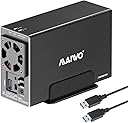
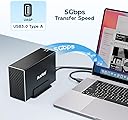
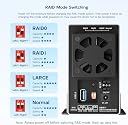
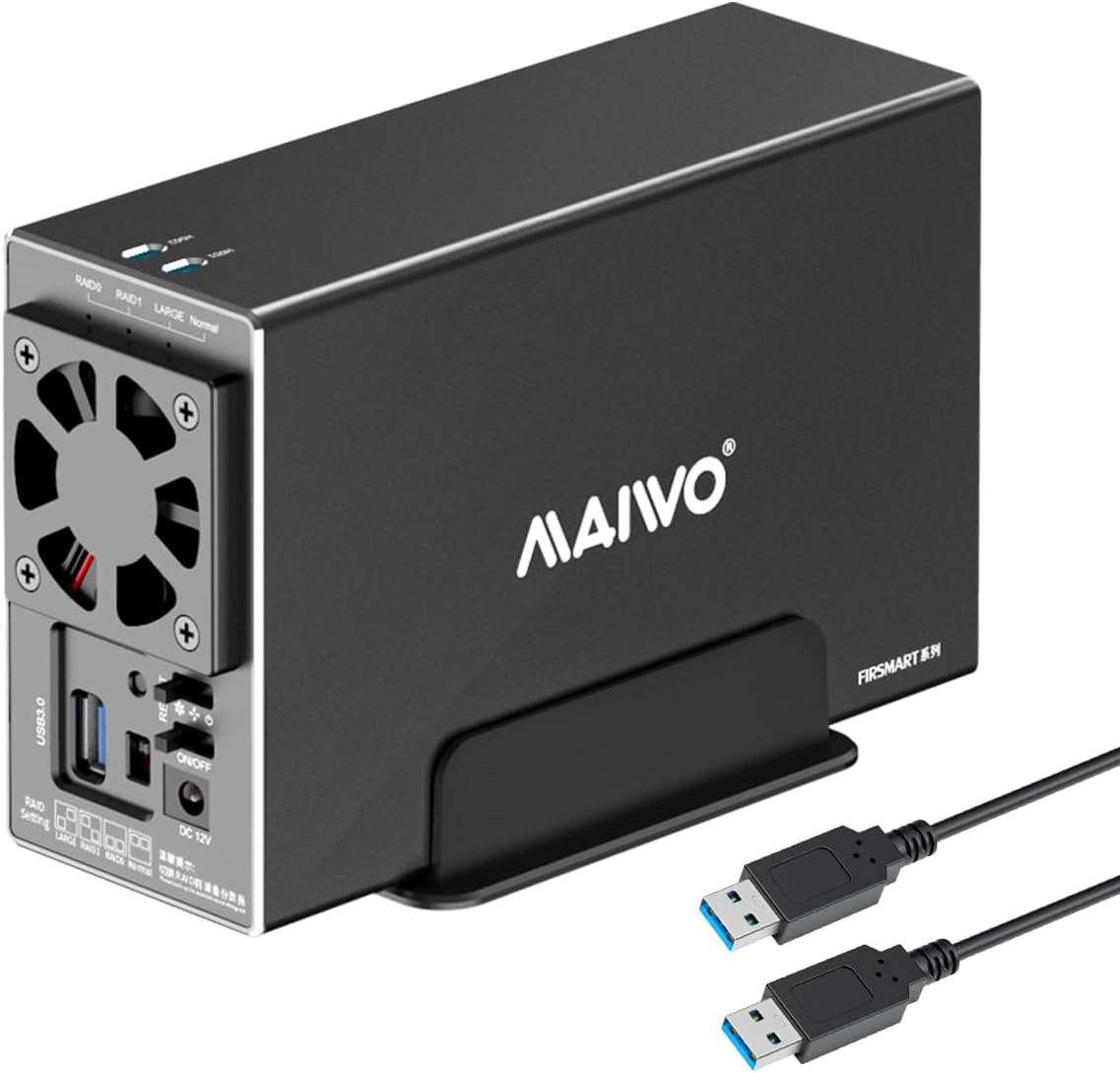
The MAIWO Dual Bay RAID Enclosure is a professional-grade external storage solution featuring USB 3.0 connectivity with 5Gbps transfer speeds, support for multiple RAID configurations, and a robust aluminum case with active cooling. It accommodates two 2.5/3.5 inch SATA drives up to 48TB total, making it ideal for managers and tech-savvy professionals seeking reliable, high-capacity, and versatile data backup and storage.


| ASIN | B0D2KRD7KB |
| Best Sellers Rank | #251 in Enclosures |
| Brand | MAIWO |
| Built-In Media | 1x 12V/4A Power Adapter, 1x Dual Bay RAID Enclosure for 3.5'' SATA HDD, 1x USB 3.0 Type-A to Type-A Data Cable, 1x User Manual, 2x Screwdrivers, Screws |
| Compatible Devices | DAS, Desktop, Laptop, NAS, Tablet |
| Connectivity Technology | USB |
| Customer Reviews | 3.5 out of 5 stars 89 Reviews |
| Data Transfer Rate | 5 gigabits_per_second |
| Enclosure Material | Aluminum, High-strength Plastic Drawer |
| Hard Disk Form Factor | 3.5 inches |
| Hardware Interface | USB 3.0 Type A |
| Hardware Platform | PC |
| Item Dimensions L x W x H | 7.24"L x 2.6"W x 4.6"H |
| Item Weight | 0.88 kg |
| Manufacturer | MAIWO |
| Material | Aluminum, High-strength Plastic Drawer |
| Memory Storage Capacity | 48 TB |
| Mfr Part Number | K35272 |
| Model Number | 2 Bay - RAID - USB 3.0 |
| Number of Items | 1 |
| Product Dimensions | 7.24"L x 2.6"W x 4.6"H |
| Supported Devices Quantity | 1 |
| Warranty Description | One Year Warranty |
J**W
Nice entry level enclosure
Are there better enclosures on the market? Without a doubt. For the price point, ~$38 in my case, I'd say it is with it. I bought 2 of these to use for backup purposes. One is onsite and only plugged in when needed. Eventually the second will be offsite and always be plugged in but only reading, or writing, about once a month for backups. I got the dual bays to future proof my setup. I know that eventually I'll add a second RAID 1 pool to my setup and I'll want to add a second on, and off, site HDD to back up things. This enclosure allows you to set it to normal so that the drives are viewed as separate devices, you can also set them as a pool. Some have noted that the hdd1 and hdd2 slots on the top aren't really functional, I thought this too. Much like the others, I was expecting some sort of indicator in that slot. In actuality, the slot allows you to see a white sticker on the part that slides the drives in. It's possible, and not harmful, to slide them in backwards. If you do this the sticker will be 180ยฐ from the slots. I'm not sure what you would put on the sticker but, that's why the slots are there. If you're looking for a workhorse enclosure that you'll be doing a lot of heavy reading and/or writing to, I'm pretty sure this isn't going to be for you. For that you'll want a sturdier enclosure, more of a heatsink, and a better fan. For a setup that's doing backups I think most will be happy with this. The fan does have a off/low/high switch. Even on a day I used it for hours updating a backup script, having only 1 HDD in it, and the fan on low the temp stayed in a safe range. I'm using this with a Linux machine, and have tested it with a Raspberry Pi 5. Given how it works I don't see any compatibility issues. My main use is to backup my jellyfin media library. Overall, this is very plug and play, especially if you want the drives to Stat separate.
J**E
Defective
unfortunately. I was not able to install the enclosure ... the female USB Type A receptacle on the back of the unit was too small for the provided USB cable to connect ... I re checked the picture of the unit on Amazon and it is not the same size hole as the unit I received... it is clearly marked USB type C ... but the opening for the cable is not the size opening as the cable ... I tried a type C connector and it would not 'seat' in the receptacle ... very odd ... had to return as defective
J**N
Compact.
Works as advertised. Will sleep when computer sleeps. Will sleep if you click on "eject USB 3.0 device" in windows. I had a Startech " drop in" Sata to USB device but it became glitchy and finally stopped working after a few months. This has a more permanent connection than the drop in device that would wiggle around. I'm using it with out the enclosure cover. This way you don't need the fan function to be on.
L**S
I'm a bit disappointed
I'm a bit disappointed with this product. I bought it to use two drives for two different purposes on an Ubuntu Server, but it only recognizes one drive. I've tried every possible combination of the rear switches, and nothing works. I don't know if it's a defect in the product itself or just in the unit I received.
W**4
Decent for price
Decent for price if you need some easy set up and storage. Introduction were so no what easy to get the raid settings. Not as loud as I though since the fan didn't look promising but is decent. Actually bought two of these one for my brothers startup business and so far is being working great.
N**E
Great performance for the price, touchy USB connection though.
In use, daily, for a month with 2-4TB drives, RAID 1. Great enclosure for the price point. Not sure if it's my set up or the enclosure, but it's VERY sensitive to ANY movement of the USB cable. The drive will drop off at the slightest nudge of the connected USB cable. I've verified everything is seated well and cables are good, but it still happens. Note, it's not power, its' the USB connection which drops. I simply put the enclosure in a place it's never touched, bumped or would otherwise stress the USB connection. It's easy to set up and use. Size is nice and reasonable. Overall it's quiet and unobtrusive. I did have to add some extra rubber dampeners to the stand to better quite the vibration of the unit (may just be due to my desk). But that was a cheap, easy, customization. I do wish the fan was automated (There's a manual switch for low, med, high). I set it on "medium" and have let it run. No issues thus far. Side by side with another brand 2 bay RAID enclosure (+$250).... this enclosure is faster, quieter, quicker to wake.. just better performance.. except that finicky USB connection. Perhaps the USB-C version doesn't have the touchy USB connection issue.
P**D
no PC hardwar tech required
easy as 1,2,3 i dropped two Sata SSDs and set zero raid. off to the races fast tranfer on usb3 wish it was usb C maybe next model
B**7
Beware of possible lost data. Not a reliable device.
If you are using the drives as your backup or main file storage, do not use this enclosure. After using it continuously for almost 30 days without issue, I needed to reboot the PC. The PC would not recognize the drives (unknown file system) after reboot. I remove the drives and installed them in another computer. Same issue. 3TB of data gone. Luckily I am still within 5 days till the 30 days return policy expires. I am now in the process of recovering my data, if it is even possible. The fan is also underpowered. The thermal design is very bad and will leave your HDD's running hot. Another point, I think the unit I got was returned. The screws are missing and I have to find screws to install my HDD and lock the enclosure to prevent it from sliding off. Such a pain! I will invest in a proper NAS drive in the future.
M**T
Needs plug adapter
Perfect, only short of information on the requirement of plug adaptor ( US TO UK).
R**H
Passable Dual Bay Device
It is a neat unit with a poor user guide and no support from Maiwo. It works ok on Normal and Raid 1 settings but can not get the Large (JBOD) setting to work.
A**S
No Uk Plug
Looks well built but doesn't come with a uk plug do you'll ha e to buy an adapter or like i ha e order a new power brick with a ukplug so factor that into your cost.
Trustpilot
1 month ago
1 day ago