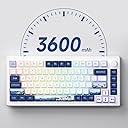
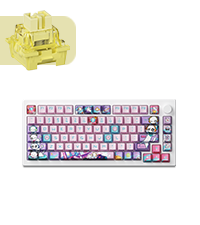
I have been a gamer for as long as I remember and enjoy playing different FPS games like Valorant, Fortnite, Overwatch, etc. Rocking a 8k polling rate mouse with optical switches, 240hz monitor, and powerful PC, I was on the lookout for the next thing to upgrade in my setup to further enhance my gaming experience. This keyboard caught my eye recently when exploring the new Hall effect switch technology, and I decided to give it a try. This is my first time owning an Akko keyboard, and I am impressed with how good it is. I had multiple keyboards in the past and this keyboard is the absolute best when it comes to typing. The sound that the keys make and the feeling during typing is amazing. I feel like I make fewer mistakes than before, and my keystrokes register more consistently. This keyboard is quite heavy and is built very good. None of the keyboards I owned before from brands like Razer, Corsair, and Logitech come close to the typing experience and build quality. The case is made out of polycarbonate, giving it both a premium feel and sturdy structure. The volume knob is metal and has tactile bumps when turning left and right. Pressing on it switches between controlling Volume to controlling the RGB brightness. I don't like the existing RGB presents in the software. Since I have the World Tour Tokyo version, I found the Static Red LEDs present to look the best with it, adding to the beautiful Japanese Sakura design. Pros: 1. Beautiful Design. 2. Detachable USB-C cable. 3. Sturdy and high quality materials. 4. Wired, Wireless dongle, and Bluetooth capabilities. 5. Hot swappable switches (Supports both magnetic and 3 pin mechanical switches). 6. Big battery that lasts a very long time. 7. Ability to connect to up to 3 Bluetooth Devices at same time. 8. RGB is present in wireless mode. 9. Good software with a lot of customization. 10. Adjustable Actuation point aka Rapid Trigger. Cons: 1. Keycaps are easily susceptible to scratches on the sides if not carefully handled with the keycap removal tool. (I wouldn't recommend using other keycaps pullers. Stick to the one included with the keyboard). Wouldn't be a huge problem if the keycaps themselves didn't cost $70 on their website, if you considered replacing them later on. 2. Power supply ON/OFF is under the Caps Lock keycap, making it both difficult to access and easy to scratch the sides of the Caps Lock key, if not doing it very carefully. This is not a huge con since you will rarely need to access that switch. 3. Existing RGB presents in the software aren't great, but there is a possibility to make custom RGB effects and download the effects/settings that other users have created. 4. South facing switches. This keyboard uses South facing switches severely limiting the type of key caps you can use. You can't use pudding key caps or other key caps with transparent lettering on top of the keys since they will appear dim due to the light being on the opposite direction to the one on normal keyboards. Switching between different modes: If you are trying to use this keyboard in wireless or wired mode, you have to press : Fn + U for Wired mode Fn + Y for 2.4G Dongle Wireless mode (Make sure to remove the Caps Lock key and shift the switch to bottom to enable the battery power to use wirelessly) You can also use this keyboard with up to 3 Bluetooth devices at the same and switch between them using the following buttons: Fn + E Bluetooth device 1 Fn + R Bluetooth device 2 Fn + T Bluetooth device 3 The power switch under the Caps Lock key has 3 modes: Top: If you are using an Apple device, like Mac/MacBook/iMac etc., this is the mode you want to have your keyboard on. It also enables power to be used wirelessly. Center: This is wired mode for Windows devices, the battery/power supply is disabled. Bottom: This enables the battery/power supply to the keyboard, allowing you to use this keyboard both in wired and wireless modes. (Pressing and holding Fn + Space bar allows you to see the battery level of keyboard) For those who had issues with ghost keystrokes or keyboard becoming not usable after software update: After software update, make sure to calibrate the magnetic keys though the software in "About" section. Otherwise, you either won't be able to use the keyboard (keys will not register) or you will have ghost presses. Conclusion: This is an awesome keyboard with a lot of different connectivity options, great build quality, compatibility, design, and software. I wish the keyboard had north facing switches so I can use pudding key caps with transparent lettering to let RGB shine though but it is what it is. This keyboard RGB software presents are pretty disappointing as well, so I guess it's not really designed for that.