Desertcart purchases this item on your behalf and handles shipping, customs, and support to Japan.
🌿 Cut the lawn, not your weekend — the future of effortless yard care is here!
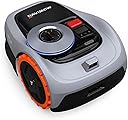
The Segway Navimow i105N is a cutting-edge robotic lawn mower designed for up to 1/8 acre lawns. Featuring RTK+Vision centimeter-level GPS precision and AI-assisted wire-free mapping, it navigates complex garden layouts with ease. Operate quietly at 58dB(A) while the mower intelligently manages multi-zone schedules and obstacle avoidance via a 140° camera detecting 150+ objects. Controlled remotely through a dedicated app, it offers seamless lawn maintenance with smart recharge and optional theft protection, all backed by a 3-year warranty.


| ASIN | B0CX8LL2PC |
| Best Sellers Rank | #12,538 in Patio, Lawn & Garden ( See Top 100 in Patio, Lawn & Garden ) #1 in Robotic Lawn Mowers |
| Brand | NAVIMOW |
| Brand Name | NAVIMOW |
| Color | Grey, Black, Orange |
| Customer Reviews | 4.1 out of 5 stars 394 Reviews |
| Cutting width | 7.1 inches |
| Item Dimensions D x W x H | 21.5"D x 11.2"W x 15.2"H |
| Item Type Name | Robot Lawn Mower |
| Item Weight | 24 pounds |
| Manufacturer | Navimow B.V. |
| Manufacturer Part Number | i105N |
| Material | ASA, Polypropylene |
| Material Type | ASA, Polypropylene |
| Maximum Adjustable Cutting Height | 2 inches |
| Minimum Adjustable Cutting Height | 3.6 inches |
| Model Number | i105N |
| Number of Items | 1 |
| Number of Packs | 1 |
| Number of Positions | 5 |
| Operation Mode | Automatic |
| Power Source | Battery Powered |
| Style | i105N: Mows up to 0.125 acre |
| Style Name | i105N: Mows up to 0.125 acre |
| Unit Count | 1 Count |
G**K
Great customer support, fantastic value despite some hiccups
EXTRA TIP: If you want to mount your antenna on top of a flat surface, and you don't need an extension cord, and you don't want to pay $50 for the official antenna extension kit, try searching Amazon for 'Light Wall and Ceiling Mount with 5/8" Stud and 1/4" Thread'. I happened to already have this item sitting around, and it fits the threads on the antenna perfectly. The only caveat is the that the square shape of the antenna doesn't align with the square base of the mount when fully screwed on. Just cosmetic issue, and in my case you can't even see the antenna without climbing a ladder. UPDATE 2: I am pretty well delighted with this product now. As I mentioned before, Navimow support recommended diabling camera-assisted positioning after my map deleted itself. But I decided to try mapping my yard one more time without disabling that feature, and this time it worked fine! The mower is doing a fantastic job of navigating my yard and I'm so happy I don't have to spend my weekends mowing anymore. There are just a couple of spots where it has trouble due to sloping/uneven ground, but Navimow support is also sending me a couple of free accessories as an apology for the bumpy experience I had initially. Hopefully the off-road tires will improve the unit's traction, but even if I have to hit those two spots manually with the weed whacker, that's not a big deal. I can also confirm that I've been able to map more than 600 square meters of lawn area on the i105N, so it seems they really did raise its map area limit to be the same as the i110N. A very welcome upgrade. I have a theory about what caused my map to disappear the first time. I could be completely wrong, but just in case it's helpful to anyone... When I was setting up the last couple of boundaries right before the map disappeared, I took some fairly long pauses to clear away debris from the edges of the lawn. I'm thinking maybe the camera-assisted positioning video keeps recording even when you aren't moving the unit, and so I ended up with some massive video files, and their sheer size caused the glitch that deleted my map. Sooo, if you want to be on the safe side, maybe try to make sure you get any prep work put of the way before you start mapping a boundary. Overall I think this is clearly the best value among GPS robo-mowers for anyone with a relatively small yard, especially now that it seems to support up to 1200 square meters of grass. If your lawn is closer to the upper end of that range, you might want to consider the i110N, which is still an excellent value compared to most other GPS mowers on the market. But even this i105N seems like it would have no problem covering that area as long as you don't mind it doing so over the course of two or three days. --- UPDATE 1: I've exchanged several emails with Navimow support now. They did a much better job of understanding my problem after that first reply. Unfortunately, they are unable to recover my map, and they have suggested that I try disabling camera-assisted positioning and re-mapping my yard. They seem to think there might be a hardware issue with my particular unit that is causing it to lose the map when processing the camera data. However, they have offered to compensate me for this frustration in a number of possible ways, including free accessories, and/or replacing my unit with an upgraded model to better accommodate the size of my yard. They also informed me that the coverage limit on the i105N (all units, not just mine) has been upgraded to 1200 square meters, the same as the i110N, which is very much appreciated. I've agreed to spend some more time testing my unit to see if disabling camera-assisted positioning fixes the disappearing map issue, and whether the unit is able to navigate my yard without that feature. (I'm somewhat doubtful, because my yard does have some areas with tree coverage, etc.) Then I will report back to support with the results and let them know what sort of compensation would be most helpful. This is all just theoretical for now, so I'm not changing my rating yet, but I will make sure to keep updating this review as the situation progresses. --- INITIAL REVIEW: I'm still holding out hope that this will work out for me, but the experience so far has been rough. Basic installation was relatively straightforward, although I find it irritating that a wall/roof mount for the antenna is a separate purchase, because that's clearly going to be the best option for most people. The real trouble started when I was mapping out my yard. First, I was a couple hours into the process when I decided to set up a "channel" from my lawn back to the dock. This is a requirement if the dock isn't within the mowing area itself. The app briefly and casually instructed me to drive the mower from the mowing area to the front of the dock. However, I drove the mower all the way onto the dock, and it immediately went into charging mode, which apparently deletes any unsaved map changes. So I lost everything I had done up to that point. I was steaming mad, but there was nothing to be done except start over. Seems incredibly silly to just delete the unsaved map without asking, and even sillier to not warn the user about this when explicitly instructing them to drive the mower to the dock during a mapping session. So I started over and eventually mapped out my whole property over the course of a couple days, pausing freauently this time to save my changes. Now, whenever you add a new mowing area to your map and then end the mapping session, the mower asks to return to the dock and process the "VisionFence" data it gathered during the mapping. So after my final edits, I allowed this to happen, and the mower spent the next hour or so processing the data. Well, when I came back and checked the app, my map was completely gone. No sign I ever even started one. Absolutely incredible. This time I reached out to Segway support via chat, and after some brief troubleshooting steps the agent informed me my ticket was being escalated and I should hear back via email within two days. I did not get any kind of automated email confirming that a ticket had been created, but another agent confirned this the following day. Today, two days later, I did get an email response, but it was completely unhelpful, offering instructions on how to get the map to save (which isn't the problem I'm having). In the meantime, I doscovered that after reinstalling the app, my map shows up again, but it disappears as soon as I pair the app with the mower. So I am hopeful that my map still exists somewhere and can be restored by tech support. I replied to the email with a screen recording of this and another explanation of my problem. Now I am waiting again. I will update this review as the situation progresses. The other extremely irritating aspect of this product is the arbitrary, software-imposed limitation on the area that can be mapped out for mowing. I did my best to estimate the size of my actual grass areas before ordering this model, but it appears I was off by a significant amount, so even if my map does get restored I might have to return the unit and order the 1/4 acre version for $300 more. No clue if I'll be able to transfer my map or if that will mean starting from scratch yet again. I get that they want to encourage people to buy the more expensive model, but they should allow the larger battery to speak for itself instead of imposing artificial limitations. This is only going to result in lots of mowers being returned when people discover they have more grass than they thought. Aside from all my complaints, I can say that the mower did work beautifully during the brief time I was able to test it out on part of my yard. There's a small section with an overhanging carport that seems to cause trouble with GPS reception, and for whatever reason the VisionFence is unable to compensate in that spot, but overall it shows a lot of promise. I'm still clinging to hope that these issues will be resolved and I'll finally be free from spending half of every weekend cutting grass.
C**K
Segway, you really surprised me.
Navimow i105n This is truly a game changer. Absolutely worth the investment and works amazing right out the box. Take your time picking a good location for antenna and charging station and you'll be good to go. Do not stress if it misses things, it seems to catch them in the next go. If problem persists then it may be Antenna placement or poor mapping. It is super quiet to the point that I thought it was broken. Mapping the yard was a breeze and the APP is very well thought out. I love the fact that you can remote control it like an RC car. It is not designed to mow overgrown grass, but I did it anyway and saw good results. This is designed to maintain your lawn so it doesn't ever get overgrown. You will still have to weed eat the edges, but it saves so much time. If I had to do setup again, I would have mowed it first before using to better map the area. I enjoyed having a beer and watching it instead of sweating and getting sunburnt. Only con is the garage for it is ridiculously expensive and quite frankly should have been included in the original purchase. You can create your own far cheaper. I am still giving it 5 stars just because its probably the best quality of life purchase I have ever made. Just buy it already. Segway knocked it out of the park with this one. You have a customer for life.
A**R
This mows small yards fine - must have clear view to the sky
This actually works well. Setting it up for satellite signal reception is one challenge; if your yard does not have a clear view of the sky, then it's a no-go. But I got satellites in view and a good signal, so that was fine (I have a lot of trees and buildings near so it was a small challenge). Then the training for the boundaries was a bit tricky, as I had to walk with the mover, remotely controlling it from the phone. But in the end it was fine. Had to do two corrections to the map, and after that the mover works 100% on its own, never gets stuck! Battery lasts about an hour and maybe an hour and a half. Mows fine in my backyard on one charge. It is weather-aware; lots of settings in the app. Really great and helpful app. It mows my front yard too. I have to hand-carry the mower there, but then it does it on its own; I just carry it back to my backyard where the charging dock is. You gotta buy the garage too so it's protected from weather. I do recommend this for small yards if you have a clear view of the sky. If the configuration had been a bit easier, I would have gotten 5 stars.
A**K
Works Even With Trees
If the sales information said the Segway Navimow i105 wouldn't work under trees, I didn't notice it. I have silver maple trees covering 90% of my yard not covered by my house, so when I read the installation guide, my heart sank. I found an online review that reported success with trees, so I decided to try and see. The installation guide consists of a bunch of steps, each explained by a single sentence is in a dozen languages, with cryptic symbols and drawings. I looked at it for a long time to try to figure out whether both the docking station and the antenna should be in the same place, and which one was pickier about seeing the sky. The user manual is available online (google navimow i series user manual), and it explains the numerous navigational redundancies that enable the Navimow to find its way under trees. But it did insist that I put the antenna in the 10% that has a clear view of the sky and the invisible GPS satellites up there. I first tried putting them both under the large silver maple in the front yard, but the app intervened, and when I thought I was mapping that yard for mowing, it was actually mapping for best satellite signal. I left the dock under the tree (still ~20 ft from the house) and relocated the antenna to the front edge of the tard next to the sidewalk where the signal was the strongest (another 20 ft from the dock). The extension wires that came with the Navimow were long enough, and the little plastic tent stakes pinned them to the yard where it would later mow without any damage. The antenna looks a little goofy out in front like that, but I was then able, using the steering function of the app on my iPhone, to map the perimeter of the Main front yard. I went slowly, stopping to switch between Standard, Ride-on and Assist mapping. The Assist mapping recognized the bricks around the gardens and zoomed around them accurately. The ride-on complained that it couldn't detect the junction between the yard and the sidewalks while mapping - but it recorded that mode for that segment anyhow, and later during mowing it worked perfectly. I was impressed that it kept track of everywhere it has mowed, and at the end, it went back to get the strips and spots that it had missed - probably because of the bumpy turf and tree roots that it managed to negotiate. I was able to map a second, third and forth area, with channels to them, and it then mowed them too. The Navimow has a couple of large conspicuous lights, and it beeps like R2D2 and talks. Besides being a challenge to understand, it seems to invite theft. Rather than ante up another $150 for the cell transmitter and a 4G subscription, I bought some Apple Air Tags that should work almost as well for less than half the money. Before spending $1k on the Navimow, I considered spending $700 on a battery mower I would have to push, or the Husqvarna that requires a wire around the perimeter. I also shopped for a lawncare service (guys who once mowed our ephemeral garden!). I chose the Navimow because Segway has been making robots for decades. The Navimow is an impressive computer navigation system atop a capable grass cutter, with a satisfying app. And it makes my yard look good while I do other home projects. It seems pricey, but it's a good value. I recommend it. Updates: After submitting the review above, I noticed that, although I ordered the i105, I actually received the i110. According to the Navimow website, the only difference is that the i110 battery is 2x that of the i105, and mows 1/4 acre (1000 m2) rather than 1/8 acre. My mowing area is only 141 m2, and mowing it, probably because of the slopes and roots, consumed 60% of the battery charge. This i110 has now mowed my little yard twice, each time from a full charge. It got stuck on a root once, and on a curb. I'll fill around the root with some soil, and hope that the i110's AI will figure out how to not drive off the curb. I also found out that I might be able to use only one of the two antenna pole extension pipes, and I might try that so it looks a little less goofy if it works as well at half height. But since it will require re-mapping all four of the areas that comprise my yard, plus the keep-out around a tree, I might put that off until fall. Stay tuned.
R**K
Customer service nightmare now I have 1000 $ paperweight
Update. Originally this was a 5 star review. In December I bought a house and we moved our lawn bot to the new house and now it doesnt see satellitez. So i contacted segwayy. An.d after 3 ho9urs trying to fo d a number I texted and got someone on the line. They had me moving the antenna all over yard. Nnot super easy not hard just a pain. Then pictures. Etc etc. Then they said oh we will submit to engelineering and get back with you. That was three days ago and nothing. So if they ever get back with me I'll return to previous 5 star review depending on response but so if you don't know. No antenna no gps satellite . No lawn mower. So i have a1400 lawn ornament. In my world warranty is a year. I used this lawn bot from August to December that's 4 months then it sat there and yes I'm less than happy with segway response and plan to do a google review. As well. My previous review is below. Just heard customer service is poor So I'm busy answering I mean busy. Kids are in college so not much help there. It's florida so mowing is risking heat exhaustion every time and in summer grass grows so fast. I got this to help lighten the load. It took the adult child to set up the perimeter as he games and driving it around the boarder proved beyond my controller talent lol. But today I decided to mow the law so I propped up my chair by the windows and set it out to mow. Easy peasy. I'll upload video when I figure out how but it's a must. I leave it unattended in our back yard as it's fenced but cars literally slow down to watch it in the front lawn. Game changer. So if you're like me nurse full time full time grad student and full time mom this is a must have. Best grand I ever spent and as I get older will be invaluable and save money as I don't need to hire it done. !!! Note to buyer get the extra module so it doesn't need your wifi. It's an extra 140 but also worth it plus it enables antitheft
D**E
Time mapping lawn pays off BIG TIME
I received my Navimow i105N on May 8, 2024. I have now used it continuously since then up until today, June 20, 2024. I estimate this has saved me at least 7 walk-behind mowings with my Ryobi self-propelled mower, which BTW I have loved. I am going to use the descriptor word "mow" through-out my review but you would better understand the work of the Navimow as a trimmer rather than a mower. Once you have your lawn mowed to the height you desire, you can easily dial in the height you want your Navimow to keep your lawn trimmed to. It can be adjusted in increments of .04", from 1.6" to 3.6", which suits me fine. BTW I use my Navimow everyday except on rain days. In this regard my lawn looks freshly mowed every day! I allow it to mow from noon to 7:15 PM, which I have observed is more than enough time to do my entire lawn and also avoid the morning dew and the 20 minute watering I do on my lawn every other day which ends by 7:20 AM on those watering days. I am a 78 year old male living at 40 degrees latitude, which has very hot July and August temperatures, and even now in June. I just don't want to find a cool time of the day to mow, which I typically can't find, to keep the lawn nicely mowed. So, my motivation to use an autonomous mower, whatever the brand, was to stay out of the sun and the heat. So far, I have been able to do that. And, I didn't want one that required putting a wire around my yard. I read some of the 1 & 2 star reviews and could understand the points being made, but in my experience all of their frustrations are resolvable by just taking the time to set up the map for your yard properly. For example, when you come to a curb or a separation of the lawn to a hard service, such as my concrete patio, you should put the "edging" setting to "ride-on." This allows the Navimow to crest the separation, i.e. curb, and continue moving over that portion of the lawn, giving a better trim to that boundary separation. (May I humbly suggest that you watch the videos showing you how to set up a map. Most of those videos are available on YouTube, so you don't have to purchase this first to get access to those instrucions.) Also, the instruction forewarn that you will still need to trim and edge the boundary of your lawn. I use a worx 20v edger/mower to do a fine tuning of the grass height at the perimeter edges of my lawn. So once or twice a week depending on how fast my grass is growing I do a quick trim (approximately 20 minutes around the boundary perimeter of my lawn. I must admit I didn't know that the Navimow is hard programmed not to allow a mapping of more than 500m. My lawn map is 3773ft squared as per the Navimow mapping feature, which appears to fall within the programmed limits for my Navimow. With the battery in my Navimow, it will mow for about 90-95 minutes or until the charge on the battery falls below 15%, then return to the charging station for about 65-70 minutes to get up to 95% of a charge. (BTW it's return to the charging is a sight to behold. I almost feel like there is a "little man" inside the mower guiding it to slide right into the charging port on the charger. I was very impressed with how well it finds the charging station no matter where it is on my lawn when it needs to be recharged.) For the area of my mapped lawn, it takes 2 1/2 cycles to completely mow my lawn. (Also, you have to watch the map on your smart phone as it shows you what it has mowed to really be impressed with how well it keeps track of where it is doing its thing on your lawn.) Forgive me for pasting in this portion of the manufacturer's write-up on the accuracy of the Navimow's use of GPS to know it's position on your lawn, but I attest that it is a statement I could stand by: "RTK+Vision, Fit into Every Garden: Lawn covered by trees? Narrow corridor? However complicated your garden layout is, enhanced EFLS 2.0 got you covered. Customized RTK technology with Vision enhancement provides stable centimetre-level positioning to handle an incredibly diverse range of lawn layouts. Even when it’s under the trees or in a narrow corridor, Navimow still works perfectly with accurate navigation." Now, the lack of a Navimow Access module which allows for theft protection is clearly stated as not included with this model. I believe it is included with the next higher model. If my understanding of the Navimow Access' functionality is correct, it will allow an even more accurate and stable mapping using a cellular signal network, with the first year free of cellular fees but not necessarily after that first year of use. While I have two very tall trees around my yard, the GNSS antenna has successfully found the GPS satellite signals and kept my Navimow within the mapped boundaries. Regarding the Navimow getting stuck, of all the negative comments this is the one I find is completely the opposite of my experience. I have been impressed watching the Navimow get out of a rut in my yard or climbing from a hard surface up and onto the 3" height of my lawn. At first, I got impatient and either picked up the Navimow or gave it a shove from behind to move it along. That is the wrong thing to do IMHO. Give it time. I have had neighbors watch my Navimow work itself out of a stuck position and found it very impressive that whoever wrote the program, first, gave it the mechanical sense to know it was stuck, and, second, programmed in several back and forth and sideways maneuvers to unstick it. It really has to find a "hole" to become totally stuck. That is where good mapping and setting off-limit islands makes a big difference in having a frustration free "mowing." One further suggestion on helping your Navimow from becoming stuck is by setting the mowing direction options for your Mapped Zones for your lawn. I find the diagonal directions don't work well for me. I like the orthogonal directions, such as straight back and forth, or 90 degrees to that direction. One further aside, I had backed the Heisenberg all-in-one robot mower on Kickstarter. As a backer if the development and manufacturing campaign for that mower had been successful, I would have received one of those mowers as a REWARD. I never did, but I didn't lose my need for this type of mower. When I saw this mower on Amazon at the $999 price point, I knew it was worth a look-see, given Amazon's very reliable customer satisfaction return policy. So, I put my Navimow through the paces as soon as it arrived to make sure I used my 30 day return window fully. I LOVE IT AND AM COMPLETELY SATISFIED WITH IT. I grant you that other competitor models might work as well and be 'worth' it to the user. UPDATE: June 24, 2024 - For some reason the issue of how often to cut/trim my 3" high lawn came to mind. I used the help feature on the App on my smart phone to "talk" with the help center. (FYI, they only deal in metric units, so be prepared to give the size of your lawn and the height of your grass in metric units) I was quite disappointed with the response I received. The "chat" person said I could only cut my lawn to 6 cm high. But the dial on my i105N clearly shows adjustments from 2" to 3.6". I gave my grass height to 7.62 cm which is 3". I was told that my Navimow could only cut to 6 cm. WHAT!!!! BTW the manual also states that the cutting height in the United States and Canada is 2" to 3.6" or 50 to 90 mm. I did find a posting on Reddit that the recommended weekly mowing time for a lawn be limited to 40 hours. I could not find that information in the manual however. That is why I contacted chat support, unfortunately with no clarification on my question.
E**D
A helpful addition --- but not replacement --- to your traditional lawn mower
# Navimow Review I have been using the Navimow for a few months now, and my impressions are positive but mixed. Let’s start with the positives. When the Navimow works correctly, it is amazing. You can schedule your lawn to be mowed every day, in the middle of the night if you want, so that it looks freshly cut all the time. The Navimow usually leaves beautiful, parallel cut lines that instantly improve the appearance of your lawn. The problem is, put as simply as possible, I don’t trust my Navimow to operate autonomously. I’ll go into more detail below, but I’ll mention the two largest problems: 1. The Navimow frequently gets stuck. The included wheels are simply terrible. At least on my lawn, the device often gets itself stuck in the lawn or garden bed, and ends up digging a rut trying to get itself out. Segway’s Navimow Off-Road tires — which Segway’s support provided to me for free (normally ~$100) — do indeed help. And I found that third-party Spikes help even more. More on this below under Traction. 2. The mower is unpredictable. I don’t think there is a single root cause of this; I think it is caused by GPS imprecision, traction control, and “Vision Fence” (the vision AI) failures. Whatever the cause, the Navimow cannot be trusted around “dangerous” boundaries. This includes cliffs, like a curb. But it also includes V-shaped gulleys that separate the lawn from a raised mulch bed. If you let the Navimow near these dangerous areas, it will inevitably fall or get stuck. I have given up trying to get my Navimow to mow the strip of grass adjacent to the curb. ## Setup If you watch video reviews, people will remark that setup is very quick and easy. While it’s surely easier than having to run a boundary wire, finding a location for the base station and antenna was non-trivial for me. One thing that was unclear to me when purchasing was that the antenna and base station need to have a good view of the southern sky, which greatly limited where I can put them. I also didn’t want to put the base station on the grass, since that would kill it. I ended up putting the base station on a raised mulch bed, and running the power cord through a window. It’s not ideal, but it works. Now, normally the Navimow cannot climb onto mulch because of its terrible wheels. So I put down a welcome mat to help the Navimow “climb” the mulch. It took me a while, but I eventually figured out that Vision Fence would cause the Navimow to ignore the mat sometimes and try to climb the mulch a few feet away, at which point it would often get stuck. But fortunately, after disabling Vision Fence near the mat, the robot was able to consistently reach the base station. The other aspect of Setup is mapping. ## Mapping The first few times you make a map on the Navimow, it’s pretty fun. You literally use the robot like a remote control car and draw an outline of the area. This does work pretty well, but it quickly becomes burdensome. Making adjustments to the map also requires driving the robot around. If you want to mark an area as off limits, you need to drive the robot around. For small adjustments, it is both clunky and inconvenient. If the robot is not in the area, I don’t want to drive it over just to make a small adjustment. It would be better to overlay a satellite image and allow adjustments to be made directly from the app. It’s also imprecise to use the large robot to mark off small areas to avoid, such as a sprinkler. It’s unclear what the off-limits areas mean. If the Navimow is in a position marking an off-limits area, does that mean the center of the Navimow is off-limits, or any portion of where the robot covers is off-limits? Similarly, when operating, are all portions of the Navimow prohibited from entering off-limits areas, or just the center? A similar problem occurs when trying to use the robot to mark steep and difficult terrain areas. To mark these as off limits, you need to drive the robot around them. But because they are difficult areas to traverse, obviously driving the robot there can be difficult! ## Obstacle Avoidance Obstacle avoidance uses the Navimow “Vision Fence” feature. I have found that it works very well for avoiding dog toys and large sticks in the backyard. Unfortunately, it fails to detect many other obstacles. I’ve seen it run into my mailbox, a gate, and run over sprinklers and flags. When it runs into sturdy objects like a mailbox or gate, it then spins its wheels and digs a rut before realizing it hit something. Vision Fence also seems to detect phantom objects. I have encountered this often in channels, which are paths connecting one mowing area to another. When Vision Fence is enabled, it will inexplicably decide to move a few feet away from the designated channel. Since I have a mat at the location of the channel to help the Navimow get on the mulch, this few feet avoidance results in the robot getting stuck. It would be nice to have an indication in the app of when an obstacle is detected by Vision Fence. But at the moment, there is no way to know why the robot decided to veer off its course. You can see a video of the Navimow absolutely failing to detect an obstacle. Inexplicably, instead of backing up, it doubles down and tries to motor through the gate, making fresh ruts in the grass it just mowed. Since the Navimow does not detect hoses, I resorted to using landscape clips to pin the hoses below the mowing height, and adding the sprinklers themselves as “no go” zones. ## Traction The Navimow frequently has poor traction using its included wheels. It’s advertised to work on 10 degree grades, which is surprisingly flat. I’ve found that it really can’t do more than that. I have a few 11 degree areas that it simply can’t traverse. It’s possible to work around these “steep” areas by turning off edge mowing and setting the direction that the Navimow cuts so that it will approach the steep area at an angle. This helps, but there are other areas of my lawn that the Navimow simply can’t reach. It is also extremely common to see the Navimow slipping even on flat terrain, though it can usually recover. The Navimow struggles even more when it is off grass. In particular, in my yard, I have mulched garden beds. In most cases, if the Navimow enters the mulched area, it will lose traction and get stuck. It will attempt to free itself, make a large rut in the process, but will ultimately fail. I have found it difficult to keep the Navimow out of these areas. Whether because of Vision Fence, or GPS imprecision, the Navimow does sometimes go outside of the defined boundaries, which causes it to get stuck. After contacting Segway’s support about some of the problems I encountered, they provided me a free set of the Segway Navimow Off-road wheels. I found that they greatly improved traction and overall performance. When on grass, it rarely slipped and needed to backtrack with the Off-Road wheels. Unfortunately, the wheels did not help the Navimow escape the U-shaped gulley between the lawn and garden beds. There is also a single, fairly steep pitch in the backyard that the Navimow could not climb with the Off-Road tires. Overall, the Off-Road tires are a huge improvement, and Segway should really consider including them as the default tires. At the same time as Segway shipped the Off-road wheels to me, I also ordered a pair of custom 3d printed spikes from a German company, "Lux Metallbau & 3D Druck”. I ordered their V4 spikes, which have an aggressive shape but are made of a breakable plastic to protect the drivechain from being harmed. The spikes are screwed onto the outside of the wheels and sit just outside the body of the mower. I installed them onto the Off-Road tires, and this combination was fantastic. With the spikes, the Navimow can climb any slope on my yard, as long as it has grass. The only problem areas are steep slopes with hard dirt that the spikes cannot penetrate. The only downside to the spikes is that they do not provide good traction on plastic. My charging pad is not completely level, and while this was not a problem for the grip of the rubber tires, the Navimow frequently slips off the side of the pad when it tries to dock. This is not a problem, because it simply backs up and tries again, and usually docks successfully within a few attempts. I did not have to make any modifications to the dock. With the Off-Road and Spike combination, my Navimow is able to climb a complicated slope into the back corner of my yard, which means that the Navimow is able to reach and mow all portions of my yard. ## Mowing Quality In general, mows look very smooth and even, with very good striping. The only downside is that the Navimow does NOT mulch. In other words, it chops off the top of the grass blade and it falls down. I have found that these often sit on top of the lawn, which is not ideal for aesthetic reasons, but is also not a huge deal. While the Navimow will easily run over leaves and cut them, they won’t be chopped up into tiny pieces like a mulching mower would produce. Also unlike a mulching mower, it does not produce lift that will pull leaves that have fallen below the cutting height, so many leaves will be left untouched by the Navimow. ## Support I did contact Segway support about my issues, and overall I found them to be understanding and courteous. As I mentioned above, in response to the traction issues I faced, they sent me a free pair of Off-Road tires, which greatly improved the performance of my mower. They also said that they passed along my suggestions to the relevant departments, though I am a bit skeptical of that because I have not received any follow-up questions at all. Regardless, the bottom line is that Segway does seem to take their customer support seriously, and they do seem to care about customer satisfaction. ## Conclusion Although I faced a number of frustrations and challenges when using the Navimow, over time I was able to find solutions to almost all of them, and I am happy with the end result, even though one of the solutions was a pair of third-party Spikes. As a product, I think that most of its shortcomings could still be fixed with software upgrades. And most of the traction problems could be improved by supplying the off-road wheels for free. Ultimately, I think that as long as you do not expect the Navimow to completely replace your traditional lawn mower, and you are willing to spend the effort to fix or work-around problem areas, most people will find good value in the Navimow. I am happy to have mine, and look forward to using it other seasons. ## Specific suggestions for Segway Navimow team - Allow dangerous boundaries to be marked, which the Navimow should never cross. - Allow map editing using image overlay. This could be satellite imagery, or rough imagery generated from the camera on the Navimow itself. - Add option to wait for a period of time when GPS signal is lost. - If an error occurs, power off before the battery is completely drained. This way, once the user fixes the error, the robot can still return to the base on its own power. - Improve the wheels’ traction. Consider shipping the Off Road tires as the default. Also consider adding Spikes. - Improve vision fence introspection. The robot often behaves strangely, and it would be helpful to know when this is caused by vision fence failures, so that the user can create areas to disable vision fence. - Improve vision fence performance (don't run into gates, mailboxes, hoses, or sprinklers). - Add a “gate” channel type for channels that require operator assistance. The robot should wait at the start of the channel for the user to indicate it is safe to proceed. This would be useful for gates that need to be manually opened or closed.
O**N
Game changer
This lawn mower robot is a game changer - it an incredible application of the latest tech and engineering to make a chore an afterthought. Is it perfect? No, not at all. Is a giant leap forward? Absolutely. The confluence of GPS, Wifi, Bluetooth, and camera-based AI makes this robot completely different and supremely effective. Using your phone and the robot, you map out the areas of lawn on your property. The robot orients itself with GPS and doesn't miss. IT cuts grass very efficiently, and makes hardly any noise at all. You can run this in the middle of the night and no one would know! The app keeps track of where it is, and you can monitor its progress easily and intuitively. It varies its pattern on every use, and it hits the stragglers it missed on its previous mission. Set up is a less intuitive than it should be, but after some trial and error, you can figure it out easily. I mapped out two areas of lawn that are separated by our house, and it seems to work well. You will have to create "channels" between the areas of lawn that the robot follows. You will have to manually open gates of course, but it makes it from the back to the front reliably. The app reports progress clearly so you are always aware where the mower relative to the complete task. Some things that I hope will improve with OTA updates: You have set up all of your lawn zones as a single task and you cannot do the back and front independently. I have it set up to do my back first and then the front. When it is done with the front, the mower has to enter my back lawn and then make it back to the charger. My charger is set up between the lawns so it would be more efficient for the robot to go directly to the charger without going to the back lawn first. I mistakenly selected the option to map the shortest path to the charger, which made the mower try to go through a brick wall. The camera detected the wall, but then the mower got confused and just couldn't find its way to the charger - it was relatively amusing to see it try, but it was obvious that it wasn't going to succeed. It was not intuitive how to change the channel - I finally discovered that the mower needs to be in the boundary of one of the lawn zones to allow a channel to be selected for a redo. Once I figured this out, it was relatively easy to set up a channel that allows the mower to automatically navigate to the charger. I also found it is better to turn off the camera when navigating a long channel, e.g. the channel from the back lawn to the front lawn. If the camera is on and there is something close to the path (a stray branch from a plant, a planter, etc.), the robot things it needs to assess if it can get around it and then it can do some relatively creative rerouting, sometimes unsuccessfully. Turning off the camera results in it confidently navigating the path to the next zone. If you have to stop and lift the mower due to an obstruction, the app instructs you to press OK and the home button to restart the mower. That doesn't seem to work. It does clear if you put the mower within the boundary of a zone, but the conflicting directions make things somewhat unclear. Overall, I am very comfortable with the machine. For the most part, it does what it says it will do, and is very reliable. I expect it to continue to get better with additional firmware updates, and the positives far outweigh the niggling negatives that I have observed so far. Highly recommended
Trustpilot
1 day ago
2 days ago