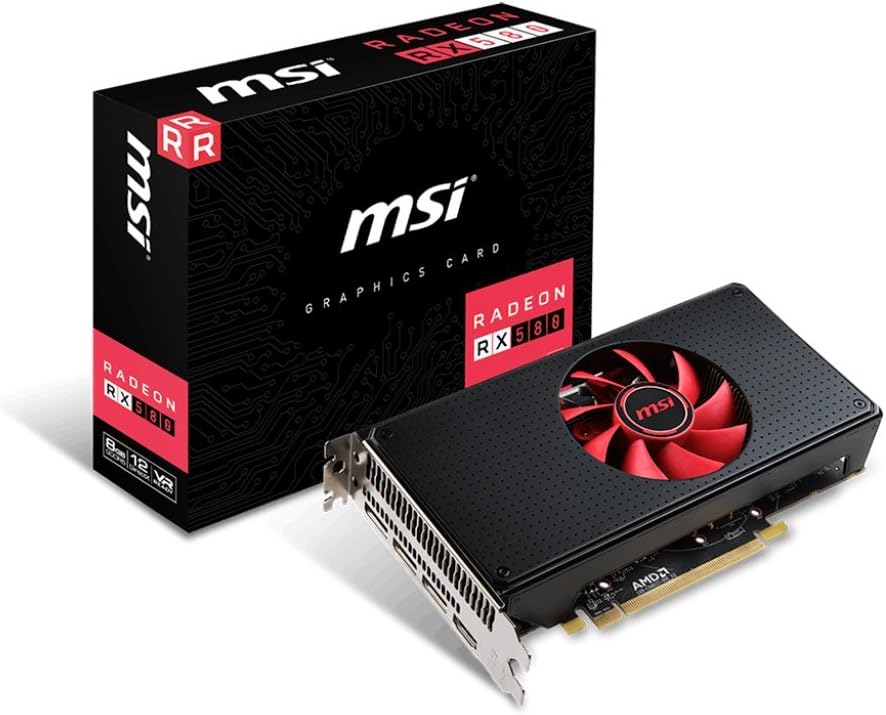
MSI Radeon RX-580 8GB Graphics Adapter HDMi audio clipping problem solved! Apparently, according to the GPU or graphics display adapter industry, the only reason to purchase a costly display graphics adapter, or video card, for a desktop PC is because one plans on becoming a mindless video gaming zombie, like my adult neighbor, who I believe has given up real life for gaming. What if somebody does not play video games, and has no plans to do so, but still needs a good GPU? Take someone like myself. I use a self-made powerful AMD Quad Core 4 GHZ home theater PC as my music and video server in my home theater room. In it I have loaded my entire music library in lossless audio – thousands of albums and collections in just about all musical categories. I also keep my music video and film libraries in same server. In order to enjoy all of this, one needs solid video and sound performance from a PC video card with HDMI output in the 1080P (Blu-ray) and 4K (2160 x 3840) resolution ranges. The video card has to also output at least 8 channels of high definition audio up to 24 bit 192 kHz for surround sound music (such as a Blu-ray audio disc) or Blu-ray movie running Dolby Digital Plus, DTS, or HD Master Audio. The HDMI video and audio combined signals are then fed into an audio processor with HDMI inputs – like a Yamaha CX-A5000 or any receiver with HDMI inputs for BD players or other playback devices. The problem I experienced playing music through my older NVidia GeForce 210 4gb HDMI card was that when playing music in random mode, where one audio track follows the next without fading effect or pause, the beginning of each song got clipped by as much as 2 seconds. This issue also occurred when manually playing one track at a time – you press play or enter on a track and the first second or two of the track would get clipped. As you might expect, this issue was unsettling. After hundreds of hours researching this peculiar issue, I learned that others in audiophile land were experiencing similar issues when playing music from a PC via a GPU with HDMI going into a receiver or processor. One solution I learned from a Foobar 2000 user (the audio media player of choice for audiophiles) was to insert digital silence into the HDMI audio stream to fool the receiver, or processor, to detect audio and not cut out the streaming signal from the PC to the processor. I was given to understand that the PC GPU apparently does not naturally send out a digital silence signal that would keep the HDMI audio stream open between each device long enough to not clip the beginning of each song. The net effect is that the HDMI “handshake” between the PC and processor was dropped thereby causing the audio cut out problem. That is, every time a new song starts, the “handshake” has to reinitialize, thereby leading to the clipping problem. The silent one to two second gap in between songs was effectively interpreted by the GPU as no signal at all, thereby dropping the HDMI handshake –if only for a few milliseconds. I know! Exhausting, right? Henceforth, enter my new MSI Radeon RX580 GPU with 8 GB of RAM with its rather fast processor even at default settings without overclocking. This seemed like overkill for my purposes, music listening and watching movies on a PC. However, as I predicted, it solved the audio clipping issue! Bank! Over and done! Now songs playing at random play flawlessly from one to the next without clipping. The way I figure it, is that the RX580 GPU simply works faster, much, much faster, than my older video card in terms of how it processes audio and video. Luckily, the Foobar 2000 community is creative and a user created a fix, or patch, to at least solve the audio clipping issue while operating inside the Foobar environment through the older NVidia GPU. And, indeed the patch works fine. However, if one were to play a song using, say, VLC Media player, then the clipping problem persisted. The MSI RX580 has effectively corrected the Sound clipping problem. I am unsure whether the issue is corrected in real time or whether it is merely the fact that this new GPU is superior in every way to my previous NVidia 210 GeForce 4gb card. Moreover, connected via HDMi to my Yamaha CX-A5000 11 channel processor the RX580 Radeon card renders glorious HD audio performance. Music of any sort, classical, jazz, rock, comes to life regardless whether I play it in stereo through a Dolby Pro Logic II music matrix or whether I listen to straight no processing quadraphonic recording from lossless FLAC. Music is now much more nuanced and full of texture – very much unlike the opaque audio I was hearing from the old video card. Is it the 8 GB of DDR5 RAM at 256 bit processing? Is it the overall faster processing of data as a gaming video card? I remain unsure! All I do know, however, is that what I hear is truly magical audio performance.