Desertcart purchases this item on your behalf and handles shipping, customs, and support to Japan.
🎥 Capture the future of streaming — ultra-clear, ultra-smooth, ultra-now!
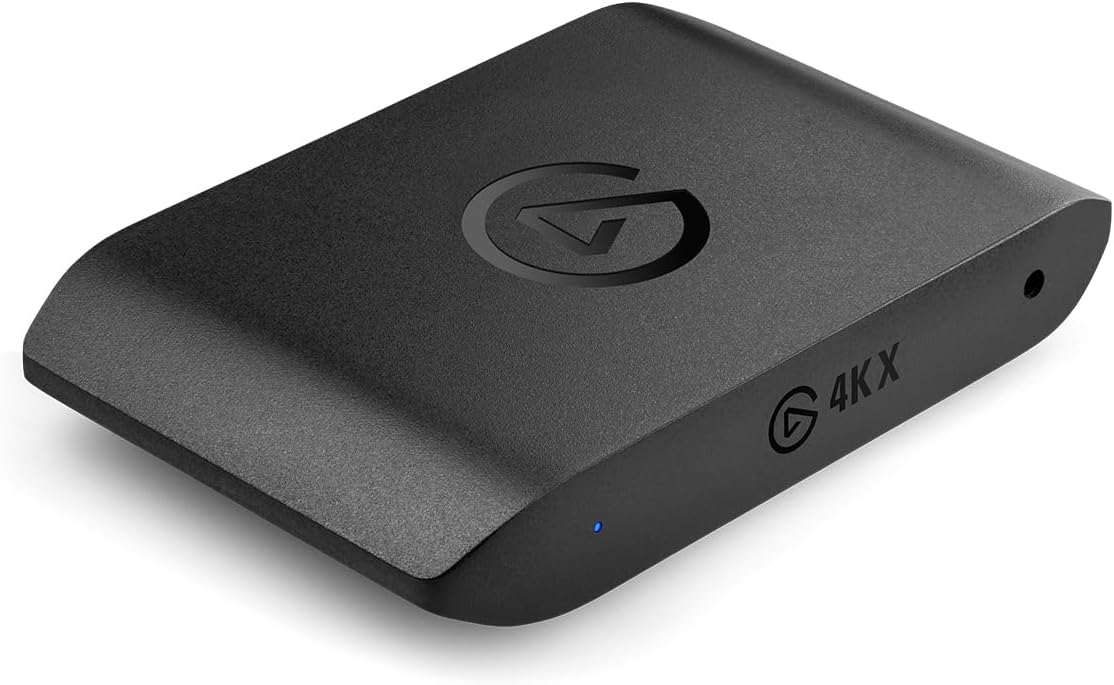
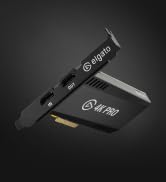
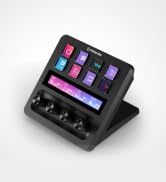
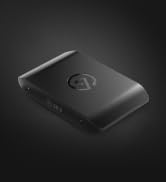
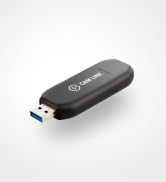
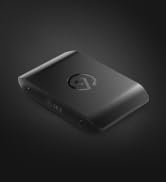
The Elgato 4K X Capture Card delivers professional-grade 4K resolution at 144fps with ultra-low latency via USB 3.2 Gen 2. Featuring HDMI 2.1 input/output supporting up to 240fps at 1080p and VRR passthrough, it ensures seamless, tear-free gameplay and versatile streaming across all major platforms and devices including PS5, Xbox Series X|S, and Nintendo Switch.


| ASIN | B0CPFWXMBL |
| AV Output | HDMI |
| Antenna Location | Video recording, streaming |
| Best Sellers Rank | 978 in Computers & Accessories ( See Top 100 in Computers & Accessories ) 37 in Components & Replacement Parts |
| Box Contents | Elgato Game Capture 4K Pro |
| Brand | Elgato |
| Brand Name | Elgato |
| Compatible Devices | Mac, Windows, iOS, iPadOS, PlayStation, Nintendo Switch, and other devices with USB or HDMI support |
| Country of Origin | Taiwan |
| Customer Reviews | 4.4 out of 5 stars 989 Reviews |
| Hardware Interface | USB |
| Hardware interface | USB |
| Item Dimensions | 17 x 112 x 72 millimetres |
| Item Weight | 0.09 Kilograms |
| Manufacturer | Corsair |
| Manufacturer Part Number | 10GBH9901 |
| Minimum System Requirements | USB 3.0 or above, compatible with PC, Mac or iPad. |
| Model Name | Game Capture 4K X |
| Model Number | 20GBH9901 |
| Number of Items | 1 |
| Operating System | Windows oder macOS |
| Operating system | Windows oder macOS |
| Other Special Features of the Product | 4K144 Capture and Support HDMI 2.1 |
| Platform | Mac OS X, Nintendo Switch, PlayStation 5, Windows 10, Xbox Series X |
| Product Warranty | 2 Year Manufacturer |
| Recommended uses for product | Video recording, streaming |
| Special feature | 4K144 Capture and Support HDMI 2.1 |
| Tuner Type | ATSC, DVB-T |
| Video Capture Resolution | 4K |
| Video capture resolution | 4K |
G**Y
Fantastic picture quality
Amazing capture quality on PS3/4/5, super easy to set up and use, but would recommend OBS over legato’s capture utility, as it crashes all the time. The device itself is great though. You do need a 10Gbps USB port to get max res out of it though
M**N
Elite Streaming Hardware!
Bought this to upgrade my original 1080p version of this device. Elgato make quality hardware, and this allowed me to upgrade to full 4K on my streaming set up. I use it with OBS and it just presents as a webcam, you don't need to install any extra software. I'm also able to take an extra audio feed out of it, so when i'm streaming, I can capture the audio both in OBS and also out via Discord so that other people joining me on stream can get a live feed as well. It's a solid bit of hardware, dead easy to use, high quality and have had no compatibility issues. Only thing to be aware of is that this kind of device does NOT work with HDCP - so for example, if I want to use Netflix on my main PC, it'll make the screen go blank once Netflix tries to kick in HDCP. It's not a fault in the device, HDCP is designed specifically to block this kind of thing to prevent piracy. Annoying, as while I have intention to pirate, I'd like to still be able to watch Netflix without rewiring my set up to remove the capture device each time. This will be common issue on all capture devices however. Back on the positive, it works well with my 4K 60hz screens and other than when watching Netflix, I have it in live use all the time even when not streaming, zero latency issues getting in the way at all. I also have a switch connecting it to all my consoles as well (PS5, Xbox Series X) and no issues there either, no compatibility issues at all (make sure HDCP is disabled on the PS5!). Great bit of kit, highly recommended.
D**R
Works as required
Works perfectly for Switch 2.
A**R
Great product!
If you connect the Elgato to MacBook M1/2/3 chip, for achieving full quality you should do the following: - upgrade the firmware. - while the Elgato software is opened, click “^Control” bytton, then a new feature toggle to activate 10Gbps bandwidth will appear. This is a must to-do step when working with MacBook with Apple silicon chip. Else, you’ll only get half bandwidth speed (5Gbps), which wont let you capture high resolution and high fps. Great product, I hope Elgato will communicate this trick better, since I spent hours on finding this feature.
M**S
A Pro-Level Capture Card That Delivers
As someone who’s tested multiple capture solutions, the Elgato 4K X stands out for all the right reasons. Right out of the box, it impresses with a sleek, minimal design and plug-and-play simplicity. Setup is genuinely easy—no driver drama, no firmware fiddling. Just USB 3.2, and you’re good to go. Key strengths: Pristine 4K60 HDR10 Capture – The quality is razor-sharp with no compression artifacts. Whether you're streaming games, recording camera footage (what I mainly use it for), or creating content, this card captures detail and colour depth beautifully. VRR & Passthrough Support – Variable Refresh Rate support is a game-changer, especially if you're gaming on PS5 or Xbox Series X. No screen tearing, just buttery-smooth passthrough up to 240Hz at 1080p or 1440p. Ultra-Low Latency – You can monitor gameplay or live camera feeds in real-time without a hint of lag. Great for live streamers or hybrid work setups. Cross-platform Compatibility – Works seamlessly on both Windows and macOS, and with most popular software like OBS, Streamlabs, and even Zoom or Teams if you’re going the professional webcam route. Future-Proof – With full support for HDMI 2.1 features and high frame rates, this card is ready for both current-gen consoles and pro camera workflows. In short: the Elgato 4K X is an ideal choice for content creators, streamers, or professionals looking for reliability, top-tier capture quality, and features that won’t be outdated anytime soon.
A**R
HDR10 capture only @ 1440P not 4k!
Another user list list as capturing 4K HDR10... it does not support HDR over 1440p60 Poor really since my Avermedia live gamer can record 4k60 with HDR... hmm
N**O
Almost perfect
Captures consoles and other devices to my pc perfectly with no effort and high quality with no lag. Just be warned when you buy this product that you have usb ports that gives it enough bandwidth and power. It comes with a usb C to C cable so make sure your motherboard has one available or you can use a USB C to A cable if you have a usb 3.2 gen 2 port. Anything lower it won't support it and it's not worth buying.
W**Y
Wire Broke On First Use
I plugged it in and it seemed okay then unplugged it to plug it into my other pc and it didn't work, So I plugged it back into my original pc and it didn't work, So I plugged the wire into a phone charger then into my phone... Nothing, The wire had broke on first use. So I tried a slow USB C to USB C and it lit up white (Aka slow data transfer) so the device was working but as I say the wire had broken (With no abuse and being extremely careful plugging it in as I always am with USB C) They'd just included a fancy looking rubbish quality cable which honestly isn't good enough, I refuse to pay £20 for a replacement cable of the latest model and same speed.
J**H
Parfait
Rien à dire sur ce produit à part qu’il tient parfaitement ses promesses. Permet de capturer en grosse qualité, jusqu’à du 4k 144fps. Plug and Play. Très simple à installer et utiliser.
G**G
Simple d'utilisation
Simple d'utilisation Je le recommande Avant j'utilisais avermedia. Mais Elgato est beaucoup plus simple d'utilisation et de bonnes qualités
D**Z
True UVC unlike some others.
I bought an AverMedia UVC captrure card before trying the Elgato 4K X, and AverMedia (AM) advertises it as being UVC, well it was not and my linux OS could not properly use it or detect it. This was an internal PCIe capture card and the results on the AM were intermittent, sometimes I could record and the input would show up and sometimes not at all. Then i bought this external capture card, I was a bit worried about it being external and the bandwidth requirement over USB-C. Then I was worried about the UVC not being up to spec like the previous card I bought. Well I am glad to be proven wrong. This external capture card not only performs well in Linux it handles 4K 144Hz pass through like a champ. I can capture 4k@60hz in Linux without issues. I am pleasantly surprised. I am using Fedora and OBS (flatpak). I noticed the OBS flatpak performs better than the rpm package in the OS and the flatpak form flathub is also more up to date than the rpm package and fedora flatpak. I guess you get what you pay for.
M**R
ممتاز
ممتاز ويعمل بسلاسة وسريع
A**R
Incredible upgrade from the HD60, easy to set up and worked perfectly to stream Switch 2 to Discord
This is an absolutely amazing upgrade from the HD60 that’s so much easier to set up! I can’t even remember the convoluted process I would go through to stream Animal Crossing off my Switch a few years ago, but it was cumbersome enough I never bothered with it again. Getting this going with my Switch 2 took less than 10 minutes and was a direct hookup. The quality was perfect for streaming Pokemon Pokopia and Legends ZA to friends on Discord. One thing to note there though is currently Discord lacks a native way to flip the webcam image, so it’ll be backward to you although it’s fine to viewers. If you go through OBS Studio (which is free and open source!), that does have a transform horizontal option to fix it. Even though there are some workarounds for the less expensive models, I’m really happy I went for the Elgato 4K X. It worked perfectly with crisp video and audio, and no frustrating troubleshooting needed. Depending on if/how you’re doing voice you may need to adjust your audio setup, but overall this makes streaming really simple.
Trustpilot
4 days ago
5 days ago