


Desertcart purchases this item on your behalf and handles shipping, customs, and support to Japan.
โ๏ธ Stay Cool, Game Hard: The Thermal Pad That Means Business
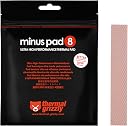
Thermal Grizzly Minus Pad 8 is a 120x20x0.5mm self-adhesive thermal pad engineered with a ceramic silicone and nano-aluminum oxide composite, delivering 8W/mยทK thermal conductivity. Its flexible, elastic design fills micro-gaps between components, optimizing heat transfer for CPUs, GPUs, and gaming consoles like PS4, PS5, and Xbox. Highly rated and compatible with major CPU sockets, it offers a professional-grade cooling solution where thermal paste falls short.
| ASIN | B00ZJT31QC |
| Best Sellers Rank | 18,243 in Computers & Accessories ( See Top 100 in Computers & Accessories ) 28 in Thermal Pads |
| Brand | Thermal Grizzly |
| CPU Socket | LGA 1200, AM4 |
| Cooler Heatsink Compatibility | Intel LGA, AMD AM4 |
| Cooler Heatsink Material | Ceramic, Silicone, Aluminum Oxide |
| Cooler heat sink material | Ceramic, Silicone, Aluminum Oxide |
| Cooler heatsink compatibility | Intel LGA, AMD AM4 |
| Country Of Origin | China |
| Customer Reviews | 4.6 out of 5 stars 4,790 Reviews |
| Global Trade Identification Number | 00753677507289 |
| Item Dimensions L x W x H | 1H millimetres |
| Item Type Name | CPU Cooler |
| Item Weight | 9 g |
| Item weight | 9 g |
| Manufacturer | Thermal Grizzly |
| Manufacturer Part Number | TG-MP8-120-20-05-1R |
| Model Number | 120x20x0.5 |
| Mounting Type | PCB Mount |
| Mounting type | PCB Mount |
| Number of Items | 1 |
| Product dimensions | 1H millimetres |
| UPC | 753677507289 |
M**D
Great Product
This stuff is truly amazing, the cooling performance is really impressive and it's easy to work with. I use it on my laptop and electronics projects and honestly it's been great. When I got it out of the pack I was surprised at how cold it had gotten just sitting on my desk in a warm room. Will definitely be using this for future projects. Big improvement on thermals.
J**S
Great solution for overheating
Used them to quiet down a PS4 Pro that sounded like a passenger jet plane was trying to take off in the corner of the room. Coupled with some decent thermal paste they cured the problem instantly. Easy to peel and stick in place.
A**R
PS4 Pro fan noise eliminator!
I came here after watching a youtube video on how to make my PS4 Pro run quietly. I had stripped my console right back a few times in the past to remove dust which collects in the heat sink, but the jet engine kept coming back when graphically demanding games were being played, so I figured it was time to do something about it! This product is excellent when bought together with the Thermal Grizzly compound. What you will notice when replacing the thermal pads is, the originals are tiny and not adequate. The first set you replace on the memory chips are small, so be careful to take your time getting them cut just right. The second set of pads you replace under that aluminium cover are going to be much larger than the originals, these are much easier to fit. I gave it a good test today and its silent! This product really is the muts nuts. One thing I would suggest BEFORE you fit these is to strip your console right back and clean that fan and heatsink first. Take your time and have a black marker to help you remember where the black screws go. If you already know what your doing then just buy this stuff! You cant even compare it to the original junk thats on there. You even get two strips in the pack!
M**.
Used on an old asus N55SF
Thermal grizzly, a brilliant company who know what they are doing. TL:DR This is a good product I had an old asus laptop, an N55SF to be precise, that was constantly overheating, its i7 4th gen processor clocking down to 800mhz, so i removed the cpu cooler, applied liquid metal and noticed the VRMS were cooled with thermal adhesive glue rather than pads, akthough it can be argued they are more thermally conductive it is important to note that they do not fill all the micro cracks and imperfections in cooliing plates and even the cpu/gpu die's themselves micro air gaps cause heat build up. Using Isopropyl Alcohol, some cotton buds and a lot of elbow grease I cleaned it up, applied liquid metal and then on the VRMS used these thermal Pads to replace the adhesive. Lo and behold the temps were at 82 degrees under full load while hitting 4.0ghz boost on all 4 cores.
M**H
Works great but small for the price
They're not very big for the price but they do the job nicely. I replaced the heat pads on a PS4 Pro VRMs and RAM chips, along with some thermal grizzly Kryonaut paste and the console is now so quiet I thought I'd forgotten to plug in the fan at first.
H**T
Good Thermal Pad
DDR5 SODIMM 5400Mhz Razer Blade 15 - from 60oC to 45oC. NVMe - from 65oC to 45oC GPU Memory - from 95oC to 85oC Perfect :)
R**S
As you would expect, very good
Have used this with excellent results on a ps4, several laptops and a netgear D7800 router! Every application has resulted in noticeably lower running temperatures especially on the router which was getting too hot and rebooting before swapping the thermal pads for the grizzly stuff. 3 year old PS4 also runs a lot cooler and fans kick in less.
P**.
Great thermal pads, helped to achieve 10ยฐc temp drop
Bought this to add some extra cooling to my Dell XPS 15. Added to my ram chips, WiFi card, vrm chip + others. Easy to work with and high quality. Combining this with repasting the CPU+GPU, and undervolting the CPU the laptop now runs much cooler (at least -10ยฐc) feels faster and the fans kick in less which appears to have also increased battery life. Very happy
C**S
Great pad replacements for GPUs
Great stuff overall. Very easy to cut to size and apply. Saw substantial temperature improvement when applied on a 3060 12GB used in a local AI application. In addition to overall thermal performance, acoustic levels dropped substantially due to lower temperatures. Overall a great upgrade for the price and appears to be something that will make a lasting improvement.
Z**D
Top quality.
Ps4 pro went from jet engine to quiet as a tomb, put one on the hdmi chip too, makes all the difference.
M**L
Helps cool down the original Playstation 4!
The Thermal Grizzly Pad was quite an interesting item to use for cooling down heat intensive devices such as the Playstation 4. It does look like a long stick of gum or a Laffy Taffy after opening up the sealed package. Both flat sides of the pad were stick onto a thin plastic cover for protection of dirt and debris. The plastic cover can be quite tough to mark any measurements without using a fine marker or a wet pen. Using a fine sharp tool, it can be cut into near to exact measured pieces for your project. In this project of mine for instance, I used it to help cool down my original PS4, replacing the stock thermal pads. After testing my PS4 out for few hours with the new pads, I've noticed quite a difference in cooling that help lessen the use of the stock fan, so it doesn't sound too much like a jet engine. I would use this product again to replace other heat intensive devices in the near future.
S**H
Totally geniune product. Go for it
Bought from Scorpzon trading, received freshly imported, totally geniune product, when I checked the label, found that the seller Scorpzon is the official importer for thermal grizzly products in India, came in a resealable pouch, used it for my MSI gaming Laptop to replace the factory installed thermal pads. Works as advertised, easy to stick, don't forget to remove the protective film from both side of pad before installing.
A**H
Good thermal pad for RTX 3080
These pads are good enough to cool down a card little more than stock pads. For 3080 you have to use 2mm on front side and 3mm on back side. Generally people don't change back side. I have also only applied on front side only. The results aren't extraordinary. I have pushed my oc and reached 102. That's the max. But I've lowered down it to 99-100 now. I was trying to test the card that's why I pushed it further. The card throws huge amount of heat, and thermal pads are very expensive. This minus pad is good enough to hold at some level. But you'll have to keep it cool. You room temperature should be cool. If you have any questions regarding this, reach out to me. Check out Computer and Mining Rig's Building (customisable) on Google! You'll find me here. I assemble computer dedicatedly, being a Mining rig doesn't change much, it's only another computer for me. Talking about temp. It actually increased outer temp for 4-5 degrees after applying this pads. But improved hashrate of 10+ MH/s. You may consider this as there are number of brands to go after. Only plenty of them to reside. 1. Thermal right extreme 2. Minus pad thermal grizzly 3. Gelid extreme Don't use gelid ultimate. Don't use thermal right ultimate Use better wk pads. Use proper size pads. Apply them properly, with measurements. Have a tutorial running in front of you while working. Be gentle with the tiny connections inside. Most importantly, if you don't apply good thermal paste (mx4) properly. Or used less than required or more than required, then also you will face bad results. Try applying in x pattern with dots. It'll work. If it doesn't give results. Reapply paste by cleaning properly. Good luck! โ๐ป
Trustpilot
2 weeks ago
2 weeks ago