Desertcart purchases this item on your behalf and handles shipping, customs, and support to Japan.
🚀 Double your screen, double your impact.
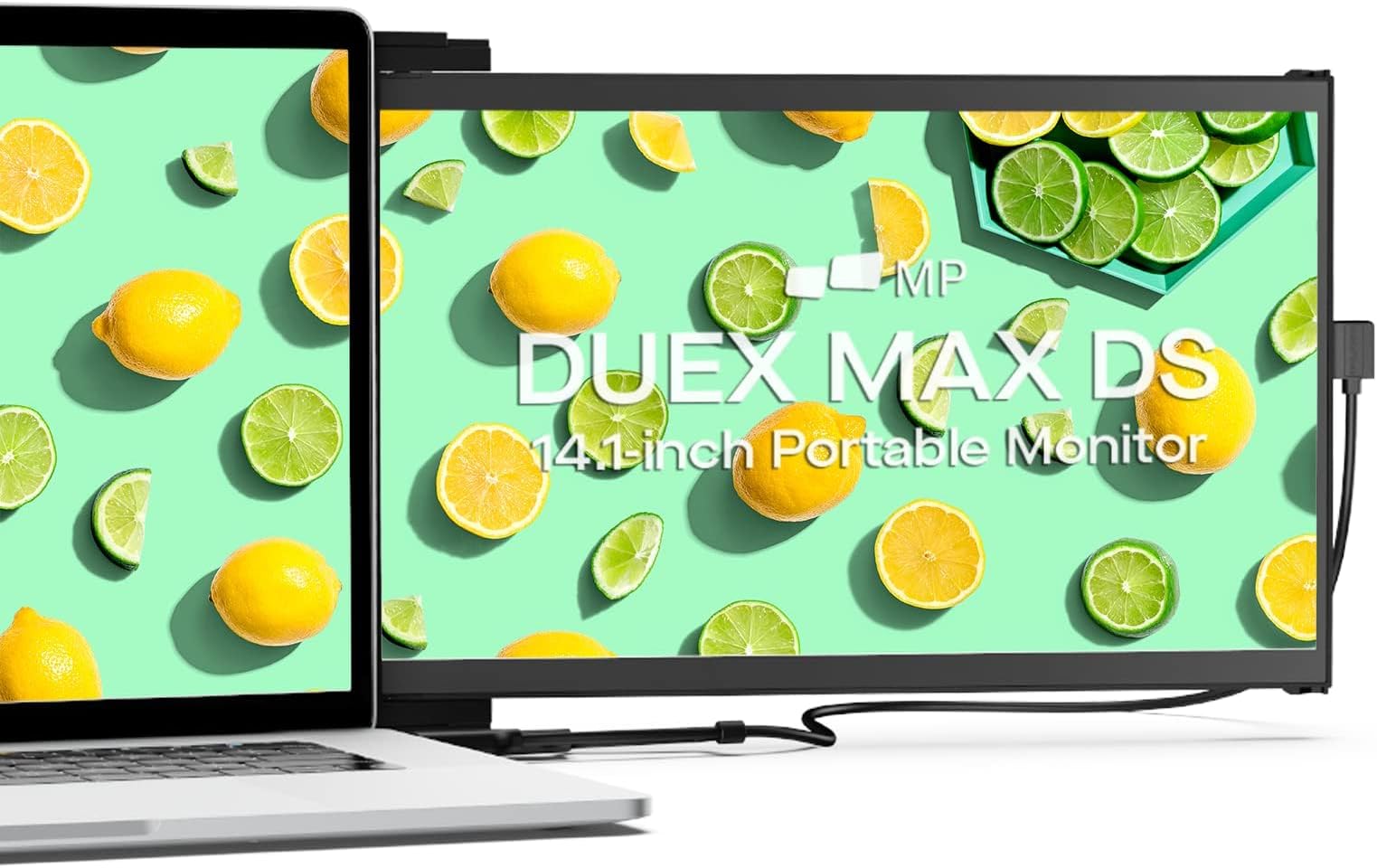
The Mobile Pixels 2025 Duex Max DS is a sleek, 14.1-inch FHD portable monitor designed to attach seamlessly to 14''-17'' laptops. Featuring dual USB-C and HDMI inputs, it offers broad device compatibility and effortless plug-and-play setup. Weighing only 1.8 lbs and measuring 0.25 inches thick, it’s engineered for professionals on the move seeking enhanced productivity without sacrificing portability.


| ASIN | B0C39RBB4K |
| Are Batteries Included | No |
| Brand | MP |
| Colour | Black |
| Customer Reviews | 4.1 4.1 out of 5 stars (154) |
| Date First Available | 20 Sept. 2023 |
| Guaranteed software updates until | unknown |
| Item Weight | 816 g |
| Item model number | 101-1007P06 |
| Manufacturer | Mobile Pixels |
| Number of HDMI Ports | 1 |
| Number of USB 3.0 Ports | 1 |
| Product Dimensions | 34.8 x 24.13 x 4.32 cm; 816.47 g |
| Resolution | 1920 x 1080 |
| Screen Resolution | 1920x1080 |
| Series | Duex Max DS |
| Standing screen display size | 14.1 Inches |
D**L
Great for using laptop on a stand
Very hard to find a monitor that fixes to the laptop itself so that you can use it on a stand. Magnets work very well, product feels well made and multiple cables are provided depending on the ports on your laptop. Very happy with the product!
Y**R
Not happy
Was falling all the time from the screen has to return it before he will break completely not good to use in back on screen computer
S**A
Extra screen attaché to your laptop
I was looking for some time to get an extra screen when I don’t need a table to set up. That is attached straight to my laptop. I am very happy with the purchase. Setup is easy.
A**.
picture quality is terrible
This is a low-resolution, budget monitor. If your laptop has a high-resolution display (as most do these days)—such as a 254 ppi, 3456 x 2234 display on a 16-inch MacBook Pro—you'll notice a stark and intolerable difference when using them side-by-side, which can be quite disappointing. The display is not suitable for reading, let alone tasks involving graphic elements. The return process is a nightmare, and they deduct a substantial fee before issuing a refund.
B**D
pratique et léger
Hyper pratique, solidité des aimants et facilité de pose
ぽ**ん
作業効率が上がります
喫茶店等でPC作業する時に重宝します。 トイレで席を外すときにPCを素早く畳み、放置せずに携行できます。 設置する注意点は、磁石はPC本体に直接貼り付けないことです、将来除去できなくなります。マスキングテープ等でワンクッション挟むのが良いです。
7**U
***UPDATED 2nd time, upgraded to 5 Stars** There is a difference in the DS model
For work, we have these but the one I just bought was black and labeled DS. Difference is using just the USB vs USB & HDMI. Should have researched but not a huge deal breaker that the DS requires both cables. The 4 stars are for the shear weight! I cannot tilt the screen at all. Anything other a 90 degree and the laptop flips over. I am gonna try to get creative on how to make a kickstand. Can adhere it to the screen (slides over and is angled up) and the actual tray is flush with the screen so it would catch on the screen. If I figure out something, I’ll edit and attach a picture…. ***UPDATE*** To explain the attached pictures. I purchased little clips (legs) that stick to the bottom of the laptop as a lot of the times, I keep a high tilt on the laptop. Regardless, the weight of the screen tilts over the laptop, whether flat or raised by the legs. Luckily, I had an eraser sitting at my desk couldn't believe that was a quick fix. I notched out a portion so I could stand it under the frame of the screen rail (corner by the hinge) and it supported the weight. So I took another one and notched out a section that I could use the eraser in different directions to support the weight whether the laptop was flat or raised. Video is of the screen quality. Loaded a quick youTube and tried to sync the play time. To be honest, I think the video looks better on the 2nd screen. ***UPDATE 2*** Upgraded to 5 stars. Pulled the magnets reapplied them so the were much lower and closer to the edge. By doing this, the “hinge” when opened now acts like the eraser and props the monitor/laptop regardless of angle. Maybe a slight raise on that corner depending on what angle you open the laptop but nothing departmental. Some tape to hold the magnets in place to find that sweet spot (hinge acting as the prop) and once found, reapply the new 3Ms. Now a true 5 star! Last pic shows the magnet off-centered. This is on a 16+ screen. My work laptop is 14” and centered allows the hinge to do the same.
Trustpilot
2 weeks ago
5 days ago