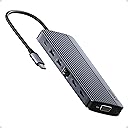
Desertcart purchases this item on your behalf and handles shipping, customs, and support to Japan.
🚀 Elevate your workspace with the ultimate 14-in-1 docking station — because multitasking deserves no limits!
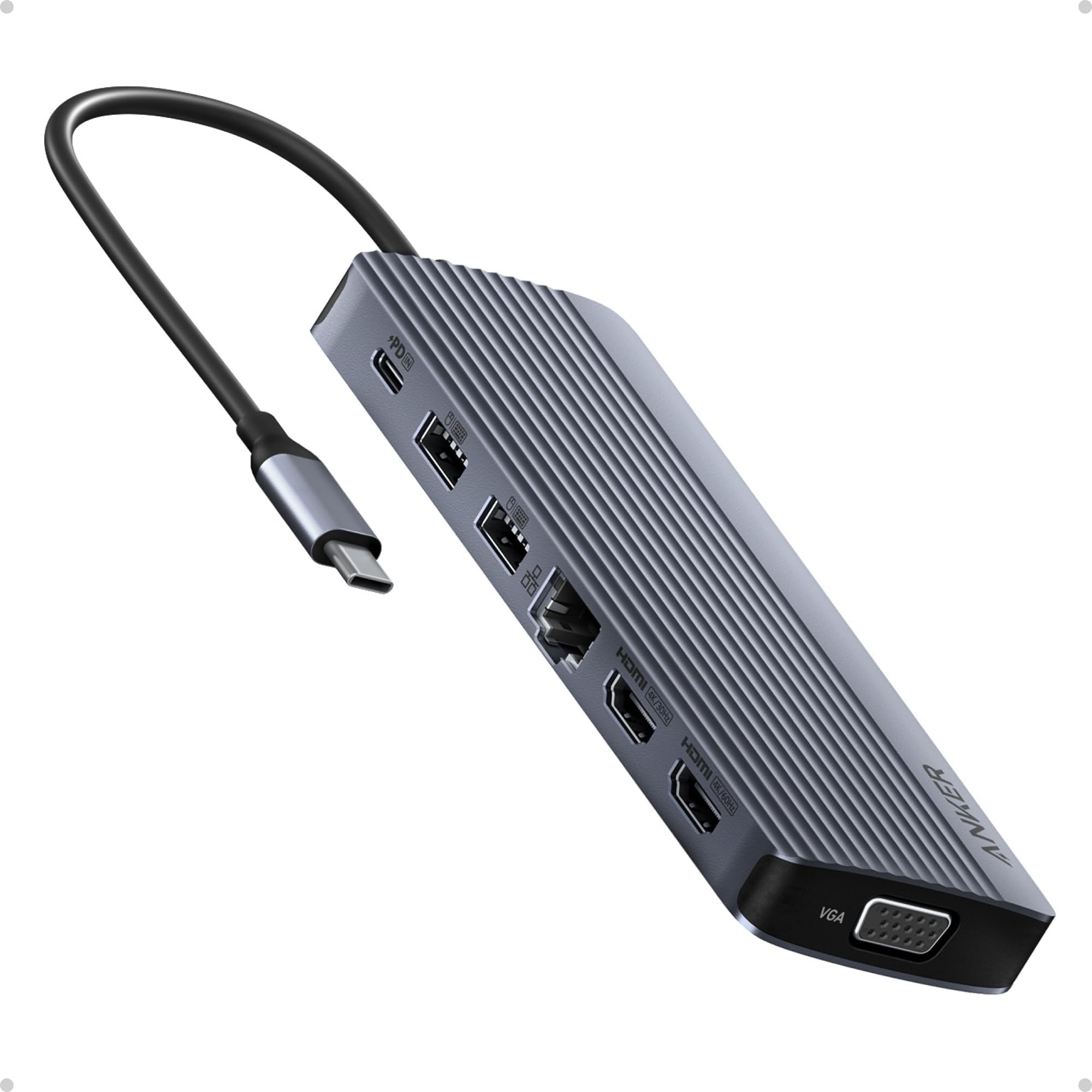
The Anker 14-in-1 USB-C Docking Station transforms your laptop into a powerful desktop setup with dual 4K HDMI, 1080p VGA triple display support, 14 versatile ports, and 80W pass-through charging. Designed for professionals craving seamless multitasking and fast data transfer, it supports Windows, macOS, and ChromeOS devices, delivering premium build quality and plug-and-play convenience to keep your workflow smooth and your desk clutter-free.


| ASIN | B0CF52HF6D |
| Best Sellers Rank | #389 in Computers & Accessories ( See Top 100 in Computers & Accessories ) #46 in Laptop Docking Stations |
| Brand | Anker |
| Color | Grey |
| Compatible Devices | Laptops |
| Customer Reviews | 4.2 out of 5 stars 1,311 Reviews |
| Global Trade Identification Number | 00194644155513 |
| Hardware Interface | USB 3.0 Type C |
| Item Weight | 0.13 Kilograms |
| Manufacturer | Anker |
| Mfr Part Number | A83890A1 |
| Minimum Required Operating System Version | Windows 10 |
| Model Number | A8389 |
| Number of Ports | 14 |
| Smart Home Compatibility | Not Smart Home Compatible |
| Total Number of HDMI Ports | 2 |
| Total USB Ports | 6 |
| Total Usb Ports | 6 |
| UPC | 194644155513 |
V**T
Excellent Dock for a Clean, Powerful Workstation Setup
The main reason I purchased the Anker 14-in-1 USB-C Docking Station was to create a single workstation where I can easily swap between my home and work laptops while using the same peripherals—two monitors, keyboard and mouse, audio headset, and several external storage devices. It met all my needs and has exceeded my expectations. It instantly transformed my laptop into a full desktop workstation with just one cable. Setup was completely plug-and-play—no drivers needed—and everything worked right out of the box. Power delivery has been excellent. It charges my laptop while driving all connected accessories without any problems. The build quality is exactly what I expect from Anker—solid, well-designed, and premium-feeling—and it remains stable even under heavy use. That said, there are a few important things to note. Without a power input connected to the hub, only one HDMI output can be used for an external monitor, and the second display must remain on the laptop. I also use a Logitech USB-A Unifying receiver through the hub, and occasionally the keyboard and mouse performance is not as responsive as when plugged directly into the laptop. The dock can also get warm to the touch, which is expected with higher workloads, current, and power draw. Since the beginning of the pandemic, I’ve been working from home and do everything I can to preserve the life of my equipment, including running a small USB-A fan 24/7 to keep things cool—and I’ve had no issues so far. This dock has been a huge productivity boost and keeps my desk clean and organized with a simple single-cable connection. For the price, it offers excellent value compared to many other docks that cost much more and offer less.
J**N
Updated Review
I will leave my original review at the bottom. After I posted my original review Anker reached out and offered me a refund or a replacement. I opted to take the replacement and give them another chance to see if maybe the first one was just a bad unit. I'm an glad that I did. I have put the replacement in place exactly as I had the original and have been running it for a day now. It is driving two 1080p monitors and so far has not had a single issue. I have a 100w Anker USB C charger going into the hub and it is supplying power to my laptop. The hub does get warm to the touch, but that is expected and clearly noted as normal in the documentation. So I can give this a thumbs up and also have to give Anker a big thumbs up for standing by their products and having great customer support. Old Review: I guess I should have looked at the reviews a bit closer. I got this to drive 2 monitors. Something my machine is more than capable of doing with a RTX3070 in it. Hooking it all up the two monitors will come on and work but then randomly drop out. Sometimes it is just one sometimes it is both. They go black and stay blank. Sometimes they come back after a second. Sometimes they stay gone till I unplug the hub and plug it back in. The device is getting plenty of power as it is connected to an Anker 100w usb c power supply. In addition to the going blank, I have also noticed watching videos that now the video will get out of sync with the video on the monitors. This is very disappointing.
S**A
FANTASTIC for using multiple VGA displays with PC that doesn't support VGA
I have DUAL VGA monitor setup that I could no longer use when a bought a new laptop with HDMI ports only. The hub was a perfect solution plus providing several handy additional USB ports for earbuds, phones etc. I never turn my new laptop off because its cooling fans never run when I am not using it . . . so the laptop has no moving parts when not in use. I had to replace my older Thinkpads that were running for several years without turning them off because they couldn't be upgraded to the current version of Windows 11 so NO MORE UPDATES from Microsoft. My only concern with the Anker docking station is that it runs fairly warm when the computer is ON but not in use. Wondering if it will last for several years at its elevated temperature. OVERALL, THIS ANKER PRODUCT IS FANTASTIC.
S**)
Small , getting hot, short cable that restricts it location , works fine
Small , has enough ports. however it is getting hot, so far no issue but the it makes me concerned. Another complain that it has a short cable which only allows the unit stay very limited place and limited direction. So it takes some space on your desk. because all the cables you connect it doesn't allow it place your desired place.
I**E
Defective
I just got a brand-new Asus Vivobook S14 with Intel Core Ultra 7, 32 GB of memory, 1 TB storage. I have two (an Asus and a Samsung) 1920 x 1080 displays and an older Dell (1280 x 1024) display using VGA or DVI-HDMI cable. I used to connect the Asus laptop to the Asus display and the old Dell display using another Anker USB C hub with one ethernet port and one 1 HDMI port for the Dell display. The Asus display connected to the laptop using a built-in HDMI port. This old three-display setup worked well. When I received this new Anker four-display device, I first connected the Dell (via DVI-HDMI cable) to one HDMI port and the Asus display to the other HDMI port. After a short moment, the Dell display started going off and on. The interval was around 15 - 20 seconds. Windows still showed the laptop connected to two external display. I thought the DVI-HDMI cable may be incompatible with this new hub, so I used a VGA-VGA cable to connect to the VGA port on the hub. I then connected two other displays to the two HDMI ports. I only got visual on the laptop, the Asus, and the Dell displays. The Samsung display was dark. When I selected the option to extend the laptop display to the 4th display (Samsung), the Samsung display showed the visual, but the laptop display went dark. In other words, I only got three displays at once, not four. I checked the photos on the product page again and confirmed that the unit should have shown different visuals on all four (laptop, Dell, Asus, and Samsung) displays. By the way, I was unable to screw the two VGA cable thumbscrews to the device. It appears the holes were too deep inside the unit so the screws could not reach them. I have been using a bunch of Anker products. This one damaged Anker's reputation for sure.
S**G
Good dock
I only need output to two external 4K monitors. Another Anker docking station with "dual display" support did not work for me but Anker is generally a good brand and I decided to try this one with triple monitor support. This dock works well. Just plugged it in and it did the job. Stable images, no flicker or resolution issues. USB ports work, laptop charges. This dock is good.
P**3
Works but having issues with powering a laptop
Bought this to setup a new laptop for my sister. The plan was to keep the laptop lid closed as she has a small space to setup the laptop in an amoire with an external monitor in another section. So happy that it had a VGA connector as she had a older monitor that was connected to her previous machine with VGA. All her peripherals worked great in including her mouse, keyboard, printer, external HD, and speakers. Unfortunately, when first booting up the laptop with the laptop power supply plugged into the PD USB C port on the dock, the computer will say that there isn't enough wattage and to use a higher wattage power supply. Not sure why it is saying that as the product description says it will pass through 100W and the laptop power supply is 65Wa. To be fair, in the product description they do say, "elect a wall charger that is at least 20W more powerful than your device's original charger." Now being that is a brand new laptop, I just used the power supply that came with the laptop. Be forewarned. Most users are not looking to purchase another power supply if they already have the one that came with their laptop. This is a show stopper because if my sister needs to reboot the machine because of an update which did happened yesterday, she will just get a black screen. She has to undock the machine, hit ESC to get past the message, log into the machine, then close the lid and redock to get her display to come up on the external monitor. It will wake up from sleep just fine but if she turns off or reboots the laptop, she has to do the whole disconnect, open the lid, get into the machine and then redock. She is not very technical so don't want to put her through this. I'm sure if we are able to leave the laptop open or was using a small desktop machine, the dock will work fine. We use OWC powered docks at work and they work fine so will probably swap out the Anker dock with a spare Lenovo dock I have that supplies up to 135W of power. So for our particular needs, the dock will not work for us but should work for most folks.
D**R
Almost perfect for my needs.
***FRESH INSTALL IMPRESSIONS*** I have an older usb C docking station that never worked quite right, I have 2 identical HP 28" monitors but NEVER could get the resolutions the same between them etc... Right out of the box, this thing plugged right in, passed the keys / mouse through no problem, HDMI directly passes through. I am using WiFi with my laptop so have not tested the ethernet port, Micro SD card slot does what it is supposed to do. Plenty of USB ports for my needs, Literally ALMOST nothing left lacking except... My ONLY complaint and it is a minor one. The USB C cable into the laptop is painfully short. Should be at least 18" but I get it... Hey Anker, next time, more cable please! This is NOT my first USB C docking station however, and these typically fail quickly. I have so far been impressed with Ankers quality though, so here's hoping they didn't drop the ball on this one. The reviews so far look good, my use so far is good. Will update after some use. If you don't see an update by say June 2025 you can rest assured my impression has held solid and am having a good experience with it...
M**R
Anker USB C Hub
It is an excellent product and works very well.
D**E
ok
En temps et en heure, Ok.
M**G
Great connectivity
As the title says, great connection. I connect my laptop to this which charges quickly. Also connected are two screens, a mouse speakers and internet. Had for over a year now and still working.
M**E
Works perfectly
Has worked flawlessly with my HP EliteBook 840 G8. Allows me to extend my display to 2 extra monitors and charge my laptop all at the same time (through 1 cable). In my opinion Anker makes some of the best tech accessories for a reasonable price. 10/10 product.
A**A
Anker USB-C Hub (14-in-1, Triple Display), HDMI 4K 60 Hz, potenza massima 100 W
Ciao a tutti! Sono un appassionato di tecnologia e lavoro spesso in mobilità con il mio laptop. Da poco ho avuto la possibilità di provare l'Anker USB-C Hub (14-in-1, Triple Display) e oggi voglio condividere con voi la mia recensione. Descrizione del Prodotto: L'Anker USB-C Hub è un hub versatile che offre 14 porte diverse, tra cui: 2 porte HDMI 4K 60Hz 1 porta VGA 1080p 1 porta USB-C da 5 Gbps 1 porta USB-C PD-IN da 100W 5 porte USB-A 3.0 1 porta Ethernet Gigabit 1 lettore di schede SD/microSD L'hub è realizzato in alluminio ed è molto resistente. È inoltre compatto e leggero, quindi è facile da trasportare. Unboxing: L'hub è arrivato ben imballato in una scatola di cartone. All'interno, ho trovato l'hub, un cavo USB-C e un manuale di istruzioni. Esperienza d'Uso: L'hub è davvero facile da usare. Basta collegarlo al laptop con il cavo USB-C e subito è pronto per essere utilizzato. Ho collegato all'hub due monitor esterni, un hard disk esterno, una tastiera e un mouse e tutto ha funzionato perfettamente. L'hub è anche in grado di caricare il laptop con una potenza massima di 100W, il che è davvero comodo. Prestazioni: L'hub ha prestazioni eccellenti. Le porte HDMI sono in grado di trasmettere video 4K a 60Hz senza alcun problema. Le porte USB-A 3.0 sono molto veloci e permettono di trasferire dati ad alta velocità. La porta Ethernet Gigabit garantisce una connessione internet stabile e veloce. Pro: 4K 60Hz Molto versatile 14 porte diverse Compatto e leggero Facile da usare Prestazioni eccellenti Contro: Il prezzo è alto scalda un po' Critiche e Limitazioni: L'unico vero difetto di questo hub è il prezzo, che è un po' alto. Conclusioni: Nel complesso, sono davvero soddisfatto dell'Anker USB-C Hub (14-in-1, Triple Display). È un prodotto versatile, performante e facile da usare. Se state cercando un hub per espandere le porte del vostro laptop, vi consiglio vivamente questo modello. Spero che questa recensione vi abbia aiutato a scegliere. Se così fosse, vi sarei grato se cliccaste sul tasto "utile" Grazie, Andrea
Trustpilot
3 days ago
2 weeks ago