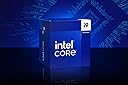
This professional CPU isn't designed for the average user. However, if you're a tinkerer at heart, eager to dive deeper than the surface-level information often presented in YouTube "videos" (or should we say, commercials), this is unquestionably for you. I've acquired multiple units for various builds and configurations from a wide array of retailers—Best Buy, Newegg, and others included.
For those considering a purchase, I highly recommend using an Apex/Apex Encore motherboard or another reputable 2-DIMM board for this CPU, else you will never get high bandwith low latency ddr5 tunes to be stable.In general AM5(AMD) or LGA1700(Intel), especially ifoverclocking is your goal, a high-quality cooling strategy is crucial; (not just for Intel either lol...my x3d crap runs hot by design...) annnywaysss....for those opting for an AIO, ensure it includes at least an 8th-gen Asetek pump and a 360 Thickboy copper radiator with performance fans. Avoid the aesthetically pleasing but functionally inferior Lian Li reversed SL Infinity fans. Genuine static pressure fans, capable of efficiently doing the job, are what you need. Despite what your favorite YouTuber might suggest, prioritize efficiency over aesthetics. Temperature control with this platform is paramount!When selecting DDR5, opt for well-binned options. If a high-binned QVL-compatible set isn't your choice, at a minimum, go for Hynix A for single-rank and Hynix M for dual-rank.The 14900K, when expertly tuned, becomes a gaming and multitasking powerhouse—achieving 43k to 44k in Cinebench R23, with 6.2GHz boosting, 5.9GHz across its 8 physical cores and 8 threads, and 16 physical e-cores at 4.7GHz, for a total of 32 threads, of which only 8 are virtual. With hyper-threading and e-cores enabled, it supports 8200-8400 MT/s CL38 DDR5 RAM, boasts sub-55ns bus latency, and sub-9.3ns FWL. It's a marvel in AIDA64 full (minus SSD), burn-in stress-test stability. Adjusting all cores down to 5.8GHz and boosting to 6.0GHz can further reduce bus latency to easily below 50ns (easily being relative to your experience). If you're going with Hynix A, you will need additional RAM cooling at 8000MT/s or higher with sub-50ns latency, as the sticks will start to error quickly at higher temps. OCCT and Kahru stability testing are a must.
Understanding Important VoltagesVoltage management is crucial when overclocking any high-end processor like the 14900K. Incorrect voltage settings can lead to instability or thermal throttling, ultimately degrading the CPU. Here are the key voltages to understand and manage:* Vcore: This is the most important voltage for CPU stability. Overclocking typically requires slightly higher Vcore. I recommend running at a 1.24V-1.26V range for stable performance under load, depending on the CPU's individual characteristics. Some chips may need more or less voltage for the same clock speeds.* VccSA (System Agent Voltage): This voltage controls the power to the memory controller and other components that affect memory and interconnect performance. Increasing VccSA slightly (1.0V–1.2V) can help with higher memory overclocking, particularly when pushing DDR5 to its limits. However, it's a fine balance, and too high can result in unnecessary heat.* Vccio: This voltage affects the CPU core's stability, especially during heavy workloads. A small increase (1.05V to 1.15V) can help ensure stability at higher frequencies.* Cache Voltage: For overclocking, ensuring that the CPU cache voltage is properly tuned helps maintain stability with higher core frequencies. If you're running multi-core loads, this is vital.* Ring/Uncore Voltage: Often overlooked, this voltage influences the performance of the uncore and cache. Keeping this at a lower level can help manage thermals better and improve the overall stability of your setup.Locking Cores for Stability and Performance BoostLocking all cores at a set frequency is one of the most effective ways to manage your CPU's power consumption and thermal output. While some might undervalue this approach, in practice, it's a well-desired strategy for ensuring stability and longevity of the 14900K.By locking cores at 5.8GHz under manual overclocking, you effectively maintain stable performance without relying on fluctuating boost clocks. The CPU will perform at a consistent clock, ensuring a predictable workload, which often leads to more stable thermals and lower peak voltages compared to using adaptive turbo modes.This approach also reduces the chances of sudden voltage spikes and temperature fluctuations that can cause instability, especially during gaming or other intensive tasks. It's an excellent way to optimize both gaming and multitasking without pushing the system to its thermal or voltage limits. Essentially, locking cores can lead to:* More consistent performance (especially in sustained workloads).* Lower overall temperatures.* Reduced power draw, keeping your CPU running at its peak without over exertion.Real-World Performance ConsiderationsDespite the capability of 3 EATX connections to easily deliver over 400W of power, I'd advise against exceeding 325W bursts daily. The performance gains beyond this point are minimal without extreme overclocking and cooling methods. Increased voltage/power requirements could significantly shorten the lifespan of your CPU. For tinkerers, this CPU is a dream come true.The X3D Elephant in the Room:Don't worry, I own one, and this is about science, not purchase bias. We'll sidestep intricate discussions about CLDO, FCLK, and MCLK concerns, and why the substantial L3 cache has become an essential workaround for the instability caused by chiplet-based IMC in handling DDR5 for gamers. If the augmentation of the L3 cache wasn't primarily to address DDR5 issues stemming from the chiplet design, why not significantly enhance and accelerate the L1 cache? The design doesn't allow for it since it's not monolithic, which wouldn't be practical. Those well-versed in the subject matter understand this. While chiplets represent the future, we must acknowledge that this future hasn't fully materialized for every aspect of computing, allowing us to look beyond the "normie YouTuber AMD cults."Indeed, I own a 7800X3D build and absolutely adore it! It excels in gaming... primarily in GAMING! Thus, there's no cause for concern. Let's briefly touch on the "benefits" like reduced thermals and supposed platform longevity (as if motherboard chipset upgrades and advancements in power delivery methods don't occur... humor me, over the planned 6 years). I, too, long for Z390 features on my Z790 board (/end sarcasm), not to mention the potential for longer boot times when tinkering with DDR5 or PBO, or even under normal conditions, and texture stutter/tearing... oops, and all those other delightful topics Lisa tends to highlight without addressing the influence of influencers with communications degrees rather than computer science degrees. Just having fun—do what you love!I don't blame Amazon, Intel, AMD, or Nvidia more than the other. Manufacturing and shipping issues happen. The chip I received from Amazon didn't meet my expectations, but my other purchases have been exceptional. By chance alone, the other four 14900Ks I've received from various distributors have been stellar!Note:Settings in pictures have been daily-driven—no stability concerns—all AIDA64 stress-tested for multiple hours and hundreds of gaming/workload hours. I can get bus latency down to under 50ns but need to decrease core clock to a locked 5.8GHz and some other tunes. It depends on what needs to be done—either/or is screaming fast, even 55ns at that bandwidth. I wouldn’t recommend going for 6.2 daily UNLESS YOU REALLY KNOW WHAT YOU ARE DOING, are willing to DELID, and have amazing cooling. KNOWING WHAT YOU ARE DOING IS NOT WATCHING TECH TUBE.
Update—As of Dec 28, 2024, I have not experienced ANY stability issues so far, nor have any of the other well-versed system builders and tuners/XOC nerds in our Discord (about 600 people). Most are running on OG microcode lol... it is all about keeping vCORE down and the steps needed to do so... Eg. if you configured your system properly in the first place there would have never been a stability concern less you got an early 13th gen..YES, YOUTUBERS ARE WRONG, IMAGINE THAT LOL.If you want stability and do not have years of experience tuning, you will need to properly handle PL1 and PL2 values, as well as lock core clocks to a reasonable frequency that corresponds with safe voltage according to your VID and what you can under-volt while maintaining STABILITY during active use.Be sure to stay within thermal, voltage, and power guidelines. THERE IS NO COOKIE-CUTTER SOLUTION—each piece of silicon from any manufacturer is different. Do NOT leave this stock. If you do not at least understand what VID and Vcore are, this is not the processor for you and you need to buy something more plug-and-play. These are built for experienced enthusiasts. My daily tune, still stable all this time later: zero gaming issues, zero shader crashes, it just works. 5.8GHz locked, 8200MT/s CL38. YOU MUST UNDERSTAND YOUR VOLTAGES. Each CPU will be different and require its own specific tune to hit what I have here IF IT CAN AT ALL. My processor has an Asus rating of 120 on the P cores—it's GREAT. It runs -0.135V at all listed frequencies and never really goes above 1.26 Vcore at idle or load, on average hovering around 1.19V-1.24V vcore YOUR results WILL vary. I could run 6.0GHz without any worry for degradation likely still under 1.325 max and average around 1.27-1.29, or even with boosts to 6.2GHz, but why? If you can show me real-world performance issues caused by an average 200MHz less, I'll concede I'm wrong! But yeah, 6.0GHz stable with very low chance of degradation is achievable on this chip. YOUR chip may vary. All of the above should be a given but if you are here reading this, this is not advice, you need to fundamentally understand hardware and anything said here will not get you where you need to be. Intel could have done better by letting the public know this processor is NOT beginner friendly, I lock at 5.8, still score 40-44k r23. We can still do moonshot runs to 6.2 but the processor becomes so inefficient past 5.9 with reasonable cooling, there is no real point as does any other modern CPU. Stop the boosting on all platforms, AM5, Core Ultra, I9 and etc. If you are going to leave it enabled, MONITOR THE RIGHT VOLTAGES!
Most of all, enjoy this beast, but as with all beast, it requires the respect it deserves, if you are a person who needs to watch LTT to build a PC, this cpu is not for you.Love you Linus. <3