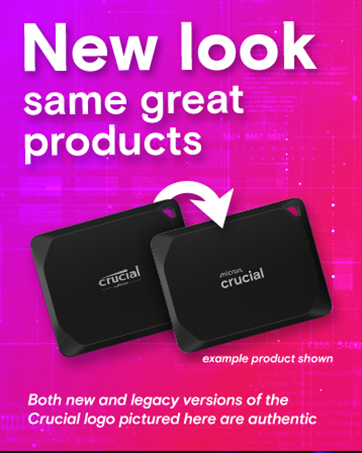
🚀 Pocket-sized power, pro-level performance.
The Crucial X9 4TB Portable SSD delivers ultra-fast 1050MB/s read speeds and massive 4TB storage in a sleek, lightweight design. Built tough with IP55 water and dust resistance plus drop protection up to 7.5 feet, it’s perfect for professionals, gamers, and travelers who demand reliable, high-capacity storage on the go. Compatible across multiple platforms with USB-C connectivity and bundled with premium backup and photo software, the X9 is the ultimate portable SSD for managing large files effortlessly.


| ASIN | B0CGVZL1M1 |
| Additional Features | Portable |
| Best Sellers Rank | #3 in External Solid State Drives |
| Brand | Crucial |
| Built-In Media | Crucial X9 Drive, USB-C to USB-C cable, 3-month Mylio Photos+ code |
| Cache Memory Installed Size | 4 TB |
| Color | Black |
| Compatible Devices | Camera, Gaming Console, Laptop, Tablet |
| Connectivity Technology | USB |
| Customer Package Type | Standard packaging |
| Customer Reviews | 4.5 out of 5 stars 6,841 Reviews |
| Data Transfer Rate | 10 Gigabits Per Second |
| Digital Storage Capacity | 4 TB |
| Enclosure Material | Polycarbonate |
| Form Factor | Portable |
| Global Trade Identification Number | 00649528939579 |
| Hard Disk Description | Solid State Drive |
| Hard Disk Form Factor | 2.54 Inches |
| Hard Disk Interface | USB-C |
| Hard-Drive Size | 4 TB |
| Hardware Connectivity | USB Type C |
| Installation Type | External Hard Drive |
| Item Weight | 32 Grams |
| Manufacturer | Micron |
| Model Name | Crucial X9 4TB Portable SSD |
| Model Number | CT4000X9SSD902 |
| Number of Items | 1 |
| Read Speed | 1050 Megabytes Per Second |
| Special Feature | Portable |
| Specific Uses For Product | Business, Gaming, Personal |
| UPC | 649528939579 |
| Unit Count | 1.0 Count |
| Warranty Description | 3-year limited Warranty |
E**Y
Very tiny and speedy.
Works great! And it’s wildly tiny.
W**S
Tiny powerhouse — 4 TB storage in a sleek, pocketable SSD
I’ve been using the Crucial X9 4TB Portable SSD for a few weeks now, and I’m seriously impressed. For those who want big storage without bulk, this is it. ⸻ What I love: • Compact & lightweight — It’s so small and thin, it easily fits in a jacket pocket or laptop bag without adding bulk. • Massive capacity — 4 TB gives me peace of mind. I can store video files, large photo libraries, backups, games, etc., without constantly juggling what to keep or delete. • Good speed — It delivers up to ~1050 MB/s (per Crucial) for sequential reads, which for me has meant fast transfers of large video files. (Of course, your speed depends on your USB-port, etc.)  • Durability — It has IP55 water/dust resistance and survives drops to about 7.5 ft / 2 metres (on carpet). That gives me confidence using it on the go.  • Compatibility — Works seamlessly with Windows, Mac, Android, etc. The USB-C interface + USB-A adapter makes it flexible for different devices.  ⸻ What to watch out for / minor drawbacks: • Speeds vary — It’s great when connected via a high-speed USB-C port, but if you use older or slower ports, you won’t get top performance. • Price — Naturally, a 4 TB SSD like this comes at a premium vs smaller drives or HDDs. If you don’t need all that space immediately, you might find smaller capacity options more cost-efficient. • Heat / throttling — I didn’t notice big issues yet, but as with many portable SSDs, heavy sustained transfers can warm it up. Just something I keep in mind. ⸻ Bottom line: If you’re after “big storage in a tiny package”, the Crucial X9 4TB hits the mark. Excellent for content creators, frequent travelers, or anyone who doesn’t want to worry about running out of space. Definitely worth the investment in my book.
E**Y
No fuss, does the job well, plug n play
Works great and feels much faster than my old drive. Easy to install and very reliable. Good quality from a trusted brand. Totally worth the money.
M**L
So far, this is a great drive at a great price!
CrystalDiskMark reports max sequential read of 1067 MB/sec, and sequential write of 1039 MB / sec. Sustained transfers from NVMe to the drive through USB 3.2 Gen2 run about 650 MB/sec. CrystalDiskInfo reports operating temps while powered on and idle around 40-45C, even under a heavy load operating temps never hit 70C. Comes preformatted in exFAT, which ensures compatibility across different devices and OS environments (PC, Mac, Linux, Android, etc,) so if you aren't the most tech-savvy person, it will work well to plug and play right out of the box. This thing is unbelievably small, just a little bit bigger footprint than two USB sticks side by side, and has a smaller footprint than a credit card. Virtually no noise when in operation, because SSDs don't have any moving parts. The only drawback is that the housing is plastic, metal would have been nice for durability and to help with heat dissipation. If I were going to transport this drive frequently, I'd invest in a protective sleeve of some sort, just to prevent the possibility of the housing cracking if it was dropped on a hard surface, but for typical use it should hold up just fine. Any drive can and eventually will fail, and every drive model is going to have a certain amount of defective units, but I've written almost a TB of data to this drive, and so far, so good! I'll update this review if any problems become apparent, but thus far, this seems to be a quality SSD at a great price!
R**E
Great External SSD
I bought this to replace an old USB 3.0 external drive. This drive is much nicer. It's less than half the size and so much faster! I would have liked something bigger than 2 TB, but the prices haven't come down quite enough yet. I thought the price of this drive was reasonable, and it's doing a good job for me. I am considering purchasing another one
P**S
A couple of not so good
I’ve known the name Crucial for about as long as I’ve been in the computer business yet I can’t say for sure if I ever ordered from them by brand. I do know their reputation is good. I’ve been spending my spare hours cleaning up files on my endless array of hard drives and SSD’s, I just got finished cleaning 205,000 files and I have more to go. One of the pitfalls of being a professional photographer and cinematographer and running a business is managing a lot of data. Today I went to open an often used Excel file and guess what, it was gone. And it was a super important one. So I stopped everything and did something I have meant to do for a long time. Get this SSD to do continuous backups of those things that I absolutely can’t lose, ever. I do have a good manual backup routine, hence all those backup drives but what was missing is being able to keep a history of my work on a daily basis I wanted something small that I could plug in to one of the USB-C ports of my Z2 G9, a very capable workstation. I have three such fast ports so no worries there. I didn’t need anything fancy or a cool belt lanyard or bright colors or lots of fluff ware and I don’t plan to drop it but there are no moving parts so that doesn’t concern me. What I did want is speeds keeping with the latest standards, because why not, and I wanted media that’s as relatively safe as possible, which I will never believe is a hundred percent possible with any storage drive, disk or solid-state. I scoured as many tech articles as I could find and the X9 seems to be one of the most highly regarded there is. I avoid the brand that starts with s because it seems everything I buy from them I regret and I try not to do business with them. THE NEED FOR SPEED I stay miles away from any discussion having to do with speeds for a gadget like this. It’s all a game with no winner. It’s like saying my brother can run faster than some guy in Cincinnati or my Yugo is faster than yours. There is only one answer to storage media speed – your speed will depend on stuff. Everybody’s computers, phones, files, and everything else are different, and a bench test is just that, unless that’s all you’re going to do with this thing. In real life the speed you get will depend on stuff. Knowing my workstation’s ports can support it I did do a quick test and found that I was able to achieve some fast read speeds. Then in real life I did a full backup using TrueImage and my overall average was about 203 mbps. Any other speedy capabilities of this device were pretty much wasted. OH PLEASE This is where I air my disappointments. Why is this thing plastic instead of aluminum or magnesium or titanium? What’s inside is three cents worth of silicon, couldn’t they spend another five cents on a decent case? And, what happened to including a basic version of some brand of backup software? I got the impression from their poorly done product page that they were saying they include Acronis, well they do but it is so stripped down that it is for all practical purposes worthless. They push hard on upgrading it, but it’s very clear that Acronis’ target client base is the IT departments of major corporations not us lowly consumers. The upgrade process went terribly, Unlike other software if you don’t pay the annual ransom they deactivate the whole product instead of letting you continue to use it. That subscription includes some questionable virus ware I don’t want or need, automatic renewal and worst of all it is set to allow them and anyone they sell your information to the right to spam you forevermore. And if you change your mind one second after paying for it you’re out of luck, they won’t give you your money back. They also include a three month trial of some photo cloud storage app that I would never use for my client work because of privacy concerns. And oh yeah, they will give you a whole whopping month of Adobe if you give them a whole lot of private information and agree to get their ads pushed to you by email. Storage Executive is another app you can download. I found it of dubious value, it features things that I can already do on my computer without having their app in the way, and by installing it you give them the right to automatically get access to your SSD for upgrades, this also is a privacy concern to me. Although this review is for the SSD, if my intent is to use it as a backup device, I found it was necessary to discuss this company’s poor choices when it comes to their embedded software apps. If you don’t use them this doesn’t apply to you. YES NO MAYBE The case is very lightweight and angular in shape, and very lightweight. If I bought this as my travel drive I would have been very disappointed that it is plastic. And I may have been disappointed that the included C-to-C cable is only a few inches long. But the cable is good quality, with strong strain reliefs and a robustly braided covering. I used a piece of #M Command tape to mount the drive to the bottom of my workstation where I could leave it permanently plugged in to a dedicated data port on the back of the computer. And I spent the thirty-nine bucks to get a paid version of TrueImage because it works for me. With my x9 mounted out of sight it is always plugged in and backing up, that was my intent when I bought this so overall I am fully satisfied. Despite the things I wish they would fix how can I say no to this thing? It’s a piece of functional gear that I need and it has a job to do. If it ends up not doing that job it goes back and I let the world know, wimple as that.
J**A
Smaller in real life vs photos
Good price and easy to use. Plug and play. I can't speak for its durability, but it feels good to hold. Connects quick and hits the rated MBP speed of 1000 mb/s. It is waay smaller irl vs the photos
T**Z
Works When It Wants To
Update: This thing is so bad I can't even transfer the data back to the original drive it was on... speed of 0, it's completely frozen. Has been like this at 3% and 0 transfer speed for over two hours now. Now I have to download it all again. nearly 500GB uncompressed... Why did it let me transfer the files to it so easily, but when I want to transfer them back it refuses and chokes and dies? This is so stupid. Thanks so much for the waste of time and money.. DO NOT BUY THIS. Well first off I got the adapter because I thought I needed it but never received it. Instead of shipping it together with the SSD they supposedly shipped the adapter a day before the Drive and despite saying it was delivered it wasn't, but that's a whole other thing and a waste of 10$. I ended up having a USB-C Port on my PC Tower that I didn't know was USB-C because nothing I own uses that. Why I bought this, I purchased this specifically to develop games/apps using Unity. My main drive is also a 1TB but it only allows access to 800GB and system files I can't remove are taking up a majority of the space with DCS taking up the rest. My second Drive is the drive that came with the PC and is only 250GB and has Steam and War Thunder on it. So you see why I needed another drive for Game Development. After being unable to use Unity on this SSD I thought I might as well transfer my DCS install over to it to free up the space for Unity on the main Drive. Yet for some really suspicious and weird reason it only freed up 300GB on my main Drive but took up over 530GB on this SSD. Really weird. It is soooooo slow. Any application I put on it seems to nearly kill it. When I try to access anything I put on it it completely freezes Windows Explorer for 1-5 minutes before finally doing what I asked it to do, or if it is taking longer than 5 minutes I just end up using Task Manager to end it. I first tried putting Unity on the SSD and it just absolutely refused to do anything with it. Really seemed like it had no idea what to do and just refused to install any Editor version, leaving errors for addons and the editor itself stuck on "installing" but never progressing. After force closing Unity Hub and trying to open it again the Drive just refused. It never opened. I then removed all that and put my DCS install on it to free up my main Disk Drive. That went fine and it even loads into the program incredibly fast, way faster than when it was on my main Drive. However when trying to actually play it first loads incredibly fast as usual but then about halfway through when it comes time to load the graphics it just completely chokes and I have to force close the program every time, so I have no idea how the Drive performs while in-flight.(Update) While writing out this review I had left a mission loading in the background instead of force closing the game after it froze. I was suddenly surprised after 10 minutes, yes literally 10 minutes, it actually loaded the mission. I just don't understand how it can do some things so incredibly fast, then just stop dead and freeze up with other things all while just loading a game. Once I started the mission everything was fine and smooth, nothing was wrong at all, then 30 seconds in it just froze again. 2 minutes later it started running and had no issues at all for the rest of the time I played that mission. I just really don't understand it. Really really disappointed in this SSD I did download the Crucial Executive just to make sure everything was good and see if I actually needed to do anything for the Drive to work properly, but that did nothing. Says the drive is fine. Although for some reason it tells me that the Drive has active partitions even when empty, which I also don't understand, so it won't even let me Format it. The Item Description even says it can hold "2 AAA game titles" but what's the point if it can't actually run them? Windows also recognizes my other two drives as Solid state but this Crucial drive as a regular Hard disc so what is up with that?
Trustpilot
1 month ago
1 month ago